

 nushell
Using inbuilt pager like less/more for long outputs
Related problem
When the output of a shell command is longer than the height of the terminal window, what we have to do is scroll the terminal up until we find the starting line of output. Sometimes, the output might be even truncated when the output is very longer.
What I normally do is running the command again with the | less or | more. However, the command may be costly or the output may be different in the second execution. Or, also I would use | tee file.log and read the file with a pager.
Possible solution is to wrap the command in a function which pipes command output to less as mentioned in this SO question. However, it has two problems:
- We need to to write wrappers for each command we use
- Less doesn't have color outputs
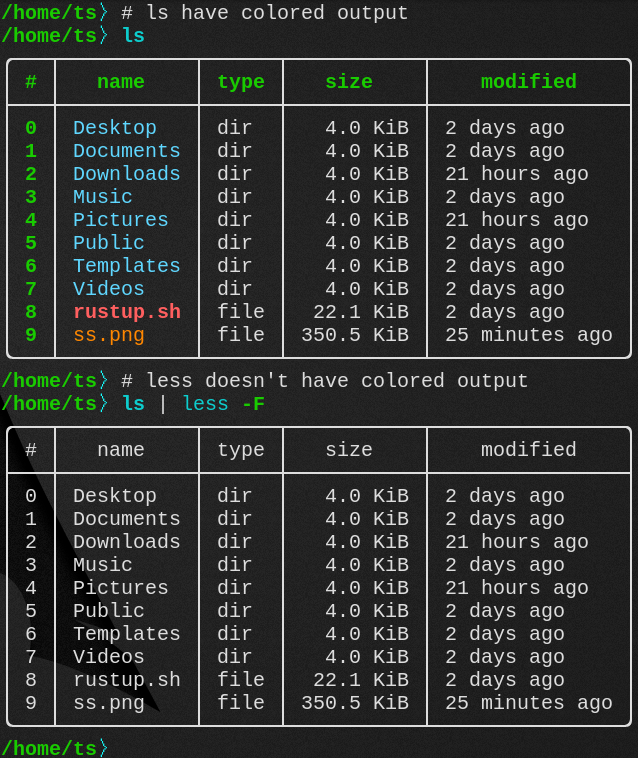
Related: #389 #999
Describe the solution you'd like
- When I execute a command, the output need to be limited to the terminal windows height
- Any further output can be viewed by scrolling the result (as like in
moreorless) - If the output is not longer than it must behave like normal way
- The color must be preserved
- If the input command is still visible on the top while scrolling the output it will be great
- It should work for all commands (not only for
lsor table outputs)
Describe alternatives you've considered
No response
Additional context and details
How to automatically pipe to less if the result is more than a page on my shell?

less actually does support colored output. I have this set in my env.nu as the default params let-env LESS = "-FRX". The trick to using it in nushell is to pass the output through table. Try this command help commands | table | less -FRX. I believe you have to have a relatively recent version of less. I'm not sure when they introduced color support. My version is 590.

@fdncred thanks for the trick! Piping to table is important here. Is there any way to reuse the the output of the last command? If so we could simply create an alias for $LastOutput | table | less -FRX and use.
I think there's no such thing like $LastOutput, so I may just rerun the last command using !! | table | less -FRX. But, can we create alias with !!? Seems like !! is replaced in-place and cannot be used in a script.
- You're welcome. :)
- There is no
$LastOutputyet, although we've talked about it for some time. - I don't believe
!!will work in an alias or custom command, but I haven't tried either. - You might be able to rig something up with
historyto get the last command and modify it?
- You might be able to rig something up with
historyto get the last command and modify it?
Yeah. That seems to be the way, thanks for the idea!
Yes we need this. Windows does not have a less command, so it would be very helpful if an inbuilt pager was supported and used by default. Make it so that if the output of a command is larger than can fit in the screen, then open the pager by default.

@wmstack If you download the nushell installer msi from the nushell repo and install it, you'll have the windows less.exe command. We bundle it with the Windows installer.
built nushell and installed nushell from git (using bash install-all.sh script ) changed shell to /usr/bin/nu (chsh -s /usr/bin/nu) $USER

Using arch linux, st terminal (suckless)
help commands | table | less -FRX
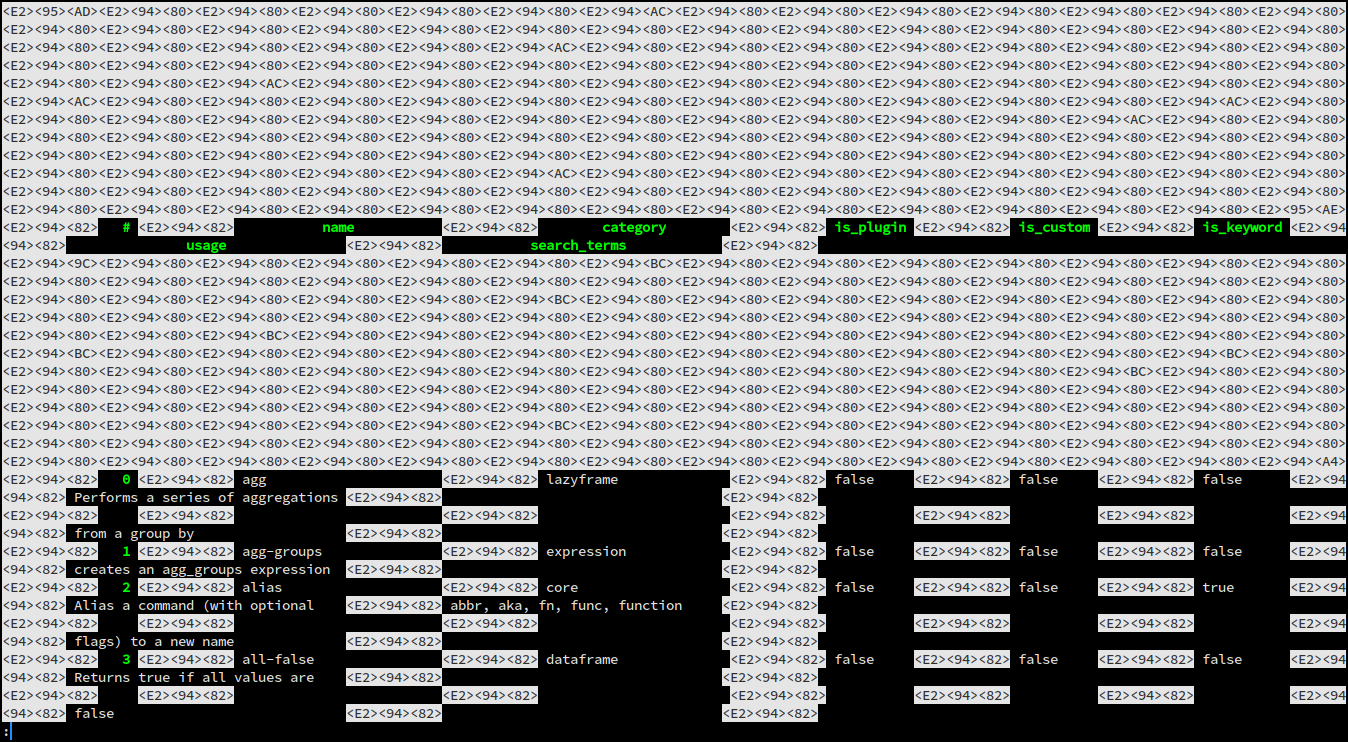
However if I change my default shell to zsh, launch nu and run the same command it renders correctly.

@jonnieey It looks like you have a font that doesn't support line drawing and your table_mode is set to rounded.
@wmstack If you download the nushell installer msi from the nushell repo and install it, you'll have the windows less.exe command. We bundle it with the Windows installer.
Yeah, but the installer requires admin permissions to use, and MSVC requires administrator permissions as well, so I am stuck with the scoop version right now. And I better have a pager!
Is there any reason that the less command is not built-in into the scoop installation with the other commands?
Yeah, but the installer requires admin permissions ...
You can just download the msi and extract it without installing it. I do this all the time. I have a .reg file that I found on the internet where i right click on a msi file in explorer and then click extract. Works nice.
Is there any reason that the less command is not built-in into the scoop installation with the other commands?
They must make their own msi. If they're using ours, it's in there. I'm not sure how scoop works. Scoop nushell installer is maintained but other people, not us.
@jonnieey It looks like you have a font that doesn't support line drawing and your table_mode is set to rounded.
Thanks. My locale variables were causing the issue, let-env LC_ALL=en_US.UTF-8 solved the issue
Thanks. My locale variables were causing the issue
oh that's good to know, thanks for reporting back.
Hello, I am getting garbled messages when using Windows Terminal with less:
# also happens with -RFX
help commands | table | less
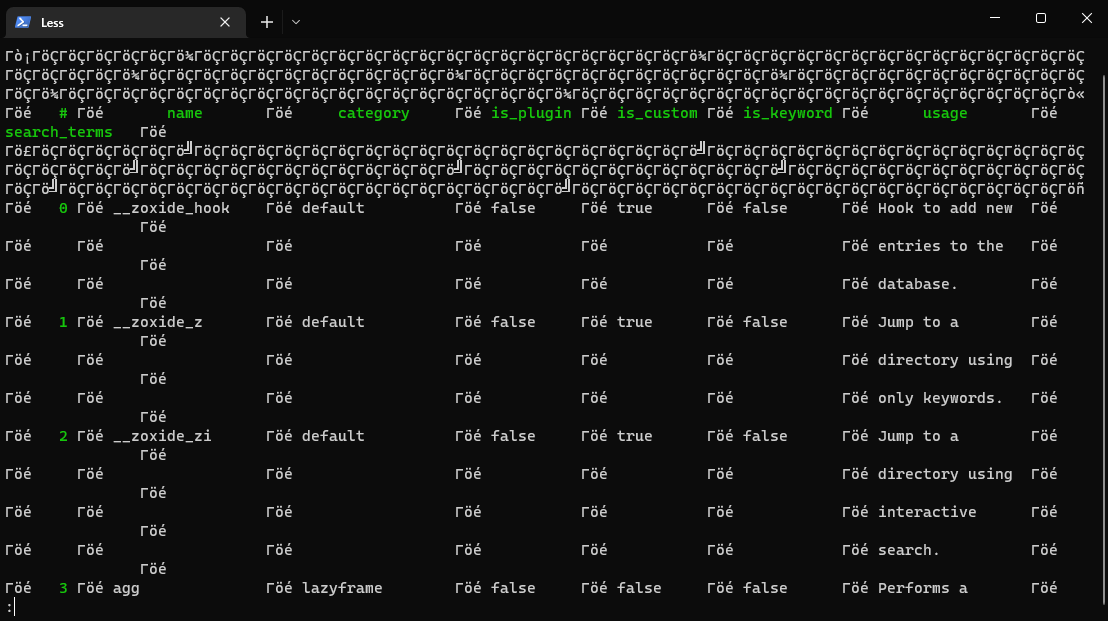
@wmstack From my exploration, you have to have a specific version of less, actually, that version or later. I want to say 5.90 but I could be remembering wrong. Whatever we distribute is the "right" one though.
You also have to be using a font that support line drawing.
Apparently we learned above that env vars like LC_ALL can manipulate the less output too.
Do you know that you have met these conditions?
- As for the font, the
lscommand for example works naturally, so wouldn't that be excluded? I also tried it in both Windows Terminal and in Vscode, and it is garbled in both. - less version is 590 without dots:
less 590 (Spencer V8 regular expressions)
Copyright (C) 1984-2021  Mark Nudelman

less comes with NO WARRANTY, to the extent permitted by law.
For information about the terms of redistribution,
see the file named README in the less distribution.
Home page: https://greenwoodsoftware.com/less
- I don't appear to have an environment variable called LC_ALL on scanning through the autocompletion of
$env
Another Windows user might need to verify this problem. Here's the output for vscode:
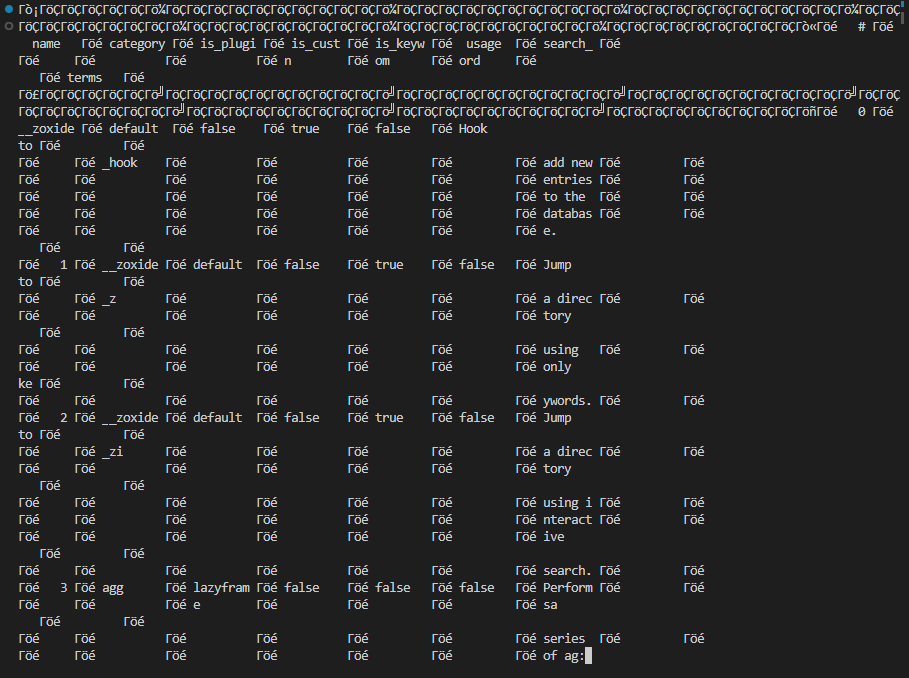
Ya, I think if ls is working fine then your font is probably fine.
I'm running Windows today and I'm also using the exact same version of less.exe you're using. I'm not having issues.
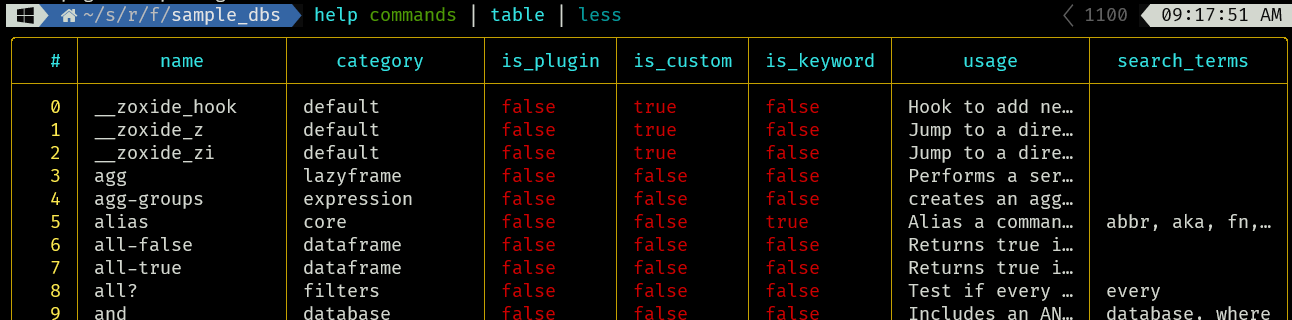
I'm wondering if your code page is messed up. You might try changing your code page to something like UTF8 which done with this command chcp 65001. I've used 437 too though. Here's a link to some other code pages.
I also have my env set like let-env LESS = "-FRX"
 and pager is set too and of course
 less.exe is in my path

I'm not sure what else it could be.
Setting the code page to 65001 fixed it for me. Not sure why the 437 code is garbled. Could it be because we use different fonts?
Edit: Need to add this command to $nu.config-path to make it permanent:
chcp 65001 | null
maybe code page 437 doesn't support line drawing?
Is there a chance that Nushell gets a dedicated troubleshooting section in its documentation, for issues that have been faced before?
Also, is there a way to make autoview automatically pipe into less?
Regarding docs: Sure. If someone wants to contribute it.
We don't have autoview any longer but I know what you meant. I'm not sure about the answer.
Do you get those inconsistent breaks in the lines?
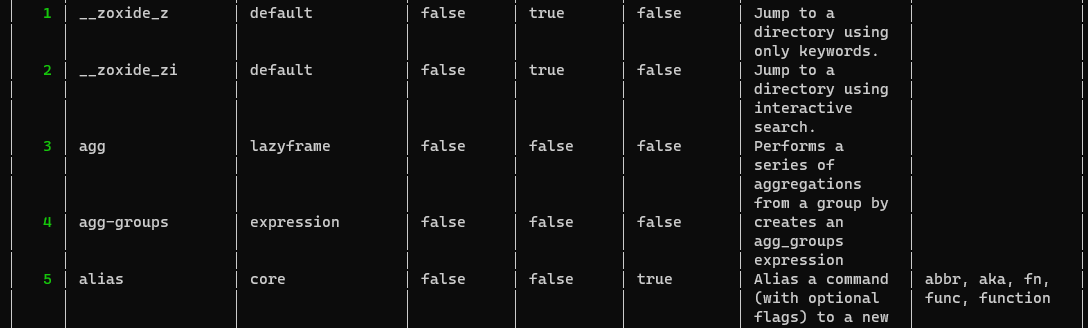
Edit: The font is alright in Vscode (Above is Windows Terminal)
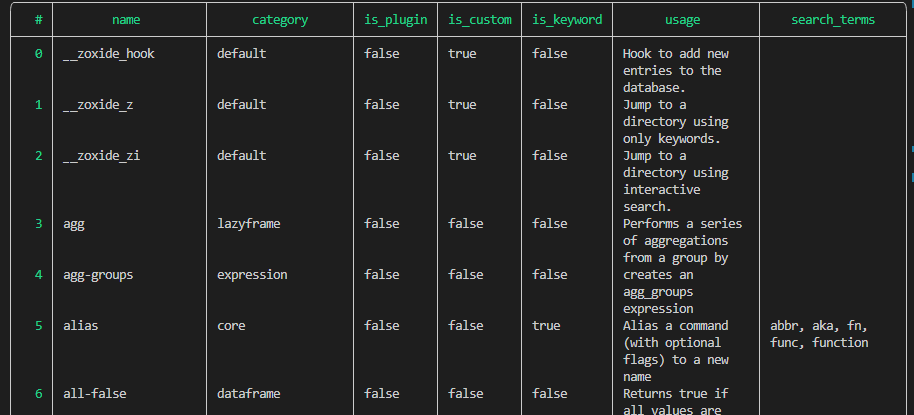
A built-in table pager could also do something less absolutely can't: sticky headers! :)

@unrelentingtech @elferherrera and I have been looking and wishing for something like csvlens https://github.com/YS-L/csvlens
A built-in table pager could also do something
lessabsolutely can't: sticky headers! :)
@valpackett While I'm absolutely for having a built-in way to do this, this isn't true anymore!
Recent versions of less have a --header flag.
So | table | less --header 3 (or 2) is what you're looking for.
(On macOS I first had to install an up-to-date version of less via brew)

We also have a pager PR that is in process now that uses a tui. https://github.com/nushell/nushell/pull/6984
I wrote support for nushell to pspg pager https://okbob.blogspot.com/2022/11/pspg-and-nushell.html
