
ios
 ios copied to clipboard
 nextcloud
Client App on iPhone still consumes more space after deleting cache & offline files
Steps to reproduce
- delete Cache and offline Files in client app
- open settings -> general -> iphone-storage -> look at nextcloud app
- still shows more needed space
Expected behaviour
In iphone-storage the app should only show the needed space and not the allocated space before deleting all local files.
Actual behaviour
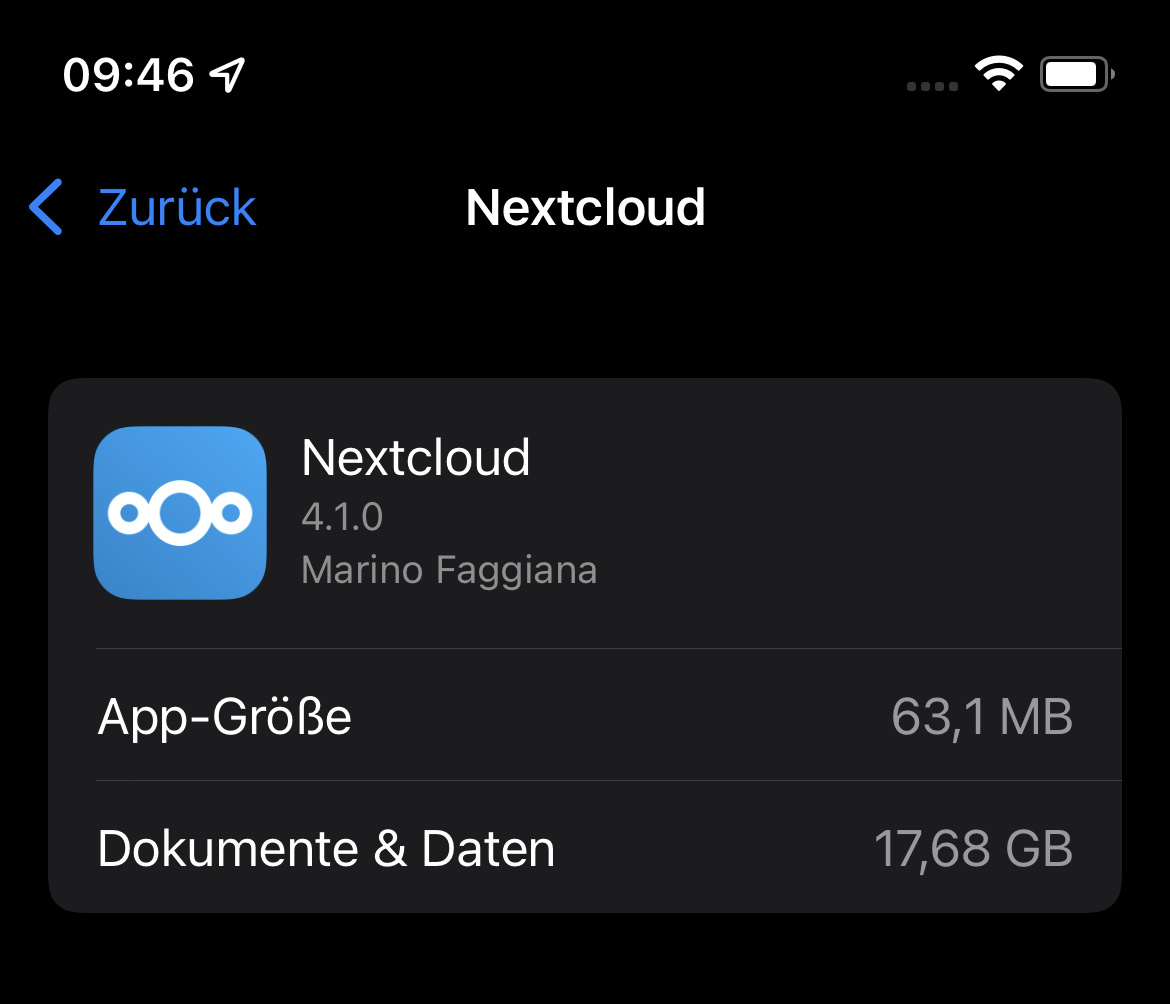
In iphone-storage the app shows the allocated space before deleting local files. On my iphone it consumes 17GB instead of 0GB.
Environment data
iOS version: iOS 15.0.2
Nextcloud iOS app version: see More > Settings Nextcloud Liquid for iOS 4.0.6.0
Server operating system: Nextcloud Server 22.2.0 Web server: Apache, nginx Apache Database: MariaDB, Elastic Search

Hi, can you try with the new Version in TestFlight 4.1.0 but several files are in cache and in Database and I can't delete it ....

I installed Version 4.1.0.5 from testflight, but it still consumes the allocated space from before deleting my photos.
Hi @trashcoder you can also try and force clear the RAM of your iPhone after clearing the cache in-app, by:
- If you have an iPhone without physical Home button, enable AssistiveTouch in Settings -> Accessibility -> Touch -> AssistiveTouch.
- Go to Settings -> General -> Tap "Shut Down"
- Press and hold the Home button (either physical or using AssistiveTouch) until your device shows the lock screen.
Now the RAM and cache should be reset.
Alternatively, restarting your device should have the same effect.
Please keep in mind that the storage itself is cached as well. So, after you clear you cache in the Nextcloud app, remember to clear the RAM on your device to force the storage settings to reload.

I used the second method and later i pressed the +-Button and the Shutdown-Button on the side of my iphone 12. Both doesn't lead to a less storage-consumption. It's still on 17,68GB.
17,68GB. is too high after deleting cache ... repeat try with the version in TestFlight
i deleted the cache in testflights nextcloud app, but it deleted only 60MB. iPhone-Storage shows now 17,64GB
Found this from 2019: https://github.com/nextcloud/ios/issues/935#issuecomment-529798781
aignerat said in his 2nd Point, that Nextcloud App shows the space is in use but it isn't.
When it's true i can live with it.
I have the same issue, after using the app for a long time I got a message from the system telling me that I was running out of space. I deleted the app cause it was using around 32gb. No offline files. So in my case it was actually using the space. Installed the app again today and now when I clear the cache the data is removed. But this should be done automatically or be able to be scheduled. Not very user friendly.


You probably already solved this but, this helped me to reduce the app size from several GB to 77 MB (Each of the following steps reduced the app size):
-
Clear cache (More > Settings > Advanced > Clear cache (close to the bottom) > Restart device -- last likely not necessary) (steps from this helpful NC forum link: https://help.nextcloud.com/t/nextcloud-taking-up-a-huge-amount-of-space-on-iphone/41198/2?u=datapack)
-
Then tried: More > Settings > Advanced > Clear Log file > close app (had to scroll)
