

 nesbox
File access android. Google pixel 5.
Follow up post from an email.
Basically. I can't access the TIC-80 folder to copy files from and to. I can access the the "files" folder, the directory above but im not sure if im be able load my .pngs and .tic files from that folder.
I'm using 0.90pro
Thanks.
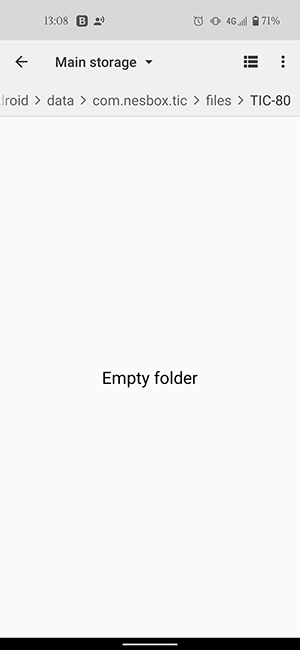


I'm on Android 11. It's also just hand an update, first thing I checked was access to the folder. Unfortunately no change. I'm using EX File Explorer for browsing my folders, permissions has been setup for it also. I shall plug my phone into my PC tonight, see if I get any files access that way.
Update - Yeh no luck here either, not showing any files in the TIC-80 folder.
Is it possible for TIC-80 to have another accessible working directory on android, outside the android/data files?
Yeah, same here. I can actually access TIC-80's local folder with the system files app (not google files), on my Pixel 2, but it's impossible, at least on my phone, to copy files into anything under android/data, as it's intentionally hidden. This means, in all likelihood, that on android you can export files.. but you can't download anything and run it, so it's a pretty reduced experience.

Hi guys, same problem for me on Xiaomi Mi 9 Lite, Android 11. This is because of Android 11 or above which has restrictions on android/data and obb.

Using the nightly build on my Pixel 5a with Android 13, I was able to mount the TIC-80 folder in Material Files as external storage and copy to and from the folder.
Here's the path I mounted: content://com.nesbox.tic.documents/tree/%2Fstorage%2Femulated%2F0%2FAndroid%2Fdata%2Fcom.nesbox.tic%2Ffiles%2FTIC-80
At first I mounted the wrong path and it seemed like it worked, but I got security errors and it copied the files with empty contents: content://com.nesbox.tic.documents/tree/%2Fstorage%2Femulated%2F0%2FAndroid%2Fdata%2Fcom.nesbox.tic%2Ffiles
So you need to be sure you mount the TIC-80 subfolder.
