

 mydraft-cc
Button Bar Multiple Links
First of all, your project is AWESOME for those of us that want to create simple, clickable wireframes without paying for some subscription service. Kudos for that!
I am happy to work on this if I could get some instruction on adding multiple page links per Button Bar object.
Video of current behavior:
https://user-images.githubusercontent.com/64045074/236303351-4b44fcd1-d64f-468d-82fa-a05c28108269.mp4
Example:

Goal Behavior:
Each buttons added to the object would give an option for a different link or page:
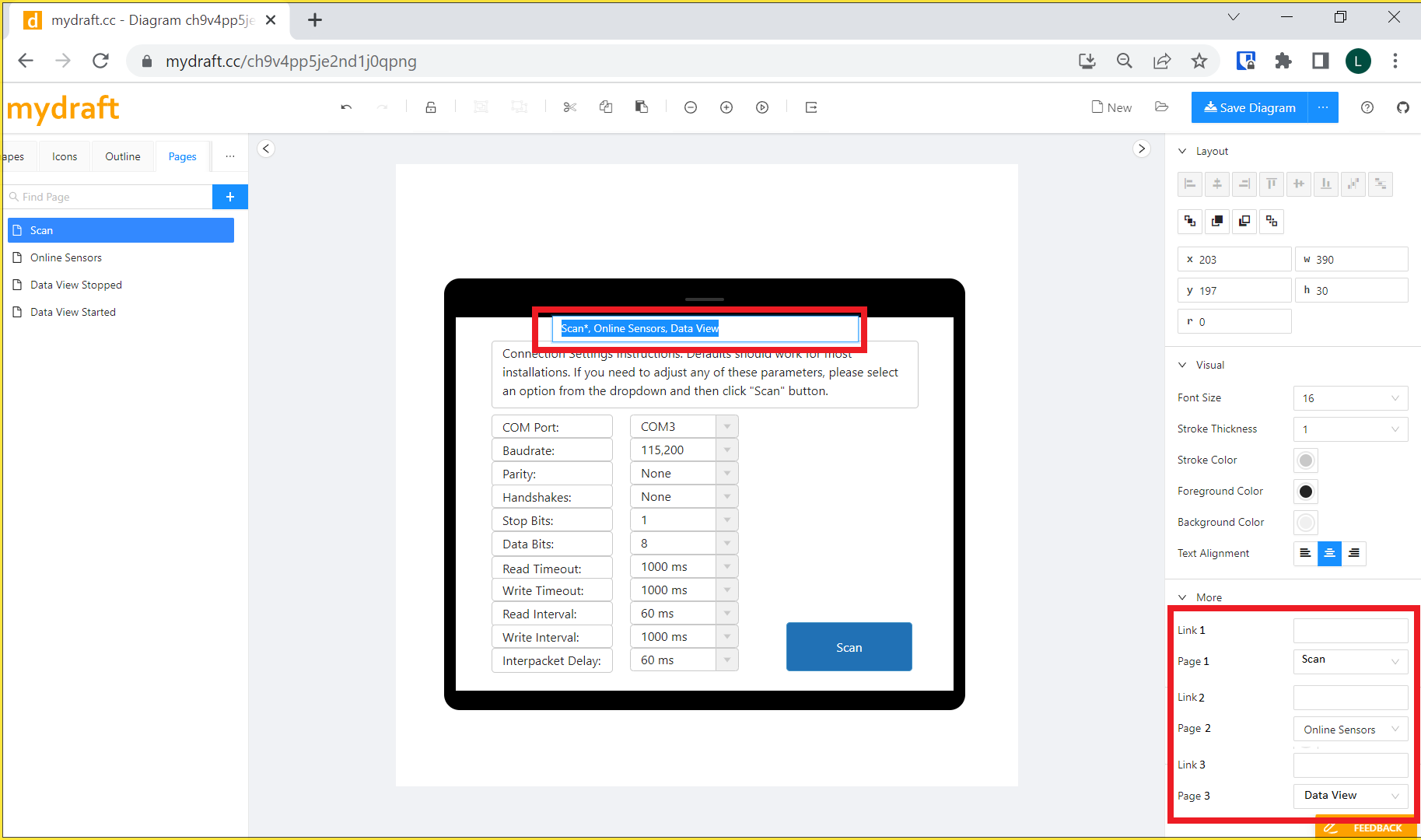
Is this something that is possible? And if it is possible, would you deem it a good first issue?
I am happy to work on this if I could get some guidance.
Thanks! -Leo

Thanks for your nice words and your good issue report. Unfortunately I do not have a good idea how to add multiple links right now, but perhaps you will find a solution.
- First of all the shape needs to report to the UI how many links should be rendered.
- The shape must have an option to get the actual link. The idea could be that the shape adds the link to concrete svg elements and uses that information in the function.
see: https://github.com/mydraft-cc/ui/blob/master/src/wireframes/renderer/NavigateAdorner.tsx

Haven't had a chance to work on this project yet. I'd like to contribute but just have been swamped with day job. I'll ping you when I get a chance to pick it back up.
-Leo
On Tue, May 23, 2023 at 2:14 AM Sebastian Stehle @.***> wrote:
Can I help you with something?
— Reply to this email directly, view it on GitHub https://github.com/mydraft-cc/ui/issues/192#issuecomment-1558671287, or unsubscribe https://github.com/notifications/unsubscribe-auth/APIUAESCYZW5TIYYZLFRTODXHRPUFANCNFSM6AAAAAAXWGFS4A . You are receiving this because you authored the thread.Message ID: @.***>