

 mvdwetering
Integration installed correctly. However no device found
Hi, I'm using Home Assistant 0.117.5 and I installed the integration correctly with HACS.

[[[ I installed it by clicking on the "+" orange icon and then I selected "add repository " and clicked on the HDMI Sync Box
 ]]]
]]]
Everything seemed to work fine. However I'm not able to find the device in the corresponding Home Assistant section and, as far as I understood, the integration should be able to discover the hdmi sync box automatically.
Thanks

Yup, the boxes should be found automatically. Just to make sure, did you restart Home Assistant after installing the integration through HACS?
In case you already restarted Home Assistant, can you think of something special about your network setup (e.g. VLANs)?

Thanks for the answer. Yes, I restarted few times HA after the installation, but with no luck.
I'm using a wi-fi network with WPA2 authentication, but nothing extraordinary. Is there any need of mapping any particular port on the router?
It should not need anything special. The syncbox uses mDNS/zeroconf to be discovered like a lot of other IoT devices so typically it should just work as zeroconf is enabled by default on Home Assistant.
I assume you have no issues connecting to the syncbox with the mobile Hue Sync app?
As a basic check you could try to ping the syncbox from the machine you are running Home Assistant, just to make sure they can reach each other.
If that is successful you could try to enable the debug logging for the zeroconf component in Home Assistant to see if anything is coming through. You can enable it by adding the following section to configuration.yaml (or extending it if it already exists)
logger:
  default: info
  logs:
    zeroconf: debug
After that restart Home Assistant and after it started have a look at the log and search for ._huesync._tcp.local which is the specific service for the syncbox. It would also be interesting to know if other devices do show up.
Note that only the lines that start with DEBUG (zeroconf-Engine-<some-number>) [zeroconf] Received from 'some-ip-address' are of interest. The lines that start with DEBUG (zeroconf-ServiceBrowser__Volumio should be ignored as that is the list of services that Home Assistant is looking for (which therefore also contains the _huesync service).
Unfortunately the logging for zeroconf is really spammy so you probably want to turn it off afterwards.
Other than that I currently have no ideas.
I assume you have no issues connecting to the syncbox with the mobile Hue Sync app? ==> Yes, correct. The Hue Sync app finds the box without problem .
I also confirm that I can manually ping the HUE HDMI Box from the machine where HA is installed.
I also followed the suggestion of adding the debug logging for zeroconf in the configuration.yaml. I paste here a screenshot of the output from the home-assistant.log :

It looks like it didn't report anything related to " ._huesync._tcp.local " . Maybe am I looking in the wrong log file?
Thanks
Ok, maybe I found something useful:
Logger: homeassistant.components.hue.light Source: helpers/update_coordinator.py:148 Integration: Philips Hue (documentation, issues) First occurred: 21:15:34 (1 occurrences) Last logged: 21:15:34
Timeout fetching group data
(and after 10 seconds)
Logger: homeassistant.components.zeroconf Source: components/zeroconf/init.py:219 Integration: Zero-configuration networking (zeroconf) (documentation, issues) First occurred: 21:16:14 (1 occurrences) Last logged: 21:16:14
Home Assistant instance with identical name present in the local network
That second message about the zeroconf is probably the issue. As far as I can see from the code that issue will cause the zeroconf component setup to abort, which also means that searching for devices with zeroconf will not work.
Judging from the message I guess you have multiple HA instances in your network. Maybe one was copied from the other and that is causing a problem? Maybe check the HA forums for that error message.
Edit: Actually it catches the exception and prints the error, so it should continue with setup. However I see no debug logging for zeroconf after that while it spams the logs on my setup.
For some reasons ( I really don't know why) yesterday the HDMI Box integration was found. I received a pop-up notification from HA of "new integration discrovery".
Unfortunatly, when I clicked on it, it says "the device is no more available, we are removing this integration". Maybe the HDMI box should be in a particular status for being discovered? Like it should be turned on for at least x hours before being found?
During the last 10 hours I tried to start it, stop it, put it on standby in order to test every possible scenario, but it didn't find the integration anymore.
I'm having the same issue on 0.117.5. If I try to add the integration manually it says "Aborted Manual configuration not supported. Devices should be discovered automatically". Which I assume is by design, however it does generate this error in the log "Detected code that attempted to create another Zeroconf instance" which was posted above. I only have a single HomeAssistance instance.
I have restarted several times and gotten no notifications of discovery. Sync box is on and working.

@androidean The syncbox should be discoverable after it has been connected to the wifi in the initial setup with the official mobile Hue Sync app. As far as I know there are no timelimits on it (and that would not really make sense). The discovery information only has a certain duration (and normally would be refreched within that time), so I guess that when it found the box and you clicked the device that information had already expired.
@Mave922 The message about discovery when trying to add a box manually is indeed by design. Only discovery is supported. I have not seen anything about the "Detected code that attempted to create another Zeroconf instance" message before. Can you provide more info about it?
for both
In general the integration itself does not really handle zeroconf itself. The integration just tells HA what service it is interested in and HA will notify the integration when a device supporting that service is found. All the "core" zeroconf stuff is handled by HA.
Could it be that there is another integration causing issues with zeroconf?
Some things to try to get a bit more info:
- Gather logging like described earlier. In the logging posted I don't see any lines with
[zeroconf]in there so it does not seem to be enabled (make sure to restart HA after enabling). Also please post the logfile itself instead of a screenshot as it makes searching easier. - Check with a tool to see if zeroconf/mDNS of the box is working. I have used "mDNS Browser" which is a Chrome extension, I only tried on Windows, not sure if it works on other platforms. We are looking for the service called "_huesync._tcp". Preferably try it on the same network as the HA machine is on (wired/wifi).
Hi @mvdwetering, today I just got few hours to check it out again. With a big surprise, everything worked fine the very first time I tried. I really did nothing different since few days ago, but today it worked!
Not sure what happened, but now I'm enjoying the integration and it's fantastic!
I am getting the same problem as @Mave922 .
Integration is installed, as the log prints:
2021-01-02 12:33:11 WARNING (MainThread) [homeassistant.loader] You are using a custom integration for huesyncbox which has not been tested by Home Assistant. This component might cause stability problems, be sure to disable it if you experience issues with Home Assistant.
I have zeroconf logging enabled.
I don't see 'huesync' in the zeroconf list below, which it should contain if I understood you correctly:
2021-01-02 12:30:34 DEBUG (zeroconf-ServiceBrowser__musc._tcp.local.-_spotify-connect._tcp.local.-_e2stream._tcp.local.-_Volumio._tcp.local.-_fbx-api._tcp.local.-_esphomelib._tcp.local.-_http._tcp.local.-_lg-smart-device._tcp.local.-_home-assistant._tcp.local.-_hass-ios._tcp.local.-_arduino._tcp.local.-_googlecast._tcp.local.-_tivo-remote._tcp.local.-_miio._udp.local.-_lutron._tcp.local.-_hass-mobile-app._tcp.local.-_hap._tcp.local.-_nanoleafapi._tcp.local.-_axis-video._tcp.local.-_appletv-v2._tcp.local.-_printer._tcp.local.-_soundtouch._tcp.local.-_coap._udp.local._276) [zeroconf] offsets = 0, 0, 0
Also another check to make sure huesync can be found using zeroconf I installed 'zerconfServiceBrowser' (as the chrome extension you mentioned isn't available anymore somehow.
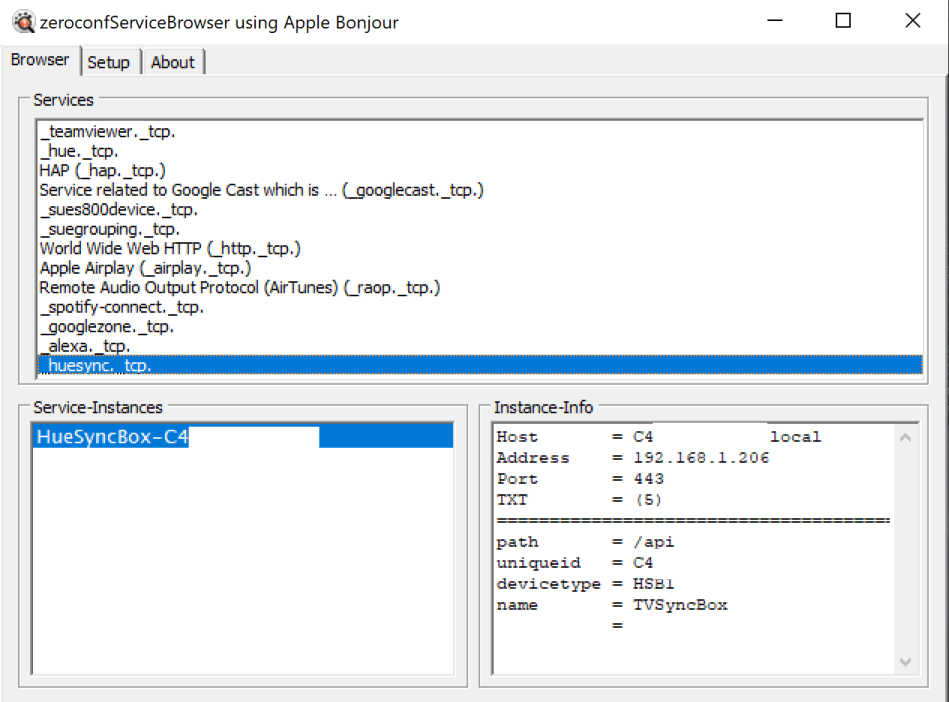 It's present there and IP and everything seems to match.
When using the
It's present there and IP and everything seems to match.
When using the zerconfServiceBrowser I do see logging pertaining huesync in the HA logs:
2021-01-02 12:41:33 DEBUG (zeroconf-Engine-267) [zeroconf] Received from '192.168.1.233':5353 (socket 17): <DNSIncoming:{id=0, flags=0, n_q=2, n_ans=14, n_auth=0, n_add=0, questions=[question[ptr,in,_services._dns-sd._udp.local.], question[ptr,in,_teamviewer._tcp.local.]], answers=[record[ptr,in,_services._dns-sd._udp.local.]=4484/4483,_teamviewer._tcp.local., record[ptr,in,_services._dns-sd._udp.local.]=2888/2887,_hue._tcp.local., record[ptr,in,_services._dns-sd._udp.local.]=2888/2887,_hap._tcp.local., record[ptr,in,_services._dns-sd._udp.local.]=2888/2887,_googlecast._tcp.local., record[ptr,in,_services._dns-sd._udp.local.]=2888/2887,_sues800device._tcp.local., record[ptr,in,_services._dns-sd._udp.local.]=2888/2887,_suegrouping._tcp.local., record[ptr,in,_services._dns-sd._udp.local.]=2888/2887,_http._tcp.local., record[ptr,in,_services._dns-sd._udp.local.]=2888/2887,_airplay._tcp.local., record[ptr,in,_services._dns-sd._udp.local.]=2888/2887,_raop._tcp.local., record[ptr,in,_services._dns-sd._udp.local.]=2888/2887,_spotify-connect._tcp.local., record[ptr,in,_services._dns-sd._udp.local.]=2888/2887,_googlezone._tcp.local., record[ptr,in,_services._dns-sd._udp.local.]=2888/2887,_alexa._tcp.local., record[ptr,in,_services._dns-sd._udp.local.]=2888/2887,_huesync._tcp.local., record[ptr,in,_teamviewer._tcp.local.]=4484/4483,781097571._teamviewer._tcp.local.]}> (391 bytes) as [b'\x00\x00\x00\x00\x00\x02\x00\x0e\x00\x00\x00\x00\t_services\x07_dns-sd\x04_udp\x05local\x00\x00\x0c\x00\x01\x0b_teamviewer\x04_tcp\xc0#\x00\x0c\x00\x01\xc0\x0c\x00\x0c\x00\x01\x00\x00\x11\x84\x00\x02\xc0.\xc0\x0c\x00\x0c\x00\x01\x00\x00\x0bH\x00\x07\x04_hue\xc0:\xc0\x0c\x00\x0c\x00\x01\x00\x00\x0bH\x00\x07\x04_hap\xc0:\xc0\x0c\x00\x0c\x00\x01\x00\x00\x0bH\x00\x0e\x0b_googlecast\xc0:\xc0\x0c\x00\x0c\x00\x01\x00\x00\x0bH\x00\x11\x0e_sues800device\xc0:\xc0\x0c\x00\x0c\x00\x01\x00\x00\x0bH\x00\x0f\x0c_suegrouping\xc0:\xc0\x0c\x00\x0c\x00\x01\x00\x00\x0bH\x00\x08\x05_http\xc0:\xc0\x0c\x00\x0c\x00\x01\x00\x00\x0bH\x00\x0b\x08_airplay\xc0:\xc0\x0c\x00\x0c\x00\x01\x00\x00\x0bH\x00\x08\x05_raop\xc0:\xc0\x0c\x00\x0c\x00\x01\x00\x00\x0bH\x00\x13\x10_spotify-connect\xc0:\xc0\x0c\x00\x0c\x00\x01\x00\x00\x0bH\x00\x0e\x0b_googlezone\xc0:\xc0\x0c\x00\x0c\x00\x01\x00\x00\x0bH\x00\t\x06_alexa\xc0:\xc0\x0c\x00\x0c\x00\x01\x00\x00\x0bH\x00\x0b\x08_huesync\xc0:\xc0.\x00\x0c\x00\x01\x00\x00\x11\x84\x00\x0c\t781097571\xc0.'] 2021-01-02 12:41:33 DEBUG (zeroconf-Engine-267) [zeroconf] Received from '192.168.1.233':5353 (socket 17): <DNSIncoming:{id=0, flags=0, n_q=2, n_ans=1, n_auth=0, n_add=0, questions=[question[ptr,in,_huesync._tcp.local.], question[srv,in,HueSyncBox-C4299600175E._huesync._tcp.local.]], answers=[record[ptr,in,_huesync._tcp.local.]=2902/2901,HueSyncBox-C4299600175E._huesync._tcp.local.]}> (81 bytes) as [b'\x00\x00\x00\x00\x00\x02\x00\x01\x00\x00\x00\x00\x08_huesync\x04_tcp\x05local\x00\x00\x0c\x00\x01\x17HueSyncBox-C4299600175E\xc0\x0c\x00!\x00\x01\xc0\x0c\x00\x0c\x00\x01\x00\x00\x0bV\x00\x02\xc0%']
192.168.1.233 is the PC with zeroconfServiceBrowser running.
PS: I found a fix, while typing this. I'll keep the logging here as it might help.
I had a feeling that the component wasn't initialized properly.
So I thought what the heck.. Let's add an empty huesyncbox: to my configuration.yaml, even though the README suggests otherwise.
The zeroconf servicebrowser logging did now contain huesync as expected.
And I directly got the discovery notification and could set it all up. After the setup I could remove huesyncbox: and it still keeps working.
I use HA 2020.12.1. Component is installed via HACS. If you need more info I'll be happy to provide them.
Thank you! (for this component)

Thanks for the custom component. It seems I have a similar issue.
Hue lamps and bridge were already integrated in HA(0.114.3). I added 1 striplight and 1 sync box (original app setup done, devices working with it) and installed the custom component via HACS (vers. 1.9).

Once restarted HA I received the notification for new devices ( I always do for some of them I don't want to config... Yet...) and in the Hue "box" I can see "4 devices, 3 entities".
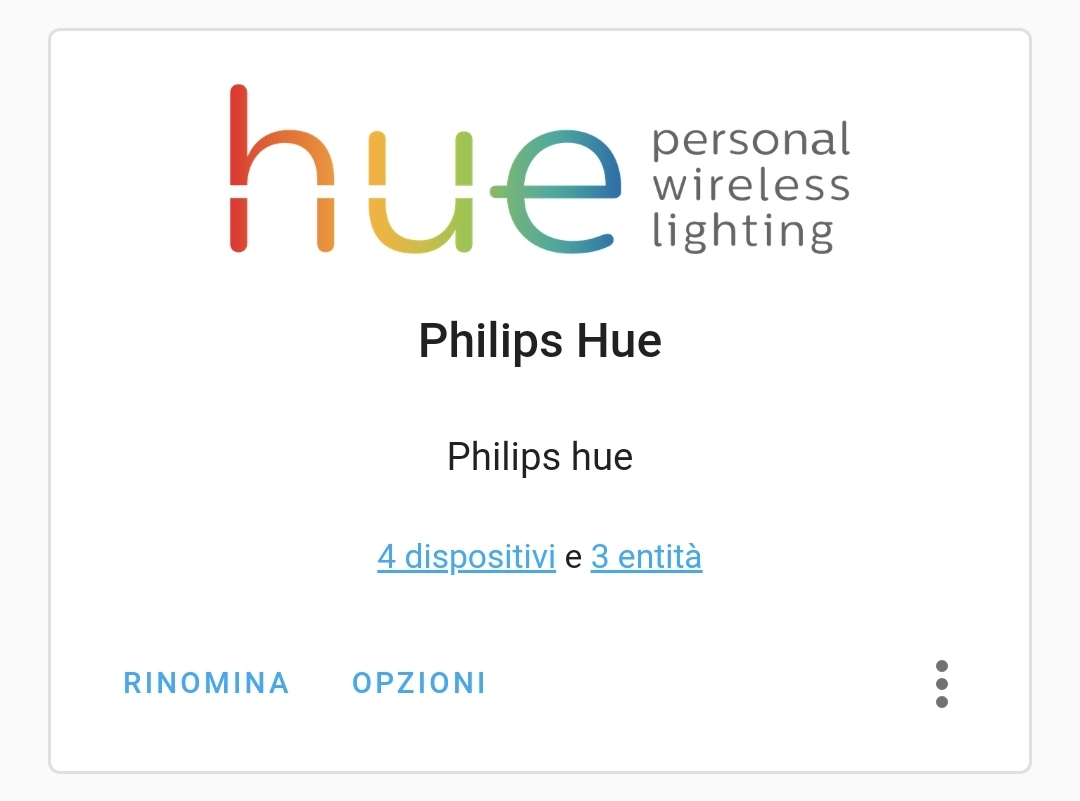 Clicking on devices I can see 1 striplight, 2 lamps and 1 syncbox:
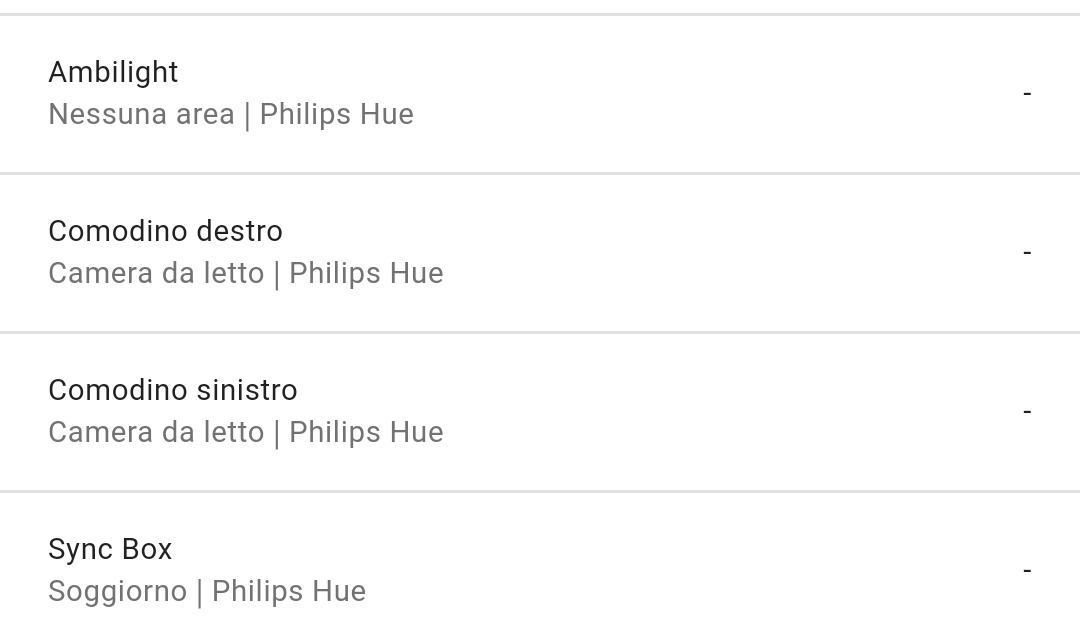 Clicking on entities I can see 1 striplight and 2 lamps only:

No additional services, no media player to control the syncbox in lovelace. Am I missing any steps?

Thanks for the custom component. It seems I have a similar issue. Hue lamps and bridge were already integrated in HA(0.114.3). I added 1 striplight and 1 sync box (original app setup done, devices working with it) and installed the custom component via HACS (vers. 1.9).
Once restarted HA I received the notification for new devices ( I always do for some of them I don't want to config... Yet...) and in the Hue "box" I can see "4 devices, 3 entities".
No additional services, no media player to control the syncbox in lovelace. Am I missing any steps?
Restarted the bridge and the sync box disconnecting the power. Restarted Raspberry and HA (again) and some magic happened... 😉
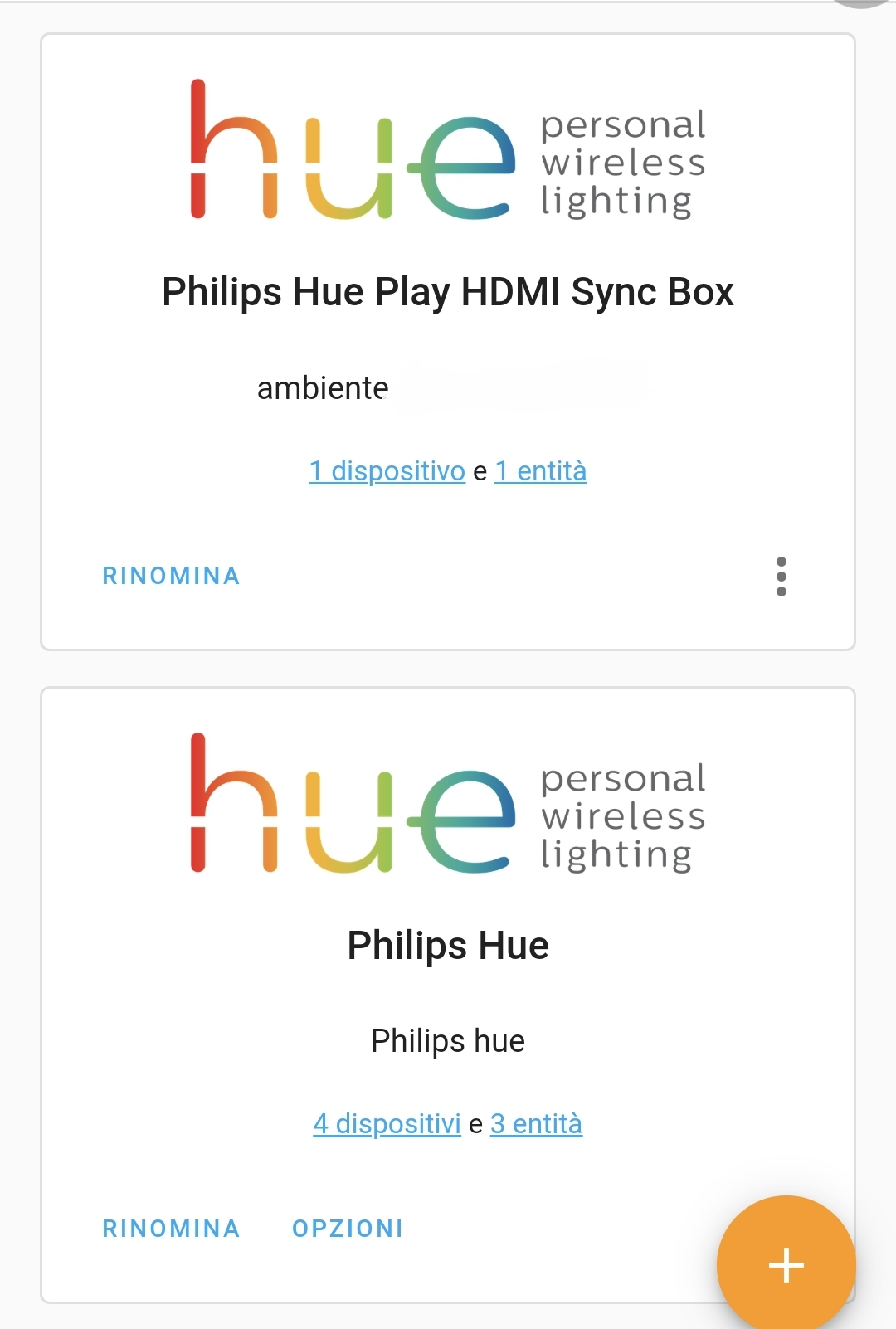
@SerhatG Sorry for the late reply. Not sure what is happening in your setup. Adding huesyncbox: to the configuration.yaml should not do anything anymore since the code that made zeroconf working before has been removed. Really strange. Lets hope it keeps on working for you.
@dalailama333 Glad you got it working. Restarting things does magic sometimes :)
Hi @mvdwetering . No problem. Just to confirm, that it keeps working like a charm. Thanks!
Would just like to add that I've been experiencing the same issue. I first followed the instructions, then what @dalailama333 did (disconnected all devices and plugged in Hue hub, Hue Sync Box then HA Raspberry Pi). Finally added it to the config file like @SerhatG and now it's working

@adabelleleiram thanks for the update.
I have the powercycle syncbox, restart HA and adding to the configuration.yaml now in the readme under the known issues sections in the enw release.
I am still unclear why it actually works, but glad there is a workaround as I am still not able to reproduce this in my own setups.
Another one here, been trying to get this to work on and off for months but added huesyncbox: to config yaml and its just picked it up, thanks for the tip

I have rebuild the integration from scratch with v2.0.0 and cleaning up some old issues. Please open a new issue if this is still relevant on v2.0.0