
blog
 blog copied to clipboard
 mrdulin
给SSH配置基于http(s)和socks协议的代理服务器
实验环境:阿里云ECS服务器,直接使用阿里云开放实验室,地址: https://edu.aliyun.com/lab/
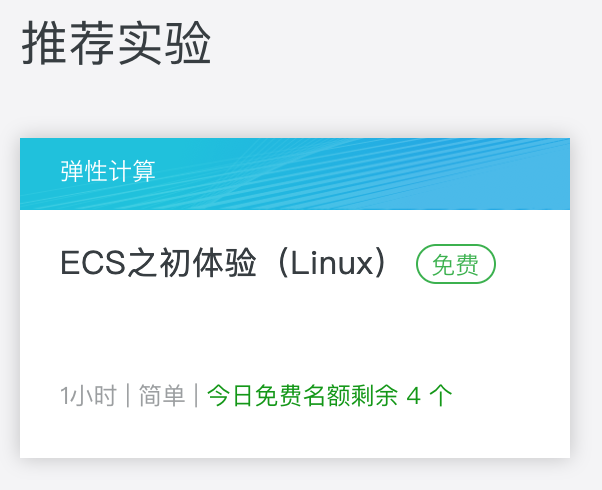
使用下面的实验创建一个实验用的远程ECS服务器
创建出来的远程ECS服务器信息如下图:

首先,不使用代理服务器,直接使用SSH连接远程服务器
先查看下当前本机的外部(外网)IP地址:
☁  ~  curl ip.gs
Current IP / 当前 IP: 223.167.246.30
ISP / 运营商:  ChinaUnicom
City / 城市: Shanghai Shanghai
Country / 国家: China
IP.GS is now IP.SB, please visit https://ip.sb/ for more information. / IP.GS 已更改为 IP.SB ,请访问 https://ip.sb/ 获取更详细 IP 信息!
Please join Telegram group https://t.me/sbfans if you have any issues. / 如有问题,请加入 Telegram 群 https://t.me/sbfans

  /\_/\
=( °w° )=
  )   (  //
 (__ __)//

☁  ~
外网IP是: 223.167.246.30, ISP是中国联通(360元/1年 100M带宽)。
接着使用SSH登陆刚才创建出来的阿里云远程ECS服务器:
☁  ~  ssh [email protected]
The authenticity of host '47.102.135.121 (47.102.135.121)' can't be established.
RSA key fingerprint is SHA256:oFXQg/u/sH8WX6sxV0YcMNB7aOrbmiYFIQmCPaR/EOg.
Are you sure you want to continue connecting (yes/no)? yes
Warning: Permanently added '47.102.135.121' (RSA) to the list of known hosts.
[email protected]'s password:
Last login: Tue Feb  2 10:49:14 2016 from 101.231.116.2

Welcome to aliyun Elastic Compute Service!
查看当前SSH会话的客户端IP地址,端口号和服务器IP地址,端口号:
[root@iZuf69wj3hd857lqjsb2yyZ ~]# echo $SSH_CONNECTION
223.167.246.30 54200 172.16.20.36 22
可以看到当前SSH会话的客户端IP地址是223.167.246.30,和刚才使用curl ip.gs等到的外网IP一致,端口是54200,服务器IP地址是172.16.20.36,是阿里云ECS服务器的私网IP地址(私网IP地址说明),端口是22。
关于SSH_CONNECTION环境变量的说明,请使用man ssh查看:
SSH_CONNECTION        Identifies the client and server ends of the connection.  The variable contains four space-separated values: client IP address, client port number, server IP
                           address, and server port number.
让SSH通过代理服务器去连接远程服务器
本地运行代理服务器,这里使用shadowsocks,配置如下:
模式:

服务器信息:

本地监听地址和端口:

F1的ss服务器的IP地址为:103.114.161.158
ss本地socks5监听地址为:127.0.0.1,本地监听端口为: 1086
使用SSH通过本地代理服务器,使用nc命令,关于nc命令,详见man nc,这里主要用到两个命令
-X proxy_version
             Requests that nc should use the specified protocol when talking to the proxy server.  Supported protocols are ``4'' (SOCKS v.4), ``5'' (SOCKS v.5) and ``connect'' (HTTPS
             proxy).  If the protocol is not specified, SOCKS version 5 is used.

     -x proxy_address[:port]
             Requests that nc should connect to hostname using a proxy at proxy_address and port.  If port is not specified, the well-known port for the proxy protocol is used (1080 for
             SOCKS, 3128 for HTTPS).
以及ProxyCommand选项,这篇文章解释的简单明了
https://dslztx.github.io/blog/2017/05/19/ssh%E5%91%BD%E4%BB%A4%E4%B9%8BProxyCommand%E9%80%89%E9%A1%B9/
现在连接阿里云ECS远程服务器
☁  ~  ssh [email protected] -o "ProxyCommand=nc -X 5 -x 127.0.0.1:1086 %h %p"
[email protected]'s password:
Last login: Mon Mar  4 22:03:36 2019 from 103.114.161.158

Welcome to aliyun Elastic Compute Service!
ssh通过本地socks5协议的代理服务器连接阿里云ECS服务器实例。
再次通过SSH_CONNECTION环境变量查看当前SSH会话的客户端IP地址,端口和ECS服务器的IP地址,端口:
[root@iZuf69wj3hd857lqjsb2yyZ ~]# echo $SSH_CONNECTION
103.114.161.158 44359 172.16.20.36 22
客户端IP地址为:103.114.161.158,就是shadowsocks的服务器IP地址
阿里云ECS服务器IP地址为:172.16.20.36,是私网IP。
从而实现了SSH => shadowsocks本地socks5代理服务器(127.0.0.1:1086)=> shadowsocks服务器(103.114.161.158) => 阿里云ECS服务器(47.102.135.121)的连接。
SSH通过http协议的代理服务器连接远程服务器过程一样,可以自己动手实验下。


楼主您好,我根据您的教程,已经能够用代理ssh了,但是经常会掉线
packet_write_wait: Connection to UNKNOWN port 65535: Broken pipe
而且很快掉线,几分钟左右就会断线,请问楼主也有遇到这种情况吗?

kex_exchange_identification: Connection closed by remote host ,what's wrong??
