notes
 notes copied to clipboard
Published
20 hours ago •
 mozilla
mozilla
[Enhancement] The dragged content should behave the same way as "Add to Notes"
[Affected versions]:
- Firefox 61 and above
[Affected Platforms]:
- All Windows
- All Linux
- All Mac
[Prerequisites]:
- Have a new Firefox profile with the latest version of the "Firefox Notes" add-on (4.2.0dev), custom built on 05.07.2018, installed.
- Have any website opened.
- Have at least a note in the sidebar.
[Steps to reproduce]:
- Open the browser with the profile from prerequisites and create or open a note.
- Select any text from the opened website.
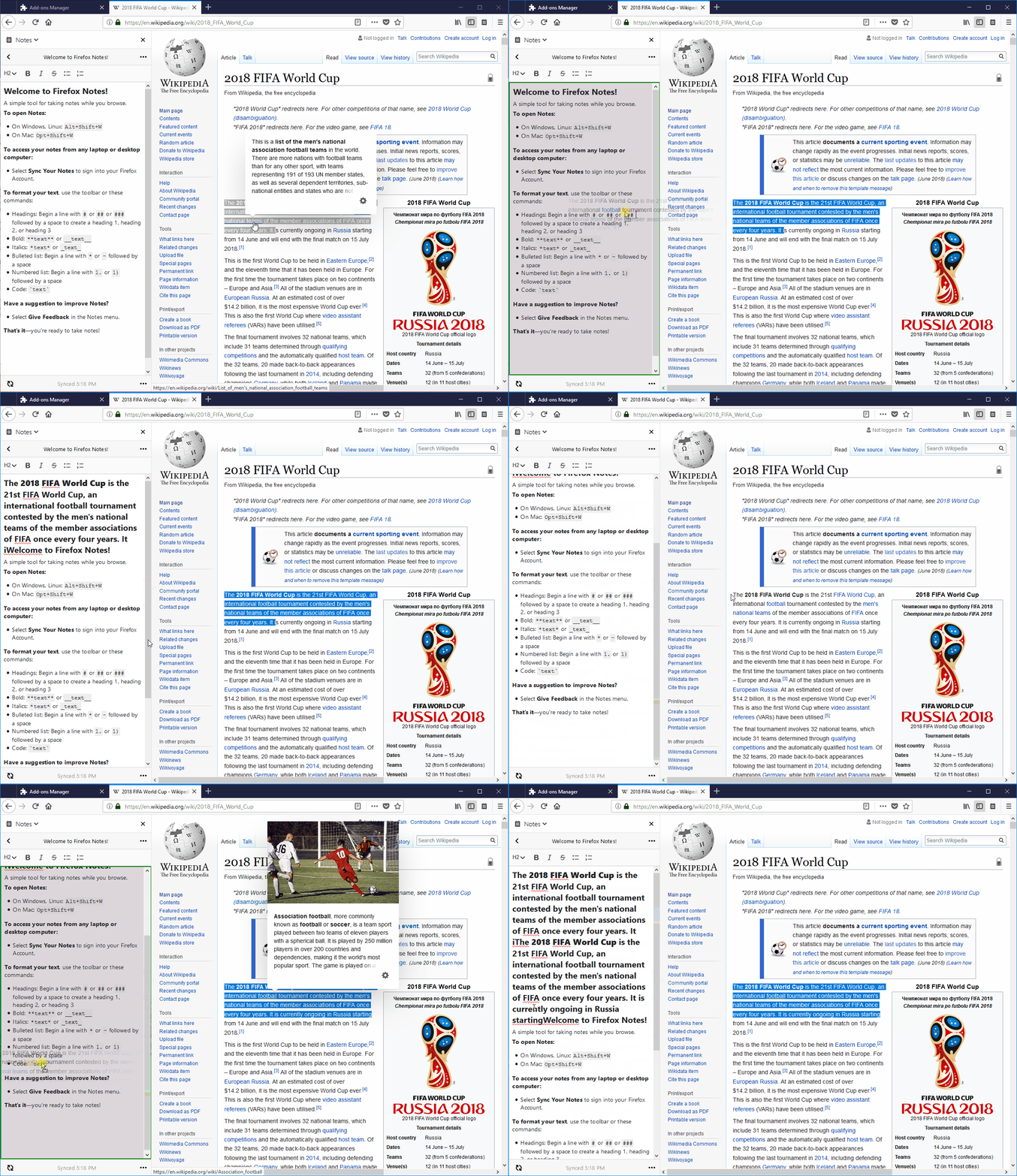
- Click and drag the selected text anywhere in the middle of the note's content.
- Observe the dragged text position.
[Expected result]:
- The dragged text is pasted at the end of the note's content on a new paragraph.
[Actual result]:
- The dragged text is pasted at the beginning or at the end of the notes content.
[Notes]:
- This issue is reproducible with the TxP version of "Firefox Notes".
- Attached a screen recording of the issue: