
addons-code-manager
 addons-code-manager copied to clipboard
Published
20 hours ago •
 mozilla
mozilla
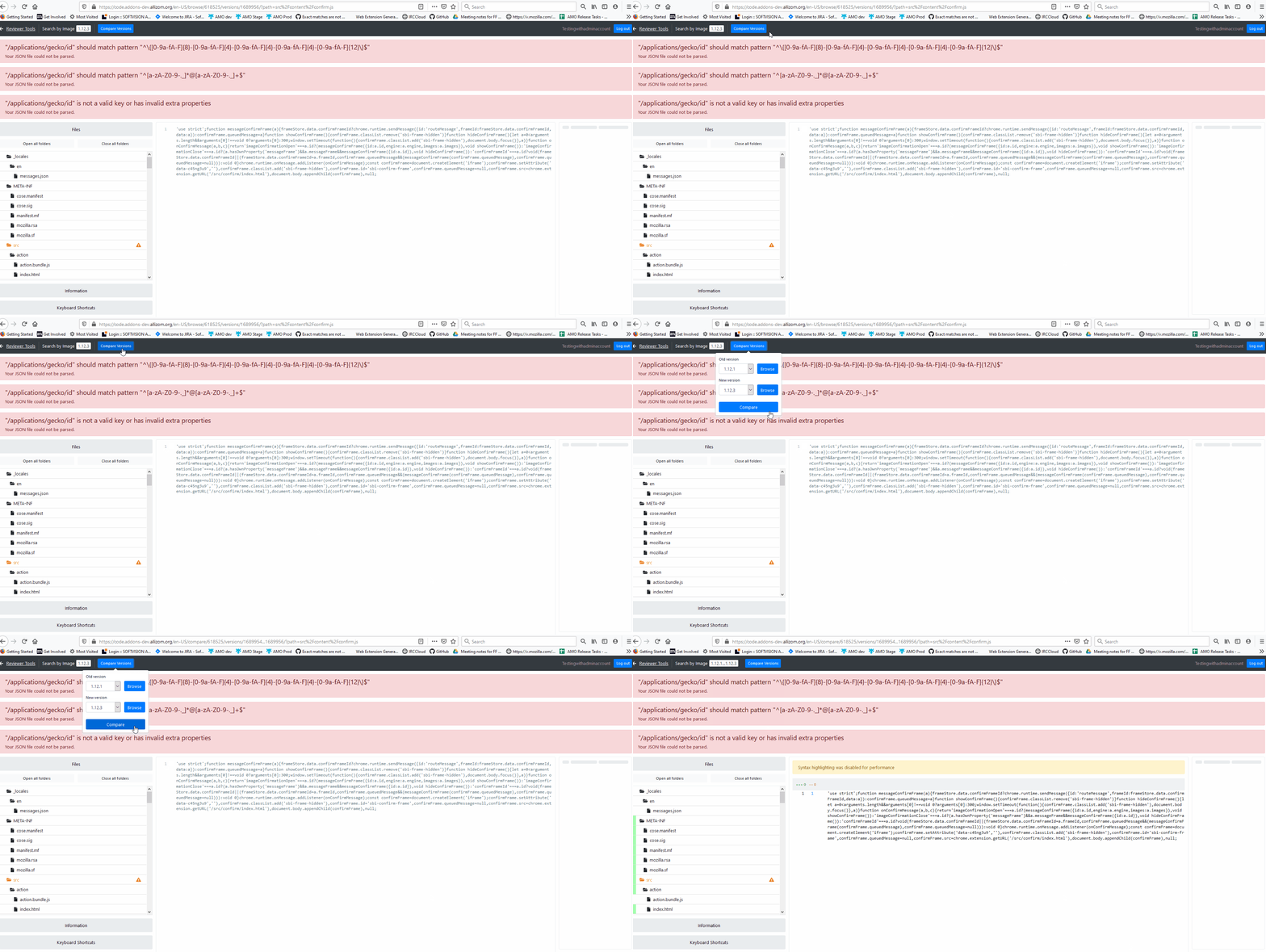
The non-highlighted lines look different - Browse versus Compare view
STR:
- Go to line of code which is not highlighted (has more than 500 chars) in Browse view https://code.addons-dev.allizom.org/en-US/browse/494431/versions/1689906/?path=jquery-ui%2Fjs%2Fjquery-1.7.1.min.js
- Using the Compare Versions button view the same file in comparison with another version https://code.addons-dev.allizom.org/en-US/compare/494431/versions/1532144...1689906/?path=jquery-ui%2Fjs%2Fjquery-1.7.1.min.js
Expected result: Both views show the code in the same color.
Actual result: The lines are grey in Browse view and black for the compare page.
Notes: This issue is reproducible on dev with FF71(Win10).
An example:
┆Issue is synchronized with this Jira Task

Looks like it just needs a style change. Let's make both versions the black text version.

This issue has been automatically marked as stale because it has not had recent activity. If you think this bug should stay open, please comment on the issue with further details. Thank you for your contributions.
![stale[bot] avatar](https://avatars.githubusercontent.com/in/1724?v=4 "Published by a pub.dev verified publisher")