
guardian-vpn-windows-deprecated
 guardian-vpn-windows-deprecated copied to clipboard
 mozilla-services
VPN app fails to connect, if you change primary email address on your Firefox Account
STR:
-
Have a VPN subscription on your Firefox Account (I signed up on Weds 2/19), and install & try out the app on Windows 10.
-
Swap your primary vs. secondary email address on your Firefox Account: (visit https://accounts.firefox.com/settings/emails and click "make primary" button next to what was initially your secondary email address).
-
Start (or restart) the Firefox VPN app on Windows 10, and try to connect, and view your settings using the Gear icon. (Try quitting and restarting the VPN app and doing this again, for good measure.)
ACTUAL RESULTS:
- The win10 Firefox VPN app "settings" section still shows my old Firefox Account email address.
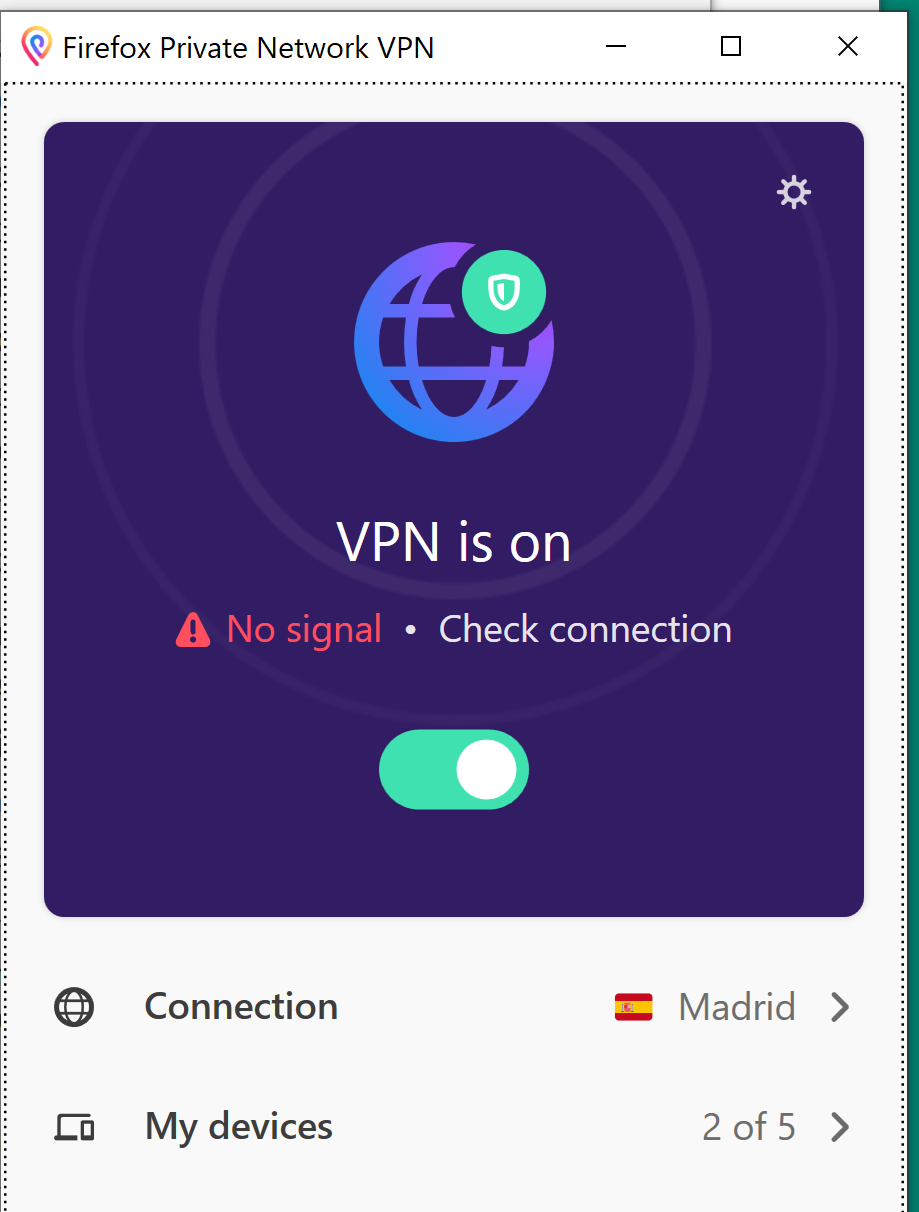
- The win10 Firefox VPN app was initially still able to establish a VPN connection, but after I restarted my computer and opened it again, it just takes my machine offline when I activate the VPN, and it says "No Signal" in the app after a few seconds of being supposedly connected.
- (Also/separately, my FxA lost its subscription state, but bbangert & jbuck helped me fix that by manually transferring some state in some FxA database.)
EXPECTED RESULTS: Either: (A) the Win10 Firefox VPN app should just keep working, and should update its settings page to show my new primary email address ...or: (B) the Win10 Firefox VPN app should forcibly log me out (or tell me that I need to log out), so that I have to log in with it again, which would presumably get me back to a working state.
(Behavior (B) is effectively what happened to me on Android, for what it's worth. It's clumsy, but it's better than being left in a non-functional state with no hint about why things aren't connecting.)

it just takes my machine offline when I activate the VPN, and it says "No Signal" in the app after a few seconds of being supposedly connected.
Here's what that looks like in the app (and all my web traffic stops working as well; no web pages will load, as long as I'm "connected"):
Also, in case it matters: in my case, about 2 days passed between STR steps 2 and 3 (i.e. between the time when I changed the primary email address & when I re-launched the FPN app on Win10). I don't imagine that makes a difference, but it might.
@connected-nkozul @connected-cmo FYI. @johngruen can summarize what we are doing on the subscription side.
