
mc
 mc copied to clipboard
 minio
minio
mc mirror --remove can remove all files from target if cluster is "big"
Sorry for the lacking informations, the issue is reproductible only on production environments, so i can't test as I want.
Expected behavior
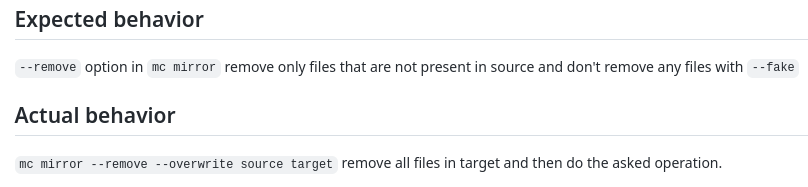
--remove option in mc mirror remove only files that are not present in source and don't remove any files with --fake
Actual behavior
mc mirror --remove --overwrite source target remove all files in target and then do the asked operation.
Steps to reproduce the behavior
Context
Source: (distributed mode - 6 serverpool) Target: server with only mc, copying on local filesystem I can reproduce consistently this behavior only on one setup, so it's hard to give exact steps to reproduce.
Things that seems important:
- about 3M files for a total size of 900G
- one cluster: one bucket: 15k folders: some subfolders in each folder: 3M files
- From about 10 cluster with similar setup, it's happenning consistently only on this cluster and this is the biggest. (It happened a few time on another cluster, 9M files, 150G, not on other clusters (smaller))
Commands
mc mirror --overwrite source target
copy files from source to target, working as expected
After that only "a few" files are updated / created / removed on source.
(Confirmed by mc diff source target showing only "a few" diff)
Then any of these commands:
mc mirror --remove --overwrite source target
or
mc mirror --fake --remove --overwrite source target
removes files on target.
mc --version
RELEASE.2022-01-07T06-01-38Z I tried some commands with RELEASE.2022-04-01T23-44-48Z too, but same behavior
minio version from source cluster (but i guess it's not relevant here): RELEASE.2022-01-08T03-11-54Z
System information (lsb_release -a)
No LSB modules are available. Distributor ID: Debian Description: Debian GNU/Linux 10 (buster) Release: 10 Codename: buster

I experienced a similar (or the same) bug.
I tried to mirror a bucket of approximately 4 TiB from one MinIO cluster to another. I ran the command multiple times. At one point, the command removed many objects from the target MinIO cluster. (These objects were already mirrored during previous runs.) They were not removed from the source MinIO cluster in the meantime, so the mirror command should not remove them from the target MinIO cluster.
Additional Information
- Flags:
mc mirror --overwrite --preserve --remove source/bucket target/bucket - mc version: Latest GitHub master from yesterday.

Maybe the listing operation on the source timed out and this timeout isn't handled correctly?
Also, when running without --remove, then the mirror command exits without error, but not all objects are mirrored. This seems to support the conjecture that the source bucket isn't fully listed. Hence, the mirror command doesn't mirror all objects (and removes the other objects from the target bucket, if running with --remove).
~~TL;DR~~
~~I upgraded the minio server from RELEASE.2022-01-08T03-11-54Z to RELEASE.2022-04-16T04-26-02Z, and the problem is resolved. The broken server version I had is the same version as the OP.~~
Reproduction
I was seeing the same issue as the OP with a windows/amd64 client running mc version RELEASE.2022-04-16T21-11-21Z. My command line:
mc mirror --json --remove --overwrite \\source\share\foo target/bucket
The first run of that command (where the target is empty) will sync properly. The second run will delete everything in the target. The cycle repeats itself from there.
The minio server was version RELEASE.2022-01-08T03-11-54Z running on linux/amd64.
~~Odd Results from Troubleshooting~~
~~I assumed the issue was in the client, so I went several releases back and started rebuilding the mc client. None of the rebuilt clients exhibited the problem...not even the current release! HUH?!~~
~~Yes, with the same version, RELEASE.2022-04-16T21-11-21Z, rebuilt locally with Go 1.18.1 windows/amd64 does not exhibit the issue. Only the release binary from dl.min.io exhibits the issue.~~
~~My build commands that produce client binaries that are unable to reproduce the issue against the original server version:~~
go build
go build -ldflags "$(go run .\buildscripts\gen-ldflags.go)"
~~The Server~~
~~At this point I started assuming the server was the issue. I upgraded to minio RELEASE.2022-04-16T04-26-02Z on the server, and now I'm unable to reproduce the issue with any mc binary.~~ 🤷♂️
EDIT:
I've done some additional troubleshooting and realized that I was using different mc binary names which were creating their own config directories and showing different results. If I renamed the binary to mc.exe, it would fail. So, I haven't actually found a resolution yet. I had to strikeout most of this post. 🤦♂️ Sorry for the noise.

Okay. I may have found the issue and a workaround. The original command that exhibited the issue:
mc mirror --json --remove --overwrite "\\server\share\foo" target/foo/
The problem is the trailing slash on the target path. I can see the same issue with diff mode:
mc diff "\\server\share\foo" target/foo/
Without that trailing slash, the mirror and diff modes work as expected:
mc mirror --json --remove --overwrite "\\server\share\foo" target/foo
mc diff "\\server\share\foo" target/foo
A trailing slash on the source path doesn't cause an issue for me.
In my case, I did not have a trailing slash.
Also, in my case, not everything was deleted but only some (often many) objects.
@serrureriehurluberlesque, @haslersn. I will try to do some code review to see how this is possible. Do you have any load balancer in your setup ?

@vadmeste Yes, ingress-nginx with the following configuration (I redacted the server name):
	server {
		server_name redacted ;

		listen 80  ;
		listen [::]:80  ;
		listen 443  ssl http2 ;
		listen [::]:443  ssl http2 ;

		set $proxy_upstream_name "-";

		ssl_certificate_by_lua_block {
			certificate.call()
		}

		# Custom code snippet configured for host redacted
		location /minio/v2/metrics {
			deny all;
		}

		location / {

			set $namespace      "s3";
			set $ingress_name   "s3";
			set $service_name   "minio";
			set $service_port   "https-minio";
			set $location_path  "/";
			set $global_rate_limit_exceeding n;

			rewrite_by_lua_block {
				lua_ingress.rewrite({
					force_ssl_redirect = false,
					ssl_redirect = true,
					force_no_ssl_redirect = false,
					preserve_trailing_slash = false,
					use_port_in_redirects = false,
					global_throttle = { namespace = "", limit = 0, window_size = 0, key = { }, ignored_cidrs = { } },
				})
				balancer.rewrite()
				plugins.run()
			}

			# be careful with `access_by_lua_block` and `satisfy any` directives as satisfy any
			# will always succeed when there's `access_by_lua_block` that does not have any lua code doing `ngx.exit(ngx.DECLINED)`
			# other authentication method such as basic auth or external auth useless - all requests will be allowed.
			#access_by_lua_block {
			#}

			header_filter_by_lua_block {
				lua_ingress.header()
				plugins.run()
			}

			body_filter_by_lua_block {
				plugins.run()
			}

			log_by_lua_block {
				balancer.log()

				monitor.call()

				plugins.run()
			}

			port_in_redirect off;

			set $balancer_ewma_score -1;
			set $proxy_upstream_name "s3-minio-https-minio";
			set $proxy_host          $proxy_upstream_name;
			set $pass_access_scheme  $scheme;

			set $pass_server_port    $server_port;

			set $best_http_host      $http_host;
			set $pass_port           $pass_server_port;

			set $proxy_alternative_upstream_name "";

			client_max_body_size                    0;

			proxy_set_header Host                   $best_http_host;

			# Pass the extracted client certificate to the backend

			# Allow websocket connections
			proxy_set_header                        Upgrade           $http_upgrade;

			proxy_set_header                        Connection        "";

			proxy_set_header X-Request-ID           $req_id;
			proxy_set_header X-Real-IP              $remote_addr;

			proxy_set_header X-Forwarded-For        $remote_addr;

			proxy_set_header X-Forwarded-Host       $best_http_host;
			proxy_set_header X-Forwarded-Port       $pass_port;
			proxy_set_header X-Forwarded-Proto      $pass_access_scheme;
			proxy_set_header X-Forwarded-Scheme     $pass_access_scheme;

			proxy_set_header X-Scheme               $pass_access_scheme;

			# Pass the original X-Forwarded-For
			proxy_set_header X-Original-Forwarded-For $http_x_forwarded_for;

			# mitigate HTTPoxy Vulnerability
			# https://www.nginx.com/blog/mitigating-the-httpoxy-vulnerability-with-nginx/
			proxy_set_header Proxy                  "";

			# Custom headers to proxied server

			proxy_connect_timeout                   300s;
			proxy_send_timeout                      60s;
			proxy_read_timeout                      60s;

			proxy_buffering                         off;
			proxy_buffer_size                       4k;
			proxy_buffers                           4 4k;

			proxy_max_temp_file_size                1024m;

			proxy_request_buffering                 off;
			proxy_http_version                      1.1;

			proxy_cookie_domain                     off;
			proxy_cookie_path                       off;

			# In case of errors try the next upstream server before returning an error
			proxy_next_upstream                     error timeout;
			proxy_next_upstream_timeout             0;
			proxy_next_upstream_tries               3;

			proxy_pass https://upstream_balancer;

			proxy_redirect                          off;

		}

	}

@vadmeste I use HAProxy. But i've tried just now to do "mc mirror --overwrite --remove" and "mc mirror --fake --overwrite --remove" commands using direct connection on one node of the cluster and they both still delete objects. (I tried with and without trailling slash)
@vadmeste I use HAProxy. But i've tried just now to do "mc mirror --overwrite --remove" and "mc mirror --fake --overwrite --remove" commands using direct connection on one node of the cluster and they both still delete objects. (I tried with and without trailling slash)
So you have --debug output for mc as well as mc admin trace source/ and mc admin trace destination for the entire run?
On big buckets where this issue occurs, I also noticed that doing mc ls ... on large directories can take up to 30 minutes (which already seems very excessive). More notably, after exactly 30 minutes and 1 second, it stops with:
mc: <ERROR> Unable to list folder. <html>
<head><title>504 Gateway Time-out</title></head>
<body>
<center><h1>504 Gateway Time-out</h1></center>
<hr><center>nginx</center>
</body>
</html>
However, in nginx I don't have any 30 minute timeout configured (see my nginx config above) and there's also no default timeout of 30 minutes. Does the MinIO server close the connection after 30 minutes?
On big buckets where this issue occurs, I also noticed that doing
mc ls ...on large directories can take up to 30 minutes (which already seems very excessive). More notably, after exactly 30 minutes and 1 second, it stops with:mc: <ERROR> Unable to list folder. <html> <head><title>504 Gateway Time-out</title></head> <body> <center><h1>504 Gateway Time-out</h1></center> <hr><center>nginx</center> </body> </html>However, in nginx I don't have any 30 minute timeout configured (see my nginx config above) and there's also no default timeout of 30 minutes. Does the MinIO server close the connection after 30 minutes?
If there are server timeouts there will be logs associated with it.
Note: MinIO listing is just drive listing, if your drives are slow listing will be slow. If your drive readdir() takes time then listing will take time. If your network is slow listing will be slower.
I suspect mostly your drives are just overloaded and there is not much IOPs left. Perhaps HDD based cluster with poor object spread, mainly leading to too many objects in same prefix.
Also you built this cluster yourself and we have no way to know what you did on this cluster in terms of configuration, settings etc.
After doing two things, I'm currently unable to reproduce the original issue (mc --mirror removing files and not mirroring everything). The two things were:
- Connect directly to one of the MinIO servers per cluster, without load balancer.
- Update both MinIO clusters to
RELEASE.2022-04-29T01-27-09Z - Bonus: the clusters might currently be under less load than before.
I'm not sure which (combination) of those things fixed the issue for me. I'll come back when I have more information.
I've run one time with the trace and debug logs.
Initial setup:
One cluster with 6 servers (source), one additional server with mc client (destination). the destination server run mc mirror to copy all buckets of the cluster to a local bucket / folder.
It was run one time succesfully (without --remove), so there is data in the destination server's bucket.
Then i've run a mc admin trace source on one source server and mc --debug mirror --fake --remove --overwrite on the destination server with a ssh tunnels between both. (I can't do a mc admin trace destination as it's not a cluster).
After some time (~2min) the mc mirror command started to rm the bucket on the destination.
From the trace i got only a log about list buckets:
2022-05-03T15:22:09:000 [200 OK] s3.ListBuckets **REDACTED** / 127.0.0.1 4.33ms ↑ 77 B ↓ 885 B
From the --debug i got this:
 0 B / ? ┃░░░░░░░░░░░░░░░░░░░░░░░░░░░░░░░░░░░░░░░░░░░░░░░░░░░░░░░░░░░░░░░░░░░░░░░░░░░░░░░░░░░░░░░░░░░░░░░░░░░░░░░░░░░░░░░░░░▓┃mc: <DEBUG> GET / HTTP/1.1
Host: localhost:port
User-Agent: MinIO (linux; amd64) minio-go/v7.0.20 mc/RELEASE.2022-01-07T06-01-38Z
Authorization: AWS4-HMAC-SHA256 Credential=backup/20220503/us-east-1/s3/aws4_request, SignedHeaders=host;x-amz-content-sha256;x-amz-date, Signature=**REDACTED**
X-Amz-Content-Sha256: e3b0c44298fc1c149afbf4c8996fb92427ae41e4649b934ca495991b7852b855
X-Amz-Date: 20220503T132209Z
Accept-Encoding: gzip

mc: <DEBUG> HTTP/1.1 200 OK
Content-Length: 569
Accept-Ranges: bytes
Content-Security-Policy: block-all-mixed-content
Content-Type: application/xml
Date: Tue, 03 May 2022 13:22:09 GMT
Server: MinIO
Strict-Transport-Security: max-age=31536000; includeSubDomains
Vary: Origin
Vary: Accept-Encoding
X-Amz-Request-Id: 16EB9B03FDFD53F0
X-Content-Type-Options: nosniff
X-Xss-Protection: 1; mode=block

mc: <DEBUG> Response Time:  354.157172ms

 0 B / ? ┃░░░░░░░░░░░░░░░░░░░░░░░░░░░░░░░░░░░░░░░░░░░░░░░░░░░░░░░░░░░░░░░░░░░░░░░░░░░░░░░░░░░░░░░░░░░░░░░░░░░░░░░░░░░░░░░░░░▓┃mc: <ERROR> Failed to start mirroring. remove /mnt/bucket_destination: no such file or directory
 (0) client-fs.go:938 cmd.(*fsClient).RemoveBucket(..)
 Release-Tag:RELEASE.2022-01-07T06-01-38Z | Commit:aed4d3062f80 | Host:destination_server | OS:linux | Arch:amd64 | Lang:go1.17.5 | Mem:13 MB/46 MB | Heap:13 MB/37 MB.
So why it can't mirror is not clear, but the fact the it removes bucket because mc mirrors fails seems weird to me even with --remove.
I could test with new minio version in the future, but i can't upgrade right now. Anyhow, the command with --fake should probably never delete anything right?
I could test with new minio version in the future, but i can't upgrade right now. Anyhow, the command with --fake should probably never delete anything right?
I sent a fix to mc that avoids buckets mirroring when --fake is passed. The fix is included in the latest mc releases already
I tried again with mc/RELEASE.2022-05-04T06-07-55Z today, seems that the same problems still occur.
The fix was in mc client right? As i said i can't upgrade right now the minio server and i am still using RELEASE.2022-01-08T03-11-54Z , but it should not explain everything, especially the --fake ?
admin trace:
2022-05-05T14:13:01:000 [200 OK] s3.ListBuckets **REDACTED** / 127.0.0.1 5.313ms ↑ 77 B ↓ 1.9 KiB
new --debug:
^M 0 B / ? ┃░░░░░░░░░░░░░░░░░░░░░░░░░░░░░░░░░░░░░░░░░░░░░░░░░░░░░░░░░░░░░░░░░░░░░░░░░░░░░░░░░░░░░░░░░░░░░░░░░░░░░░░░░░░       ░░░░░░░▓┃^M 0 B / ? ┃░░░░░░░░░░░░░░░░░░░░░░░░░░░░░░░░░░░░░░░░░░░░░░░░░░░░░░░░░░░░░░░░░░░░░░░░░░░░░░░░░░░░░░░░░░░░░░░░░░       ░░░░░░░░░░░░░░░░▓┃^M 0 B / ? ┃░░░░░░░░░░░░░░░░░░░░░░░░░░░░░░░░░░░░░░░░░░░░░░░░░░░░░░░░░░░░░░░░░░░░░░░░░░░░░░░░░░░░░░░░░       ░░░░░░░░░░░░░░░░░░░░░░░░░▓┃mc: <DEBUG> GET / HTTP/1.1
Host: localhost:port
User-Agent: MinIO (linux; amd64) minio-go/v7.0.24 mc/RELEASE.2022-05-04T06-07-55Z
Authorization: AWS4-HMAC-SHA256 Credential=backup/20220505/us-east-1/s3/aws4_request, SignedHeaders=host;x-amz-content-sha256;x-amz-date, Signature=**REDACTED**
X-Amz-Content-Sha256: e3b0c44298fc1c149afbf4c8996fb92427ae41e4649b934ca495991b7852b855
X-Amz-Date: 20220505T121300Z
Accept-Encoding: gzip

mc: <DEBUG> HTTP/1.1 200 OK
Content-Length: 1611
Accept-Ranges: bytes
Content-Security-Policy: block-all-mixed-content
Content-Type: application/xml
Date: Thu, 05 May 2022 12:13:01 GMT
Server: MinIO
Strict-Transport-Security: max-age=31536000; includeSubDomains
Vary: Origin
Vary: Accept-Encoding
X-Amz-Request-Id: 16EC3467366674CE
X-Content-Type-Options: nosniff
X-Xss-Protection: 1; mode=block

mc: <DEBUG> Response Time:  334.485512ms

^M 0 B / ? ┃░░░░░░░░░░░░░░░░░░░░░░░░░░░░░░░░░░░░░░░░░░░░░░░░░░░░░░░░░░░░░░░░░░░░░░░░░░░░░░░░░░░░░░░░░░░░░░░░░░░░░░░░░░░       ░░░░░░░▓┃ [...]
^[[Amc: <ERROR> Failed to start mirroring. remove /mnt/bucket_destination: no such file or directory
 (0) client-fs.go:958 cmd.(*fsClient).RemoveBucket(..)
 Release-Tag:RELEASE.2022-05-04T06-07-55Z | Commit:5619a78ead66 | Host:destination_server | OS:linux | Arch:amd64 | Lang:go1.17.9 | Mem:3.9 MB/25 MB | Heap:3.9 MB/16 MB.
By the way, it seems to be quite few log, could i be missing something here?
This issue has been automatically marked as stale because it has not had recent activity. It will be closed after 21 days if no further activity occurs. Thank you for your contributions.
![stale[bot] avatar](https://avatars.githubusercontent.com/in/1724?v=4 "Published by a pub.dev verified publisher")
Hitting the same issue here, the various combinations of --overwrite and --remove makes the files being deleted or synced in excess with no real reproducible pattern on our systems.
# minio -v
minio version RELEASE.2022-10-02T19-29-29Z (commit-id=f696a221af84fcff27266fd934a427d346547b93)
Runtime: go1.18.6 linux/amd64
License: GNU AGPLv3 <https://www.gnu.org/licenses/agpl-3.0.html>
Copyright: 2015-2022 MinIO, Inc.
# mcli -v
mcli version RELEASE.2022-10-01T07-56-14Z (commit-id=f73adff2383976d6b5644668bbd491b0551a1c96)
Runtime: go1.18.6 linux/amd64
Copyright (c) 2015-2022 MinIO, Inc.
License GNU AGPLv3 <https://www.gnu.org/licenses/agpl-3.0.html>

I tried this scenario with minio version RELEASE.2023-01-20T02-05-44Z and mc version RELEASE.2023-01-11T03-14-16Z.
The source/bucket had 150 GiB of data with few 10s of objects only (approx of sizes 10GiB and 5GiB). The --fake mode works as expected and doesn't mirror anything to destination/bucket.
First round of mirror happened well using mc mirror --remove --overwrite source/bucket destination/bucket and all object with 150GiB size got mirrored.
Next I removed an object from source using mc rm --recursive source/bucket/<object path> and re-executed mc mirror --remove --overwrite source/bucket destination/bucket and it worked as expected. The deleted object from source got deleted from destination as well.
Also the --fake mode didn't do any deletion on destination/bucket as expected.
Next need to verify with bigger data size and huge no of objects as well.

This could be a scenario where listing of objects in source bucket not returning some objects due to n/w issues or something else between nodes. Say on one node the object didn't get listed and so destination deletes that objects.
An output of ./mc admin config get <source bucket name> api and listing of objects on source and destination bucket may provide more insight of actual problem.
This could be a scenario where listing of objects in source bucket not returning some objects due to n/w issues or something else between nodes. Say on one node the object didn't get listed and so destination deletes that objects. An output of
./mc admin config get <source bucket name> apiand listing of objects on source and destination bucket may provide more insight of actual problem.
Any network error will be retried @shtripat we can never have truncated list.
It is possible if the source list is unreliable i.e to confirm that we would need mc admin trace -v output.
Otherwise there is nothing much to go about in this issue.
I guess I was not clear enough at https://github.com/minio/mc/issues/4047#issuecomment-1273268059, the issue we are facing is when doing a mirror to a local filesystem for backup purposes. In that case we have issues with --remove/--overwrite.
Just tried with a more recent version:
# minio -v
minio version RELEASE.2022-12-12T19-27-27Z (commit-id=a469e6768df4d5d2cb340749fa58e4721a7dee96)
Runtime: go1.19.4 linux/amd64
License: GNU AGPLv3 <https://www.gnu.org/licenses/agpl-3.0.html>
Copyright: 2015-2022 MinIO, Inc.
# mcli -v
mcli version RELEASE.2022-12-13T00-23-28Z (commit-id=4b4cab0441f000db100c5b5d9329221181bf61f2)
Runtime: go1.19.4 linux/amd64
Copyright (c) 2015-2022 MinIO, Inc.
License GNU AGPLv3 <https://www.gnu.org/licenses/agpl-3.0.html>
Now if I pass --remove I can't even start the mirror:
# df -hT /srv/minio
Filesystem                          Type  Size  Used Avail Use% Mounted on
/dev/mapper/vg_main-lv_minio_backup xfs   2.0T  1.2T  823G  59% /srv/minio
# time mcli mirror --overwrite --remove minio /srv/minio
mcli: <ERROR> Failed to start mirroring. remove /srv/minio: device or resource busy.
With just ---overwrite it seems to be fine.
@scaronni can you open a new issue with a reproducer ? it doesn't look it is related to this one.
The first issue is still the same in the first comment, I don't think it makes sense to open another one:
Just passing --overwrite --remove removes everything.
I'll open another one for the mount point as the root of the target filesystem mirror.
This is happening to us to. The cluster is not big (about 13 GB, and 77000 files). But I am mirroring whole minio instance to local. mc mirror --overwrite --remove prod-minio /backups/minio_production_backup. There is no load balancer and it is a single instance server.
I was implementing a periodic backup with mc and crontab. The first time it mirrored successfully, but for the second time it removed the directory (/backups/minio_production_backup). And this goes on for good, mirror - delete, mirror - delete ...
There is a mc mirror --watch options but It is not preferable for us, as it need an open connection and also we are mirroring to few other instances so each of them needs an open connection.
mc version: mc version RELEASE.2023-02-28T00-12-59Z (commit-id=5fbe8c26bab5592f0bc521db00665f8670a0fb31) minio server version: minio version RELEASE.2022-09-01T23-53-36Z (commit-id=cf52691959f6707337466d8c7d6c774c9ce4c6e6)
This is the error output of above command:
mc: <ERROR> Failed to start mirroring. remove /backups/minio_production_backup: no such file or directory.

This is happening to us to. The cluster is not big (about 13 GB, and 77000 files). But I am mirroring whole minio instance to local.
mc mirror --overwrite --remove prod-minio /backups/minio_production_backup. There is no load balancer and it is a single instance server. I was implementing a periodic backup with mc and crontab. The first time it mirrored successfully, but for the second time it removed the directory (/backups/minio_production_backup). And this goes on for good, mirror - delete, mirror - delete ... There is amc mirror --watchoptions but It is not preferable for us, as it need an open connection and also we are mirroring to few other instances so each of them needs an open connection.mc version: mc version RELEASE.2023-02-28T00-12-59Z (commit-id=5fbe8c26bab5592f0bc521db00665f8670a0fb31) minio server version: minio version RELEASE.2022-09-01T23-53-36Z (commit-id=cf52691959f6707337466d8c7d6c774c9ce4c6e6)
This is the error output of above command:
mc: <ERROR> Failed to start mirroring. remove /backups/minio_production_backup: no such file or directory.
@bagheriali2001 what you are saying is unrelated here - the --remove would only trigger if there was partial data received from prod-minio side.
@harshavardhana sure. Here is the output:
mc: <DEBUG> GET / HTTP/1.1
Host: HOST_URL
User-Agent: MinIO (linux; amd64) minio-go/v7.0.49 mc/RELEASE.2023-02-28T00-12-59Z
Authorization: AWS4-HMAC-SHA256 Credential=SqCnNqFPir0O7YHJ/20230421/us-east-1/s3/aws4_request, SignedHeaders=host;x-amz-content-sha256;x-amz-date, Signature=**REDACTED**
X-Amz-Content-Sha256: e3b0c44298fc1c149afbf4c8996fb92427ae41e4649b934ca495991b7852b855
X-Amz-Date: 20230421T130001Z
Accept-Encoding: gzip

mc: <DEBUG> HTTP/1.1 200 OK
Transfer-Encoding: chunked
Content-Security-Policy: block-all-mixed-content
Content-Type: application/xml
Date: Fri, 21 Apr 2023 13:00:02 GMT
Server: MinIO
Strict-Transport-Security: max-age=31536000; includeSubDomains
Vary: Origin
Vary: Accept-Encoding
X-Amz-Request-Id: 1757F4AB411B019F
X-Content-Type-Options: nosniff
X-Xss-Protection: 1; mode=block

mc: <DEBUG> Response Time:  292.326543ms

mc: <ERROR> Failed to start mirroring. remove /backups/minio_production_backup: no such file or directory
 (0) client-fs.go:1076 cmd.(*fsClient).RemoveBucket(..)
 Release-Tag:RELEASE.2023-02-28T00-12-59Z | Commit:5fbe8c26bab5 | Host:vm6659904030.bitcommand.com | OS:linux | Arch:amd64 | Lang:go1.19.6 | Mem:7.4 MiB/33 MiB | Heap:7.4 MiB/19 MiB.