
trimesh
 trimesh copied to clipboard
 mikedh
Intersection of a mesh & a line (multiple points?)
Hi Mike,
Could you please help a bit in the following challenge I'm facing?
I am trying to find intersection of a mesh and a straight line (and therefore will result in a few points). As a straight line is the intersection of two planes, I have used the section tool to cut the mesh with two planes each and got two Path3D objects. However, I couldn't find a way to find out the intersection of the two Path3D - would you have any ideas?
Best, Shawn

Hey Shawn, if you want the intersection of two Path3D objects like that you probably need to project them to 2D (probably use a rotation around the shared line axis then the same transform to 2D, and then use a.polygons_full[0].intersection(b.polygons_full[0])
A much easier way to get mesh-line intersections would probably be ray tests, using mesh.ray.intersects_location query rather than a cross section. I just added a simple example here: https://github.com/mikedh/trimesh/blob/master/examples/ray.py

Thank you so much @mikedh ! This is exactly what I was looking for. I really appreciate it.
However, while your example worked for me, it didn't work on my geometry for some reason:
https://github.com/yw5aj/testray/blob/master/testray.ipynb
(The STL file is also in the repo)
I clearly see that the ray is penetrating the geometry:
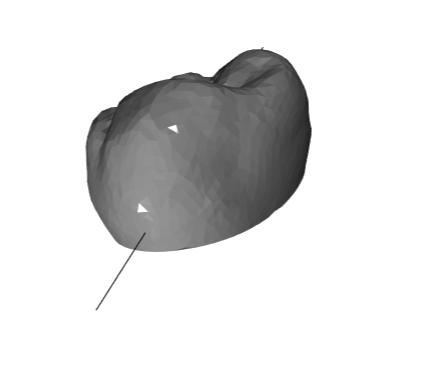
But the locations is an empty list. If it is not too much to ask, could you please help take a look?
Thank you again, Shawn
Thanks for the example! That is bizarre- it looks like the ray is definitely hitting but neither embree nor the native raytracer see any hits. I'll look in to it.
Oh by the way, with the section method it should be easier than two sections, just a single section + line should work as per the example:
# if we want to intersect a line with this 2D polygon, we can use shapely methods
polygon = slice_2D.polygons_full[0]
# intersect line with one of the polygons
hits = polygon.intersection(LineString([[-4,-1], [3,0]]))
# check what class the intersection returned
hits.__class__
By the way, the reason this was so screwy was because that test mesh had face normals that were all zero. I added some logic (in and around https://github.com/mikedh/trimesh/commit/177123b6f8fe32ed51ef834acbc7b3965a19777a) where if every normal passed is zero to discard them.
Then when the ray query is done it uses face normals automatically generated from cross products and works as expected.
Sorry for the late reply! Was travelling during the long weekend.
Thank you so much for your kind help in investigating it! That helped me significantly and I truly appreciate it. And the single line intersection method would work perfect as well!
I will try the solution ASAP.
Thanks again, Shawn
On Mon, Sep 3, 2018 at 2:44 PM Michael Dawson-Haggerty < [email protected]> wrote:
Closed #211 https://github.com/mikedh/trimesh/issues/211.
— You are receiving this because you authored the thread. Reply to this email directly, view it on GitHub https://github.com/mikedh/trimesh/issues/211#event-1824025037, or mute the thread https://github.com/notifications/unsubscribe-auth/ADUQ7bWlwjOnwhUadfz1litEFM3tDUrsks5uXZS4gaJpZM4WUQ_w .
-- Yuxiang "Shawn" Wang, PhD [email protected] +1 (434) 284-0836
Hi Michael! I'm running into the same issue that yw5aj ran into where a ray is clearly penetrating the surface but the locations returned from ray.intersects_locations is an empty list. Putting a super simplified example below. Any thoughts on how to fix this?
plane = trimesh.creation.box([300, 300, 0.01]) ray_origins = np.array(([0, 0, 200], [0, 0, 200])) ray_directions = np.array(([0, -200, -100], [-200, 0, -100])) ray_visualize = trimesh.load_path(np.hstack((ray_origins, ray_directions)).reshape(-1, 2, 3)) scene = trimesh.Scene([plane, ray_visualize]) scene.show() locations, index_ray, index_tri = plane.ray.intersects_location( ray_origins=ray_origins, ray_directions=ray_directions) print(locations)
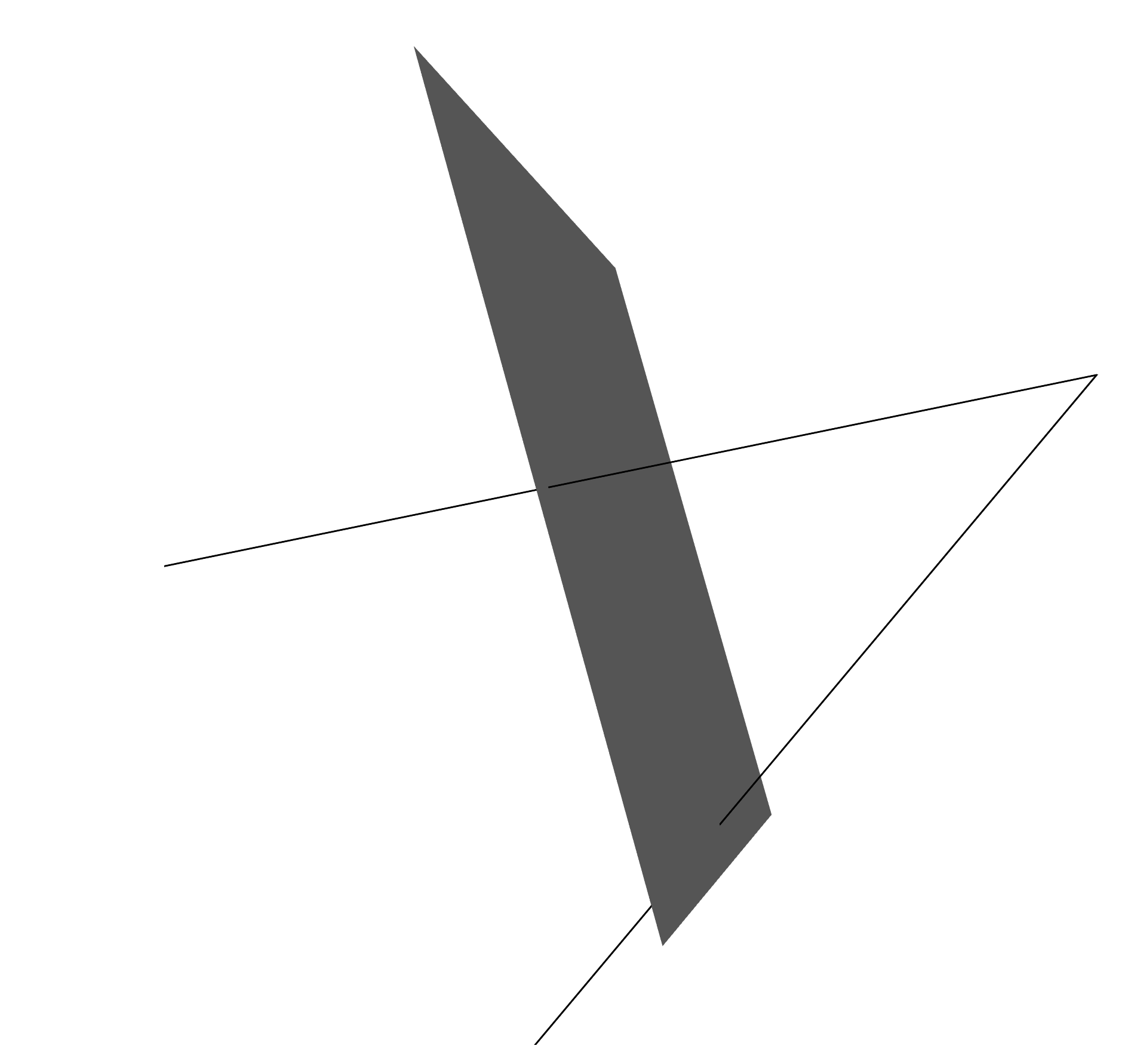

I'm having the exact same issue, i'm intersecting a mesh with a ray that clearly intersects one of its elements and the location is incorrect. If i move the ray around, it keeps intersecting different ones, but always the wrong one.


Thanks for the report! Which ray engine is this with? Can you share the minimal example giving these results?
Sure, this is the code. It's just a test code:
mesh = tm.Trimesh(vertices = [[0.5,2.5,1.5],[0.5,2.5,-1.5],[0.5,0.5,1.5],[0.5,0.5,-1.5]], faces = [[0,1,2],[1,2,3]])
mesh = tm.remesh.subdivide_to_size(mesh.vertices,mesh.faces,max_edge=0.5)
mesh = tm.Trimesh(vertices=mesh[0],faces=mesh[1])
rori=np.array([[0,0.8,-0.4]])
rdir=np.array([[1,0.8,-0.6]])
locations, index_ray, index_tri = mesh.ray.intersects_location(ray_origins=rori,ray_directions=rdir)
Maybe i'm interpreting the output incorrectly, i'm assuming locations is the intersection point and index_tri the intersected face (which seem to be consistent).
In this example, i moved the ray a bit to the bottom, but the issue is the same.
Well, i'd like to expand the scope of the issue a bit if i may.. i have line segments (two points) and i need to check where they intersect with a given mesh. For what i've seen, this is the way to do it (?) But i'm not sure, if there is a better way, i'm all ears.
Thanks in advance!