microblog
 microblog copied to clipboard
 miguelgrinberg
Email Notifications
This is a question based on the email concept featured in microblog, and your own blog actually.
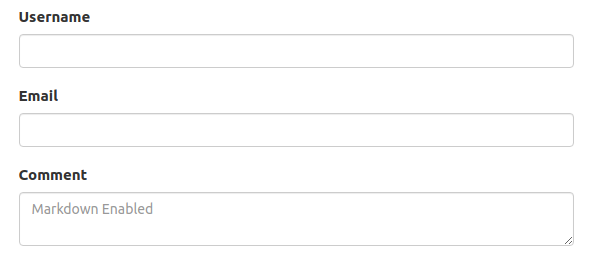
I have a simple flask app in mind. This application does not need a user to register or log in to post a comment. The form used by the user requests for the user's username and email only before a post can be made.
I would like, as an admin of this application, to get notified by email of any post that is made. The post is moderated by the admin before it is allowed to appear in the comments section. It would be great if the user gets notified when the admin makes a response to the post of the user, preferably by email as well.
This is a handy feature I have seen in your blog and it is quite cool. GitHub also does the same (though a user has to register and log in to use the platform) where I receive email notifications when you reply to this issue.
I am not sure how to implement this in the simple flask application described above. Your guidance will be of great value.

What part do you need help with? I don't see any topics in your plans that are not covered in the tutorial already.

I need help regarding user comments moderation, as you do in your won blog https://blog.miguelgrinberg.com/.
You do not need a user to register or log in to ask a question or provide feedback. All that is done in your blog is to fill a simple form at the bottom of each blog post. You check the comments sent first before allowing it to appear in the comments section of each blog.
I assume that it can be hard to keep up with all the comments that are posted in your blog, so ideally you probably get notified via email/twitter or any other method.
This is what I would like to implement too.
So, two things:
- How to get notified via email whenever a random user posts a comment
- How to moderate the comments posted
Okay so 1 is simply sending an email in the POST request handler for the comment. For 2 you can build a page that shows all the comments so that you can review them and delete the ones you don't want to publish.