
flask-video-streaming
 flask-video-streaming copied to clipboard
 miguelgrinberg
IOError: [Errno 104] Connection reset by peer
I'm trying to use this app with a sim808 module to connect to the Internet (max 85.6kbps(down-load/up-load))and with ngrok to forward http, if I launch app.py and go to ngrok url I can see one frame (resolution 320x240) but then no more frame is sent and on the console I see this error messages
Error on request: Traceback (most recent call last): File "/usr/lib/python2.7/dist-packages/werkzeug/serving.py", line 270, in run_wsgi execute(self.server.app) File "/usr/lib/python2.7/dist-packages/werkzeug/serving.py", line 261, in execute write(data) File "/usr/lib/python2.7/dist-packages/werkzeug/serving.py", line 242, in write self.wfile.write(data) IOError: [Errno 104] Connection reset by peer
What could be the problem? Too slow internet connection? Can I manage to get and set less frame per second? Thanks...

Connection reset by peer means exactly that: the client closed the connection. Is it the client or the server that is connected to the internet through the sim808? In any case, this package provides the server side, and it seems your problem is in the client.

Thanks a lot for your reply! SIM808 is connected to the server (i.e. Raspberry pi with PiCamera) and I see the message on raspberry console, so yes, also I think the client send RST. Do you think it is caused by the very low speed of SIM808 internet connection? and which can be a possible solution? Thanks again...
As I said, the client is doing this, so it really depends on how the client (i.e. browser) that you are using works. I can't really say if a slow connection would make the client quit. I guess it is possible, but I don't really know.
Thanks again! I think the problemi is the slow connection because if I connect Raspberry with my wifi connection using ngrok to forward http your app works great! I'll try different browsers...
Ok, perhaps I found for sure that is the low speed connection che problem: this is a screenshot of web page (client) and raspberry console (server). When browser load one frame on ngrok console (server) I can see that connection fails for few seconds
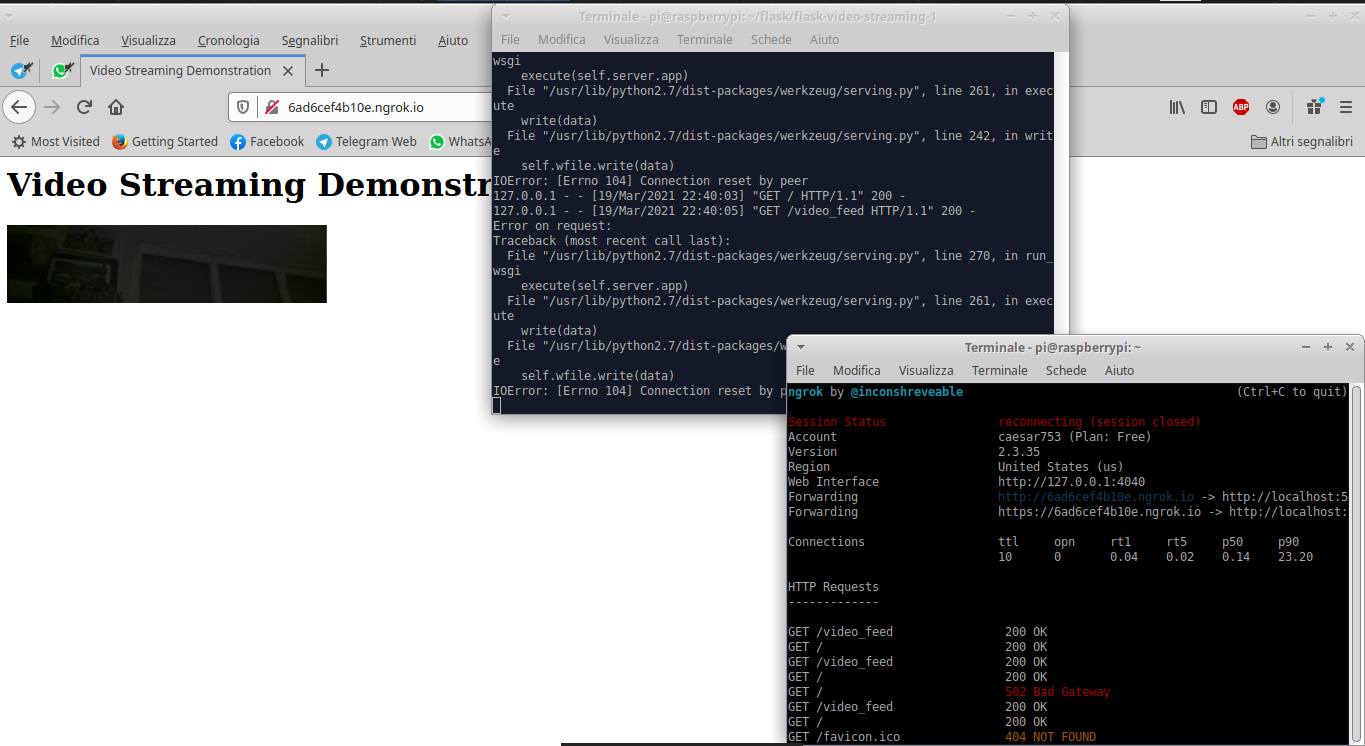 If I use my wifi connection no error is displayed.
This could be a problem because I need to use SIM808 connection for my project...
If I use my wifi connection no error is displayed.
This could be a problem because I need to use SIM808 connection for my project...