

 microsoft
website: browser width, bottom of video behind video player controls
Depending on the browser width. The bottom of the video ends up behind the video player controls.
Example: https://code.visualstudio.com/docs/introvideos/basics
At 1 minute 20 seconds. The presenter says: "At the bottom of the screen is the status bar."
But on a display with the resolution: 1920 x 1080 when the video is full screen, then the bottom of the video ends up behind the video player controls.
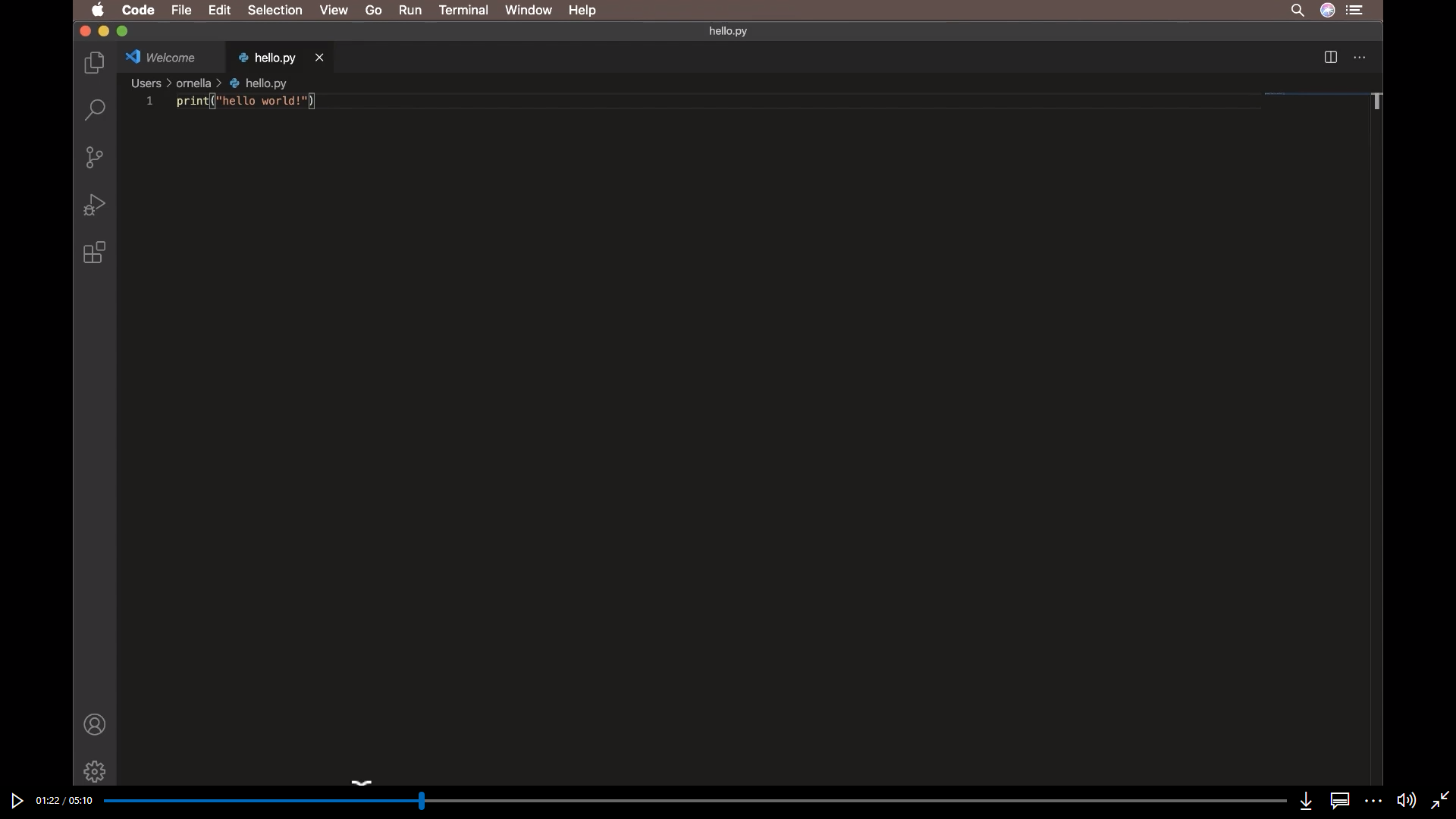
The video is completely visible when it's shown in full screen on a display with the resolution: 1280 x 1024
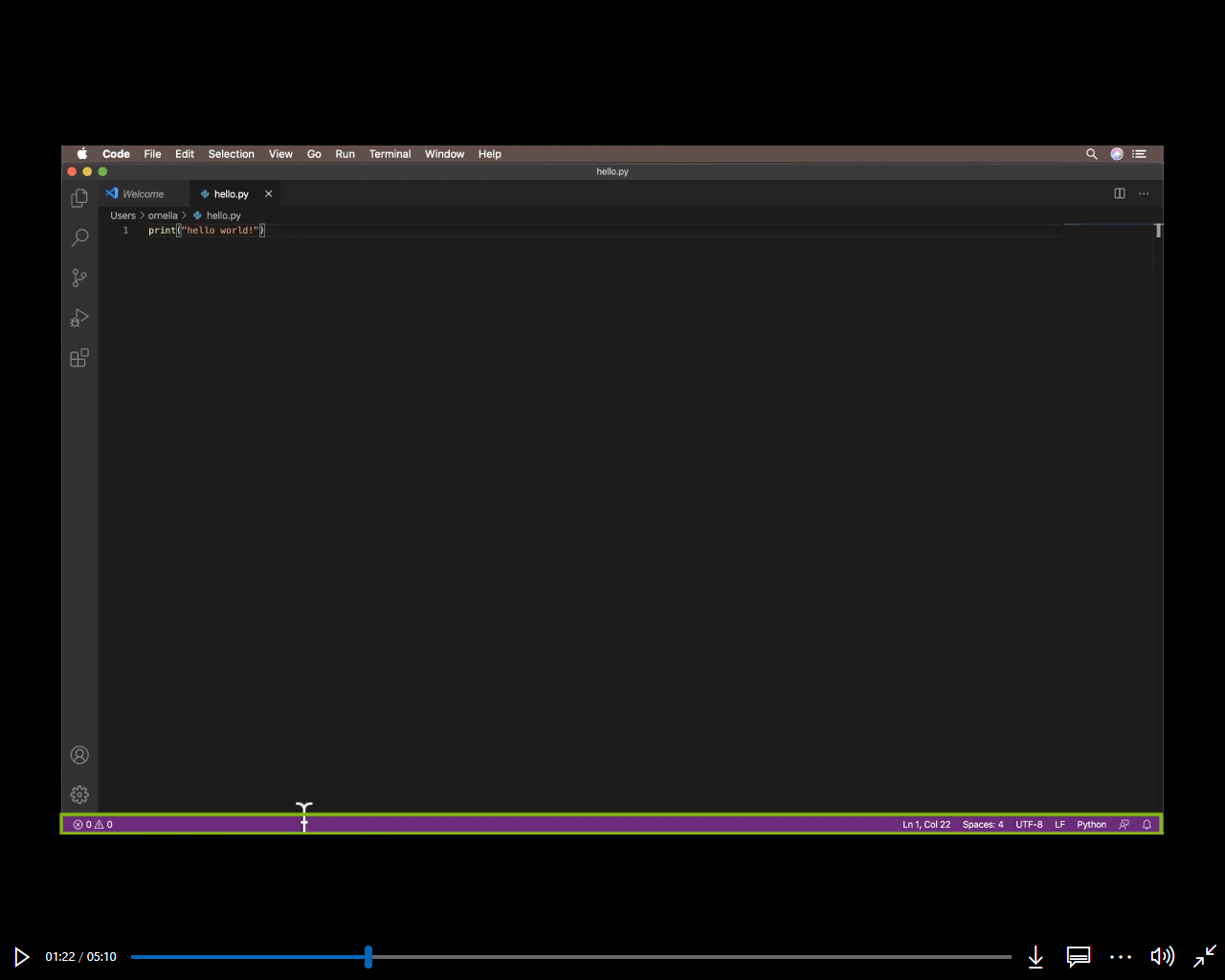
The bottom of the video can be seen disappearing behind the video player controls, by: Reducing the browser to the minimum 500px (at least in chrome). Then drag the browsers left or right edge to increase the browsers width.
Notice the purple status bar disappearing behind the video player controls.

Expected
The video should be visible above the video controls at any browser width.
Note
I noticed that I had a dark mode stylus (browser extension) css script enabled, in the screen recording, but it doesn't effect this issue, because the same thing is observed when the css scripts are disabled, and the page is reloaded.

After testing some more, I see that the controls hide:
- when the mouse pointer is over the video and haven't been moved for 5 seconds
- or when it's been 5 seconds since the mouse was moved outside the video.
But if the mouse is moved over the video, then the controls appear again, and they hide the bottom of the video for at least the next 5 seconds.
On Youtube the controls also cover the bottom of the video, but the background is transparent around the controls.

The Youtube controls hide:
- when the mouse pointer is over the video, and hasn't been moved for 3 seconds,
- instantly when the mouse is moved outside the video.
This makes it easier to see the bottom of the video.
