
vscode-cpptools
 vscode-cpptools copied to clipboard
 microsoft
Inlay Hint settings not available in workspace folder settings.json
Feature Request
Why is that so? What about a single setting to enable all of them by default too?
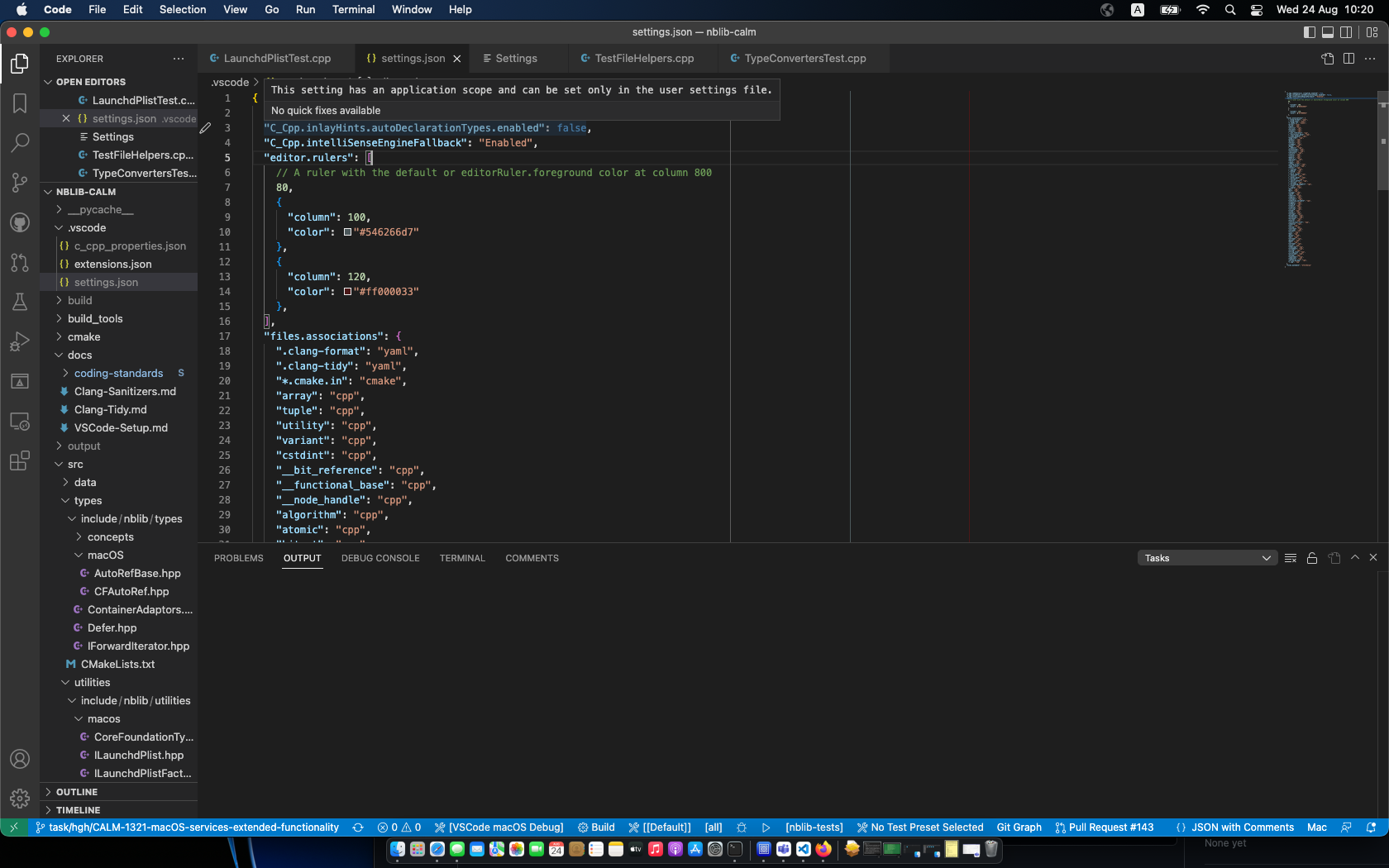

@Colengms Assigning this to you since you're making changes to settings.

This is "by design". I don't think we want to enable the inlay settings to be changed per-workspace folder unless we have a reason to.
The multiple settings follows the approach taken by TypeScript, i.e. they do not have "a single setting to enable all of them by default".

TypeScript's inlayHint settings are all resource scope: vscode/package.json at 662ba37e022f6339f372f810ee248dddfd6fcfd6 · microsoft/vscode (github.com)
The editor.inlayHints.enabled setting also appears to be resource scope (though, I can't find where it's declared. When I switch to folder-specific mode in VS Code's settings UI, that setting is still available.)
It seems like our settings should be consistent with those.

Yeah, but they may have a reason for doing that which isn't applicable to our C/C++ experience? I can't think of a reason why a user would want to inlay hints for only a subset of workspace folders.
Fixed with https://github.com/microsoft/vscode-cpptools/releases/tag/v1.13.2