
PowerToys
 PowerToys copied to clipboard
 microsoft
[Run][New Plugin] Add Pinyin support
Summary of the new feature/enhancement
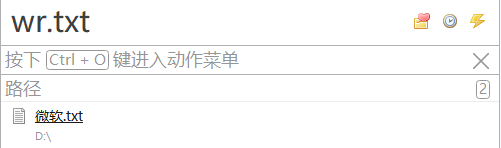
For example 微软(Pinyin:Wei Ruan),You can type in wr to search for files whose names contain 微软.
Like:


Not yet ;) Any pull requests are welcome if you would like to work on this. Just let us know.


By walking through the source code, I found that the current implementation is simply built on top of windows search to get the result, which means it's not easy (or nearly impossible?) to add another indexing rule. To support pinyin indexing, it probably means a replacement of windows search, which requires much more experience and efforts.
@KennanChan You're correct. ;) Again, we do welcome community contributions, if you do want to work on this, simply let us know and we can have a conversation on this.
I think it is a good idea to support searching application with pinyin first, before supporting searching files with pinyin.

I think it is a good idea to support searching application with pinyin first, before supporting searching applications with pinyin.
Any difference between these two circumstances?
I think it is a good idea to support searching application with pinyin first, before supporting searching applications with pinyin.
Any difference between these two circumstances?
The second "applications" should be "files". Typo.

I found that the community had done something around pinyin searching.
PowerToys launcher module is based on Wox launcher(https://github.com/Wox-launcher/Wox) Wox launcher has a plugin that uses Everything to search(https://github.com/Wox-launcher/Wox/tree/master/Plugins/Wox.Plugin.Everything) Everything also has an extension for pinyin searching(https://github.com/Chaoses-Ib/IbEverythingExt), and the latest release says it supports third party applications that integrate Everything as a search engine(https://github.com/Chaoses-Ib/IbEverythingExt#%E7%AC%AC%E4%B8%89%E6%96%B9%E7%A8%8B%E5%BA%8F%E6%94%AF%E6%8C%81).
It is now much easier for PowerToys to support pinyin searching by integrating the Wox.Plugin.Everything and packaging the IbEverythingExt along with the plugin.
For anyone who wants to add pinyin searching to PowerToys, follow the steps to configure it locally:
- Make sure you have a proper version of Everything installed.
- Refer to PowerToys Run Everything Plugin and install the plugin manually (Copying the plugin files to {PowerToys_Installation_Folder}\modules\launcher\Plugins).
- Refer to Everything Pinyin Extension and download the IbEverythingExt.dll and copy the dll to Everything installation folder.
- Restart Everything and PowerToys, enjoy using pinyin searching
Didn't realize that #17551 provides the same and more detailed local configurations :)

Seems not related to this issue. Thanks for your reply anyway.
It is related because "Everything" solves this issue from search engine level
Seems not related to this issue. Thanks for your reply anyway.
Sorry, I typed the wrong issue number. Should be #17551
Microsoft is sooooooo stupid, the pinyin search function was available in the previous beta versions, and then was deleted inexplicably. I don't want to use the dumb plugin Everything because I mostly run programs in powertoys run instead of searching for files.

Microsoft is sooooooo stupid, the pinyin search function was available in the previous beta versions, and then was deleted inexplicably. I don't want to use the dumb plugin Everything because I mostly run programs in powertoys run instead of searching for files.
If it can be confirmed that some beta versions contains code related to pinyin searching, I think we can recover it. Can you provide some versions or tags?
Microsoft is sooooooo stupid, the pinyin search function was available in the previous beta versions, and then was deleted inexplicably. I don't want to use the dumb plugin Everything because I mostly run programs in powertoys run instead of searching for files.
If it can be confirmed that some beta versions contains code related to pinyin searching, I think we can recover it. Can you provide some versions or tags?
While the results may be inaccurate, Pinyin searches are at least usable. The file version of the last photo will not change even if it is upgraded to the latest version, it should be that the corresponding component has been removed.
The pinyin retrieval feature was removed in version 0.23, but the existing entries in the pinyin.chche file still work (probably, my guess the index is derived from Windows Search and cached here). My guess is that he removed the component that generates the index, and the existing index is normal.
I would appreciate it if you could fix him.
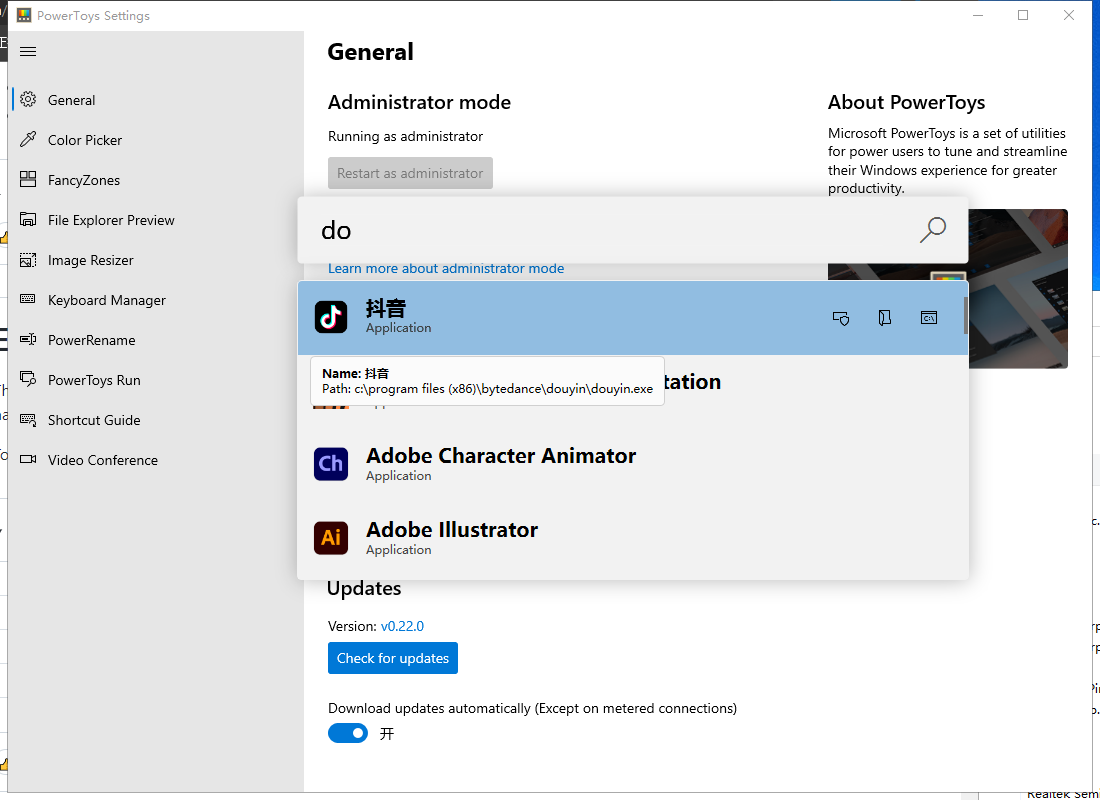
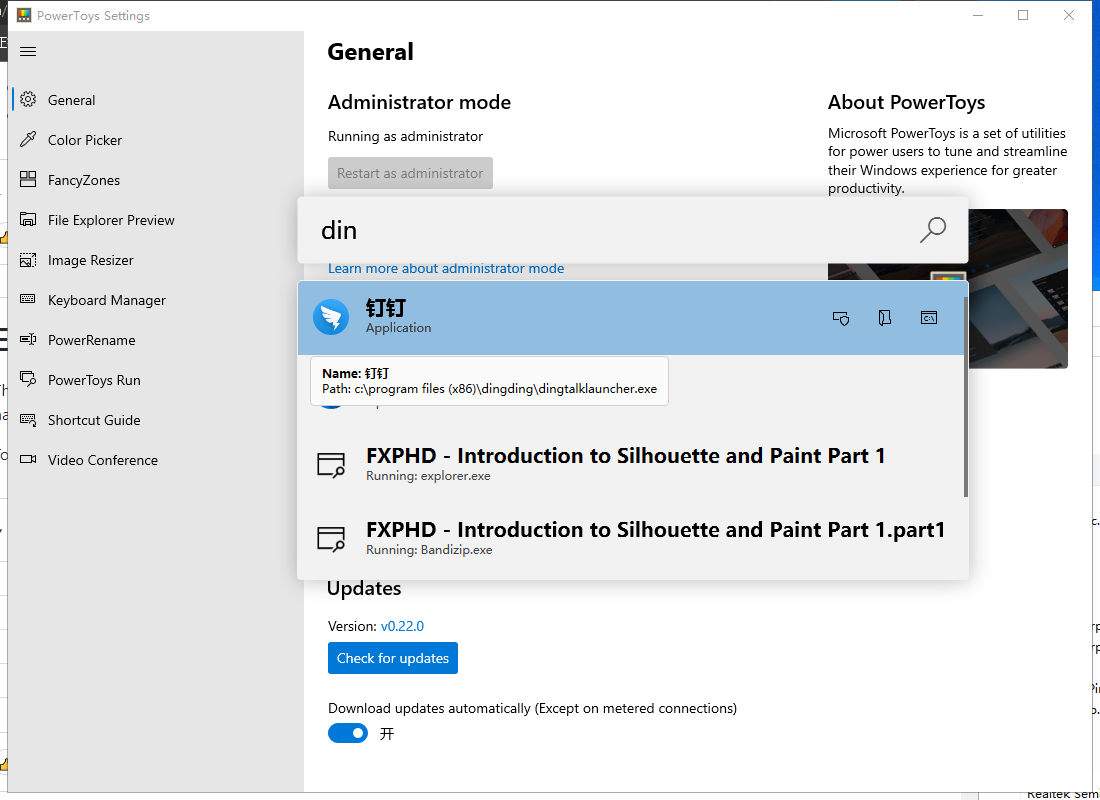
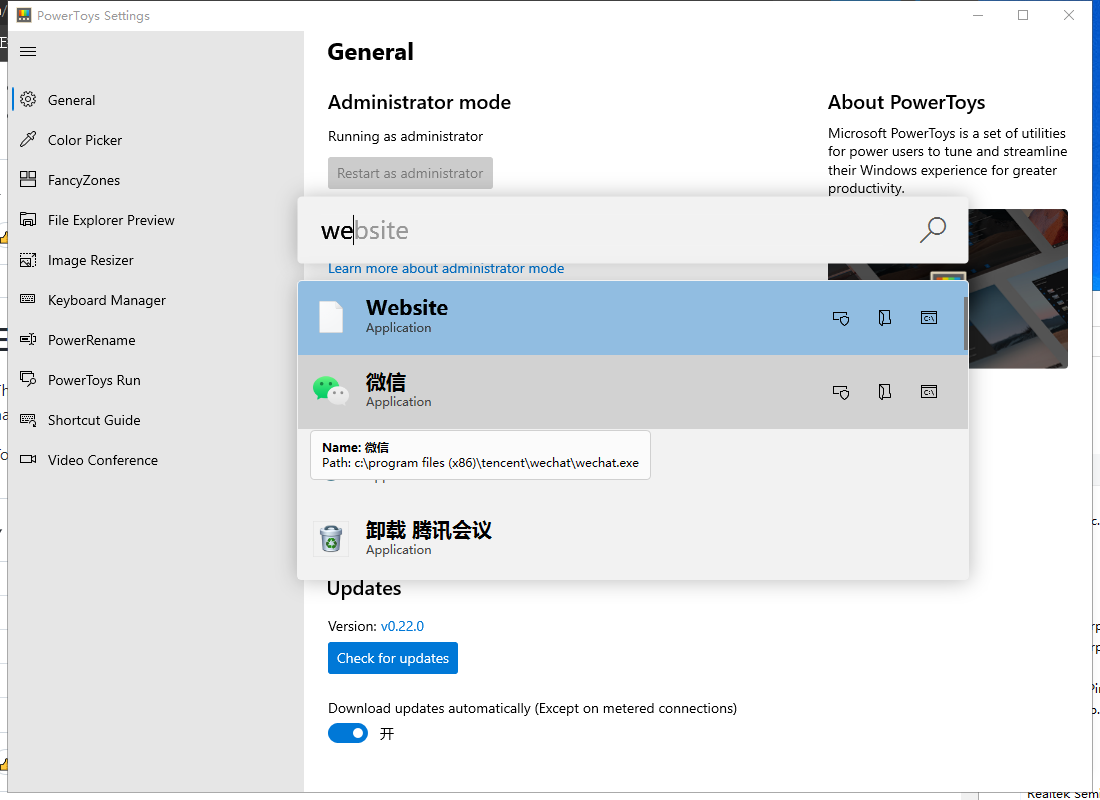
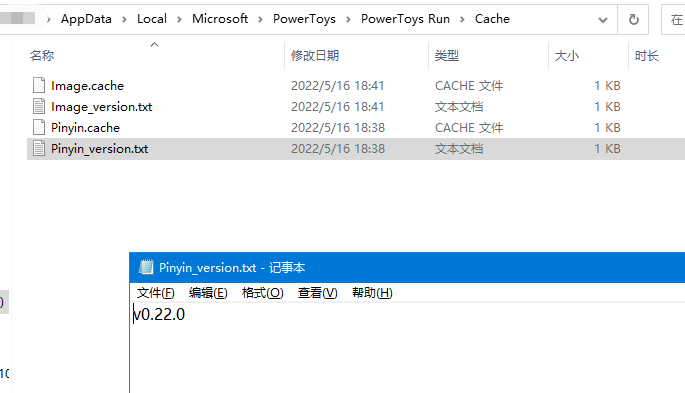
@wongdi Thanks for the detail. I found a PR #7455 about removing Pinyin code after some digging. I think it is the last time PT runner supports pinyin matching. The PT version should be v0.25.0 at which pinyin was disabled.
Considering the reason why pinyin was removed from PT runner as described in the PR #7455, I think we can recover it by upgrading the Pinyin4Net library to support .Net Core and .NET 5.
Something should be clarified is that the demand for pinyin searching can be divided into two categories:
- Support pinyin searching for applications. That's what the PR #7455 disabled
- Support pinyin searching for files. That's what this issue is originally about and #17551 is relatively a great approach for now.
I am to take a deep look at the Pinyin4Net library to see how to carry out an upgrade.
BTW, there is no time guarantee for me to fix it as I am busy with company projects and it's been years since my last .NET programming.
If someone else is also interested in fixing it, carry it out and you can contact me at anytime and we can discuss :)
@wongdi Thanks for the detail. I found a PR #7455 about removing Pinyin code after some digging. I think it is the last time PT runner supports pinyin matching. The PT version should be v0.25.0 at which pinyin was disabled.
Considering the reason why pinyin was removed from PT runner as described in the PR #7455, I think we can recover it by upgrading the Pinyin4Net library to support .Net Core and .NET 5.
It may take a lot of your time and energy to fix him,I don't have any more knowledge on this, so I will admire everyone who contributes to the localization of tools, If really fix him, I would be very grateful. “程序哪有什么面面俱到,只是有人在替你添砖加瓦。”
I've added pinyin support here, which uses TinyPinyin.Net library for converting Chinese characters to pinyin.

I've added pinyin support here, which uses TinyPinyin.Net library for converting Chinese characters to pinyin.
So how to use this, or will this patch be pushed to the main repository?
