
PowerToys
 PowerToys copied to clipboard
 microsoft
PowerToys's Settings window is white
Microsoft PowerToys version
0.62.0
crutkas notes: we see a user report from at least 0.60 of this happening.
Running as admin
- [X] Yes
Area(s) with issue?
Settings
Steps to reproduce
When clicking on Settings from tray icon, the settings windows appear white. Many of previous versions I tested had the same problem.
Please Help.

✔️ Expected Behavior
No response
❌ Actual Behavior
No response
Other Software
No response

do you happen to have an nVidia chipset? /needinfo
did 0.61 have this issue?

do you happen to have an nVidia chipset? /needinfo
did 0.61 have this issue?
AMD Radeon Yes.
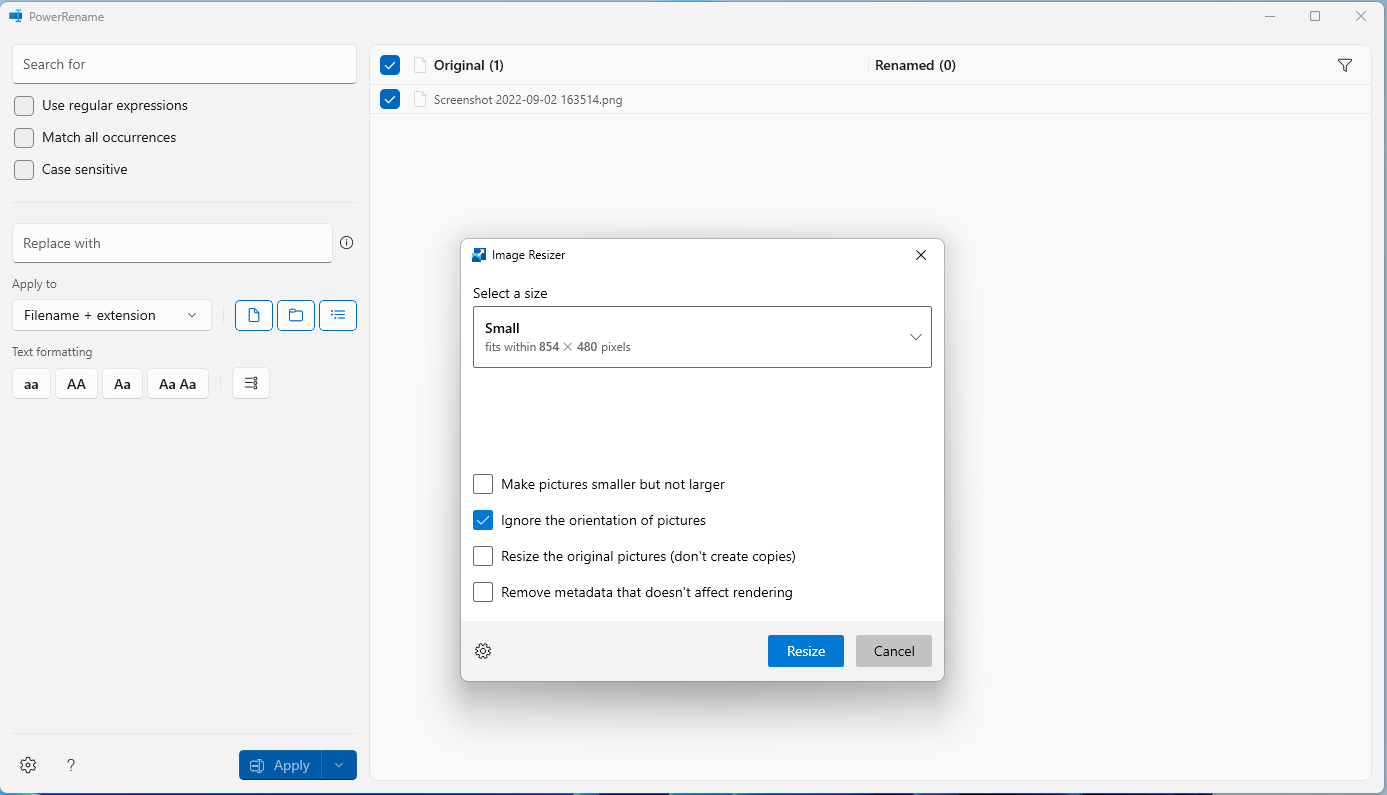
Does PowerRename or Image resizer render the same way? Trying to start to scope what could be happening.
@jaimecbernardo as fyi
Hi there!
We need a bit more information to really debug this issue. Can you add a "Report Bug" zip file here? You right click on our system tray icon and just go to report bug. Then drag the zipfile from your desktop onto the GitHub comment box in this issue. Thanks! 

Does PowerRename or Image resizer render the same way? Trying to start to scope what could be happening.
@jaimecbernardo as fyi
PowerRename has the same problem, but Image resizer worked fine.
Report bug .zip file couldn't be found in desktop.
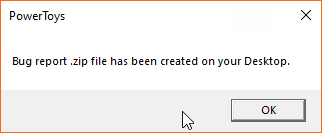
I checked "Hidden items" in explorer view tab, but the file didn't appear in desktop.

Same problem here, and powerRename window is also blank
bug.zip is attached PowerToysReport_2022-09-13-13-41-44.zip
Thanks!

Can you please send a screenshot for PowerRename, as well?
Regarding the bug report, there's a bug that prevents Bug reports from being created. Please create the "Logs" folder inside %userprofile%\AppData\LocalLow\Microsoft\PowerToys as a workaround and the bug report can be created again.

Can you please send a screenshot for PowerRename, as well? Regarding the bug report, there's a bug that prevents Bug reports from being created. Please create the "Logs" folder inside
%userprofile%\AppData\LocalLow\Microsoft\PowerToysas a workaround and the bug report can be created again.

PowerToysReport_2022-09-13-16-14-34.zip
@useraccount123 / @justfool / @OscarLai how did you install the application? we are hunting for commonalities for what may be causing this.
This issue also happens on my laptop (.61.1), which is installed by chocolatey.
I tried to uninstall it via chocolatey a few minutes ago, and then download and install .62.0 from github release directly The result is still the same.
Clint Rutkas @.***> 於 2022年9月14日 週三 凌晨12:09寫道:
Update some test result:
v57.0 - works v57.2 - works v58.0 - blank setting
Thanks for confirming. logging a bug against the framework team.
@justfool, do you have anything like H24, MSI Afterburner, RivaTuner Statistics Server, HW64 installed and running?
Can someone who repros this please a full memory dump of the process along with a matching screenshot? There are a couple of elements rendering, and we can't currently tell if elements are missing or if/why most of them didn't render. The dump and screenshot should help us narrow it down. Thanks.

@codendone how do you want them to do this. Where are instructions to get the dump and share it
The easiest option is to open Task Manager, switch to Details tab (you might need to click “More details” to show this tab), select the app process, and right-click "Create dump file". It will pop a dialog to say where it saved the dump.
Either the Visual Studio or WinDbg options from this debugging crashes page would also work.
Here is the screenshot of v0.62.0
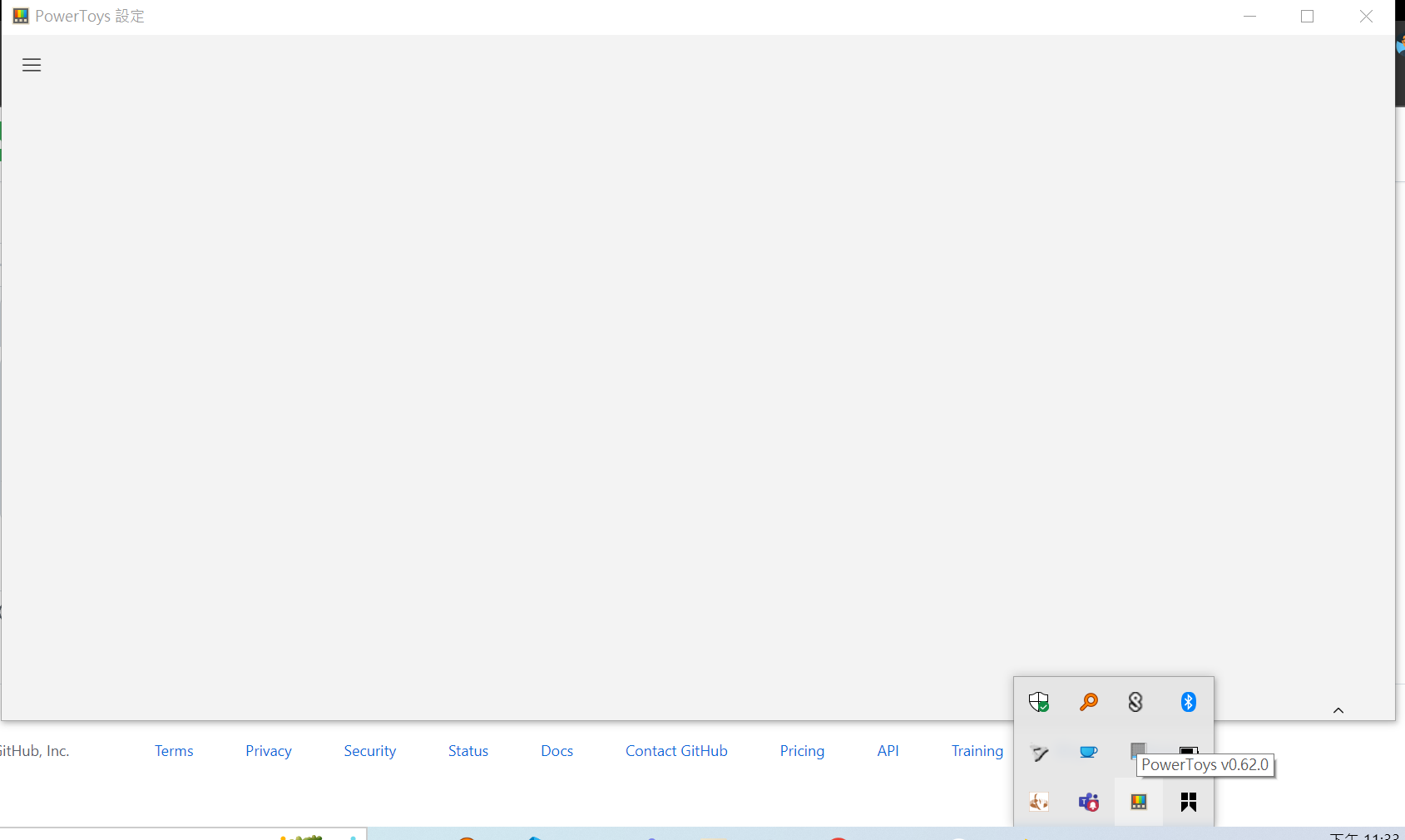
and the dump file is too large (467MB) to attatched here, so I uploaded it to the mega.nz (https://mega.nz/file/9fd12BYA#fulWhf6kbqgeikkSnzHvcX7maBlRh8Bc8b6mUwW3OqU)
Hope this can help you to debug.
Thanks, @justfool! That's very helpful. I see the XAML element tree looks good and it looks like XAML thinks it has rendered elements which aren't showing up. We'll dig further in the dump.
We've looked further into the composition objects and everything looks good.
Is this a consistent repro for you? Could you try reproing this with the GPU disabled?
To be safe, close apps you have running Win - X then Choose Device Manager Expand the tree to see Display Adapters and then your GPU Right Click on it and choose "Disable Device" It will give you a warning, go ahead and click yes (the warning is because some apps may not behave well when the device is disabled, but you already closed your apps so you will be good) Launch the app and see if the issue still reproes
To turn your GPU back on, go through the same steps, but choose "Enable Device"
This is an excellent way to determine if the issue might be specific to the GPU you have.

@justfool @ChewWorker and @codendone are MSFT employees working on these things, thanks for helping and work with us to see if we can't target possible failure points.
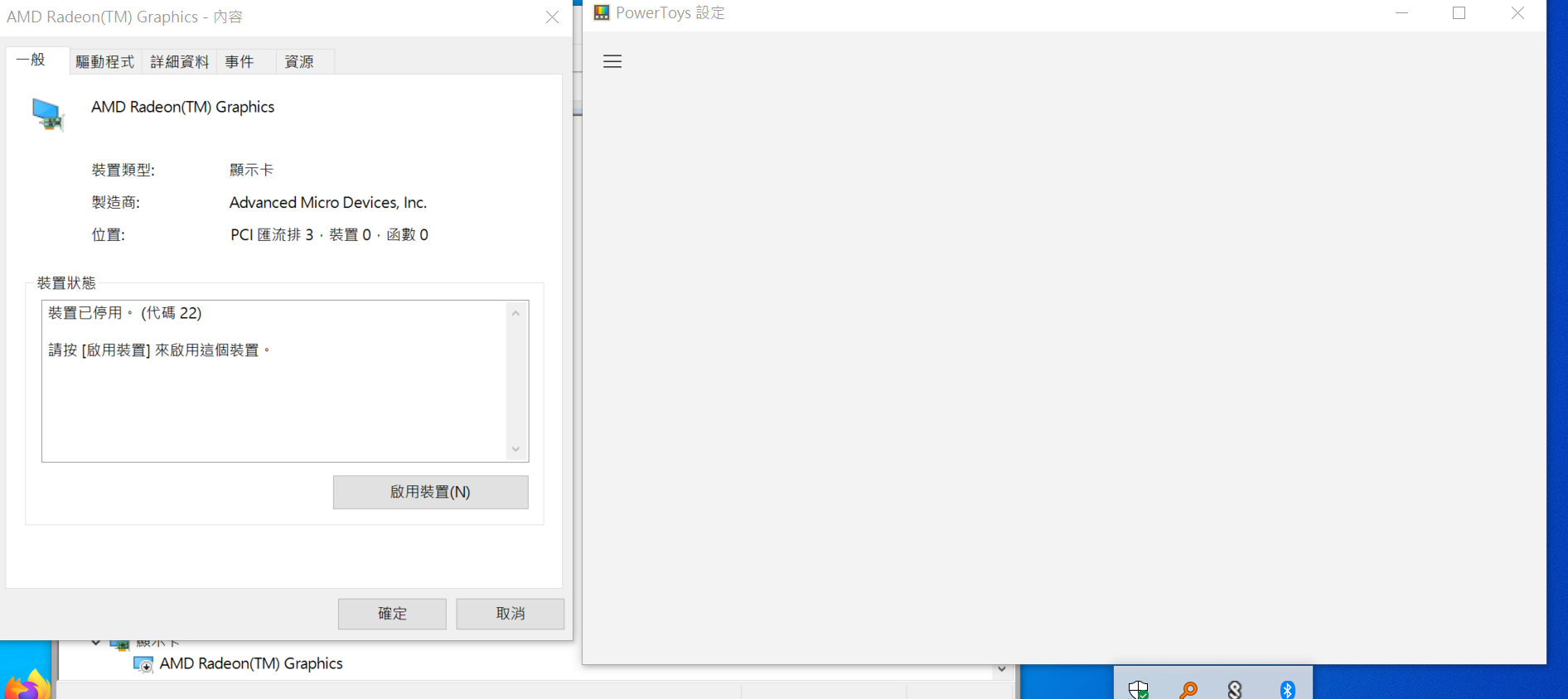
I disabled the GPU but the powertoy's setting window is still blank,
the screenshot is attached ( the display language is trandition chinese)
@justfool while you're doing the dmp for the settings app, can you do the same for dwm.exe?
@crutkas , you can get the dmp for v0.63.0 from https://mega.nz/file/YKVyDTYA#LvBco3N9XCS471gW7b8MUqmcLycrI7i_kGDF9xXaDLQ, (it's a 7z files contains PowerToys.Settings.DMP and dwm.DMP, both are with gpu disabled)
This has been shipped for 0.70.0. Please updated to the latest release. Thank you.