
docker-partkeepr
 docker-partkeepr copied to clipboard
 mhubig
mhubig/partkeepr docker image repository
partkeepr docker image
This is the source repository for the trusted builds of the mhubig/partkeepr
docker image releases. For more information on PartKeepr check out the website.
The most recent version is: 1.4.0-20
To use it, you need to have a working docker installation. Start by cloning the repo and running the following commands:
export PARTKEEPR_OCTOPART_APIKEY=0123456 # optional, get one here https://octopart.com
docker-compose up # add -d to run in deamon mode
This will start PartKeepr and a preconfigured MariaDB database container.
To get a list of all supported PARTKEEPR_ environment variables go to the file
mkparameters, starting at line 15.
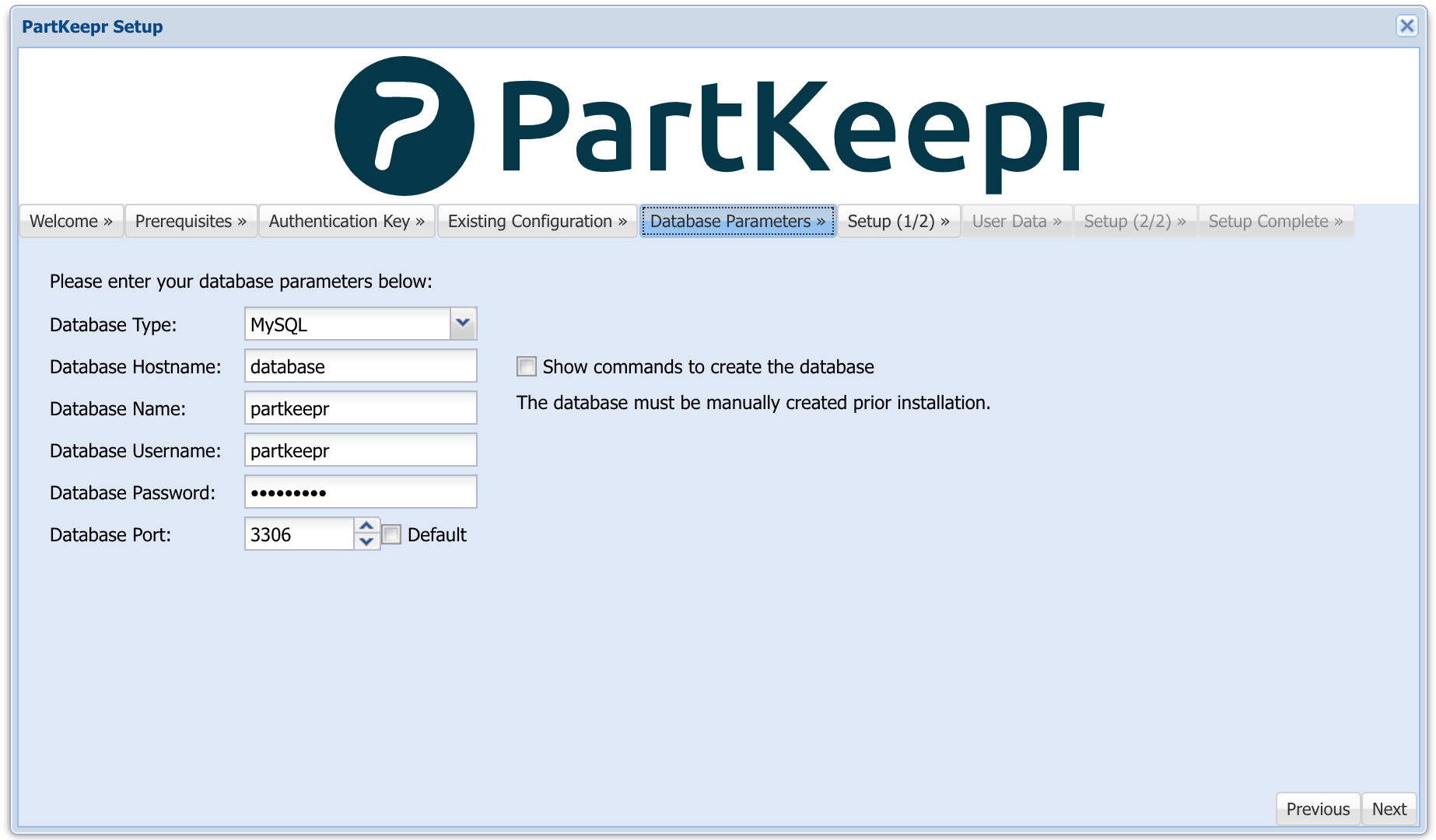
Now open the partkeepr setup page (e.g.: http://localhost:8080/setup) and follow the instructions. To get the generated authentication key execute the following command:
docker-compose exec partkeepr cat app/authkey.php
The default database parameters are:
How to manually build & run the docker image
docker build -t mhubig/partkeepr:latest --rm .
docker run -d -p 8080:80 --name partkeepr mhubig/partkeepr
How to create a new release
Since I have switched to GitHub Flow, releasing is now quite simple. Ensure you are on master, bump the version number and push:
./bump-version.sh 1.4.0-20
git push && git push --tags
Docker Image CI/CD Pipeline
This git repo is connected to a build Pipeline at https://hub.docker.com. A new
Image is build for every Tag pushed to this repo. The images are taged with a
version number (e.g. 1.4.0-20) and latest.
Backup data
Execute these comands in your server machine and then copy the tarballs with scp or rsync to your hard drive or cloud to backup them.
docker run --rm --volumes-from partkeepr_database_1 -v $(pwd):/backup:z ubuntu tar cvfz /backup/backup_database_$(date +"%d-%m-%y").tar /var/lib/mysql
docker run --rm --volumes-from partkeepr_partkeepr_1 -v $(pwd):/backup:z ubuntu tar cvfz /backup/backup_partkeepr_$(date +"%d-%m-%y").tar /var/www/html/app/config /var/www/html/data /var/www/html/web
Restore data
After installing a new partkeepr docker container run the next commands to restore your data; first stop the containers. Note: You may need to remove the "--strip 1" part.
docker run --rm --volumes-from partkeepr_database_1 -v $(pwd):/backup ubuntu bash -c "cd / && tar xvf /backup/backup_database_dd-mm-yy.tar --strip 1"
docker run --rm --volumes-from partkeepr_partkeepr_1 -v $(pwd):/backup ubuntu bash -c "cd / && tar xvf /backup/backup_partkeepr_dd-mm-yy.tar --strip 1"
 mhubig