
collie-cli
 collie-cli copied to clipboard
 meshcloud
Build and Deploy modular landing zones with collie on AWS, Azure & GCP
🐶 Collie CLI

Herd your clouds 🐑 with collie




One project on AWS, two on Azure, and might there be something on GCP too 😵? As soon as you have to herd more than a handful of cloud environments, ensuring consistent tagging, permission management and responsible spending becomes a challenge. Collie helps you establish visibility across all your clouds and bring structure to your cloud landscape with landing zones.

⛅️ Overview
See your costs, IAM, tags, and more across all cloud accounts within minutes - using your existing cloud CLIs:
- View all cloud tenants in one single overview - View your AWS Accounts, Azure Subscriptions, and Google Cloud Projects with their metadata with only one command.
- View billing information across all clouds - See what you spend per day, month, or week in all cloud platforms, including the right metadata. Includes support for CSV, YML and JSON.
- Build a cost dashboard - Leverage our free-to-use Google Data Studio template and quickly build a multi-cloud cost dashboard using Collie cost data.
- Analyze tag inconsistencies - See at a glance what tags are used, by which tenants (and which not), and what potential inconsistencies are in place to fix any governance issues.
- View IAM assignments - See who (or what) has access in what roles to what cloud tenants, including inherited roles from ancestors.
Develop and deploy landing zones to provide a solid foundation for your teams to build on:
- Manage a landing zone construction kit - jumpstart building landing zones for all clouds with a structured and consistent workflow and reusable modules
- Deploy landing zones across all clouds - deploy landing zones to separate dev/prod environments using terraform
- Document landing zones for application teams and security stakeholders
Getting Started
Assuming you have some cloud cli's like aws, az or gcloud already
installed (see Prerequisites), here's how to get started
🕹 Installation
You can install collie using our install scripts below
Linux / Ubuntu
curl -sf -L https://raw.githubusercontent.com/meshcloud/collie-cli/main/install.sh | sudo bash
Mac OS X
curl -sf -L https://raw.githubusercontent.com/meshcloud/collie-cli/main/install.sh | sh
Windows
Simply copy the content of
install.ps1
and run it in your PowerShell console.
🚀 Connecting to your clouds
Initialize a new collie repository to hold configuration about your cloud platforms and start the interactive configuration wizard
collie init
collie foundation new "my-foundation"
Work with cloud tenants
You can list tenants (e.g. AWS Accounts, Azure Subscriptions, GCP Projects) in your cloud foundations and manage tags, cost and IAM using the following commands
collie tenant list "my-foundation"    # List tenants across all clouds in the foundation
collie tenant cost "my-foundation"    --from 2021-01-01 --to 2021-01-31  # List tenants costs across all clouds in the foundation
collie tenant iam "my-foundation"     # Review access and permissions on tenants
Build Landing Zones
To build landing zones with collie, follow this workflow
collie kit new "aws/organization-policies"   # generate a new IaC module skeleton
collie kit apply "aws/organization-policies" # apply the module to a cloud platform in your foundation
collie foundation deploy "my-foundation"     # deploy the module to your cloud foundation
You can find more information about building and deploying landing zones with
collie in the
Landing Zone Construction Kit documentation.
☝️ Prerequisites
For each cloud platform you want to manage, you'll need the equivalent cloud CLI installed.
- For AWS, this is the
awsCLI. Install it here. Do not use the Docker install method.- Make sure that you are logged into the management account, which is necessary for listing all AWS Accounts & costs.
- For Azure, this is the
azCLI. Install it here.- Make sure that your user has access to all possible Azure Subscriptions. Subscriptions that you do not have access to will not be listed with Collie.
- For Google Cloud, this is the
gcloudCLI. Install it here.- Make sure that your user has access to all possible Google Cloud Projects. Projects that you do not have access to will not be listed with Collie.
Optional: To build and deploy landing zones, you'll also need
- terraform to define landing zones using infrastructure as code
- terragrunt to build and deploy terraform
- terraform-docs to generate terraform module documentation
- node.js to generate your cloud foundation
That's it! Let's get collie installed ⤵️
👋 Need help or have feedback?
Having some difficulties and need some help? No worries! Visit our forum here and let us know what you need help with. You can also let us know if you have any ideas on how to improve our CLI. We're very eager to hear your thoughts.
You can also reach out to our Twitter account and get in touch with us there!
💡 Why Collie?
At meshcloud we have years of experience in building cloud foundations in enterprise organizations with our cloud governance platform meshStack.
We launched collie CLI as a tool for platform engineers and enterprise
architects that want to start getting more control over their clouds with a lean
and tried approach.
🙋 Contributor List
This project was originally kicked off by three team members at meshcloud. We wanted to bring out some of our experience building cloud foundation teams to the public so everyone can get a taste of what it's like to supercharge your (multi-)cloud governance.
We are very happy to accept contributions from others as well!
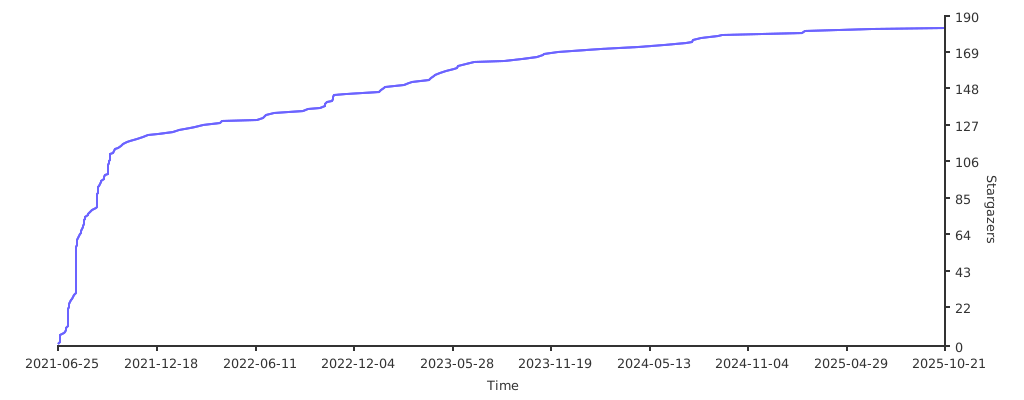
⭐️ Stargazers
Made with ❤️ by meshcloud
 meshcloud