
strapi-plugin-meilisearch
 strapi-plugin-meilisearch copied to clipboard
 meilisearch
Extended permission handler
With the introduction of #316 the MeiliSearch plugin routes are now only accessible by super-admin users of the admin panel.
To further improve the permissions of the plugin the best way to handle it is using the users-permissions plugin.
For inspiration see this plugin.
Permissions should be made for:
- add a collection to MeiliSearch
- remove a collection from MeiliSearch
- update a collection in MeiliSearch
- Change credentials
- Get Credentials
- Get Informations about the collections in MeiliSearch and their stats
Implementation
To be able to give access to these routes to the different roles, they must be settable in the roles pannel in the settings page of the Strapi admin panel.
They are not settable by default. They must be set during server launch in the bootstrap function located at config/bootstrap.js
const actions = [
    {
      section: 'plugins',
      displayName: 'Access credentials',
      uid: 'admin',
      pluginName: 'meilisearch',
    }
]

  const { actionProvider } = strapi.admin.services.permission;
  await actionProvider.registerMany(actions);
The above code will add the checkbox in the permission panel the following way:
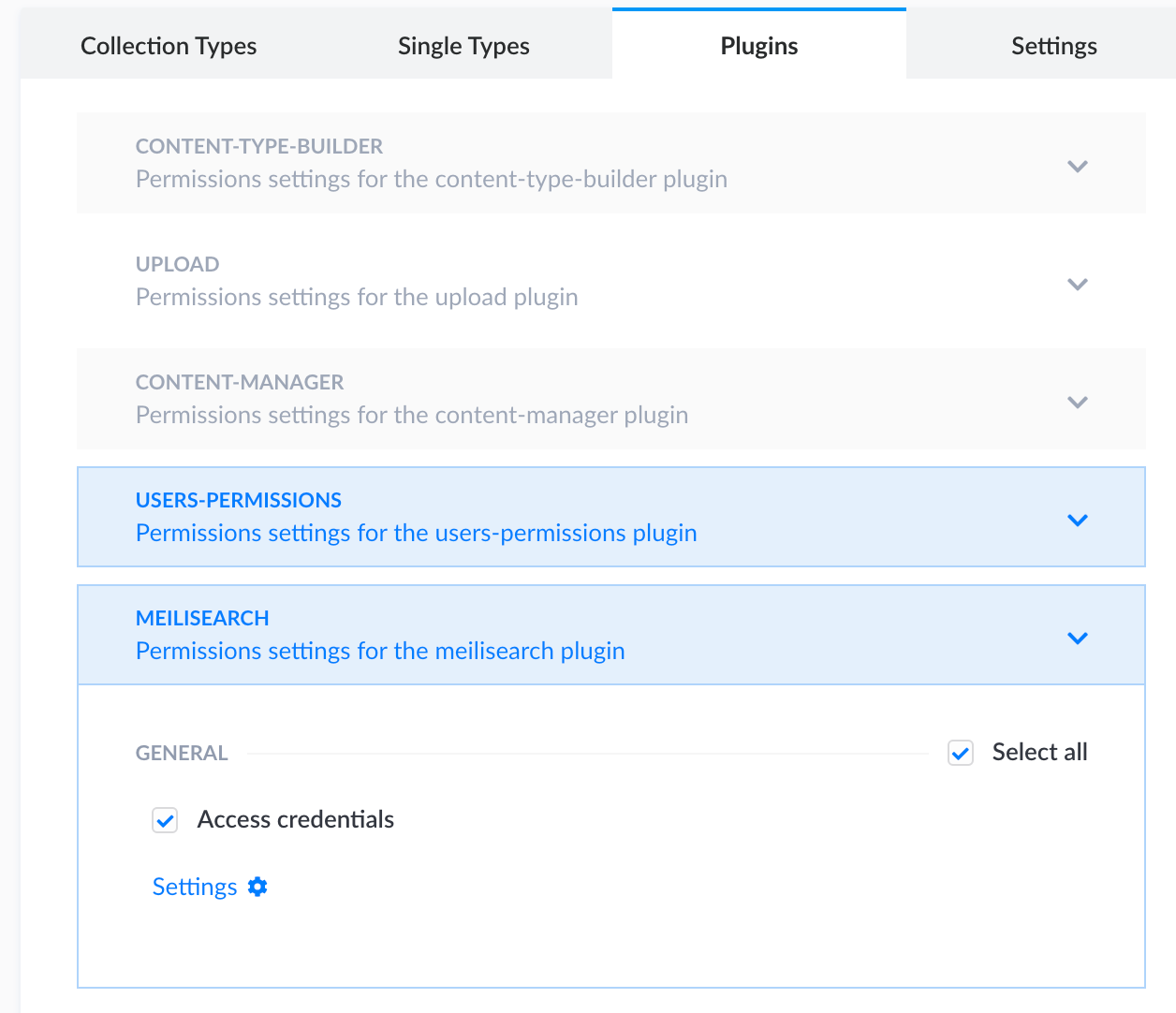
At this point, clicking on the checkbox has no consequences. The permission must be linked to the routes that are served by the plugin.
In config/routes.json, for each route there is a policy key which allow to restrict the usage of the route. Currently, using the isAdmin function located in /config/policies we restrict the access to all routes to only super-admin of the admin panel.
We can now use the permissions we created to give access or not.
    {
      "method": "GET",
      "path": "/credentials",
      "handler": "meilisearch.getClientCredentials",
      "config": {
         "policies": [["plugins::meilisearch.admin.credentials"]]
      }
    },
We can also add permissions to determine if we can see the MeiliSearch tab plugin on the administration panel.
To do so, we have to head to the /admin folder.
In the menu field, down to pluginsSectionLinks we need to add the restriction to our tab.
{
         destination: `/plugins/${pluginId}`,
         icon,
         label: {
           id: `${pluginId}.plugin.name`,
           defaultMessage: name,
         },
         name,
         permissions: ['plugins::meilisearch.admin.mainpage'],
       },
This permission should also be added in the bootstrap init function

To provide context for anyone else
Strapi CE ships with 3 default roles: Super Admin, Editor and Author.
Editor and Author don't have permissions to configure MeiliSearch, but they still see the menu option. Clicking on it will redirect you to the login page due to the uncaught 401 error.


Editor and Author don't have permissions to configure MeiliSearch, but they still see the menu option. Clicking on it will redirect you to the login page due to the uncaught 401 error.
Yes, unfortunately! This needs to be fixed
As it is stale, i'm closing this. Strapi v3 is not used a lot anymore and this issue might not be relevant anymore.
@bidoubiwa I don't see an off-the-shelf solution for permission handling for Strapi v4, could you point me to it?
Personally, I would vote for reopening this issue