
ipympl
 ipympl copied to clipboard
 matplotlib
Matplotlib figures are not redrawn in the cell in which they are created
Describe the issue
Using an interactive figure's canvas.draw() method does not update the figure if it was created in the same cell as the draw call.
Figure created in the same cell:

Figure created in another cell:

Reproduce
- Open a new notebook in JupyterLab or Notebook
- Insert the following code:
import matplotlib.pyplot as plt
import time

%matplotlib widget

fig = plt.figure()

for i in range(5):
    x = list(range(i+2))
    xx = [x**2 for x in x]
    plt.clf()
    plt.plot(x, xx)
    fig.canvas.draw()

    time.sleep(1)
- Run the cell and observe that the plot does not show until the loop has exited.
Optional:
- Move the for loop to a separate cell from the figure creation
- Run cell and observe plot updates during the loop
This can be reproduced using the scipy notebook docker stack.
Versions
3.8.5 | packaged by conda-forge | (default, Jul 31 2020, 02:39:48)
[GCC 7.5.0]
ipympl version: 0.5.7
jupyter core     : 4.6.3
jupyter-notebook : 6.0.3
qtconsole        : not installed
ipython          : 7.17.0
ipykernel        : 5.3.4
jupyter client   : 6.1.6
jupyter lab      : 2.1.5
nbconvert        : 5.6.1
ipywidgets       : 7.5.1
nbformat         : 5.0.7
traitlets        : 4.3.3
Known nbextensions:
  config dir: /opt/conda/etc/jupyter/nbconfig
    notebook section
      jupyter-matplotlib/extension  enabled
      - Validating: OK
      jupyter-js-widgets/extension  enabled
      - Validating: OK
JupyterLab v2.1.5
Known labextensions:
   app dir: /opt/conda/share/jupyter/lab
        @bokeh/jupyter_bokeh v2.0.3  enabled  OK
        @jupyter-widgets/jupyterlab-manager v2.0.0  enabled  OK
        jupyter-matplotlib v0.7.3  enabled  OK

@kjgoodrick sorry I pointed you this way and then never followed up.
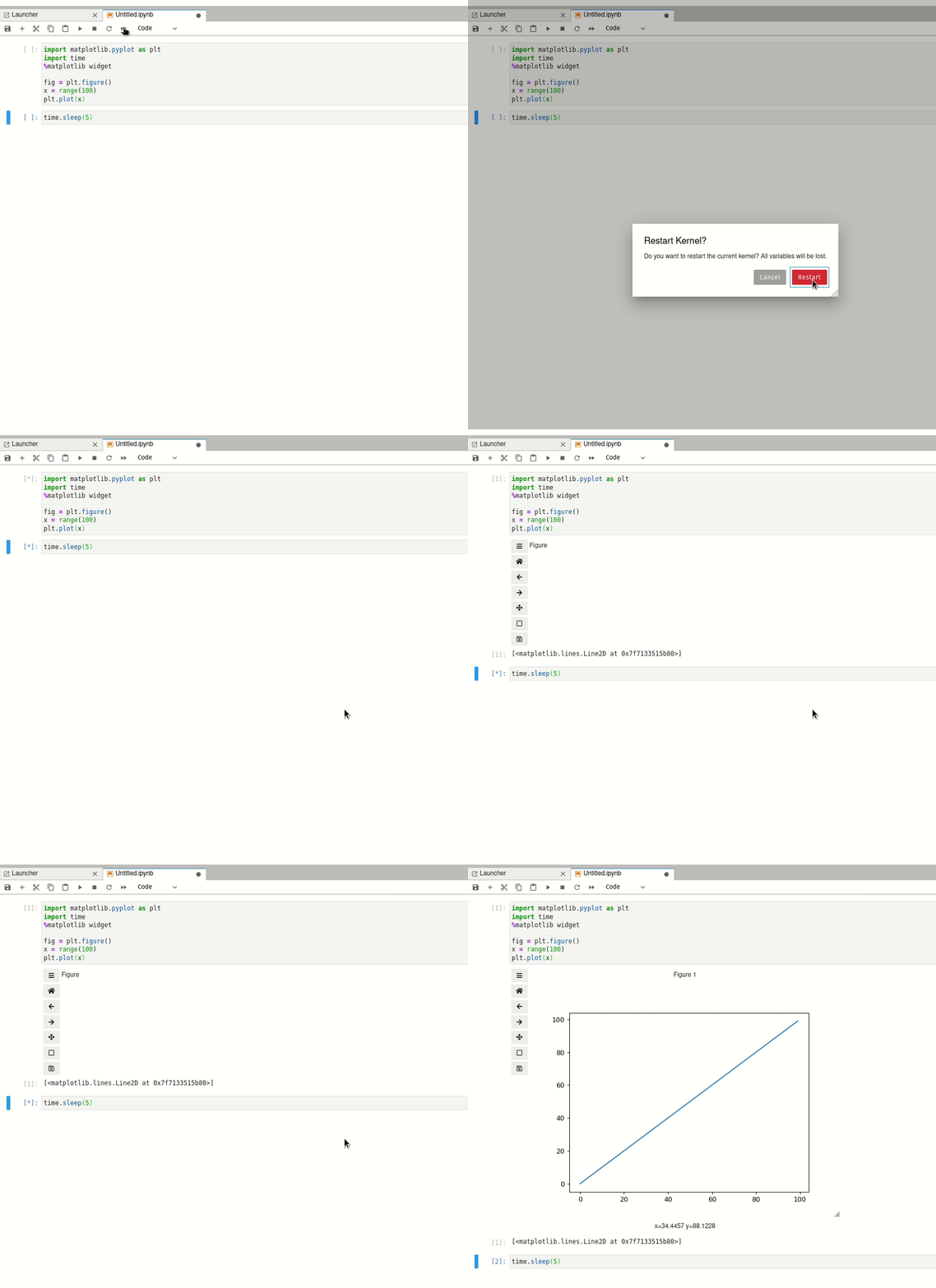
I don't know why this is happening exactly but I suspect that it is some oddities of timing of the matplotlib backend doing work to create the figure and the wild world of async and python kernel <-> javascript conncetions. So when you put the loop in a separate cell you get the result you expect because three is enough of a pause between cell executions for ~~ something ~~ (message buffers flushing?) to happen. You can see this if you take your two cell example and autorun the cells using the Restart and Run All button. When you do this the cells are executed nearly immediately one after the other and you see the same result.

Hi @ianhi,
No worries! That example is very interesting. I think you are right that it is something to do with some async operations, I asked about this on stack overflow first and someone there was able to solve it by running the plotting loop inside the IPython event loop. I'm not sure if that's a generic way to fix things, but it at least shows it is possible.