
ipympl
 ipympl copied to clipboard
 matplotlib
issue with matplotlib widget on Jupyterlab-1.1.0rc (and before)
I rarely get the proper widget:
- either it's the buttons on the left during 1/10 of a second, then the drawing only,
- either it's the reverrse (see below)

- sometime it comes right. (when I try plot instead of plot.show(), but there is no clear pattern.
I note that there is an apparent "comm" problem

what could be the problem ?


I rebuild my environment about once a day. Problem is ther since a few month. Looks like if an event was not waiting another. I'm on windows 10
hum, trying on a fresh environment, with this specific cell, and not the ones before, it works better.
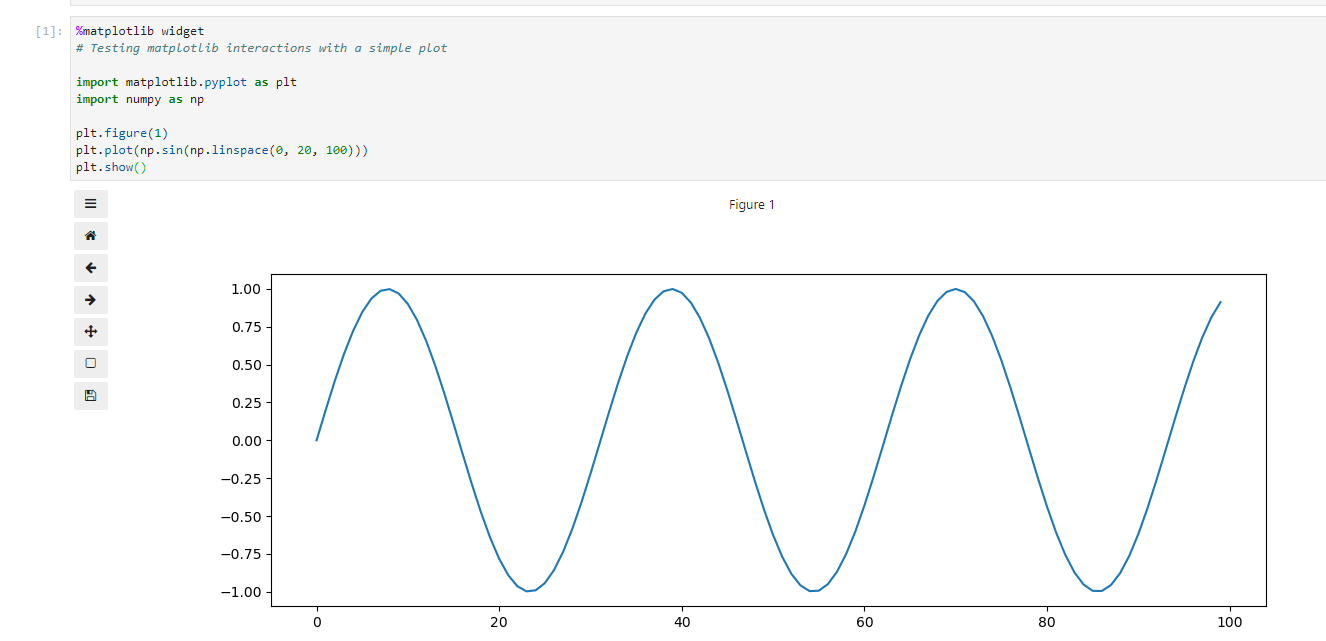
so there is a context to get the odd behaviour... could a %matplotllib inline earlier in the notebook create the issue ? ...No, it works this time ,

maybe a timeout when the notebook is full of widgets ?
also, when i try to gifcam the problem, it behaves differently. hope it gives a hint on where is the weakness
today, I could at last get my notebook experience right:
- under jupyter "notebook", i can make "%matplotlib widget" works well after a cell "%matplotlib inline", if I force "%matplotlib widget" twice
- same under jupyterlab-2