
respond
 respond copied to clipboard
 madoublet
Re-captcha in /create doesn't display in Chrome
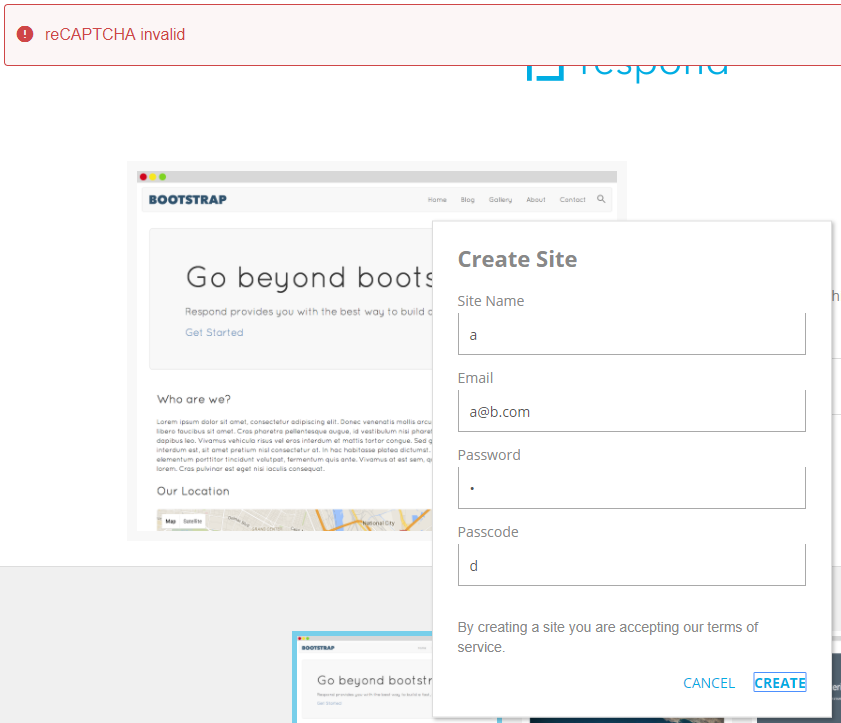
The Re-captcha of the /create page doesn't load in Chrome, so it's impossible to create a new site if Re-captcha is enabled. I'm on the latest Chrome on Windows, Version 63.0.3239.108 (Official Build) (64-bit), and latest respond zip file.
Chrome:
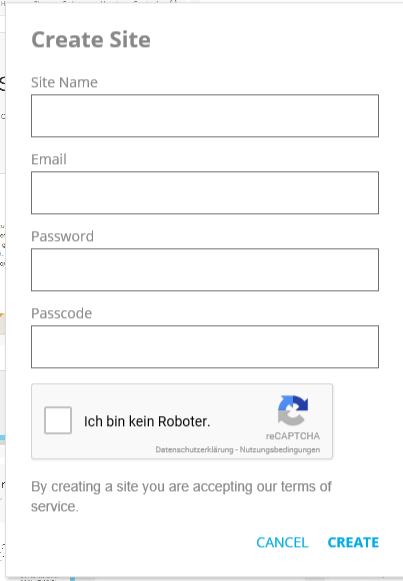
Same respond installation but on Edge:
The Chrome developer console shows the following error, which is probably the culprit:
Uncaught TypeError: Cannot read property 'nativeElement' of undefined at n.onloadCallback (main.0f81c9e933404447adee.bundle.js:1) at recaptcha__en.js:381 at br (recaptcha__en.js:372) at recaptcha__en.js:381 at recaptcha__en.js:392

Weirdly, this error actually occurs in Edge too, but only on the first page load (i.e. open Edge -> navigate to /create page). If you then press F5, the error disappears and the captcha loads.

There's also another captcha bug I'm having, I'm not creating a new issue as it might be related: When recaptcha is enabled for forms on a site (following this and then enabled on the default contact form, it doesn't display the green "Success" top bar anymore after submitting. On Chrome the bar never appears, on Edge it appeared once and hasn't since.
There doesn't seem to be any errors in the JS console though.
I'm using a plain new installation of respond with the default Bootstrap template, and all checks pass if I check /install.