
react-json-view
 react-json-view copied to clipboard
 mac-s-g
display new line character
If I have an object like {key: "line1\nline2"} when viewing the json, the new line characters dissapear


It appears as the new lines are preserved in the HTML but as any whitespace in html gets rendered as a single space.
With some browser inspection I changed the span to a <pre>...text...</pre> and it rendered with line breaks.
What I plan to do is see if that can be done via CSS/themes or custom rendering of a type in this library. If not, maybe a fork and a PR.
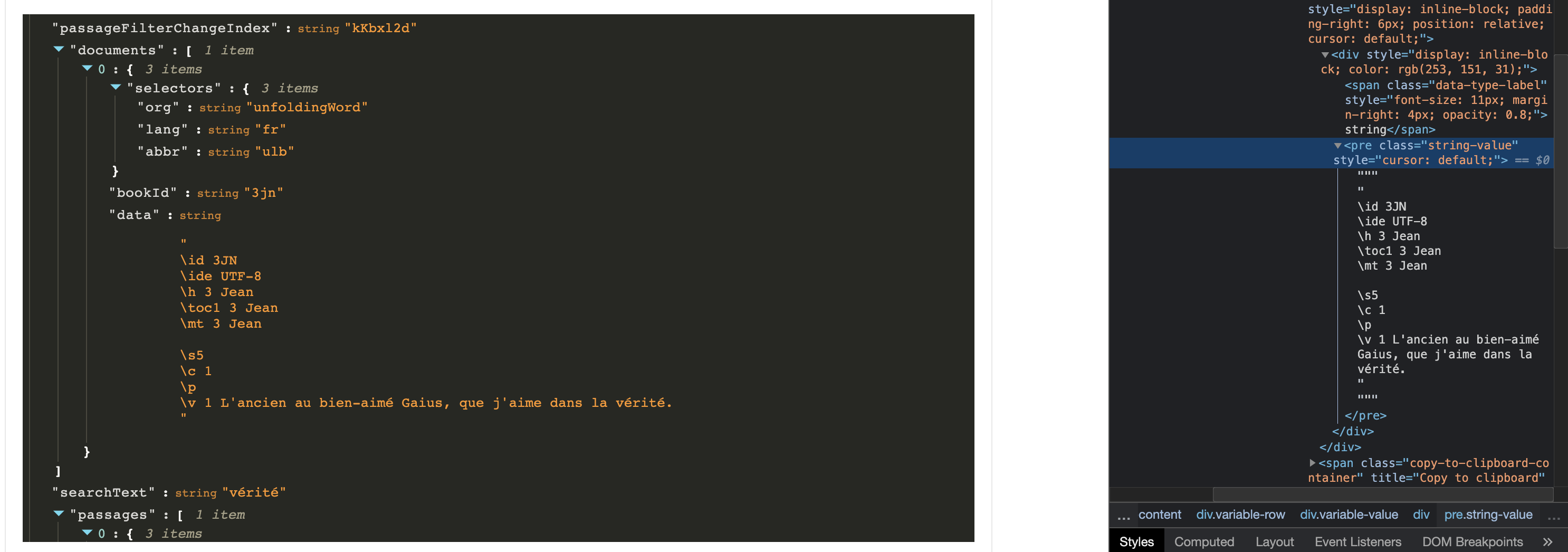

With some more googling, we can do that via CSS: .string-value { white-space: pre; }
https://www.w3.org/TR/CSS21/text.html#propdef-white-space via https://stackoverflow.com/questions/219219/how-to-change-a-span-to-look-like-a-pre-with-css
I have been testing this and so far this has worked swimmingly for all the use cases I've tested it on:
    <ReactJson
      style={{ whiteSpace: 'pre' }}
      src={json}
      theme="monokai"
    />

The only downside I see is that the long lines overflow and need scrolling as they no longer wrap.
There doesn't need to be any modifications to the codebase or a custom theme supplied as it is just as quick and simple as adding an option if there was one added. We may ask the dev team to edit the themes to do this by default but not sure how big the need is outside of the 3 of us on this issue.
Good solution w/ custom Css, but still... it should either render the new line, or show the \n character. The current behavior is too weird
What do you think @mac-s-g