
lucaschessR
 lucaschessR copied to clipboard
 lukasmonk
Temporary database window and pgn game window do not remember size preferences
Hi, Lucaschess's main window always remembers minimization/maximization preference for the user, but this never happens with temporary database window and pgn game window. Always user has to maximize it for each and every single game pasted there.


This time instead of maximize, I dragged the window and enlarged it to the full size, but still after closing it and reopening it, it opens in a default size. Database window is not a concern here, as it opens almost fully (95%), but specifically pgn game window opens 3/4 of monitor screen. The logic is, if you are going to study a game, you would prefer full screen, and then for each new game you have to enlarge (maximize) it. It would be great if it remembers user choice.
The reading of pgn file is done by creating a temporary database. All databases use the same window, including the temporary one, size are shared by all. In all my tests the windows are saved and retrieved fine. Obviously I am not understanding something.
Let us go step by step.
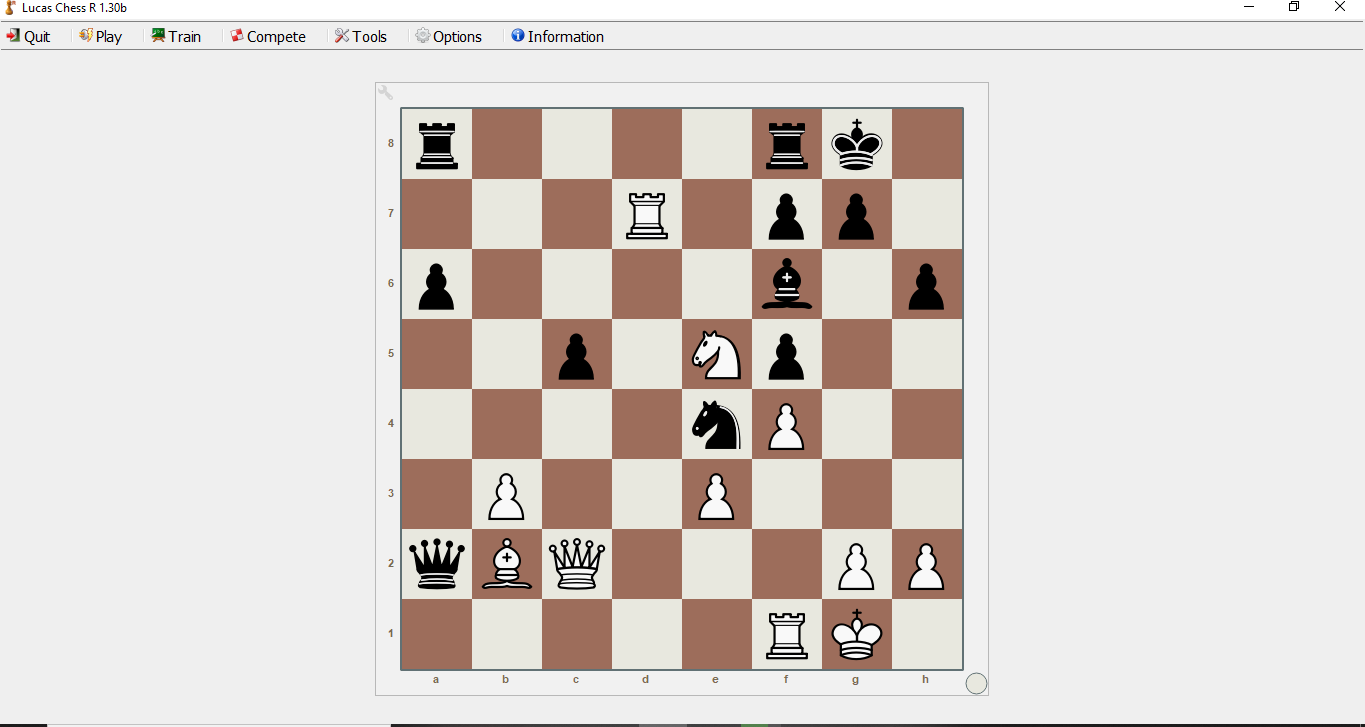
- I open software. First window is this -
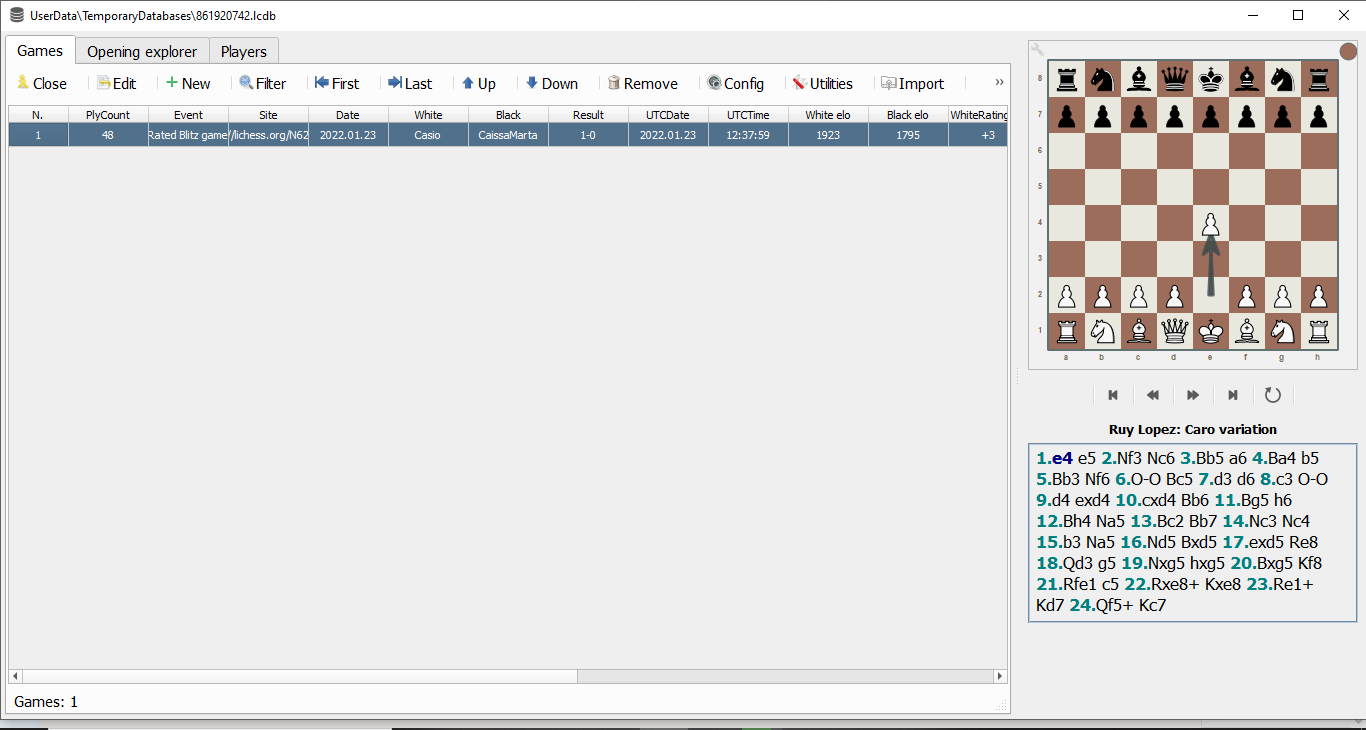
- I paste a single game with Alt+1 shortcut. Temporary database window opens as this -
- Now I press enter key and open a game like this -
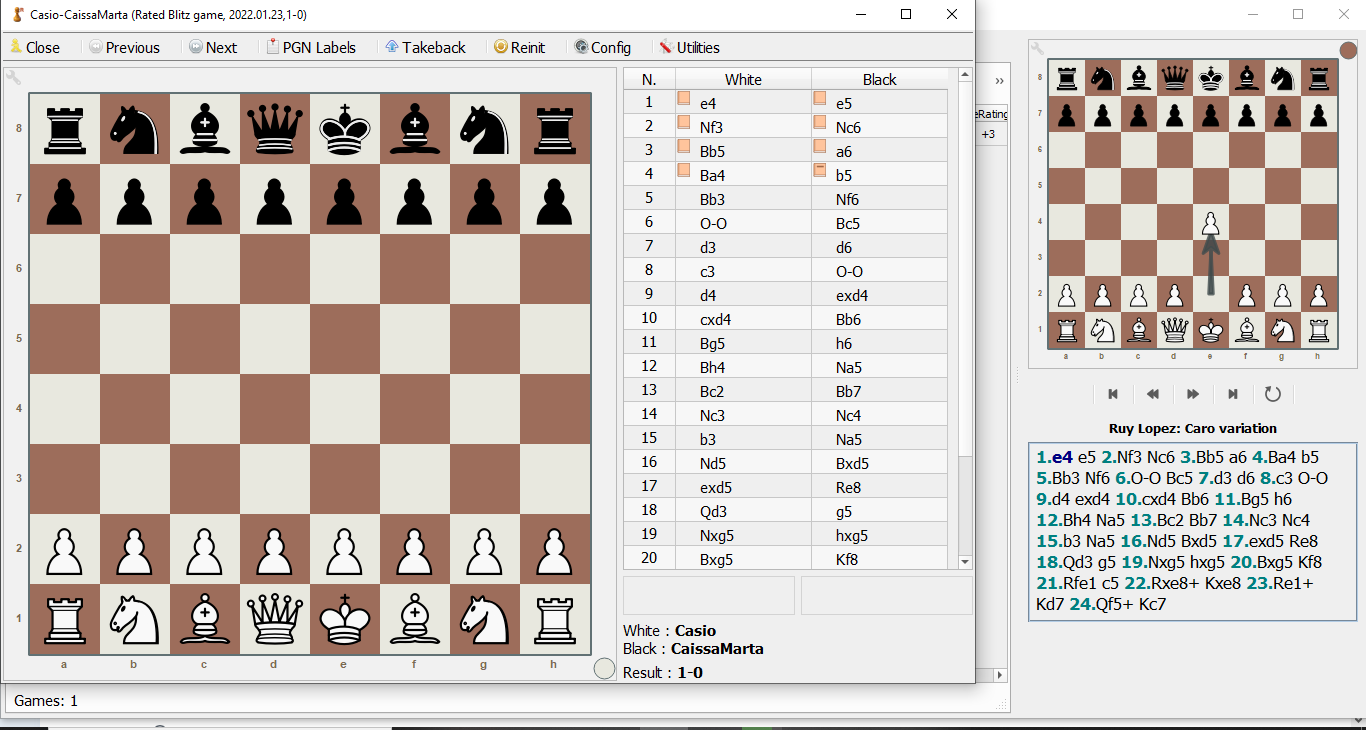 Now look at the size of this game window. It is always 3/4 of monitor screen. To enlarge it, I click maximize icon on top right. There should be some way to have this window in full size by default. Of course this is a small thing, not a big problem, but it can simply save a click of any user. Hopefully I am pretty much clear this time. Let me know if you didn't understand any part of this comment.
I was in the previous step. You can change the size of the board by clicking on the tool on the left upwards.
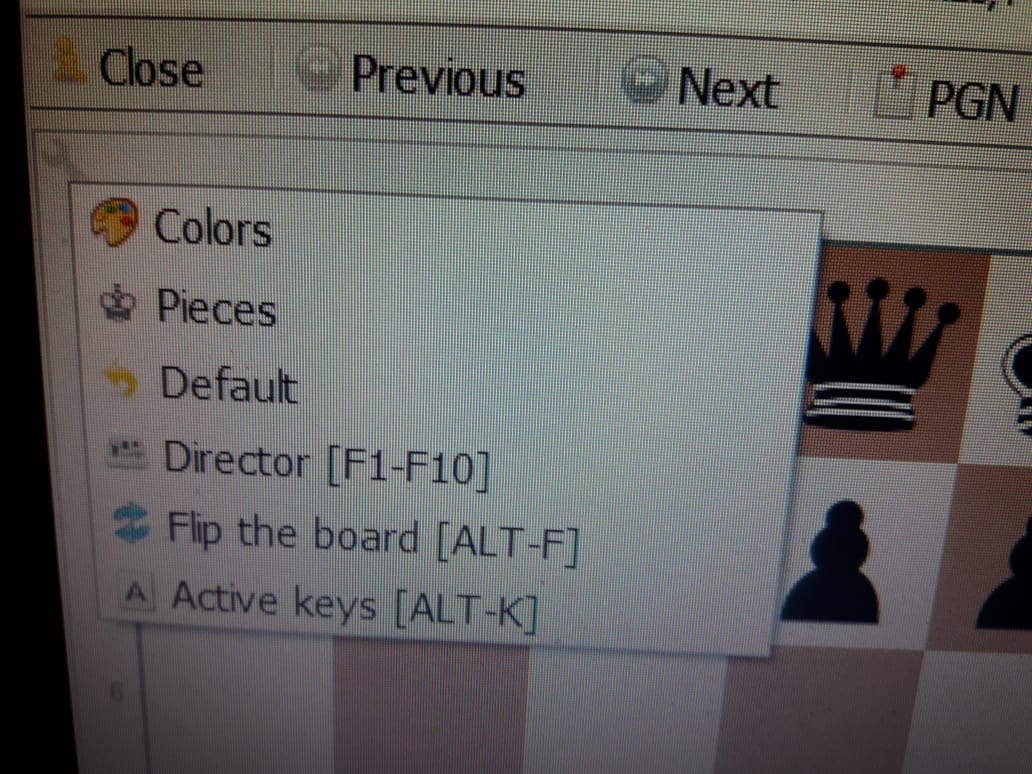
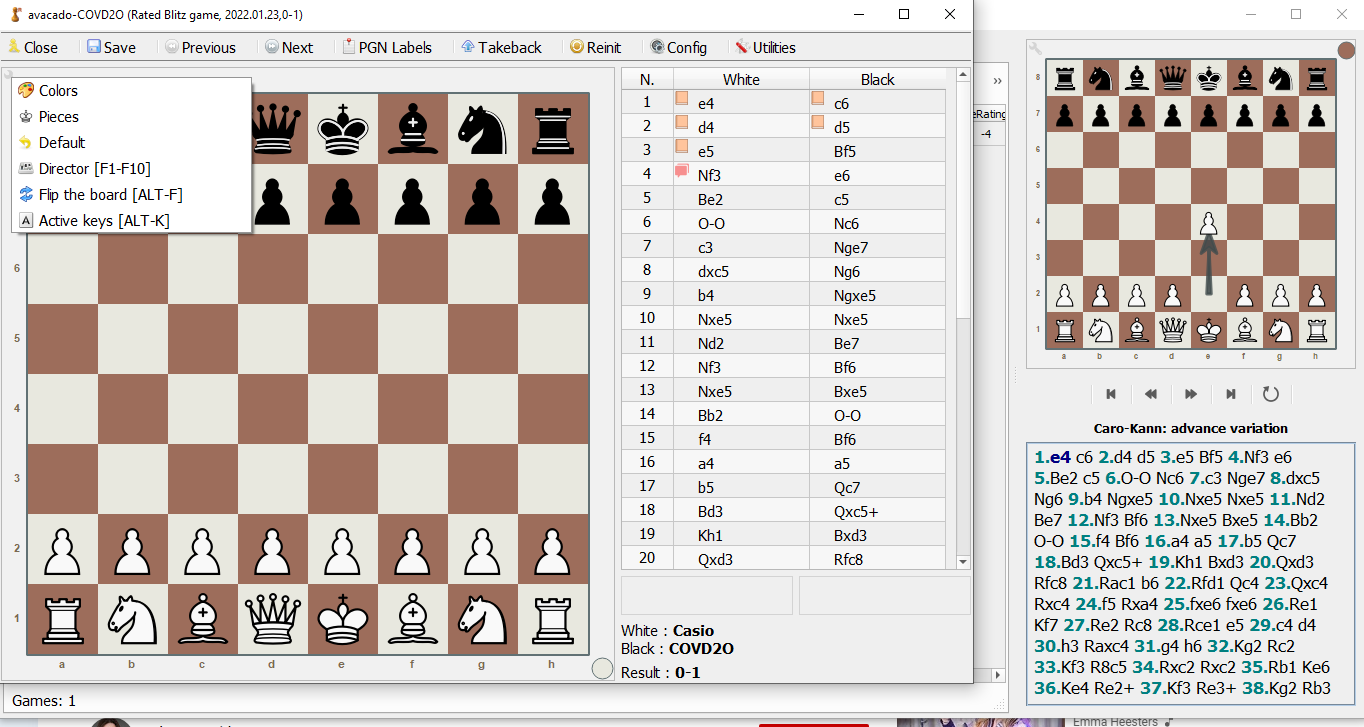
It is in a normal state. There are only 6 visible options viz. colors, pieces, default, director, flip the board & active keys. No option to change the size of the board.
This is the screenshot of exactly what I am seeing. This is the screenshot of default window after opening the game of temporary database.
There are two files that control this appearance:
\UserData\__Config__\confvid.pkd
\UserData\__Config__\confBoards.pk
If you send them to me I might be able to replicate the problem.
lukasmonk must be
El lun., 24 ene. 2022 1:53, futurelauncher @.***> escribió:
Sent you at @.***
— Reply to this email directly, view it on GitHub https://github.com/lukasmonk/lucaschessR/issues/73#issuecomment-1019615497, or unsubscribe https://github.com/notifications/unsubscribe-auth/ABPW5RVJDGLXRLRTFDSSYALUXSPHRANCNFSM5MJ4W5AQ . Triage notifications on the go with GitHub Mobile for iOS https://apps.apple.com/app/apple-store/id1477376905?ct=notification-email&mt=8&pt=524675 or Android https://play.google.com/store/apps/details?id=com.github.android&referrer=utm_campaign%3Dnotification-email%26utm_medium%3Demail%26utm_source%3Dgithub.
You are receiving this because you commented.Message ID: @.***>
You can change the size with CTRL and the mouse wheel. If the main board is maximised, then the change is not possible through the menu, I have to check this.
Yes, you caught a bug here. Anyways, even though you change the size of the board, it is increased in the bottom portion (half issue resolved), but not towards right side.
This is what I get now -
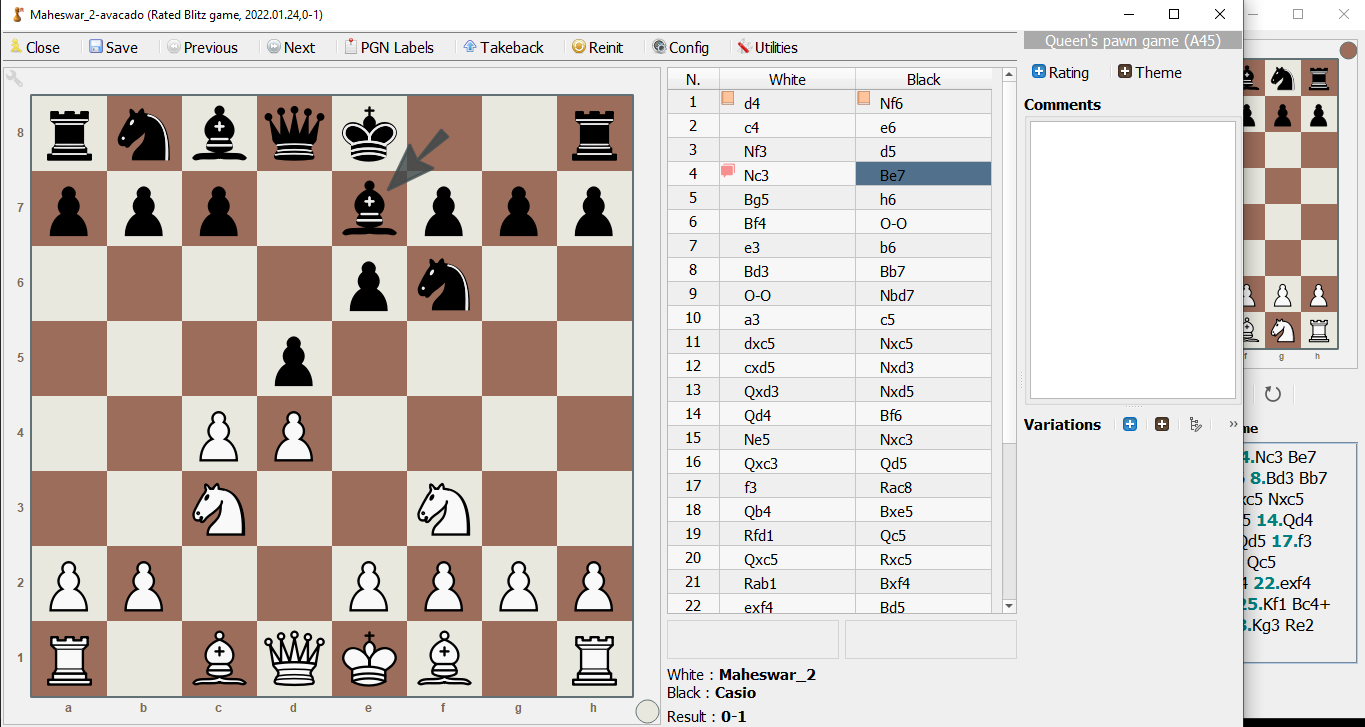
And this is what I expect Lucaschess to remember at the time of closing the window or program.
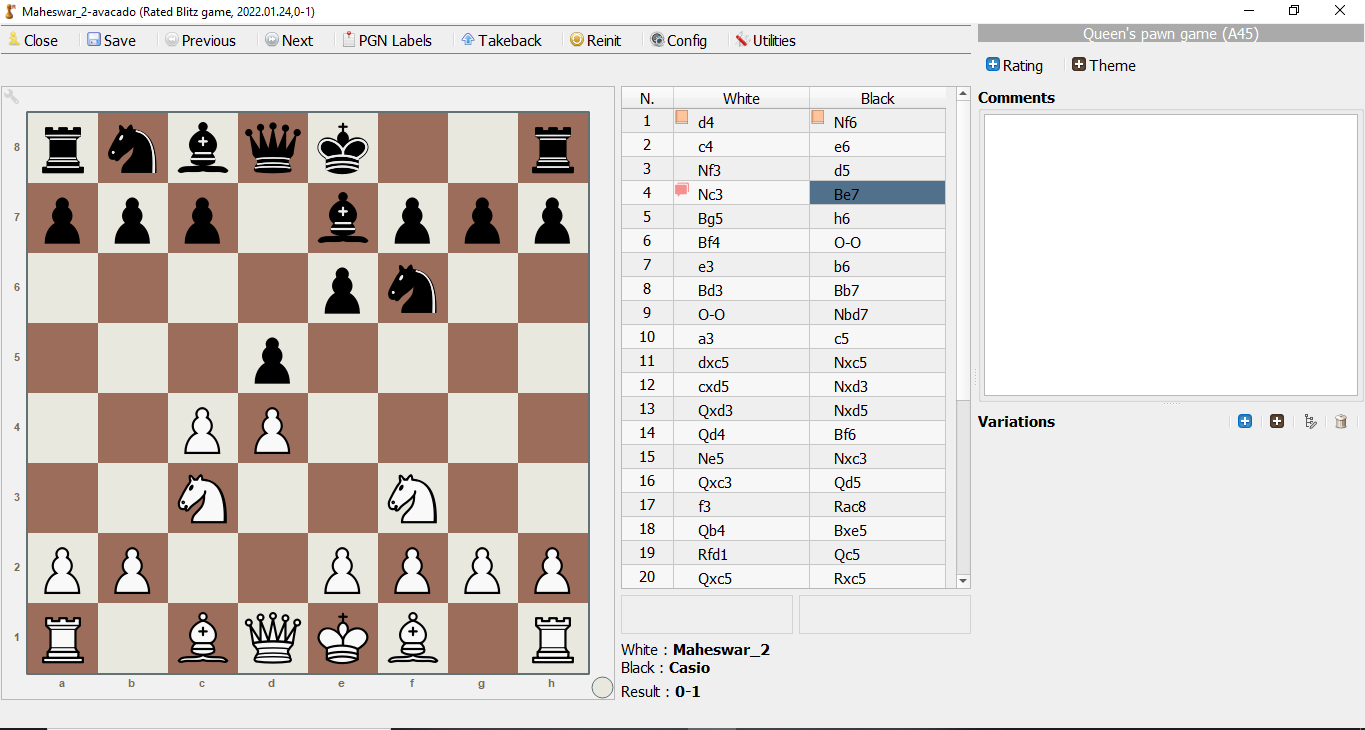 But unfortunately it doesn't remember this while reopening the program or a game and goes back to first image size. Here I am referring size of the whole game window, not the board. I hope, I am pretty much clear now.