

 loboris
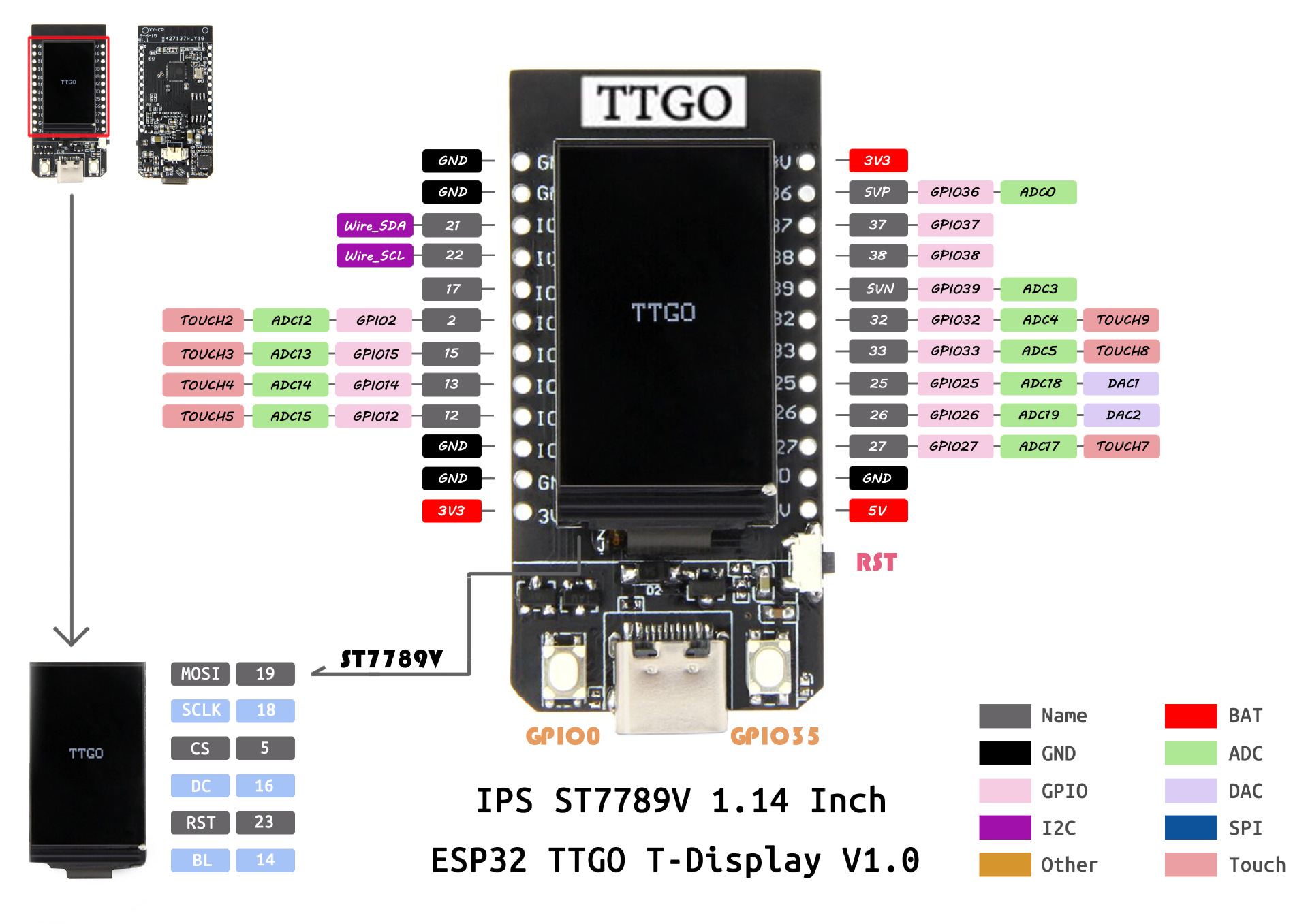
Problem with GPIO 0 - TTGO T-Display ST 7789V
hi, I have a problem with TTGO T-Display ST 7789V
Button GPIO 0 does not work after presses button (print always 0) Button GPIO 35 it's OK (print 1 after presses button print 0)
test code:
from machine import Pin
from time import sleep

button = Pin(0, Pin.IN)

while True:
    print(button.value())
    sleep(0.1)
II have tested with other Micropython and it works.
is there a problem ?
Thanks for your help.

Hello,
The difference between the two pins is the following the Pin35 is pulled up by a resistor on the board and the Pin0 is not so you should define it as PULL_UP in order to use it, also if you define as Pin.IN the value can't be read so define it as Pin.INOUT so the correct code would be:
from machine import Pin from time import sleep
button = Pin(0, Pin.INOUT, Pin.PULL_UP)
while True: print(button.value()) sleep(0.1)
and that will work. :)
