
bitcoinswitch
 bitcoinswitch copied to clipboard
 lnbits
Turn things on with bitcoin!

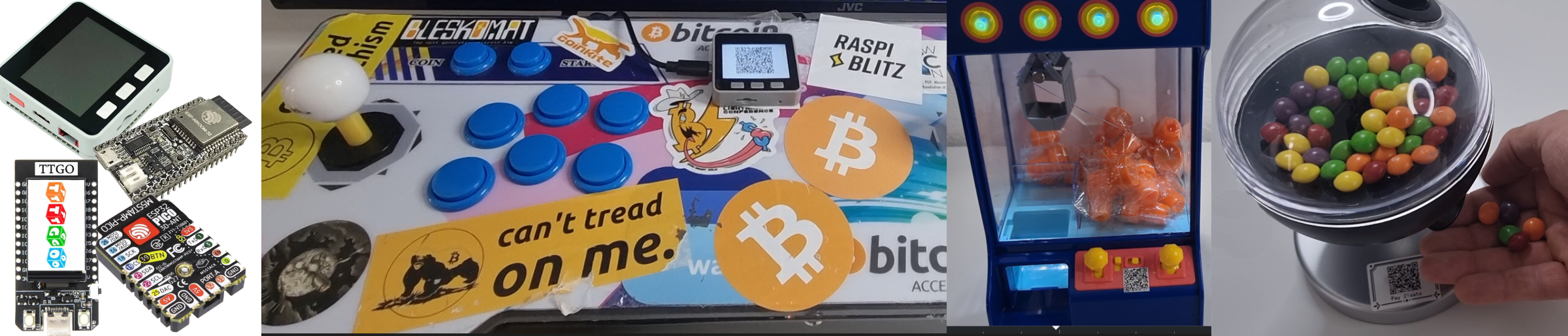
Flash and configure from browser! https://bitcoinswitch.lnbits.com/
Once flashed, press GPIO4 in few seconds of ESP32 booting up to be able to config
 |
 |
 |
 |
|---|
👉 An absolutely incredible bitcoinSwitch guide by Axel 👈
Compatible with any ESP32 microcontroller.
For use with LNURLDevice in LNbits.
✅ $5 worth parts/5min setup
✅ Websockets for blazingly fast turning on the things
✅ Web-installer/config for easy setup
✅ Support for MULTIPLE GPIOS/LNURLs!!!
Join us! t.me/makerbits
Complicated install instructions not using browser flashing
-
Install Arduino IDE 1.8.19
-
Install ESP32 boards, using boards manager

-
Download this repo
-
Copy these libraries into your Arduino install "libraries" folder
-
Open this bitcoinSwitch.ino file in the Arduino IDE
-
Select the correct ESP32 board from tools>board
-
Upload to device

development
build with arduino-cli
sh build.sh
build webinstaller, fetch main assets from lnbits.github.io
sh build-installer.sh
start preview
cd installer
http-server -p 8080
arduino-cli
compiling
arduino-cli compile --build-path build --fqbn esp32:esp32:esp32 bitcoinSwitch
monitoring
arduino-cli monitor -p /dev/ttyUSB1 -c baudrate=115200
uploading
arduino-cli upload --fqbn esp32:esp32:esp32 --input-dir build -p /dev/ttyUSB1
 lnbits