
RetroArch
 RetroArch copied to clipboard
 libretro
D3D12 driver - Everything becomes distorted when resizing the window
When using the D3D12 video driver with RetroArch 1.11.1, resizing the window will make everything look stretched and distorted (example below). This includes both the RetroArch user interface and any core/game that i've tried so far. It only happens with the D3D12 video driver. All other drivers do not have this behaviour, and this problem doesn't exist with 1.10.3.
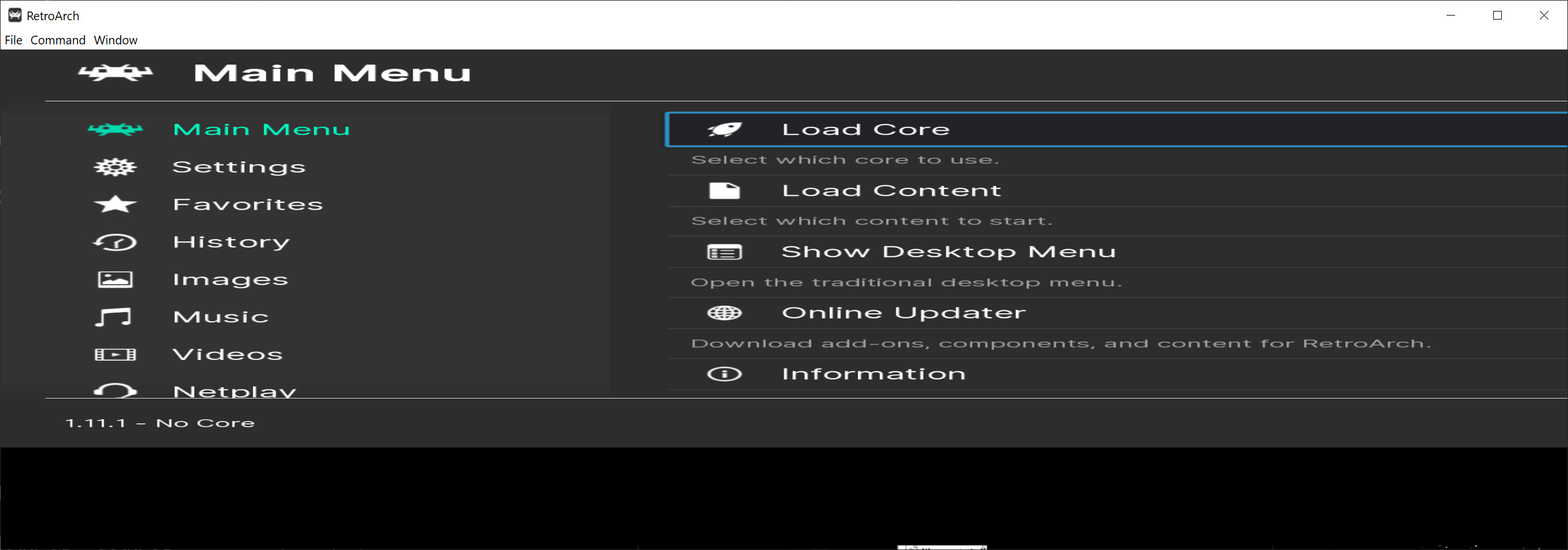
The OS used is Windows 10, with a clean install of RetroArch 1.11.1. GPU is a RTX 3080 with driver version 517.48 (currently the latest).

I don't have this issue, it auto-adjusts itself after you let go of the left mouse button to resize.
Can anyone else reproduce this? I'm on driver 516.94 (Windows 11 Home).
@sonninnos tells me he is able to reproduce it though. He is on Windows 10, with nvidia driver version 512.15.

A similar thing btw also happens with d3d11 when the display is in portrait mode..
