
RetroArch
 RetroArch copied to clipboard
 libretro
System Information not correctly detecting Windows 11
First and foremost consider this:
- Only RetroArch bugs should be filed here. Not core bugs or game bugs
- This is not a forum or a help section, this is strictly developer oriented
Description
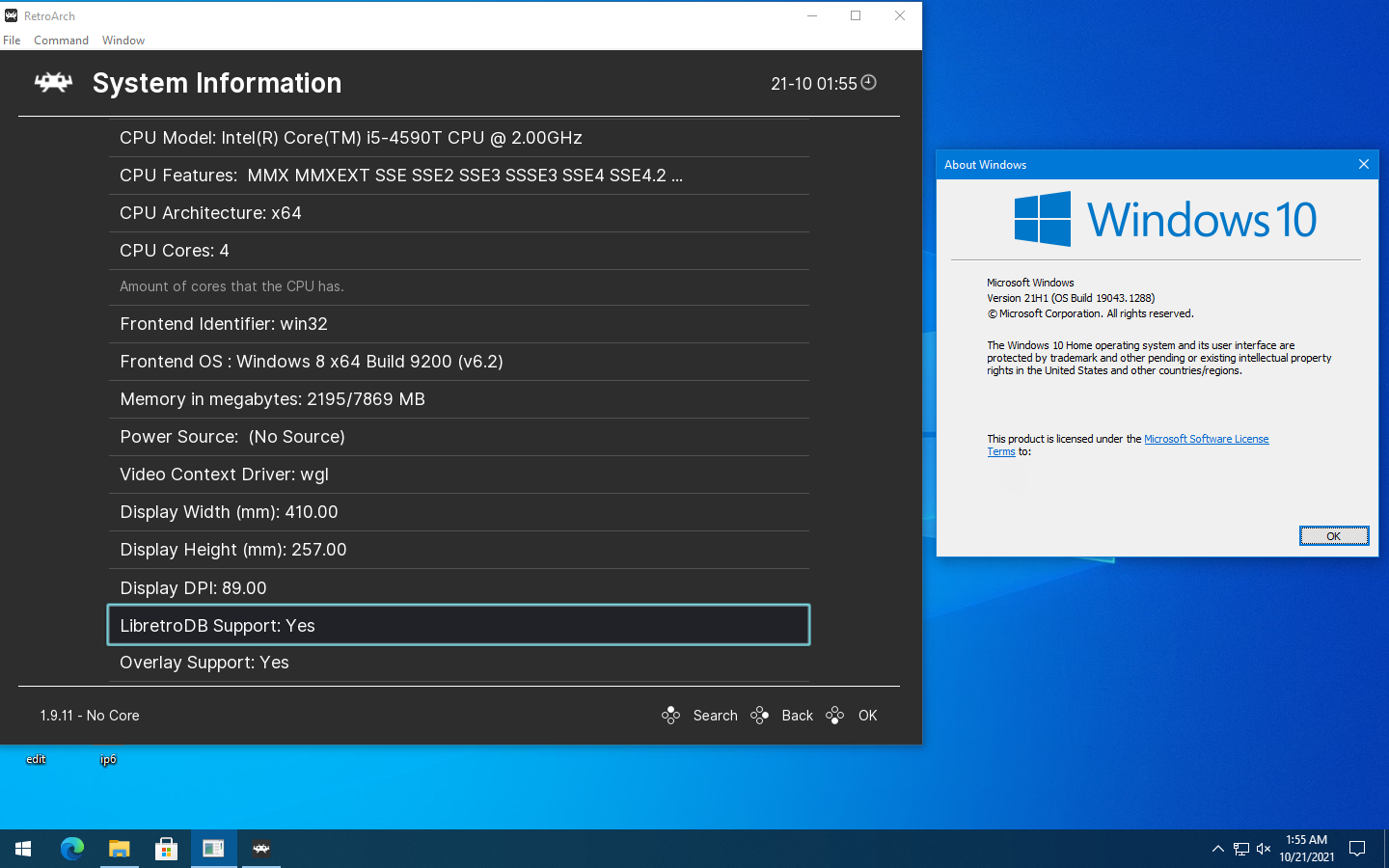
Retroarch System Information incorrectly detecting Windows 11 as Windows 8.
Expected behavior
Correct OS and Build detected
Actual behavior
Shows Windows 8 instead
Steps to reproduce the bug
- Start Retroarch
- Navigate to Information
- Navigate to System Information
- Observe wrong OS under Frontend OS
Bisect Results
Changelog for Stable 1.9.11 listed as fixed, but it is not.
Version/Commit
Stable 1.9.11
Also tested with latest nightly build ac1a280
Environment information
Windows 11 Pro
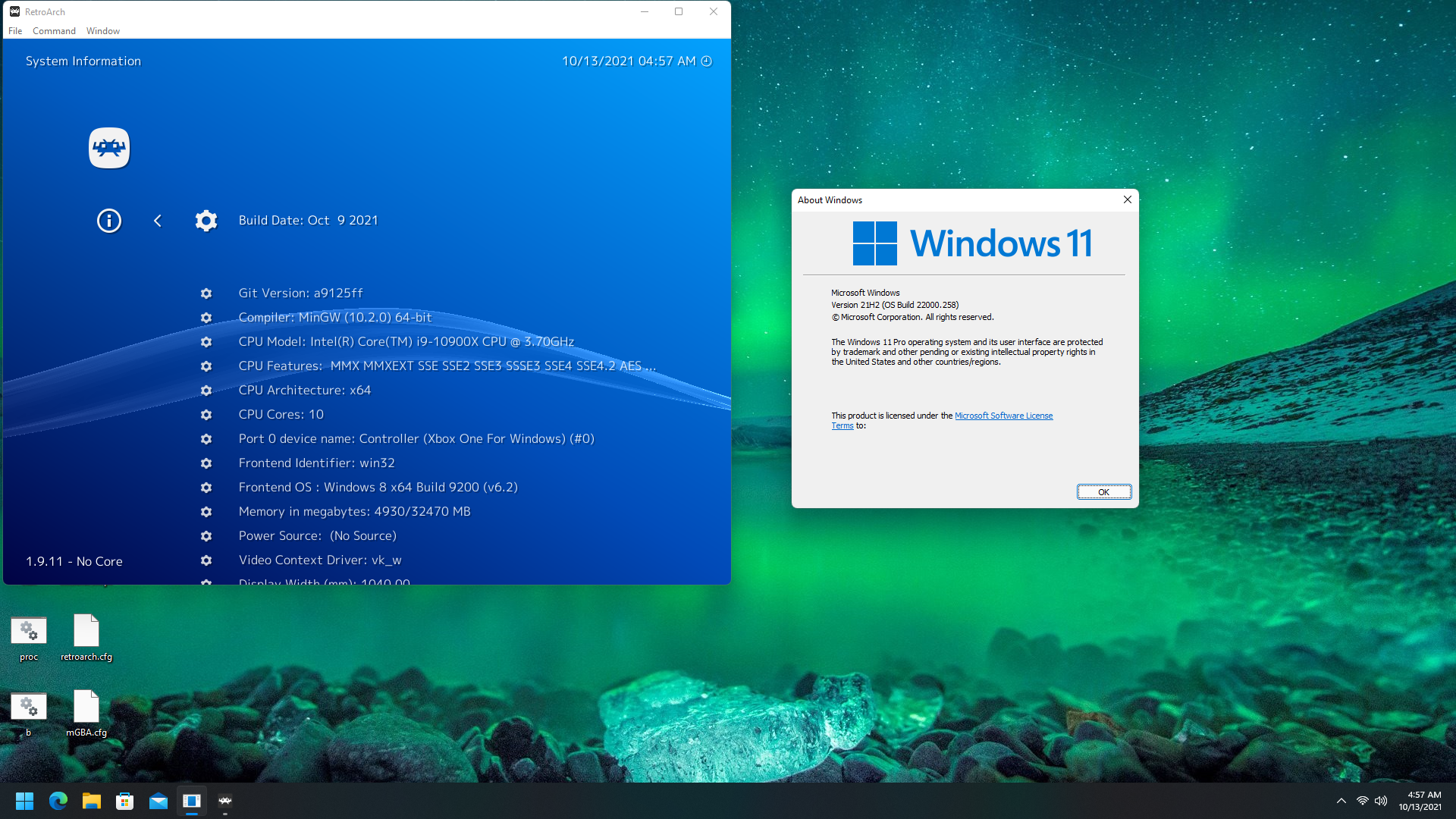

This issue should have been addressed by this commit but it seems it is not yet settled according to those threads.

Stable build 1.8.9, 4c6b13919c, is reported more correctly (at least the build number is correct).
It also detects Windows 10 instead of Windows 8, still wrong OS but closer.
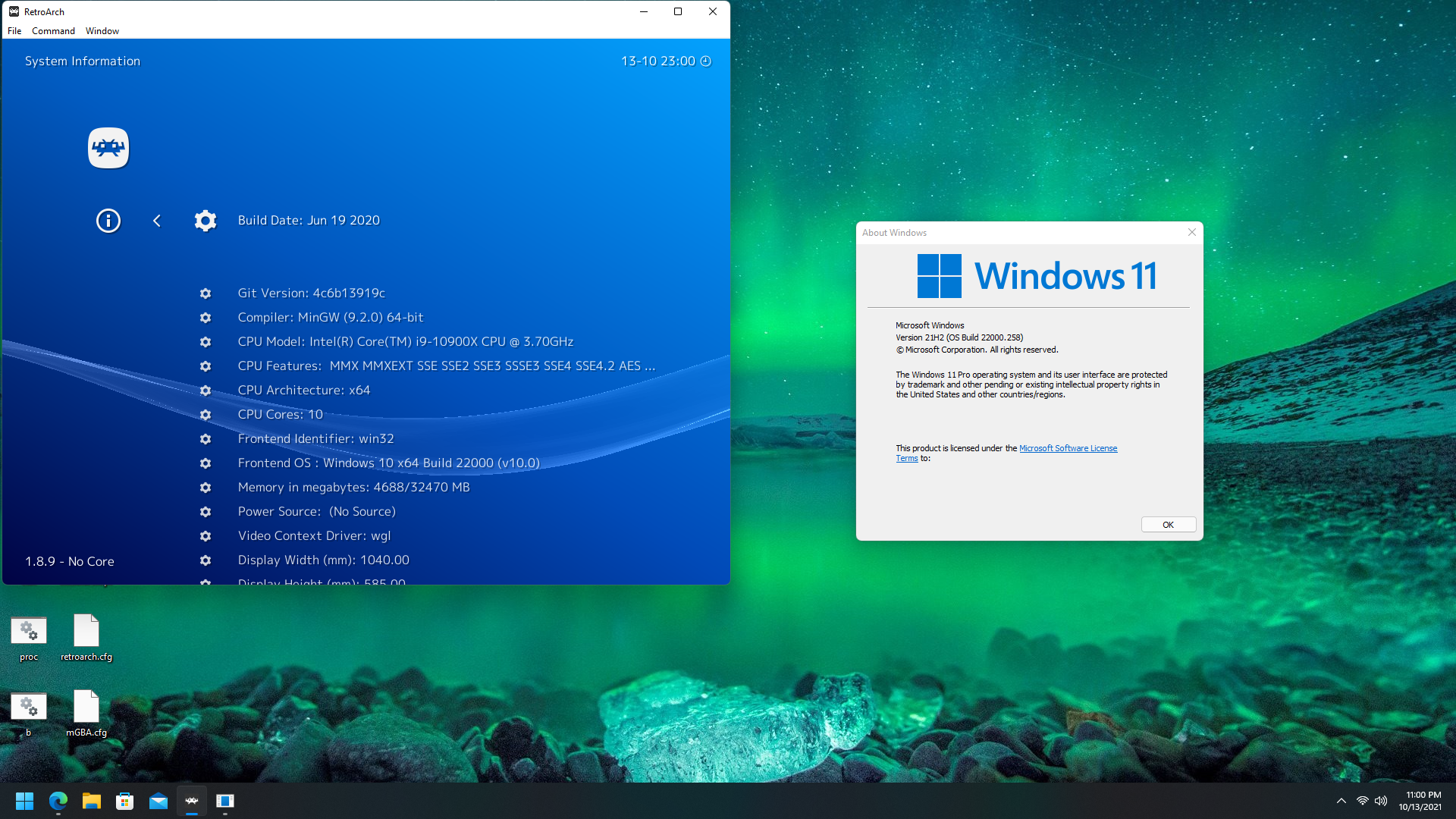
Windows 10 is also incorrectly detected as Windows 8 as well.
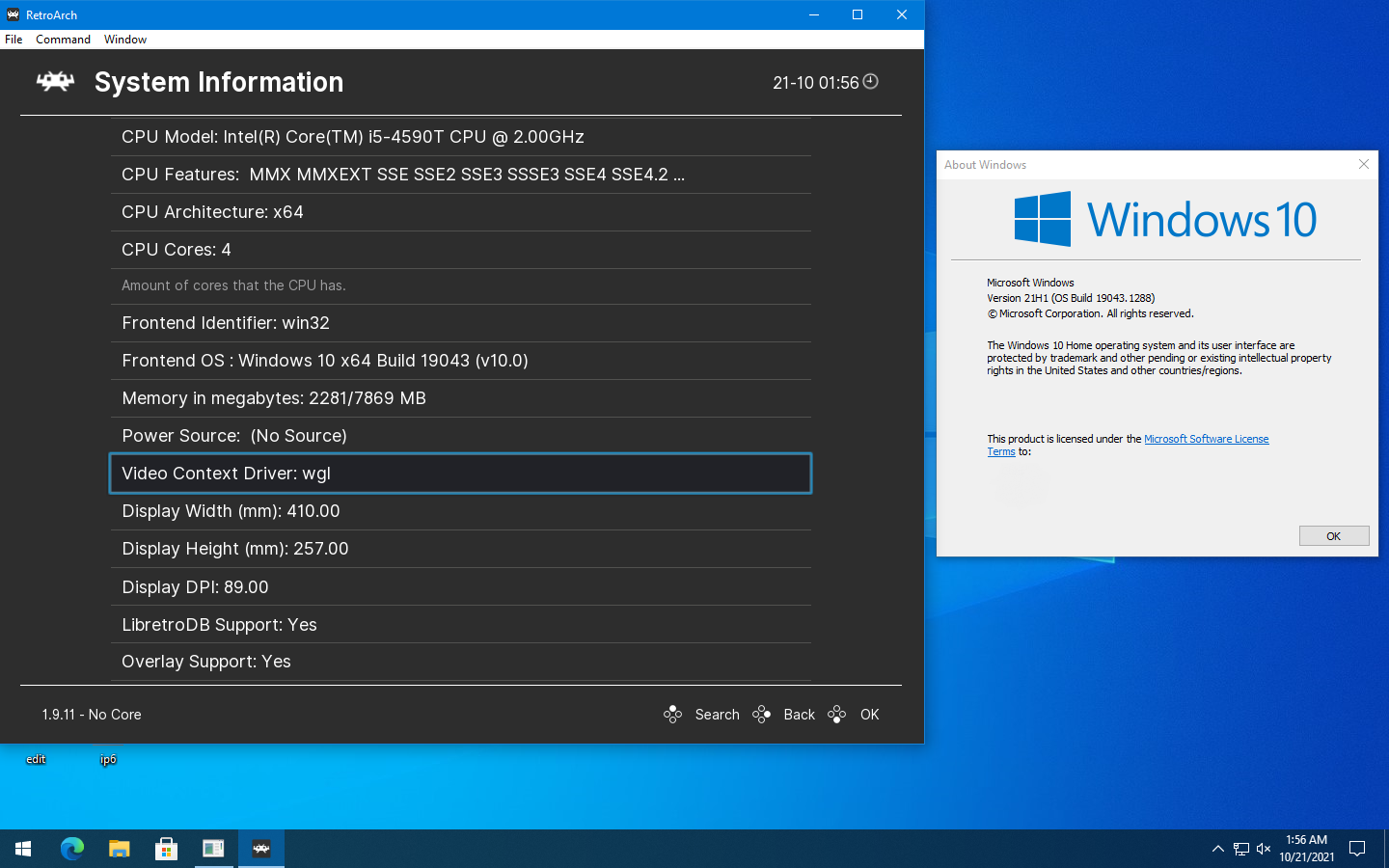
Manual builds from master using mingw64 seems to correctly detect the OS, so it appears to be a buildbot problem.
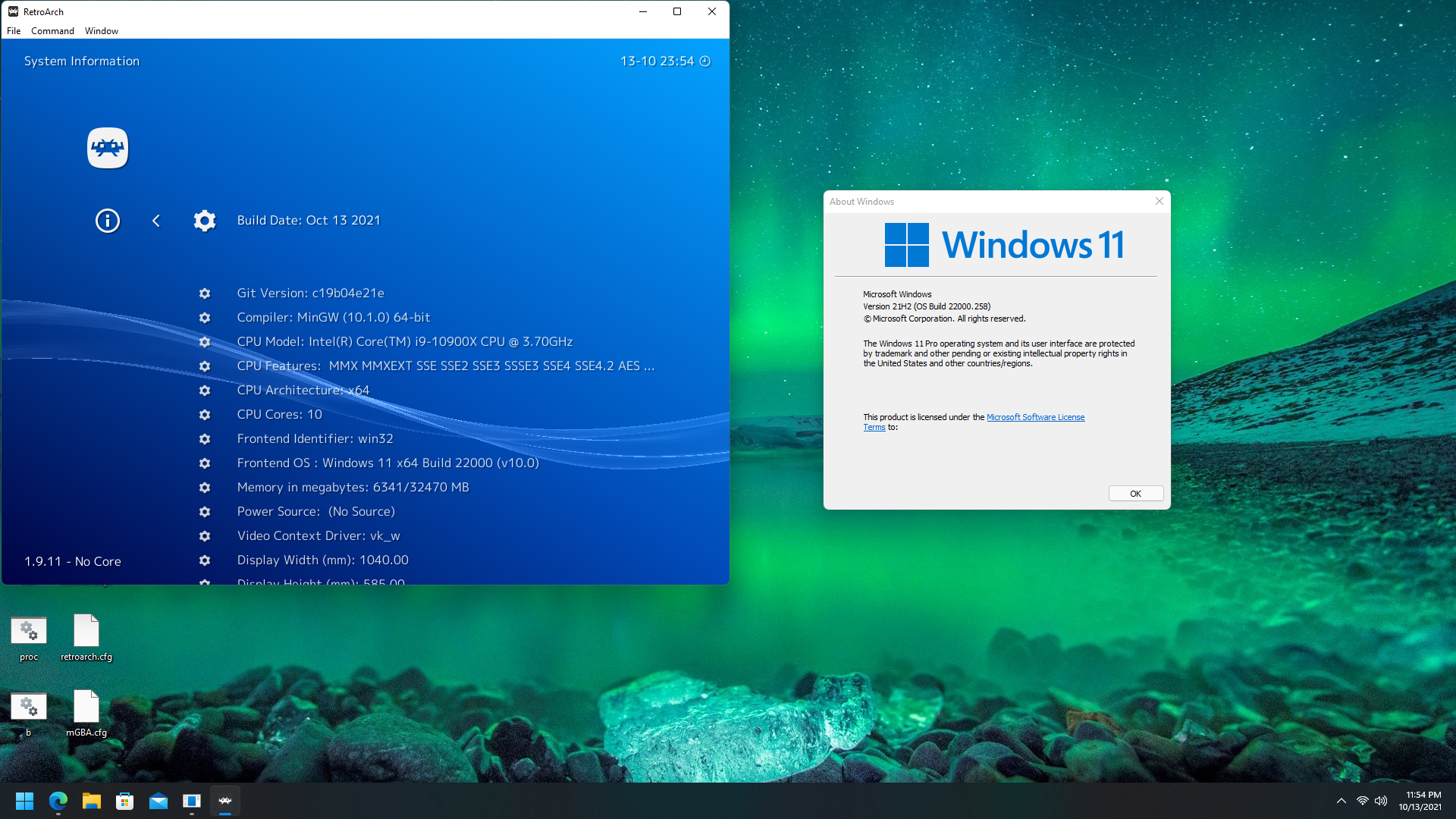
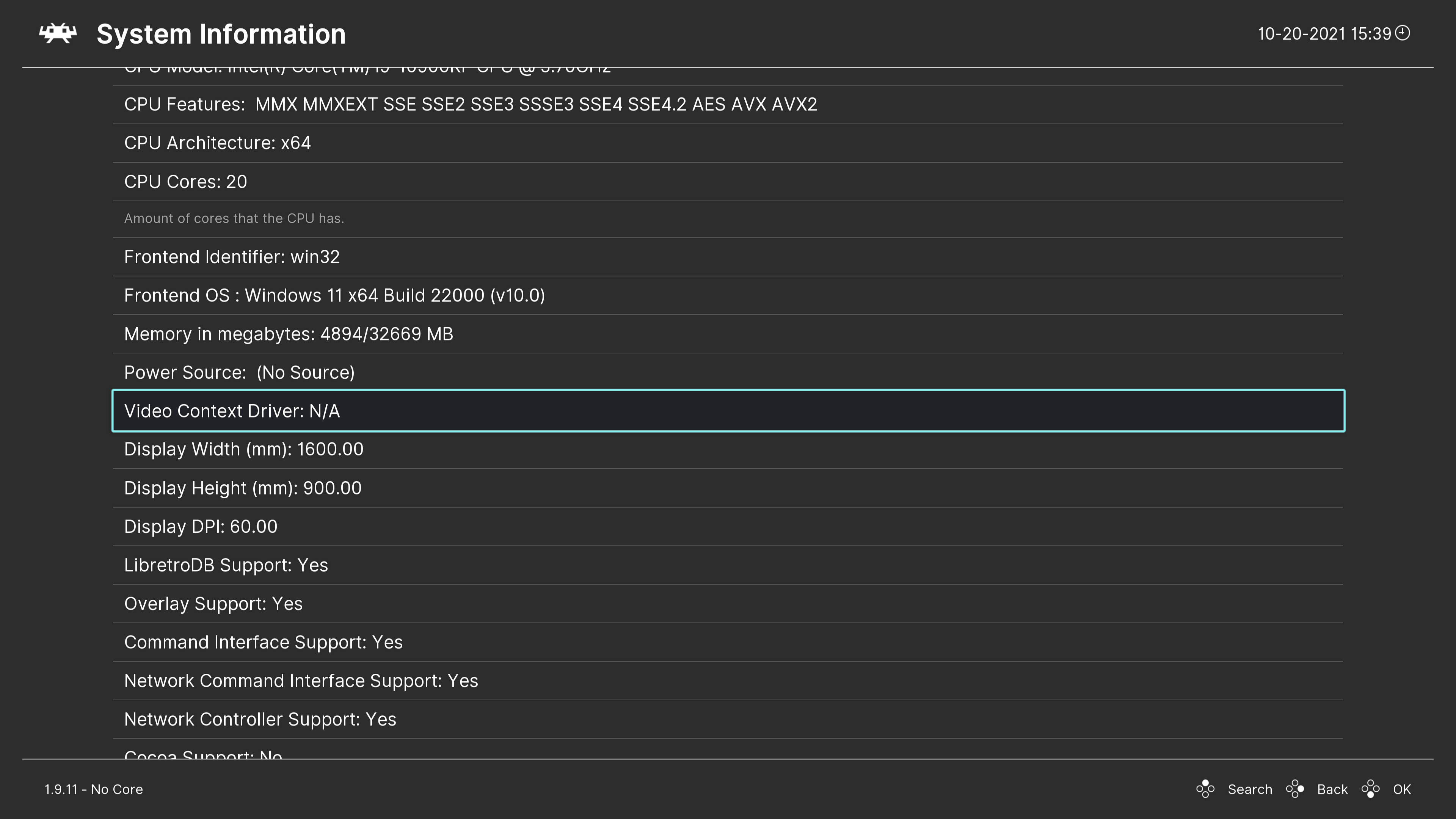
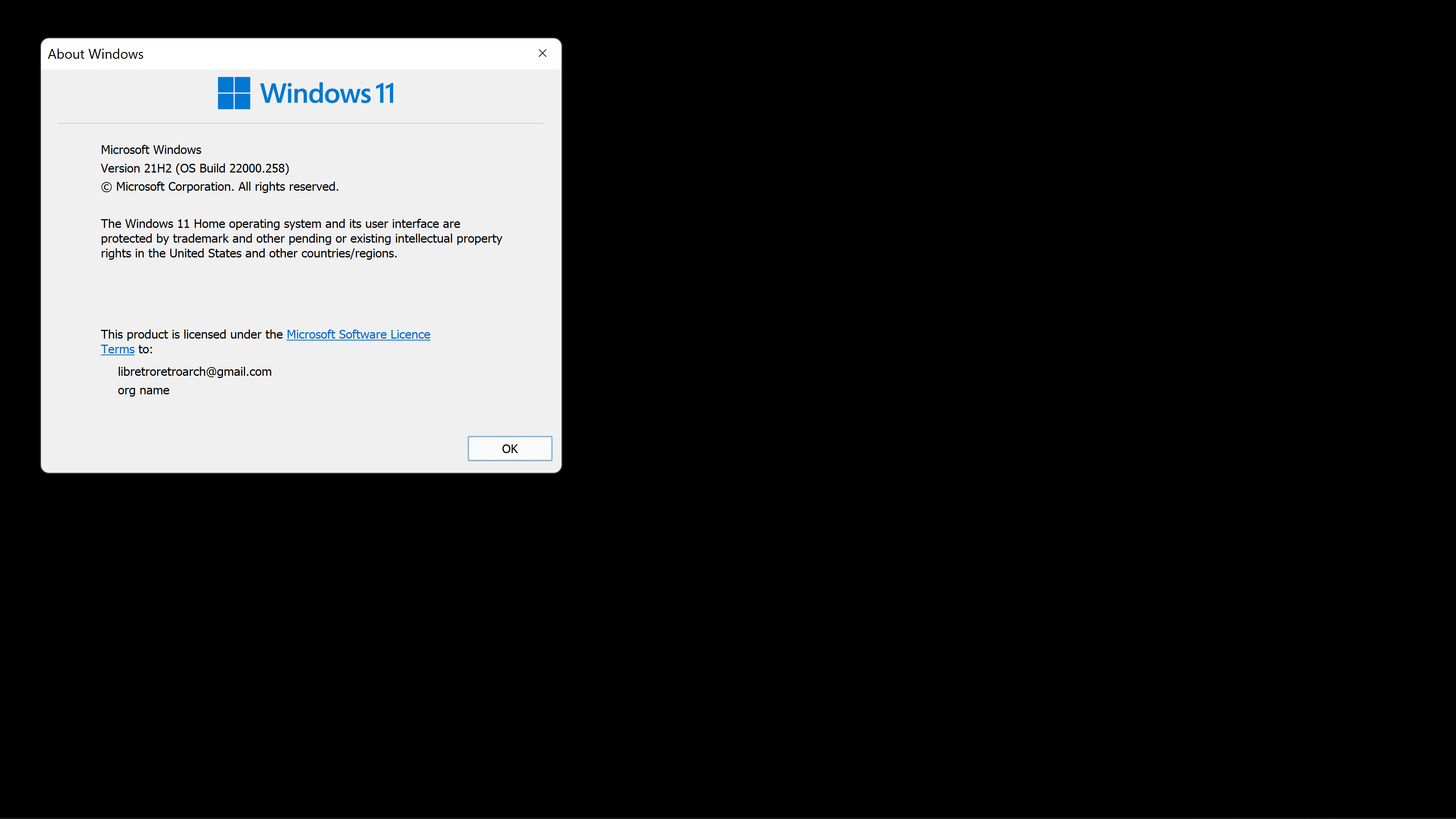

Same issue still present, as well as on system running Windows 10.
Build 758eafa.
Buildbot:
Manual build:
https://github.com/libretro/RetroArch/blob/763fcd8267d14af6ef39423b1412eab6f273c6c8/frontend/drivers/platform_win32.c#L292
It seems like GetVersionEx has been deprecated for Win10+:
[GetVersionEx may be altered or unavailable for releases after Windows 8.1. Instead, use the Version Helper functions]
Applications not manifested for Windows 8.1 or Windows 10 will return the Windows 8 OS version value (6.2).
The replacement helper functions appear to be designed to detect a supported version, not to report the current version. I'm not sure what the recommended solution is.

Can confirm this happens on Windows 11 Pro (21H2). Windows 11 Home (21H2) is fine tho.

This issue still persists. My 64-bit Windows 10 Home 22H2 is being detected as Windows 8 x64 Build 9200 (v6.2).
