
LTKDIFMU-userscript
 LTKDIFMU-userscript copied to clipboard
 lethak
Problems clicking on Seek Bar
Hi @lethak I wanted to suggest a feature. I am sorry if this was already posted earlier. I was wondering if you are able to add the functionality so that when we click on the seek bar, then the music starts playing from that point of time.
Currently, we need to drag the button on the seek bar to the point in time where we would like to play. However, when we directly click on the seek bar, it does not play from that point of time.
Screenshot 1:

In this image, you can see that I am able to drag the pin in the seekbar to any position.
Screenshot 2:
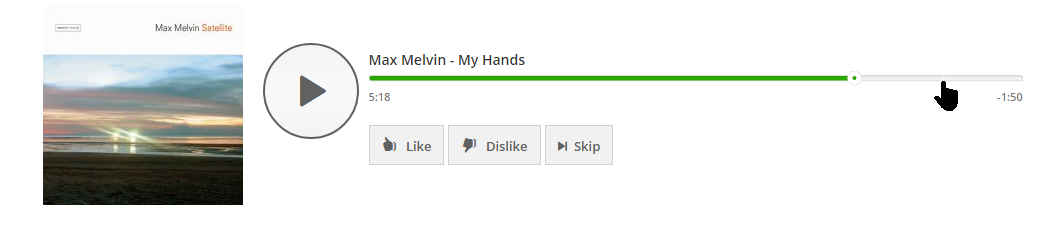
In this image, even when we click on any other position on the seekbar, it does not play from that position.
Are you able to add this feature?
Thanks

Hi, in fact this is already the case. What you are experiencing may be related to your download speed, although I am not sure.
When you click the timeline, the player starts streaming in the audio, but it is not that smart and the streaming is really just a progressive sequential background download. Meaning it wont play at the position clicked until it was downloaded up to this position in the background, and clicked again.
I believe this is a bug of their platform because this is not consistent all the time. You will find this working 100% as intended when the audio is already fully cached by your browser. Some time can be spent investigating deeper, but this is actually pretty deep into the platform's gut.
Steps to reproduce
- Open platform audio. ex https://www.zenradio.com/chillout
- Click play button
- Quickly click the timeline near the track's end.
- Observe: no effect to the click.
If you skip track, same effect.
Workaround 1
- Click Pause (the actual "trick")
- Click Play
- Click Timeline
- Observe: The playing position is updating to where you clicked.
If this is not working the first time, repeat the "pause/play" cycle a few times.
Workaround 2
- Drag the current position cursor to your chosen location on the timeline.

Closing this for now, I believe this was improved natively on the webplayer side.