
leon
 leon copied to clipboard
 leon-ai
http error 426 while attemp to go to leon UI in browser
Specs
- Leon version: lastest dev (1.3.0)
- OS (or browser) version: Windows 10, opera gx/edge/chrome
- Node.js version: 8.5.5
- Complete "leon check" (or "npm run check") output: https://pastebin.com/kSG85Fwq
Expected Behavior
When I go to http://localhost:1337, I must have the leon UI
Actual Behavior
When I go to http://localhost:1337, I get http 426 error
How Do We Reproduce?
I don't know, I just follow the leon-CLI step-by-step guide to install leon and then start leon and write the address in my browser
What I tried:
- running cmd as administrator
- reinstall leon as administrator (and the stable version too)
- try multiple browsers
- change the local domain
- change local port (but it doesn't change)
- other protocols like FTP, SFTP, SSH

I'm getting this same error, did you ever find a fix for this??? @Ledge2494

I am also getting the 426 error.
OS: Windows 11 22H2 Browsers tested: Firefox 110.0.1 & Brave Nightly Version 1.50.62 (Chromium: 110.0.5563.33)

So far it sounds like this issue happens on Windows system. I booted up a Windows VM and this error does not happen on my side. If there is anybody who can share their report via a leon check, it'd be much appreciated.
cc @masterfugazi @rondDev
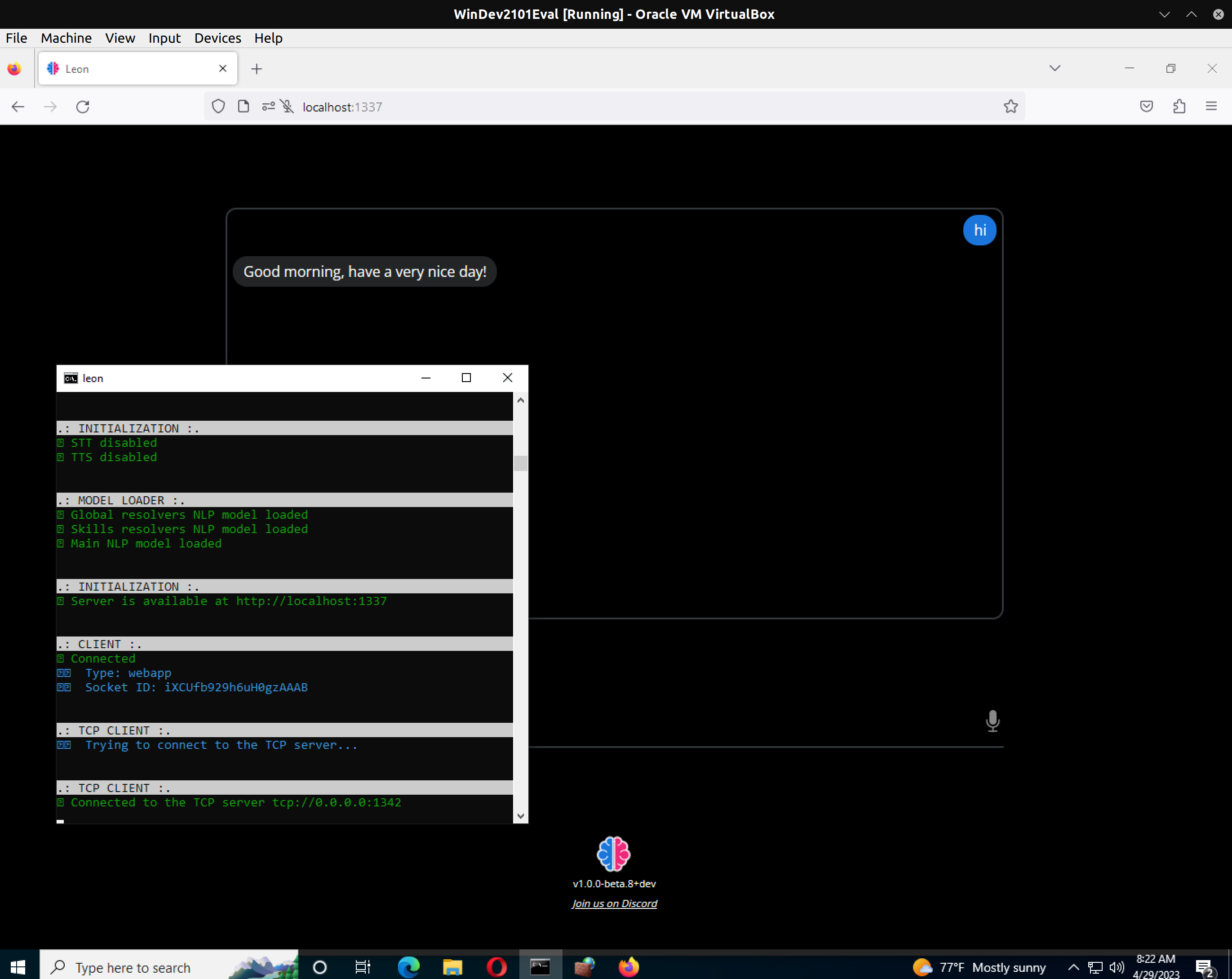

At the time I had also tried a VM, I gave up on it for another project similar to this, but I may take another stab at it one of these days.
On Fri, Apr 28, 2023 at 7:26 PM Louis Grenard @.***> wrote:
So far it sounds like this issue happens on Windows system. I booted up a Windows VM and this error does not happen on my side. If there is anybody who can share their report via a leon check, it'd be much appreciated. cc @masterfugazi https://github.com/masterfugazi @rondDev https://github.com/rondDev
[image: image] https://user-images.githubusercontent.com/1731544/235272693-a03071d0-f305-411b-aa15-9b960b4b6909.png
— Reply to this email directly, view it on GitHub https://github.com/leon-ai/leon/issues/407#issuecomment-1528299717, or unsubscribe https://github.com/notifications/unsubscribe-auth/ANAJHROBFW5W4W3HYOTYLSDXDRNZXANCNFSM57DAUUHQ . You are receiving this because you were mentioned.Message ID: @.***>
-- *Justin J. Cupo *| *Software Specialist *
m. (941)-587-3738 e. @.*** w. CodeChimps.co
Same here.
Specs
- Leon version: 1.0.0-beta.8+dev
- OS:
- System: Windows 10, build 10.0.19045
- Browser: Firefox 112.0.1 (64-bit)
- Node.js version: 20.0.0
- Leon Check: https://gist.github.com/RealSourceOfficial/4bc49c8c5ae9ea685361e6bee652d693
Tried
- Using CMD as administrator
- Using NodeJS version 18.16.0 32bit & 18.16.0 64bit
- Using
npm start dev:server&npm start dev:appin the%appdata%\.leondirectory - Using both leon base and leon beta
- Using Opera GX - LVL4 (core: 91.0.4516.106)
original bug report

I am also getting the 426 error.
OS: Windows 11 22H2 Browsers tested: Firefox 110.0.1 & Brave Nightly Version 1.50.62 (Chromium: 110.0.5563.33)
Somehow it's now working and I'm not receiving the error.
What changed:
- Reinstalled windows
Leon check: https://report.getleon.ai/raw/wamasudela
I have no idea what resolved the issue.


I managed to get around that error by using a different port than 1337 with "leon start --port {port}"
