
fast-data-dev
 fast-data-dev copied to clipboard
 lensesio
Not showing title description in UI
Hi Team,
I have created Topic then trying to validate it Topic UI. I could see Topic in list but when I click on Topic then forever progress bar is running but not showing Topic description here. Please find the attached screen shot for your reference.
Regards,
Puneet Gaur


Hi @puneetgaurr I tried to reproduce this one
So while running fast-data-dev
docker run --rm -it --entrypoint bash landoop/fast-data-dev
root@fast-data-dev / $ kafka-topics --create --zookeeper 192.168.99.100:2181 --replication-factor 1 --partitions 1 --topic test123
Then in the topics-ui after refreshing with F5 and clicking on the new topic :
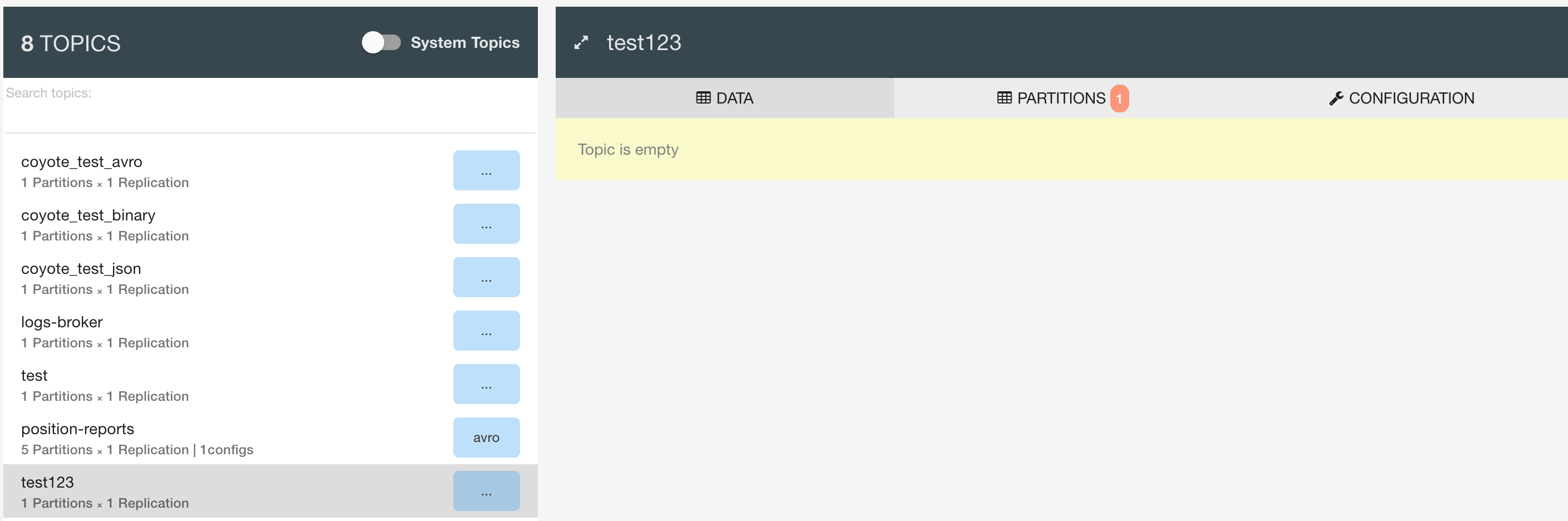
It is displayed as being an empty topic. While if you create data onto it later - it can then display them. Could you please provide a bit more information please ?

Thanks for your quick response. I followed the process but still having same issue. I did refresh multiple times even restart my machine. Please find the attached screen shot(PPT) for your reference.
Regards, Puneet Gaur
On Sun, Jun 11, 2017 at 7:19 PM, Antonios Chalkiopoulos < [email protected]> wrote:
Hi @puneetgaurr https://github.com/puneetgaurr I tried to reproduce this one
So while running fast-data-dev
root@fast-data-dev / $ kafka-topics --create --zookeeper 192.168.99.100:2181 --replication-factor 1 --partitions 1 --topic test123```
Then in the
topics-uiafter refreshing with F5 and clicking on the new topic :— You are receiving this because you were mentioned. Reply to this email directly, view it on GitHub https://github.com/Landoop/fast-data-dev/issues/30#issuecomment-307663673, or mute the thread https://github.com/notifications/unsubscribe-auth/APjbcSUqSpvf5PA4ybCLdsT3boGANuHcks5sDHYWgaJpZM4NZAFK .
-- Puneet Gaur Solution Consultant For Web Application No-14 Shivananda Road, J.P nagar 6th Phase, Kanakpur Road Near Saraki Siganal Bangalore -560078 Contact : 08041310089 / 09379360560
Hello. I think you forgot to attach the screenshot. Other information that could help us identify the issue, is the browser logs. For example if you are using chrome, open the developer tools (shortcut is control+shift+i) and take a screenshot of any errors it may display in the console tab.
Also please download the latest version of fast-data-dev if possible:
docker pull landoop/fast-data-dev:latest

Hi Team,
I ran the command but still it's not showing details. Please find the attached screen shots.
Regards, Puneet Gaur
On Mon, Jul 10, 2017 at 6:19 AM, Marios Andreopoulos < [email protected]> wrote:
Hello. I think you forgot to attach the screenshot. Other information that could help us identify the issue, is the browser logs. For example if you are using chrome, open the developer tools (shortcut is control+shift+i) and take a screenshot of any errors it may display in the console tab.
Also please download the latest version of fast-data-dev if possible:
docker pull landoop/fast-data-dev:latest
— You are receiving this because you were mentioned. Reply to this email directly, view it on GitHub https://github.com/Landoop/fast-data-dev/issues/30#issuecomment-314065728, or mute the thread https://github.com/notifications/unsubscribe-auth/APjbcbIkhA5q4T52heE53Tt5skKjLv49ks5sMfqcgaJpZM4NZAFK .
-- Puneet Gaur Solution Consultant For Web Application No-14 Shivananda Road, J.P nagar 6th Phase, Kanakpur Road Near Saraki Siganal Bangalore -560078 Contact : 08041310089 / 09379360560
Hi Team,
Please find the attached screen shot of Browser console.
Regards, Puneet Gaur
On Mon, Jul 10, 2017 at 6:29 AM, Puneet Gaur [email protected] wrote:
Hi Team,
I ran the command but still it's not showing details. Please find the attached screen shots.
Regards, Puneet Gaur
On Mon, Jul 10, 2017 at 6:19 AM, Marios Andreopoulos < [email protected]> wrote:
Hello. I think you forgot to attach the screenshot. Other information that could help us identify the issue, is the browser logs. For example if you are using chrome, open the developer tools (shortcut is control+shift+i) and take a screenshot of any errors it may display in the console tab.
Also please download the latest version of fast-data-dev if possible:
docker pull landoop/fast-data-dev:latest
— You are receiving this because you were mentioned. Reply to this email directly, view it on GitHub https://github.com/Landoop/fast-data-dev/issues/30#issuecomment-314065728, or mute the thread https://github.com/notifications/unsubscribe-auth/APjbcbIkhA5q4T52heE53Tt5skKjLv49ks5sMfqcgaJpZM4NZAFK .
-- Puneet Gaur Solution Consultant For Web Application No-14 Shivananda Road, J.P nagar 6th Phase, Kanakpur Road Near Saraki Siganal Bangalore -560078 Contact : 08041310089 / 09379360560
-- Puneet Gaur Solution Consultant For Web Application No-14 Shivananda Road, J.P nagar 6th Phase, Kanakpur Road Near Saraki Siganal Bangalore -560078 Contact : 08041310089 / 09379360560
I see you reply via email, but this way the screenshots never reach github, so we can't see them. Please visit the issue at github ( https://github.com/Landoop/fast-data-dev/issues/30 ) and post them here.
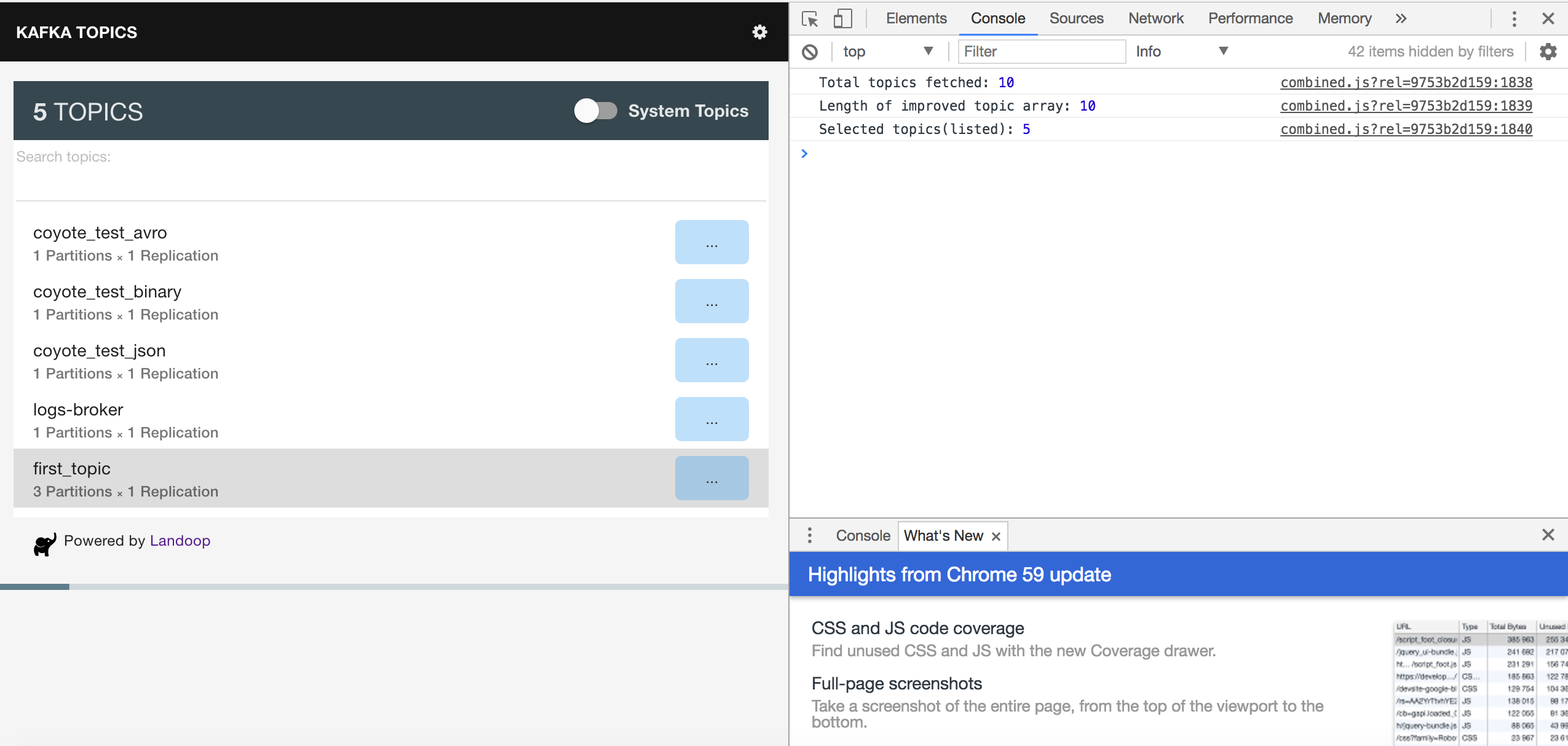
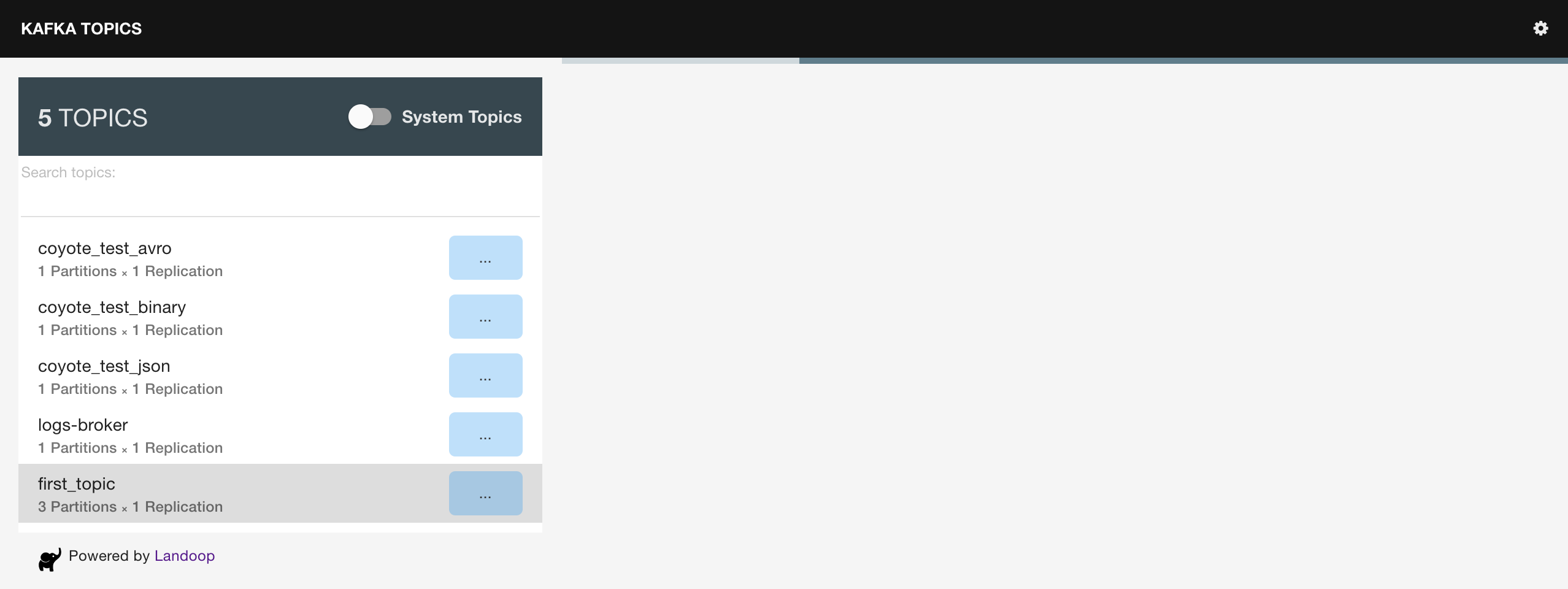
Ok. Can you please tell us how your run fast-data-dev? I mean the docker run command you used so we can check if there is a problem there.
Please find the list of command which I'm being used to create topics here.
docker run --rm -it --net=host landoop/fast-data-dev bash
kafka-topics --zookeeper 127.0.0.1:3181 --create --topic first_topic --partitions 3 --replication-factor 1
Regards, Puneet Gaur
Also, If you check the screen shot then it's showing topic name in UI but if I do click on Topic then it's not showing inside details.
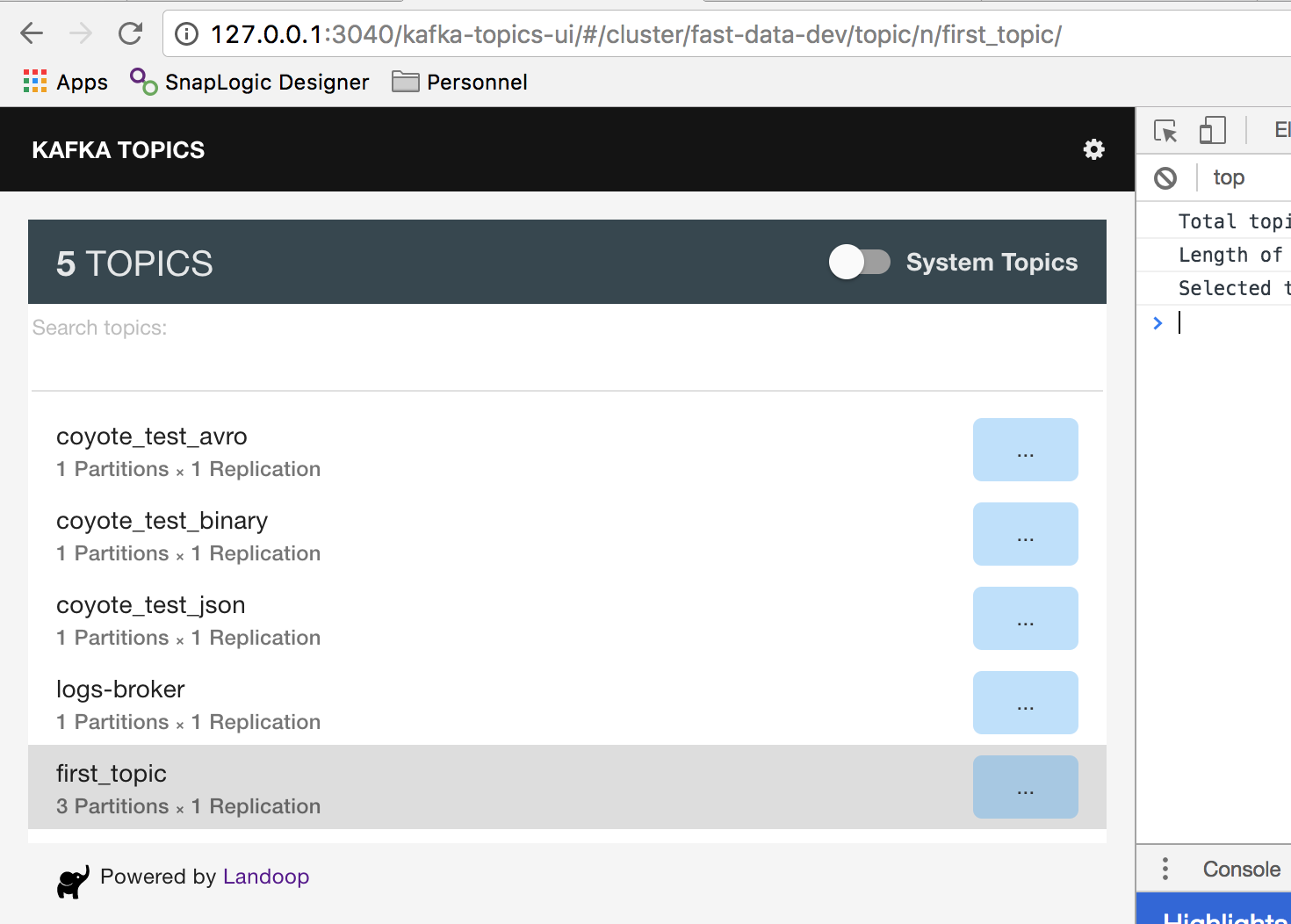
I meant the command you used to start fast-data-dev in the first place, not the one to create topics. Also are you on Linux? macOS? Windows? Give us some information on your setup.
Ok. I am using MacOS Sierra. I ran the below command to start docker first-
1.
docker run --rm -it
-p 3181:3181 -p 3040:3040 -p 7081:7081
-p 7082:7082 -p 7083:7083 -p 7092:7092
-e ZK_PORT=3181 -e WEB_PORT=3040 -e REGISTRY_PORT=8081
-e REST_PORT=7082 -e CONNECT_PORT=7083 -e BROKER_PORT=7092
-e ADV_HOST=127.0.0.1
landoop/fast-data-dev
2.- In different terminal for Kafka command docker run --rm -it --net=host landoop/fast-data-dev bash
Regards, Puneet Gaur
I think I get an idea why you have this issue and it indeed may be a bug in fast-data-dev.
For now I can only suggest to avoid using custom ports:
docker run --rm -it \
    -p 2181:2181 -p 3030:3030 -p 8081-8083:8081-8083 \
    -p 9092:9092 -e ADV_HOST=127.0.0.1 \
    landoop/fast-data-dev
Unfortunately I don't know when I'll be able to investigate further and fix this so custom ports will work.
@andmarios ,
What is your thinking in what the error is? I use custom ports and haven't seen this error yet. It looks like all the routing is setup appropriately in the REST server properties.

On Mon, Jul 10, 2017 at 11:40 AM Philip Liew [email protected] wrote:
@andmarios https://github.com/andmarios ,
What is your thinking in what the error is? I use custom ports and haven't seen this error yet. It looks like all the routing is setup appropriately in the REST server properties.
— You are receiving this because you were mentioned. Reply to this email directly, view it on GitHub https://github.com/Landoop/fast-data-dev/issues/30#issuecomment-314145630, or mute the thread https://github.com/notifications/unsubscribe-auth/APjbcV-zJVgsFCn2EFApPVa2eglwSRImks5sMkXpgaJpZM4NZAFK .
I am able to see topic properties after removing the custom ports.But I would like to know how it would get resolve with custom ports
Puneet Gaur Solution Consultant For Web Application No-14 Shivananda Road, J.P nagar 6th Phase, Kanakpur Road Near Saraki Siganal Bangalore -560078 Contact : 08041310089 / 09379360560
@pliew I think it may be something in the way we setup one (or some) of the services. Nothing solid really, but I remember issue https://github.com/Landoop/fast-data-dev/issues/27 which had a similar issue when using ADV_HOST. I have to look at it.
@puneetgaurr Cool that it worked. About the custom ports bug, I don't know when it will be fixed.