
battery.vim
 battery.vim copied to clipboard
 lambdalisue
Beautiful way to show battery status!
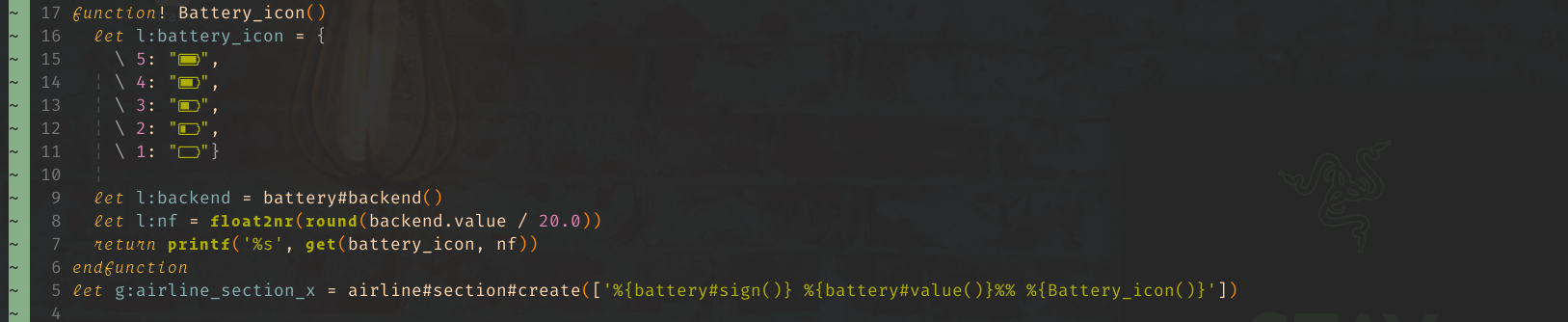
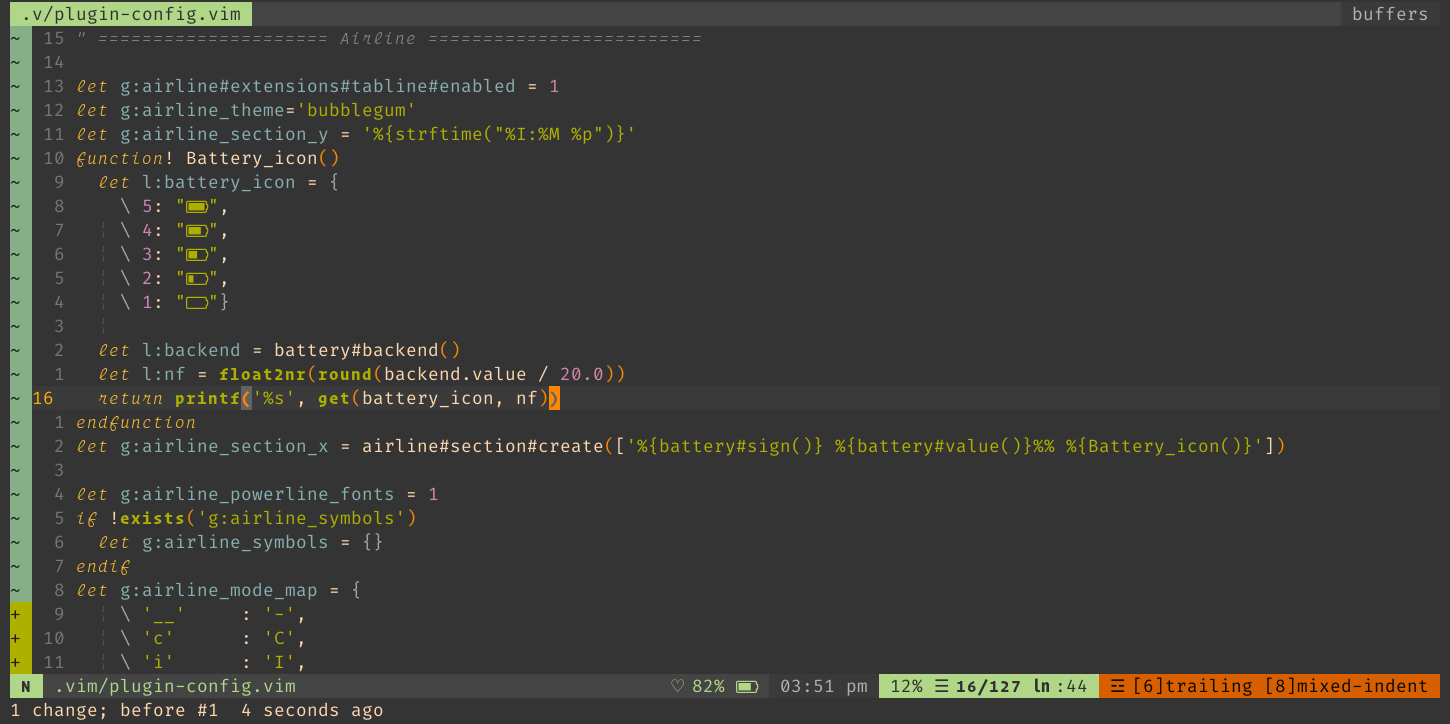
I want to contribute with a beautiful way to show the battery status (you need to have a nerd font) with icons.
function! Battery_icon()
let l:battery_icon = {
\ 5: " ",
\ 4: " ",
\ 3: " ",
\ 2: " ",
\ 1: " "}
let l:backend = battery#backend()
let l:nf = float2nr(round(backend.value / 20.0))
return printf('%s', get(battery_icon, nf))
endfunction
let g:airline_section_x = airline#section#create(['%{battery#sign()} %{battery#value()}%% %{Battery_icon()}'])

Cool. How about adding battery#component() which returns a value of g:battery#components like
(not sure if there is any better word than component, let me know if you have idea)
let g:battery#components = {
      \ 4: '[####]',
      \ 3: '[### ]',
      \ 2: '[##  ]',
      \ 1: '[#   ]',
      \ 0: '[    ]',
      \}
And users can configure it to use NerdFont if they want. It's nice NerdFont example is written in the documentation.
Are you going to make a PR or do you ask me to implement such a feature?


I have added some support for this plugin on https://github.com/adelarsq/vim-emoji-icon-theme/issues/4 🙂

This question is a bit off point, but I'm not sure it's worthy of it's own issue: Is there a way for me to hide the battery image and just have the percent showing?

@1094 https://github.com/lambdalisue/battery.vim/blob/9e93f4a0dcb3192894768ed80fe94398513830f6/doc/battery.txt#L174-L185
@1094
https://github.com/lambdalisue/battery.vim/blob/9e93f4a0dcb3192894768ed80fe94398513830f6/doc/battery.txt#L174-L185
I have no idea how I missed that, but I am grateful.
It taken long-long time but now battery.vim supports this feature. See help g:battery#graph_indicators for detail.
Thanks for the idea @carloseguevara