ServiceStation
 ServiceStation copied to clipboard
 knurling
Documentation?
I can't find any documentation for this app. Where should I look? (The "help" menu says that no help is available, and the app support link just sends me here...)

I will be writing more documentation and would like to include more in the app as well as on this support site.
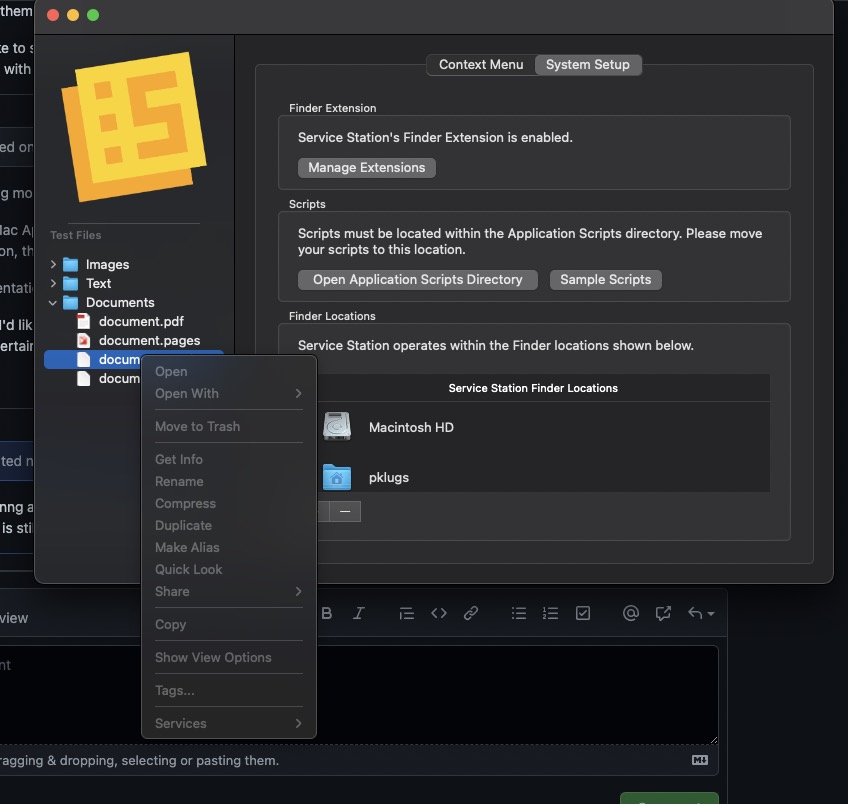
In the initial Mac App Store release, documentation is mainly limited to Scripts. If you press the System Setup > Sample Scripts button, the finder location will contain a scripting readme as well as sample script files.
What documentation are you looking for and what should I look to write first?

I would suggest writing a general introduction about what the app is, how it works, and how to get started using it. You might look at some of the app reviews for ideas. Like this one: https://www.macstories.net/reviews/service-station-review-a-handy-utility-to-customize-your-finders-services-menu/
It also isn't clear what can be done without a purchase and what requires a purchase. (It might help to offer a free trial of some of the pro features so people can see for themselves how they work.)
i'd like to toss in a recommendation for tossing in Sample Scripts and a link to your support site and maybe this Github under the Help menu item. doesn't hurt to have Sample Scripts and documentation in multiple places where it makes sense. my 2¢

(It might help to offer a free trial of some of the pro features so people can see for themselves how they work.)
@kerim I believe this is already the case. Pro just unlocks limits of how many items/filetypes you can use.

@gingerbeardman I was able to figure that out (eventually) but I still think that better documentation would be very helpful. It took me a while to realize that I could experiment by deleting some of the default options and making new ones (under 3). It might be better, however, to let people create one or two additional options before popping up the warning. Right now it feels like you can't do anything! Which isn't true, but it feels that way because of the lack of documentation combined with the instant failure on trying to do something.
Agreed, docs are needed and it was less than obvious that I had to delete filetypes/items to make some of my own that could be used.
I had actually meant to delete the "Movies" rule from the default set before shipping, so you'd only have Folders, Text, and Images. Then you'd get one new Rule "for free" when you clicked the "+" button.
Forgot to delete Movies though. I'll clean that workflow up in one of the next updates.
+1 to additional help/documentation, please! This app is great, but I'm missing on the potential of what it fully/truly can do!

Speaking of documentation, here's a documentation question: Do scripts have to be in Service Station's sandboxed folder, or can they be elsewhere if I choose the folder?

I found the example scripts and the answer is "yes" they have to be in the sandboxed folder.
In a non-beginner section of the dock, it would be good to see a discussion of the Rule definition queries, particularly those that have subtypes. and maybe, getting to mention UTIs.

My question that might be answered by docs is: Remind me what the default / example items are in Service Station, including how to recreate them if you foolishly deleted them while "playing" with the app.
But overall I'd like to see more documentation, generally, for a utility that costs $15. (Which I paid, and am happy with. I just want to do more with ServiceStation.)

I will be writing more documentation and would like to include more in the app as well as on this support site.
In the initial Mac App Store release, documentation is mainly limited to Scripts. If you press the
System Setup > Sample Scriptsbutton, the finder location will contain a scripting readme as well as sample script files.What documentation are you looking for and what should I look to write first?
Hello @pkamb. I'd like to see a description for "Finder Locations." What is their purpose? Is it so a user can confine Service Station to only certain parts of macOS? If you add more than one location, can you create separate rule sets for each?
Thank you.

App is not workinng after install from macstore and there is not documentation on how this app works???? After installing the right click menu is still the old one? Where do I go from here??? Really, there should be a short 'how to set up' on your website