
Printrun
 Printrun copied to clipboard
 kliment
On 2.0.0 UI completly broken on RTL locals
On 2.0.0 UI completly broken on RTL locals
changing the local to english in the code works
example
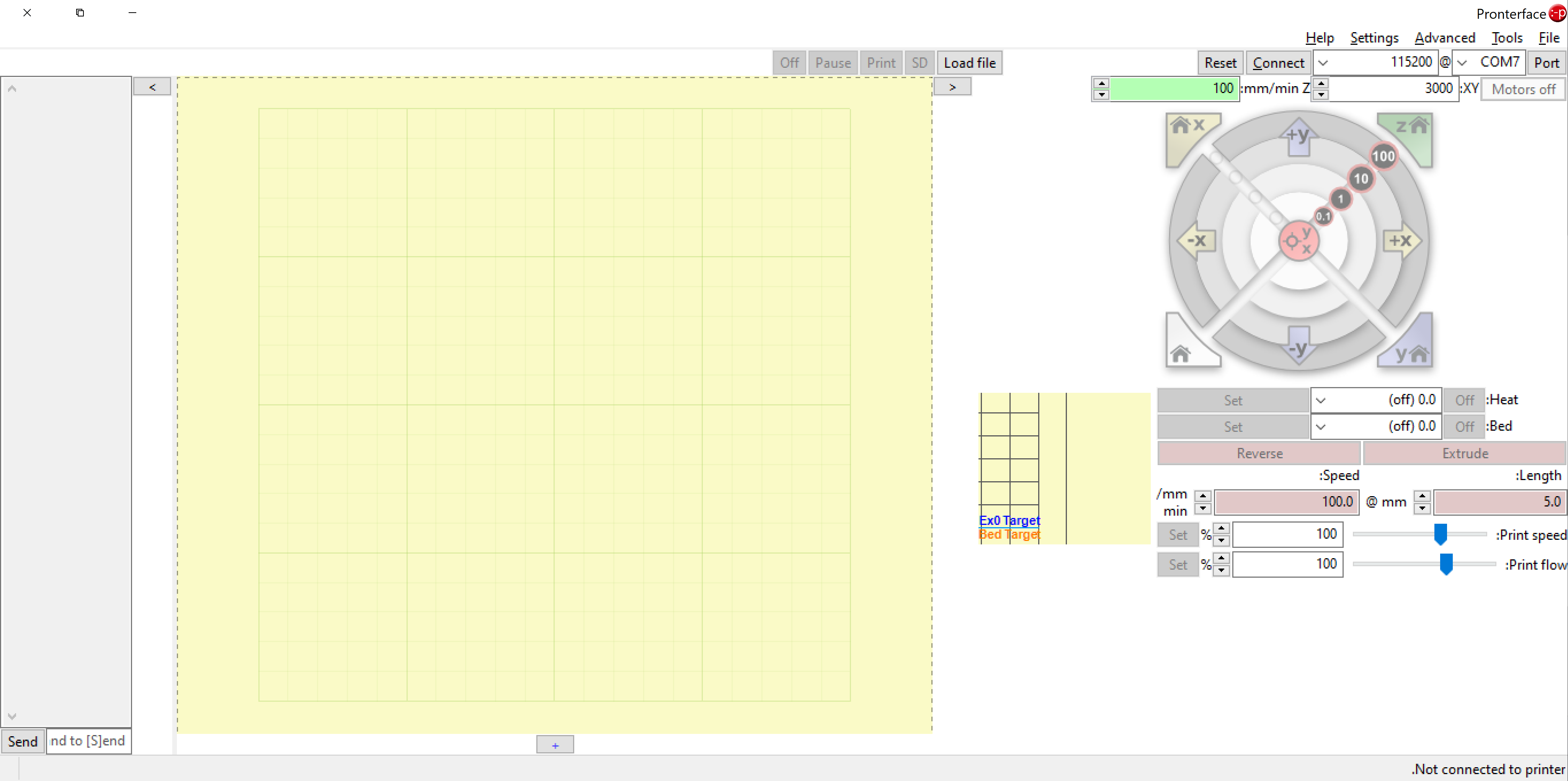

Looks good to me. Yes, it is unusable, but isn't this the idea of RTL by design? :grin: How do you switch to RTL?

I didn't switch, it does this by default on RTL pcs (the get systemLocale) (I use hebrew) (Hence RTL locale and not switching to RTL 😅)
@thebestnom Can you elaborate what you changed? I am having the same issue.

OK it is more broken than I initially thought. I tried to put a locale En-il and the application won't even start. With the RTL UI some of the buttons are broken and it makes the application unusable. Currently I set my computer locale to En-Uk just to be able to use it.

Windows 10, everything is English except the locale which is Hebrew (Israel). If I set the locale to English (Israel) it will crash on start. Now I set it to English (United Kingdom) and everything works normal.
For the crash issue I maybe can help you. This seems to be a known problem with wxPython. In case you are able the compile pronterface at your own you can use the latest developer snapshot version of wxPython. Replace the 4.1.x version via pip install:
pip install -U --pre -f https://wxpython.org/Phoenix/snapshot-builds/ wxPython --use-deprecated=html5lib
Alternatively you can test the interim version from my test branch: https://github.com/DivingDuck/Printrun/actions/runs/2525453711
@DivingDuck Thank you for your help. I am currently OK with keeping my computer at UK locale but I hope the whole locale detection will get fixed. We don't expect the UI to work well in RTL but also don't go to that mode at all.
Btw, there is a way to fix with changing the code without changing the whole system