
keystone
 keystone copied to clipboard
Published
20 hours ago •
 keystonejs
keystonejs
When user session expires, errors are shown in the Admin UI
Currently when a users login expires in the Admin UI, we see Error messages rendered in the UI and Access denied in network responses.
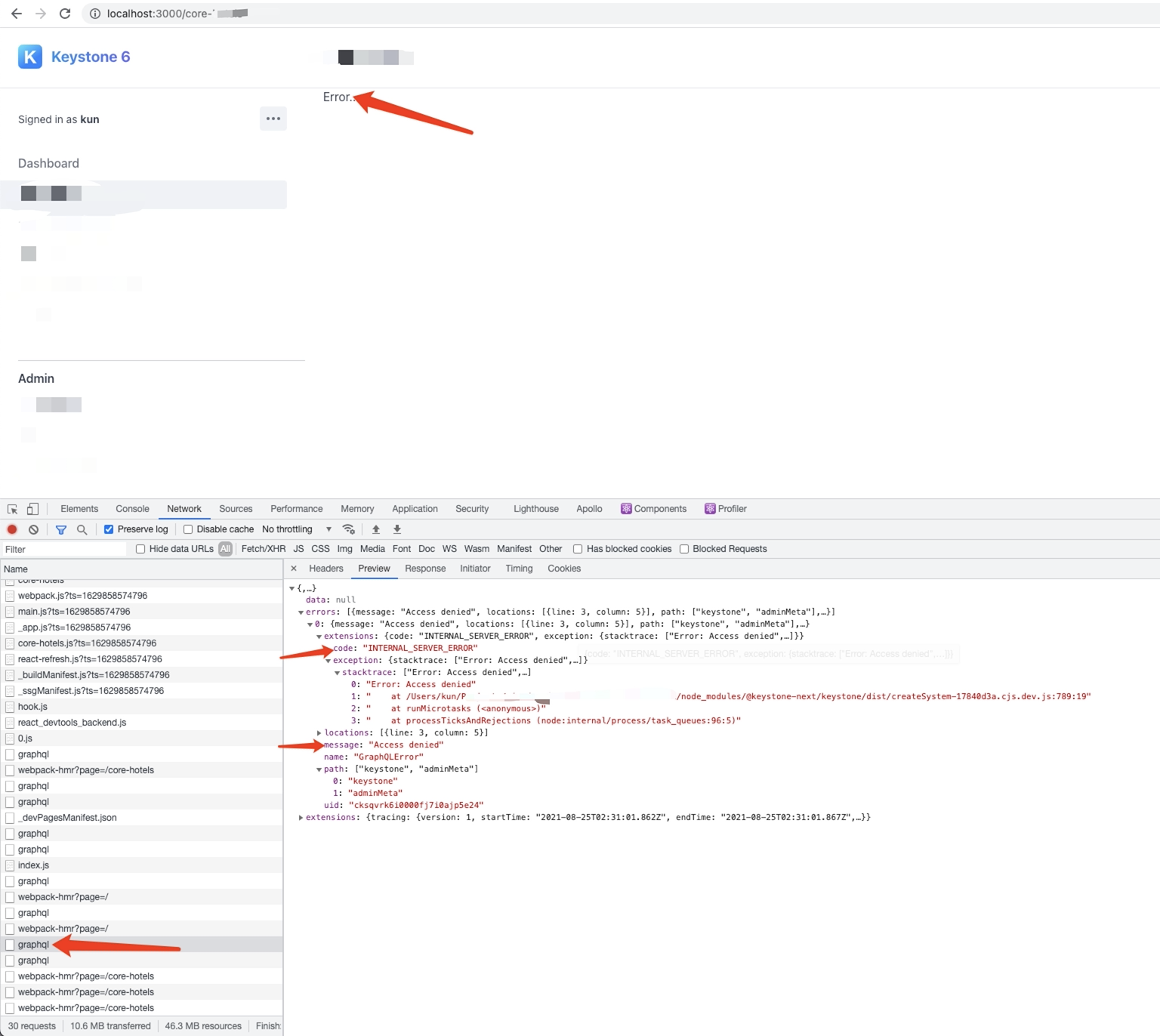
Ideally this shouldn't occur, and we should catch this and redirect the user back to the sign in page.
If the page gets reloaded and hits the page middleware, a redirect happens, but ideally it should be caught before this.
Here’s the current behavior:
- Log into Keystone App,
- Perform some operations
- Session Expires, Cookie gets removed
- Trigger a GraphQL request
- Returns with AccessDenied
- Displays error in the related view
Expected Behavior:
- Log Into Keystone App
- Perform some operations
- Session Expires, Cookie gets removed
- Trigger a GraphQL request
- Returns with Access Denied
- Intercept this response
- Redirect to login page
Adapted and sourced from Charles Cyril on the Keystone Community Slack: https://keystonejs.slack.com/archives/C01STDMEW3S/p1629859492428800
