
xeus-python
 xeus-python copied to clipboard
 jupyter-xeus
Error Starting Kernel, unhandled error
Problem
After installing xeus-python jupyterlab, I ran into the following error screenshot.
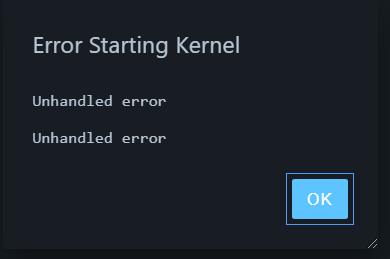
The error log is as follows:
[E 2021-02-05 19:22:36.072 ServerApp] Failed to run command:
    ['C:/Users/parkn/anaconda3/Library/bin/xpython', '-f', 'C:\\Users\\parkn\\AppData\\Roaming\\jupyter\\runtime\\kernel-7cec6ee2-a205-48ed-b1bc-48e5542e8098.json']
        PATH='C:\\WINDOWS\\system32;C:\\WINDOWS;C:\\WINDOWS\\System32\\Wbem;C:\\WINDOWS\\System32\\WindowsPowerShell\\v1.0\\;C:\\WINDOWS\\System32\\OpenSSH\\;C:\\Program Files\\Git\\cmd;C:\\Go\\bin;C:\\Program Files\\nodejs\\;C:\\Users\\parkn\\anaconda3;C:\\Users\\parkn\\anaconda3\\Library\\mingw-w64\\bin;C:\\Users\\parkn\\anaconda3\\Library\\usr\\bin;C:\\Users\\parkn\\anaconda3\\Library\\bin;C:\\Users\\parkn\\anaconda3\\Scripts;C:\\Ruby24-x64\\bin;C:\\Users\\parkn\\AppData\\Local\\Microsoft\\WindowsApps;C:\\Program Files\\JetBrains\\PyCharm Professional Edition with Anaconda plugin 2020.1.2\\bin;C:\\Program Files\\heroku\\bin;C:\\Users\\parkn\\go\\bin;C:\\Users\\parkn\\AppData\\Local\\atom\\bin;C:\\Users\\parkn\\AppData\\Local\\GitHubDesktop\\bin;C:\\Users\\parkn\\AppData\\Roaming\\npm'
        with kwargs:
    {'stdin': -1, 'stdout': None, 'stderr': None, 'cwd': 'C:\\Users\\parkn\\Desktop\\sandbank\\Github\\quant', 'close_fds': False}

[E 2021-02-05 19:22:36.074 ServerApp] Uncaught exception POST /api/sessions?1612549356054 (::1)
    HTTPServerRequest(protocol='http', host='localhost:8888', method='POST', uri='/api/sessions?1612549356054', version='HTTP/1.1', remote_ip='::1')
    Traceback (most recent call last):
      File "C:\Users\parkn\anaconda3\lib\site-packages\tornado\web.py", line 1704, in _execute
        result = await result
      File "C:\Users\parkn\anaconda3\lib\site-packages\jupyter_server\services\sessions\handlers.py", line 67, in post
        model = await sm.create_session(
      File "C:\Users\parkn\anaconda3\lib\site-packages\jupyter_server\services\sessions\sessionmanager.py", line 92, in create_session
        kernel_id = await self.start_kernel_for_session(session_id, path, name, type, kernel_name)
      File "C:\Users\parkn\anaconda3\lib\site-packages\jupyter_server\services\sessions\sessionmanager.py", line 100, in start_kernel_for_session
        kernel_id = await self.kernel_manager.start_kernel(path=kernel_path, kernel_name=kernel_name)
      File "C:\Users\parkn\anaconda3\lib\site-packages\jupyter_server\services\kernels\kernelmanager.py", line 184, in start_kernel
        kernel_id = await ensure_async(self.pinned_superclass.start_kernel(self, **kwargs))
      File "C:\Users\parkn\anaconda3\lib\site-packages\jupyter_server\utils.py", line 178, in ensure_async
        result = await obj
      File "C:\Users\parkn\anaconda3\lib\site-packages\jupyter_client\multikernelmanager.py", line 468, in start_kernel
        await km.start_kernel(**kwargs)
      File "C:\Users\parkn\anaconda3\lib\site-packages\jupyter_client\manager.py", line 575, in start_kernel
        self.kernel = await self._launch_kernel(kernel_cmd, **kw)
      File "C:\Users\parkn\anaconda3\lib\site-packages\jupyter_client\manager.py", line 556, in _launch_kernel
        res = launch_kernel(kernel_cmd, **kw)
      File "C:\Users\parkn\anaconda3\lib\site-packages\jupyter_client\launcher.py", line 134, in launch_kernel
        proc = Popen(cmd, **kwargs)
      File "C:\Users\parkn\anaconda3\lib\subprocess.py", line 854, in __init__
        self._execute_child(args, executable, preexec_fn, close_fds,
      File "C:\Users\parkn\anaconda3\lib\subprocess.py", line 1307, in _execute_child
        hp, ht, pid, tid = _winapi.CreateProcess(executable, args,
    FileNotFoundError: [WinError 2] Cannot find the specified folder
[W 2021-02-05 19:22:36.081 ServerApp] Unhandled error
[E 2021-02-05 19:22:36.082 ServerApp] {
      "Host": "localhost:8888",
      "Connection": "keep-alive",
      "Content-Length": "131",
      "User-Agent": "Mozilla/5.0 (Windows NT 10.0; Win64; x64) AppleWebKit/537.36 (KHTML, like Gecko) Chrome/83.0.4103.106 Whale/2.8.108.15 Safari/537.36",
      "X-Xsrftoken": "2|f3162df8|55e925d42c0a1a6b2bc9437726b31b6b|1612009373",
      "Authorization": "token 457fabbab70161af99e3ceddc4671ecc6a8c68a5ce6b45f6",
      "Content-Type": "text/plain;charset=UTF-8",
      "Accept": "*/*",
      "Origin": "http://localhost:8888",
      "Sec-Fetch-Site": "same-origin",
      "Sec-Fetch-Mode": "cors",
      "Sec-Fetch-Dest": "empty",
      "Referer": "http://localhost:8888/lab/tree/Github/quant/Untitled1.ipynb",
      "Accept-Encoding": "gzip, deflate, br",
      "Accept-Language": "en-US,en;q=0.9,ko;q=0.8,ko-KR;q=0.7",
      "Cookie": "username-localhost-8889=\"2|1:0|10:1611958704|23:username-localhost-8889|44:ZDJhN2ZkNTdlZmJkNGQwYzkyYzY1ZDU1Y2U4ZTM4M2M=|f68d9933c6428ecdb1b2b5b839075363de0ea6a6bab65955bd2a08b1a0d654f4\"; _xsrf=2|f3162df8|55e925d42c0a1a6b2bc9437726b31b6b|1612009373; username-localhost-8888=\"2|1:0|10:1612549355|23:username-localhost-8888|44:NzAzZThjNGFkYWFjNGJjYWI1ZmY5OGY0NTVjZjFkYWM=|1827fac71fb321893c2c8488d2403dba92dd1d03c3f39fbef5160c0f154fcc94\""
    }
[E 2021-02-05 19:22:36.085 ServerApp] 500 POST /api/sessions?1612549356054 (::1) 18.95ms referer=http://localhost:8888/lab/tree/Github/quant/Untitled1.ipynb
How can I use xeus-python on my jupyter lab?

Hi, it looks like you may have a mix of packages from conda-forge and the default anaconda channel, and they don't play so well together.
I recommend either creating a new conda environment, or starting from a minimal conda installer like miniforge or mambaforge which will ensure that only packages from conda-forge are used.

I created a new conda environment as instructed in xeus-python github repository.
conda create -n xeus-python
conda activate xeus-python # Or `source activate xeus-python` for conda < 4.6

conda install xeus-python jupyterlab -c conda-forge
But the same error still pops out: " Error Starting Kernel, unhandled error". The error log is as follows:
[E 2021-02-05 23:17:54.693 ServerApp] Failed to run command:
    ['C:/Users/parkn/anaconda3/envs/xeus-python/Library/bin/xpython', '-f', 'C:\\Users\\parkn\\AppData\\Roaming\\jupyter\\runtime\\kernel-740a8fe1-5480-4ce7-b46b-ce6bc6f40fb6.json']
        PATH='C:\\Users\\parkn\\anaconda3\\envs\\xeus-python;C:\\Users\\parkn\\anaconda3\\envs\\xeus-python\\Library\\mingw-w64\\bin;C:\\Users\\parkn\\anaconda3\\envs\\xeus-python\\Library\\usr\\bin;C:\\Users\\parkn\\anaconda3\\envs\\xeus-python\\Library\\bin;C:\\Users\\parkn\\anaconda3\\envs\\xeus-python\\Scripts;C:\\Users\\parkn\\anaconda3\\envs\\xeus-python\\bin;C:\\Users\\parkn\\anaconda3\\condabin;C:\\WINDOWS\\system32;C:\\WINDOWS;C:\\WINDOWS\\System32\\Wbem;C:\\WINDOWS\\System32\\WindowsPowerShell\\v1.0;C:\\WINDOWS\\System32\\OpenSSH;C:\\Program Files\\Git\\cmd;C:\\Go\\bin;C:\\Program Files\\nodejs;C:\\Users\\parkn\\anaconda3;C:\\Users\\parkn\\anaconda3\\Library\\mingw-w64\\bin;C:\\Users\\parkn\\anaconda3\\Library\\usr\\bin;C:\\Users\\parkn\\anaconda3\\Library\\bin;C:\\Users\\parkn\\anaconda3\\Scripts;C:\\Ruby24-x64\\bin;C:\\Users\\parkn\\AppData\\Local\\Microsoft\\WindowsApps;C:\\Program Files\\JetBrains\\PyCharm Professional Edition with Anaconda plugin 2020.1.2\\bin;C:\\Program Files\\heroku\\bin;C:\\Users\\parkn\\go\\bin;C:\\Users\\parkn\\AppData\\Local\\atom\\bin;C:\\Users\\parkn\\AppData\\Local\\GitHubDesktop\\bin;C:\\Users\\parkn\\AppData\\Roaming\\npm'
        with kwargs:
    {'stdin': -1, 'stdout': None, 'stderr': None, 'cwd': 'C:\\Users\\parkn\\Desktop\\sandbank\\Github\\quant', 'close_fds': False}

[E 2021-02-05 23:17:54.697 ServerApp] Uncaught exception POST /api/sessions?1612563474670 (::1)
    HTTPServerRequest(protocol='http', host='localhost:8889', method='POST', uri='/api/sessions?1612563474670', version='HTTP/1.1', remote_ip='::1')
    Traceback (most recent call last):
      File "C:\Users\parkn\anaconda3\envs\xeus-python\lib\site-packages\tornado\web.py", line 1704, in _execute
        result = await result
      File "C:\Users\parkn\anaconda3\envs\xeus-python\lib\site-packages\jupyter_server\services\sessions\handlers.py", line 67, in post
        model = await sm.create_session(
      File "C:\Users\parkn\anaconda3\envs\xeus-python\lib\site-packages\jupyter_server\services\sessions\sessionmanager.py", line 92, in create_session
        kernel_id = await self.start_kernel_for_session(session_id, path, name, type, kernel_name)
      File "C:\Users\parkn\anaconda3\envs\xeus-python\lib\site-packages\jupyter_server\services\sessions\sessionmanager.py", line 100, in start_kernel_for_session
        kernel_id = await self.kernel_manager.start_kernel(path=kernel_path, kernel_name=kernel_name)
      File "C:\Users\parkn\anaconda3\envs\xeus-python\lib\site-packages\jupyter_server\services\kernels\kernelmanager.py", line 184, in start_kernel
        kernel_id = await ensure_async(self.pinned_superclass.start_kernel(self, **kwargs))
      File "C:\Users\parkn\anaconda3\envs\xeus-python\lib\site-packages\jupyter_server\utils.py", line 178, in ensure_async
        result = await obj
      File "C:\Users\parkn\anaconda3\envs\xeus-python\lib\site-packages\jupyter_client\multikernelmanager.py", line 468, in start_kernel
        await km.start_kernel(**kwargs)
      File "C:\Users\parkn\anaconda3\envs\xeus-python\lib\site-packages\jupyter_client\manager.py", line 575, in start_kernel
        self.kernel = await self._launch_kernel(kernel_cmd, **kw)
      File "C:\Users\parkn\anaconda3\envs\xeus-python\lib\site-packages\jupyter_client\manager.py", line 556, in _launch_kernel
        res = launch_kernel(kernel_cmd, **kw)
      File "C:\Users\parkn\anaconda3\envs\xeus-python\lib\site-packages\jupyter_client\launcher.py", line 134, in launch_kernel
        proc = Popen(cmd, **kwargs)
      File "C:\Users\parkn\anaconda3\envs\xeus-python\lib\subprocess.py", line 947, in __init__
        self._execute_child(args, executable, preexec_fn, close_fds,
      File "C:\Users\parkn\anaconda3\envs\xeus-python\lib\subprocess.py", line 1416, in _execute_child
        hp, ht, pid, tid = _winapi.CreateProcess(executable, args,
    FileNotFoundError: [WinError 2] 지정된 파일을 찾을 수 없습니다
[W 2021-02-05 23:17:54.703 ServerApp] Unhandled error
[E 2021-02-05 23:17:54.704 ServerApp] {
      "Host": "localhost:8889",
      "Connection": "keep-alive",
      "Content-Length": "148",
      "User-Agent": "Mozilla/5.0 (Windows NT 10.0; Win64; x64) AppleWebKit/537.36 (KHTML, like Gecko) Chrome/83.0.4103.106 Whale/2.8.108.15 Safari/537.36",
      "X-Xsrftoken": "2|f3162df8|55e925d42c0a1a6b2bc9437726b31b6b|1612009373",
      "Authorization": "token 5d9a39706a384c2e86944b91118d236f039c69f83c15f259",
      "Content-Type": "text/plain;charset=UTF-8",
      "Accept": "*/*",
      "Origin": "http://localhost:8889",
      "Sec-Fetch-Site": "same-origin",
      "Sec-Fetch-Mode": "cors",
      "Sec-Fetch-Dest": "empty",
      "Referer": "http://localhost:8889/lab/tree/Desktop/sandbank/Github/quant",
      "Accept-Encoding": "gzip, deflate, br",
      "Accept-Language": "en-US,en;q=0.9,ko;q=0.8,ko-KR;q=0.7",
      "Cookie": "_xsrf=2|f3162df8|55e925d42c0a1a6b2bc9437726b31b6b|1612009373; username-localhost-8888=\"2|1:0|10:1612563315|23:username-localhost-8888|44:ZTdmMmRmYTZjMDg1NDc3Y2EyZjA3ZGI2OGU0ZjAwZTc=|7ffb238ca81e623194fed1f8efa85ffc3191c54cba533dfb9bd3eb9e3caa8e2f\"; username-localhost-8889=\"2|1:0|10:1612563467|23:username-localhost-8889|44:ZGJkMWUzZjMyZDViNGM1MGIwZGM1ZWJkNTJhMGFiNzM=|d618d3ee673305a2fba5faaad41190c6071c7ea8ef7b06c9d711a1d6b546d788\""
    }
[E 2021-02-05 23:17:54.707 ServerApp] 500 POST /api/sessions?1612563474670 (::1) 28.92ms referer=http://localhost:8889/lab/tree/Desktop/sandbank/Github/quant
Thank you for reporting!
Could you please report the output of conda list in your environment?
Thank you for your kind comments.
I have executed the following commands.
conda activate xeus-python
conda list
The packages installed in an xeus-python environment are as follows.
# packages in environment at C:\Users\parkn\anaconda3\envs\xeus-python:
#
# Name                    Version                   Build  Channel
anyio                     2.0.2            py39hcbf5309_4    conda-forge
argon2-cffi               20.1.0           py39hb82d6ee_2    conda-forge
async_generator           1.10                       py_0    conda-forge
attrs                     20.3.0             pyhd3deb0d_0    conda-forge
babel                     2.9.0              pyhd3deb0d_0    conda-forge
backcall                  0.2.0              pyh9f0ad1d_0    conda-forge
backports                 1.0                        py_2    conda-forge
backports.functools_lru_cache 1.6.1                      py_0    conda-forge
bleach                    3.3.0              pyh44b312d_0    conda-forge
brotlipy                  0.7.0           py39hb82d6ee_1001    conda-forge
ca-certificates           2020.12.5            h5b45459_0    conda-forge
certifi                   2020.12.5        py39hcbf5309_1    conda-forge
cffi                      1.14.4           py39h0878f49_1    conda-forge
chardet                   4.0.0            py39hcbf5309_1    conda-forge
colorama                  0.4.4              pyh9f0ad1d_0    conda-forge
cryptography              3.3.1            py39h0878f49_1    conda-forge
debugpy                   1.2.1            py39h415ef7b_1    conda-forge
decorator                 4.4.2                      py_0    conda-forge
defusedxml                0.6.0                      py_0    conda-forge
entrypoints               0.3             pyhd8ed1ab_1003    conda-forge
idna                      2.10               pyh9f0ad1d_0    conda-forge
importlib-metadata        3.4.0            py39hcbf5309_0    conda-forge
importlib_metadata        3.4.0                hd8ed1ab_0    conda-forge
ipykernel                 5.1.0              pyh24bf2e0_0    conda-forge
ipython                   7.20.0           py39h832f523_2    conda-forge
ipython_genutils          0.2.0                      py_1    conda-forge
jedi                      0.18.0           py39hcbf5309_2    conda-forge
jinja2                    2.11.3             pyh44b312d_0    conda-forge
json5                     0.9.5              pyh9f0ad1d_0    conda-forge
jsonschema                3.2.0                      py_2    conda-forge
jupyter_client            6.1.11             pyhd8ed1ab_1    conda-forge
jupyter_core              4.7.1            py39hcbf5309_0    conda-forge
jupyter_server            1.3.0            py39hcbf5309_0    conda-forge
jupyterlab                3.0.7              pyhd8ed1ab_0    conda-forge
jupyterlab_pygments       0.1.2              pyh9f0ad1d_0    conda-forge
jupyterlab_server         2.2.0              pyhd8ed1ab_0    conda-forge
libsodium                 1.0.18               h8d14728_1    conda-forge
m2w64-gcc-libgfortran     5.3.0                         6    conda-forge
m2w64-gcc-libs            5.3.0                         7    conda-forge
m2w64-gcc-libs-core       5.3.0                         7    conda-forge
m2w64-gmp                 6.1.0                         2    conda-forge
m2w64-libwinpthread-git   5.0.0.4634.697f757               2    conda-forge
markupsafe                1.1.1            py39hb82d6ee_3    conda-forge
mistune                   0.8.4           py39hb82d6ee_1003    conda-forge
msys2-conda-epoch         20160418                      1    conda-forge
nbclassic                 0.2.6              pyhd8ed1ab_0    conda-forge
nbclient                  0.5.1                      py_0    conda-forge
nbconvert                 6.0.7            py39hcbf5309_3    conda-forge
nbformat                  5.1.2              pyhd8ed1ab_1    conda-forge
nest-asyncio              1.4.3              pyhd8ed1ab_0    conda-forge
notebook                  6.2.0            py39hcbf5309_0    conda-forge
openssl                   1.1.1i               h8ffe710_0    conda-forge
packaging                 20.9               pyh44b312d_0    conda-forge
pandoc                    2.11.4               h8ffe710_0    conda-forge
pandocfilters             1.4.2                      py_1    conda-forge
parso                     0.8.1              pyhd8ed1ab_0    conda-forge
pickleshare               0.7.5                   py_1003    conda-forge
pip                       21.0.1             pyhd8ed1ab_0    conda-forge
prometheus_client         0.9.0              pyhd3deb0d_0    conda-forge
prompt-toolkit            3.0.14             pyha770c72_0    conda-forge
pycparser                 2.20               pyh9f0ad1d_2    conda-forge
pygments                  2.7.4              pyhd8ed1ab_0    conda-forge
pyopenssl                 20.0.1             pyhd8ed1ab_0    conda-forge
pyparsing                 2.4.7              pyh9f0ad1d_0    conda-forge
pyrsistent                0.17.3           py39hb82d6ee_2    conda-forge
pysocks                   1.7.1            py39hcbf5309_3    conda-forge
python                    3.9.1           h7840368_5_cpython    conda-forge
python-dateutil           2.8.1                      py_0    conda-forge
python_abi                3.9                      1_cp39    conda-forge
pytz                      2021.1             pyhd8ed1ab_0    conda-forge
pywin32                   300              py39hb82d6ee_0    conda-forge
pywinpty                  0.5.7            py39hde42818_1    conda-forge
pyzmq                     22.0.1           py39h6e08c89_0    conda-forge
requests                  2.25.1             pyhd3deb0d_0    conda-forge
send2trash                1.5.0                      py_0    conda-forge
setuptools                49.6.0           py39hcbf5309_3    conda-forge
six                       1.15.0             pyh9f0ad1d_0    conda-forge
sniffio                   1.2.0            py39hcbf5309_1    conda-forge
sqlite                    3.34.0               h8ffe710_0    conda-forge
terminado                 0.9.2            py39hcbf5309_0    conda-forge
testpath                  0.4.4                      py_0    conda-forge
tornado                   6.1              py39hb82d6ee_1    conda-forge
traitlets                 5.0.5                      py_0    conda-forge
tzdata                    2021a                he74cb21_0    conda-forge
urllib3                   1.26.3             pyhd8ed1ab_0    conda-forge
vc                        14.2                 hb210afc_2    conda-forge
vs2015_runtime            14.28.29325          h5e1d092_0    conda-forge
wcwidth                   0.2.5              pyh9f0ad1d_2    conda-forge
webencodings              0.5.1                      py_1    conda-forge
wheel                     0.36.2             pyhd3deb0d_0    conda-forge
win_inet_pton             1.1.0            py39hcbf5309_2    conda-forge
wincertstore              0.2             py39hcbf5309_1006    conda-forge
winpty                    0.4.3                         4    conda-forge
xeus                      1.0.0                h50e1b43_0    conda-forge
xeus-python               0.10.2           py39h82436b1_0    conda-forge
zeromq                    4.3.3                h0e60522_3    conda-forge
zipp                      3.4.0                      py_0    conda-forge
I solved this by installing the spec again:
Rscript -e "IRkernel::installspec()"
