
ipyleaflet
 ipyleaflet copied to clipboard
 jupyter-widgets
Label layers
Hello, It would be great to have a label over Circle and Rectangle markers, or just having a new Label marker/layer to stick a bare text on the map.
I'm aware of the Label ipywidget, but I'm not able to use it. Any solution? Thanks


Hey @martinRenou, thanks for the reply.
Yes, I saw the example and I'm currently using popups for makers. But they are very limited because I cannot remove the background and at the same time I'm forced to click on the marker to read the text. For my purposes, I would like to have the text inside the circle/rectangle to be able to identify in a glance all my POIs without having to click them one by one.
And of course if you want to do it go on, I think it should be implemented like the popup, but using L.Tooltip of Leafletjs
Great! I have been looking for a way to subclass a Layer o UILayer object within the python module, but it seems that the real graphics layout is managed by Leafletjs, isn't?
Exactly.
I actually tried the L.Tooltip of Leafletjs I mentioned, but it may still not be what you're looking for. It looks a lot like what you can do with the popup, just a bit smaller:
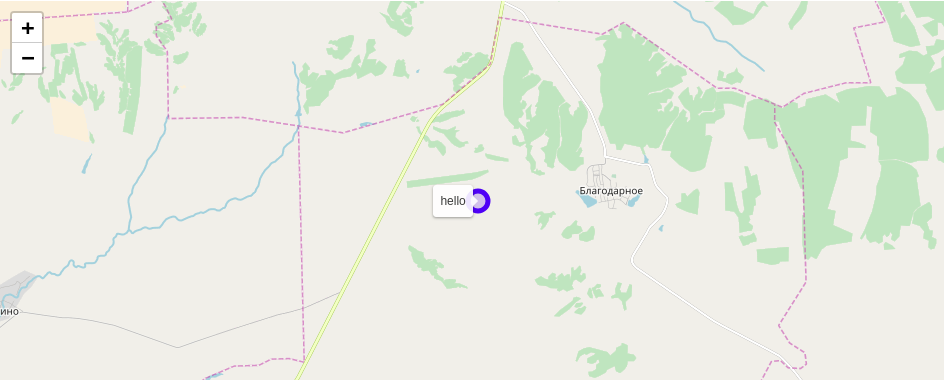
You cannot remove the background. You can center the tooltip if you want but you can't have it "inside" the circle like you asked.
I guess the only way to implement the exact behavior you want is to use the DivIcon of Leafletjs.
As you wish, we can go for the tooltip solution if you like it, it would be simple to implement. Or we can go for a new custom marker containing text using the DivIcon, but it would be more difficult to implement. Anyway, if you want to implement it I can help you through it.
As a workaround for your use case for now, you can use the popup example, and you don't have to click on it in order to show it if you use the following attributes:
popup = Popup(
    close_button=False,
    auto_close=False,
    close_on_escape_key=False
)
exactly like I did in the example of the documentation I gave you (for the popup on the map, but you also can do it for the Marker)
Actually, your result is not too bad for me. It would be great to hide the tooltip and the circle. A plain rectangular object with a small text, than placing on top of it an interactive popup, its a nice solution.
For sure it would be cool to have such kind of marker! I could give a look after vacation.
And of course if you want to do it go on, I think it should be implemented like the popup, but using L.Tooltip of Leafletjs
@martinRenou
I would love to have the leaflet tooltip feature available, could you point me in a general direction on how to implement it?
