
jupyter_server
 jupyter_server copied to clipboard
Published
20 hours ago •
 jupyter-server
jupyter-server
Getting the base html in the browser debugger
Instead of the html for the JupyterLab page, I'm seeing the following:
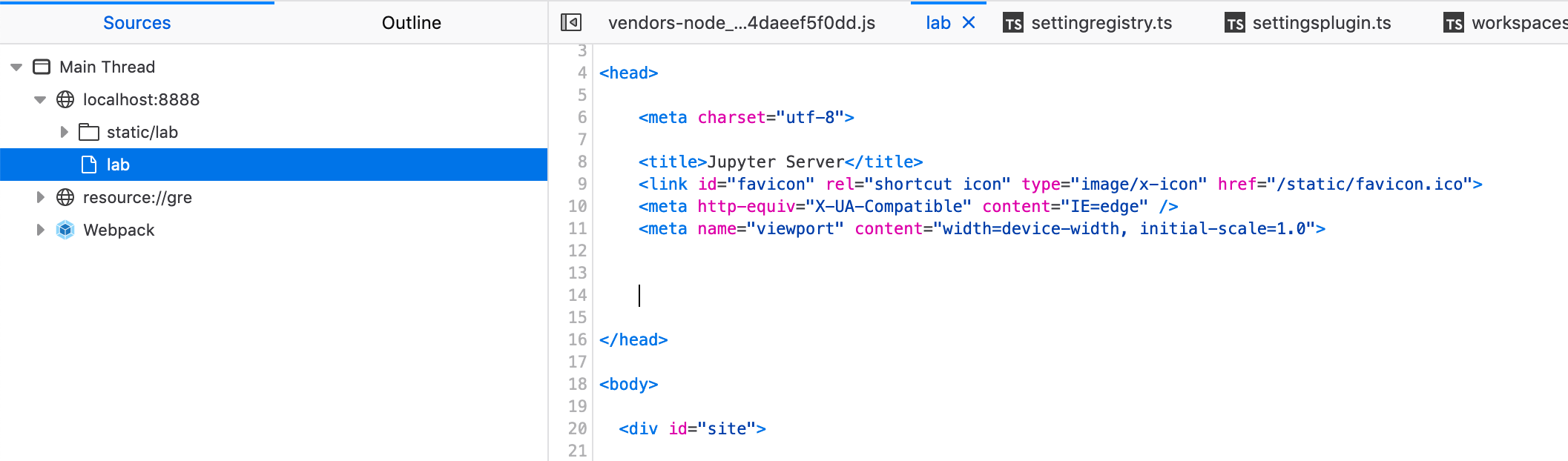
Replication:
- Install
jupyterlabfrom a git checkout - Run
pip install -e . - Make sure you have
[email protected] - Run
jupyter lab --dev-mode - Open the browser console
- Refresh the page and go to the location shown above
$ pip list | grep jupyter
jupyter-client                6.1.6
jupyter-core                  4.6.3
jupyter-server                1.0.0rc6
jupyterlab                    3.0.0a10            /Users/stslve/workspace/jupyter/jlab-master
jupyterlab-server             2.0.0b1
This was in Firefox 68.8.0esr (64-bit)

This does not happen every time, and I was not able to reproduce in Chrome 84.0.4147.125 (Official Build) (64-bit)