
ud-annotatrix
 ud-annotatrix copied to clipboard
 jonorthwash
zooming metabug
Current issues with graph zooming functionality:
Autozoom default level almost always goes outside default level (#58)- Display of graph can become too small to read with autozoom.
No way to manually zoom (#116).Graph takes up much more room than it needs to at any zoom level (#51).
Please add to this list as more things come up.
My proposed solution to all of this is to implement the following:
- [x] No more vertical or horizontal spacing between things than necessary (i.e., fix #51).
- [x] Set a minimum limit on size of auto and manual zoom.
- [ ] Don't allow graph to grow beyond the width of the window unless it would zoom smaller than the minimum limit.
- [x] Add a way to zoom manually (e.g.,
+/-/0keys on graph, and possibly with scrollwheel), and reset to default zoom. - [x] Probably set a maximum size on zoom too.
Discussion welcome/encouraged.

Added the keys for zooming in c424a30 and 854e434. I disabled scroll wheel zooming so that we can scroll normally.

I disabled scroll wheel zooming so that we can scroll normally.
Proper behaviour would preclude the need for disabling scrollwheel zooming. E.g., if a current scroll is in process, continue the scroll and don't zoom. But that might be too hard?
Yeah, I looked into it, and it's really hard... I think this behaviour is ok for now. If we get a clamour from users we can revisit it...
Can you explain what you mean with:
- Don't allow graph to grow beyond the width of the window unless it would zoom smaller than the minimum limit. and
- Display of graph can become too small to read with autozoom.
We've made quite a few changes to how the zoom works, perhaps they are already solved?
Display of graph can become too small to read with autozoom.
If a long sentence is loaded in a narrow window, things get way too small:
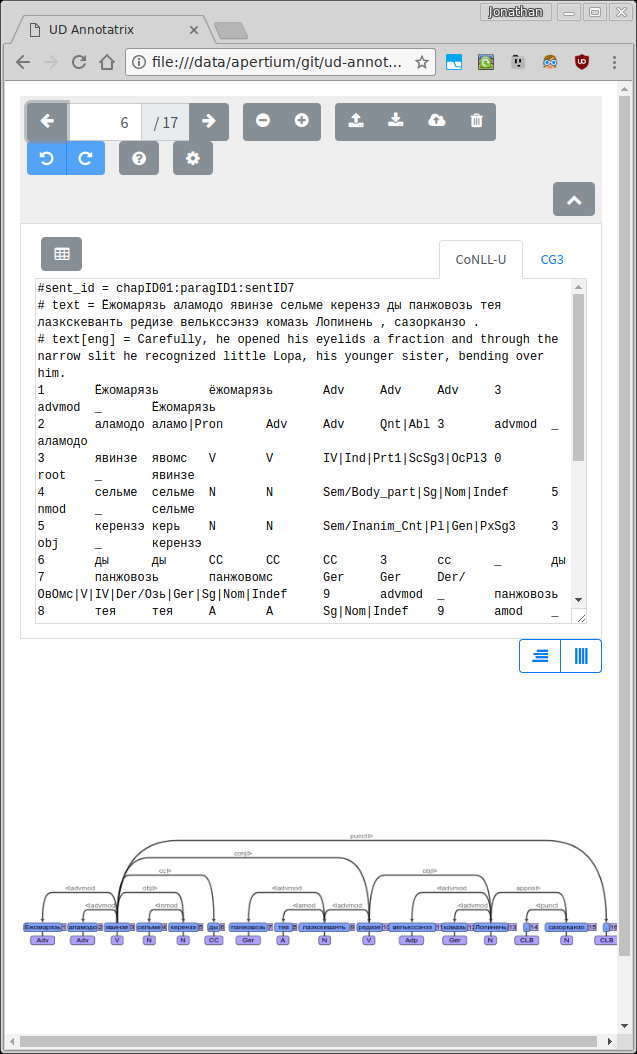
So my proposed solution is to set a minimum zoom factor for autozoom. If the sentence can't fit in the window without going below that zoom factor, then it shouldn't—it should just wrap.
Don't allow graph to grow beyond the width of the window unless it would zoom smaller than the minimum limit.
This was the issue where the graph would always be outside of the current view, no matter what zoom level. It's basically fixed, but note that with narrower window sizes it likes to add about 0.5ex's worth of scrolling to the side (as in above screenshot).
Also, the graph should update as/after the window is resized. Currently you have to do something else that would update it, like edit the sentence, change sentences, or reload the page. See below for what it looks like before update:
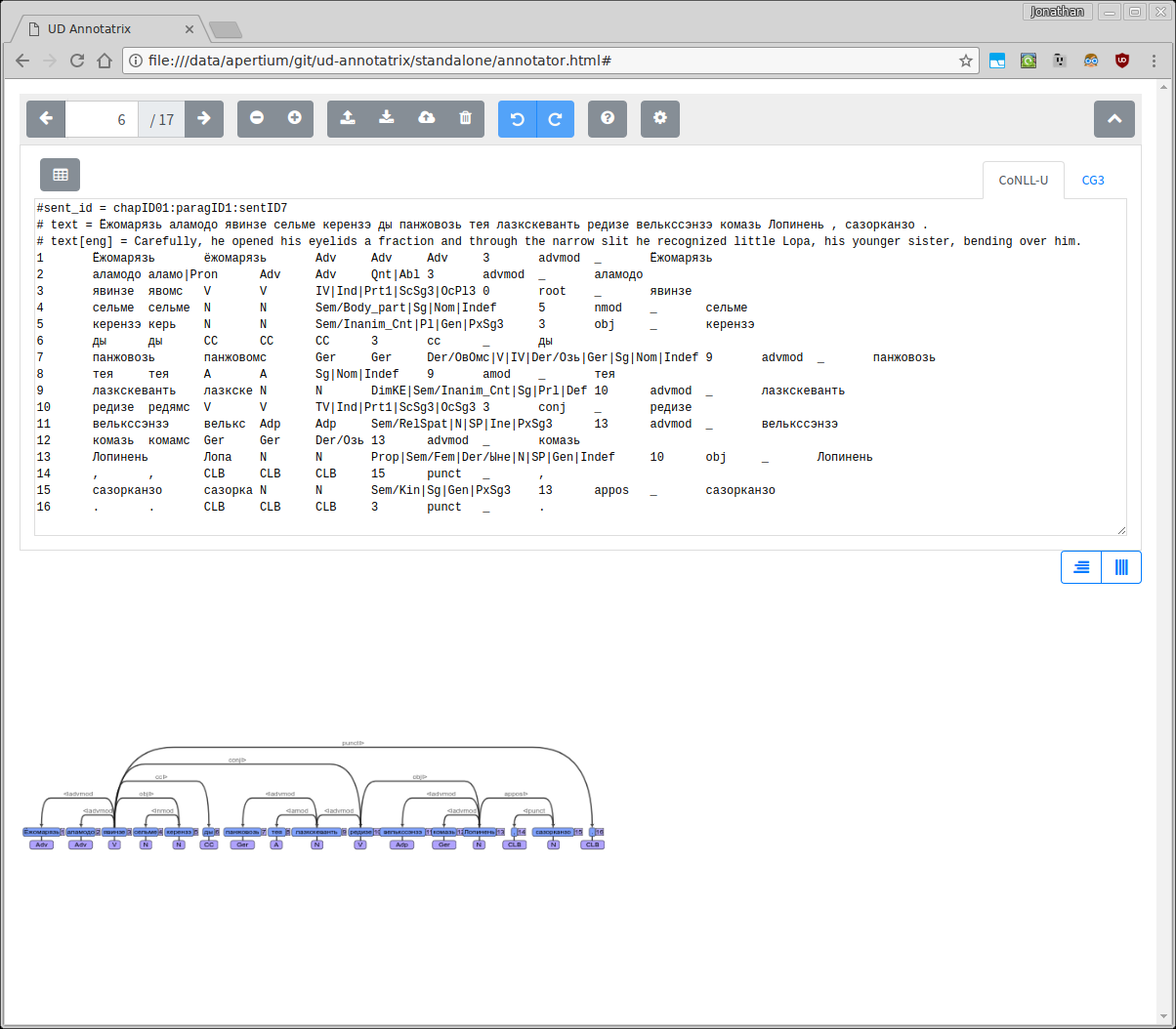
So my proposed solution is to set a minimum zoom factor for autozoom. If the sentence can't fit in the window without going below that zoom factor, then it shouldn't—it should just wrap.
So you mean set the minimum default zoom to be lower ? and by "wrap" you mean scroll ?
visualiser.js:
    // Fit the graph to the window size
    cy.fit(2);
    CURRENT_ZOOM = cy.zoom(); // Get the current zoom factor.
    if(CURRENT_ZOOM >= 1.7) { // If the current zoom factor is more than 1.7, then set it to 1.7
      CURRENT_ZOOM = cy.zoom(1.7);           // This is to make sure that small trees don't appear massive.
    } else if (CURRENT_ZOOM <= 0.7) {
      CURRENT_ZOOM = cy.zoom(0.7);
    }
    cy.center();
Also, the graph should update as/after the window is resized. Currently you have to do something else that would update it, like edit the sentence, change sentences, or reload the page. See below for what it looks like before update:
Ok, so the solution there is to capture window resize events and fit/center the graph after them ?
visualiser.js:
    $(window).bind('resize', onResize);
...
function onResize(e) {
    console.log('< resize event', CURRENT_ZOOM);
    cy.fit();
    cy.center();
    CURRENT_ZOOM = cy.zoom();
    console.log('> resize event', CURRENT_ZOOM);
}
I meant more like it doesn't seem to be implemented the way it sounded like you said it should be...
Ok, so the solution there is to capture window resize events and fit/center the graph after them ?
This still doesn't seem to be implemented. When the window is resized, the graph is not resized. Once something else is changed, it is.
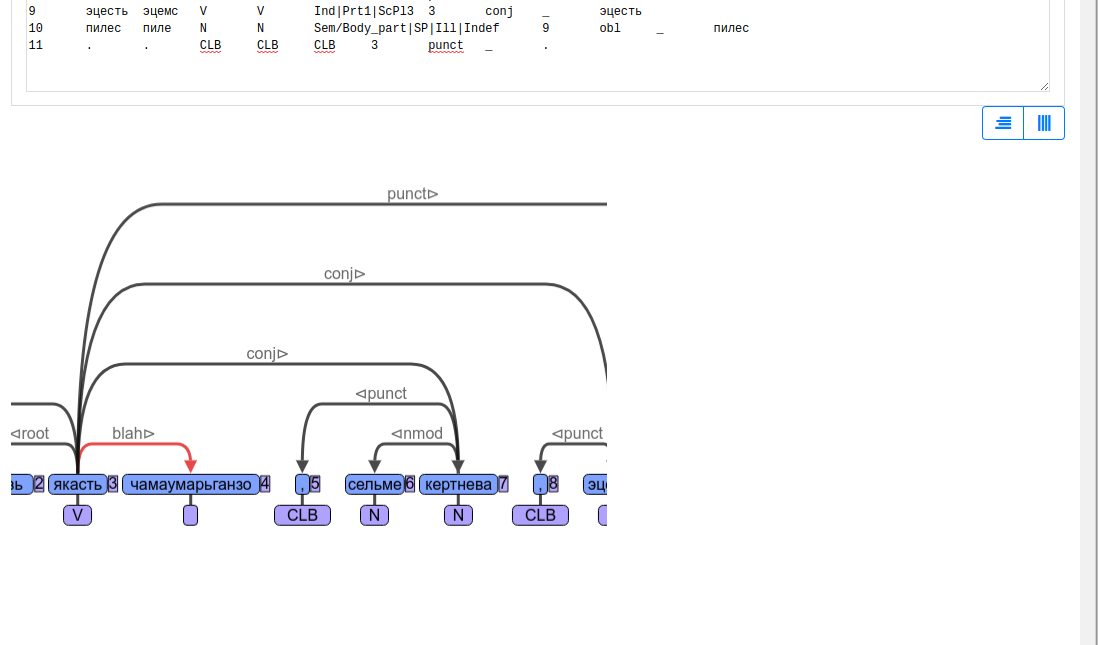
The bug is with cy.fit(). It doesn't behave as expected. You can test the behaviour yourself, see commit 0e29191. I'd be inclined to mark this issue as fixed and move the cy.fit() stuff to a new issue with the tag wontfix or upstream.
I tried the following:
function onResize(e) {
    CURRENT_ZOOM = cy.zoom(); // Get the current zoom factor.
    console.log('< resize event', CURRENT_ZOOM, cy.width(), cy.height());
    console.log('[6] CURRENT_ZOOM:', CURRENT_ZOOM);
    cy.fit();
    cy.resize();
    cy.reset();

    CURRENT_ZOOM = cy.zoom(); // Get the current zoom factor.
//    cy.center();
//    CURRENT_ZOOM = cy.zoom();
    console.log('[7] CURRENT_ZOOM:', CURRENT_ZOOM);
    console.log('> resize event', CURRENT_ZOOM, cy.width(), cy.height());
}
The debug output is:
[6] CURRENT_ZOOM: 1.7  visualiser.js:79:5
zoom event annotator.js:119:5
[7] CURRENT_ZOOM: 1  visualiser.js:87:5
> resize event 1 930 400  visualiser.js:88:5
< resize event 1 930 400  visualiser.js:78:5
[6] CURRENT_ZOOM: 1  visualiser.js:79:5
zoom event annotator.js:119:5
[7] CURRENT_ZOOM: 1  visualiser.js:87:5
> resize event 1 930 400  visualiser.js:88:5
< resize event 1 930 400  visualiser.js:78:5
[6] CURRENT_ZOOM: 1  visualiser.js:79:5
zoom event annotator.js:119:5
[7] CURRENT_ZOOM: 1  visualiser.js:87:5
> resize event 1 930 400  visualiser.js:88:5
< resize event 1 930 400  visualiser.js:78:5
[6] CURRENT_ZOOM: 1  visualiser.js:79:5
zoom event annotator.js:119:5
[7] CURRENT_ZOOM: 1  visualiser.js:87:5
> resize event 1 930 400  visualiser.js:88:5
< resize event 1 930 400  visualiser.js:78:5
[6] CURRENT_ZOOM: 1  visualiser.js:79:5
zoom event annotator.js:119:5
[7] CURRENT_ZOOM: 1  visualiser.js:87:5
> resize event 1 930 400  visualiser.js:88:5
< resize event 1 930 400  visualiser.js:78:5
[6] CURRENT_ZOOM: 1  visualiser.js:79:5
zoom event annotator.js:119:5
[7] CURRENT_ZOOM: 1  visualiser.js:87:5
> resize event 1 930 400  visualiser.js:88:5
< resize event 1 930 400  visualiser.js:78:5
[6] CURRENT_ZOOM: 1  visualiser.js:79:5
zoom event annotator.js:119:5
[7] CURRENT_ZOOM: 1  visualiser.js:87:5
> resize event 1 930 400  visualiser.js:88:5
As you can see the width/height do not change even while resizing.
The debug output is:
What does it think the size it's resizing to is?
What happens if we add a redraw tree call after (/before?) telling it to resize?
What does it think the size it's resizing to is?
The size of the original window.
What happens if we add a redraw tree call after (/before?) telling it to resize?
I've tried putting the calls in different orders with the same result.
What does it think the size it's resizing to is?
The size of the original window.
Ah, that could be why it isn't resizing to the newly resized size then. Could you have it output those numbers along with the resize events? (Because all your resize event debug lines seem to want to be the same size—so it doesn't look like it's really trying to resize...)
the numbers that say "resize" are on the resize event if you look at the code.