
Jason Yang
Jason Yang
In https://pysimplegui.readthedocs.io/en/latest/call%20reference/#titlebar-element, Type | Name | Meaning -- | -- | -- str or bytes or None | icon | Can be either a filename or Base64 byte string of...
I don't have WIN11 to view the difference. It maybe caused by the WIN11 platform, not by tkinter/PySimpleGUI, just maybe. Not sure how can it work as request.
Select items or clear selection need to set each item with True or False by method ```python window['-LISTBOX-'].Widget.item(index).setSelected(setting) ``` Demo code ```python import PySimpleGUIQt as sg layout = [ [sg.Listbox([f'Item...
Method `Listbox.set_value` to set listbox highlighted choices, not clear the choices. Empty just loop all items in Listbox, but do nothing. ```python def SetValue(self, values): # for index, item in...
You must get something wrong that this issue we talked here is about Qt port (PySimpleGUIQt), not tkinter port (PySimpleGUI). What you said is only OK in PySimpleGUI. In PySimpleGUI,...
Your code cannot be executed, and also not duplicate your issue, so I have no idea about your issue and what case in your code. If possible, a **short** program...
Update test code as ``` python import time import PySimpleGUIWeb as sg layout = [ [sg.Checkbox('On/Off', size=(15, 1), enable_events=True, key='_ON_OFF_'), sg.Button('Debug', key='_DEBUG_'), sg.Button('Exit')], ] window = sg.Window('test', layout, default_element_size=(12, 1),...
Not sure what the problem exactly. If it is invisible when text selected in Multiline, maybe use different theme for it. For example, 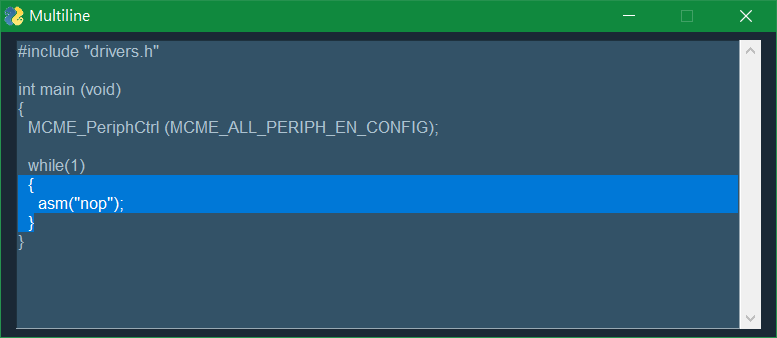 ``` python import PySimpleGUI as sg...
Multiline Element got 2 new parameters to the update method - text_color_for_value - color for the newly added text - background_color_for_value - background color of the newly added text if...
Just notice for Mike about document issue, No document about arguments `text_color_for_value` and `background_color_for_value`, in 1. Source code 2. Call Reference