
react-native-image-crop-picker
 react-native-image-crop-picker copied to clipboard
 ivpusic
When taking a photo from the camera, causing the app to restart
Version
Tell us which versions you are using:
- react-native-image-crop-picker v0.23.0
- react-native v0.55.4
Platform
- Android
Expected behaviour
Take a picture from the camera and display it
Actual behaviour
When taking a photo from the camera, causing the app to restart
Steps to reproduce
takeByCamera = () => { ImagePicker.openCamera({ width: 400, height: 400, }) .then(image => { console.log(image); this.setState({ avatarPath: {uri: image.path} }) }) .catch(error => { console.log(error) }) };
Attachments
rRestart the app frequently,but sometimes it is ok


I am also facing the same issue. Moto X4, android v9
Also restarts app like 90% of the time, but sometimes its ok. I've tried decreasing compressed size and quality to try and help if its a memory thing, but that did nothing.

Same thing seems like the camera view is closing the app. Can you guys see if not taking a picture and going back, our app is closed or restarting?

probably duplicate of https://github.com/ivpusic/react-native-image-crop-picker/issues/836
@filipef101 yes, it also sometimes crashes when attempting to use the android back-button to go back to the main app. This seems like a wide-spread issue over many versions of the library and over many versions of Android operating systems. The earliest issue I could find was #240 (crash after photo confirm on android) from Feb 2017. This thread now is the most recent. Other issue threads, all of which are still open are:
- #240
- #378
- #501 (maybe related)
- #505
- #519
- #648 (maybe related)
- #822 (maybe related)
- #836
- #900
Basically the issue is that the Camera Screen is an independent screen that then passes the data to JS, this is my assumsion. This probably can be solved by using other lib to take the photo then use this on to crop it. If I face this issue on my app I'll share the solution here. As so far I only noticed this on debug
Here's the memory profile as the camera opens:
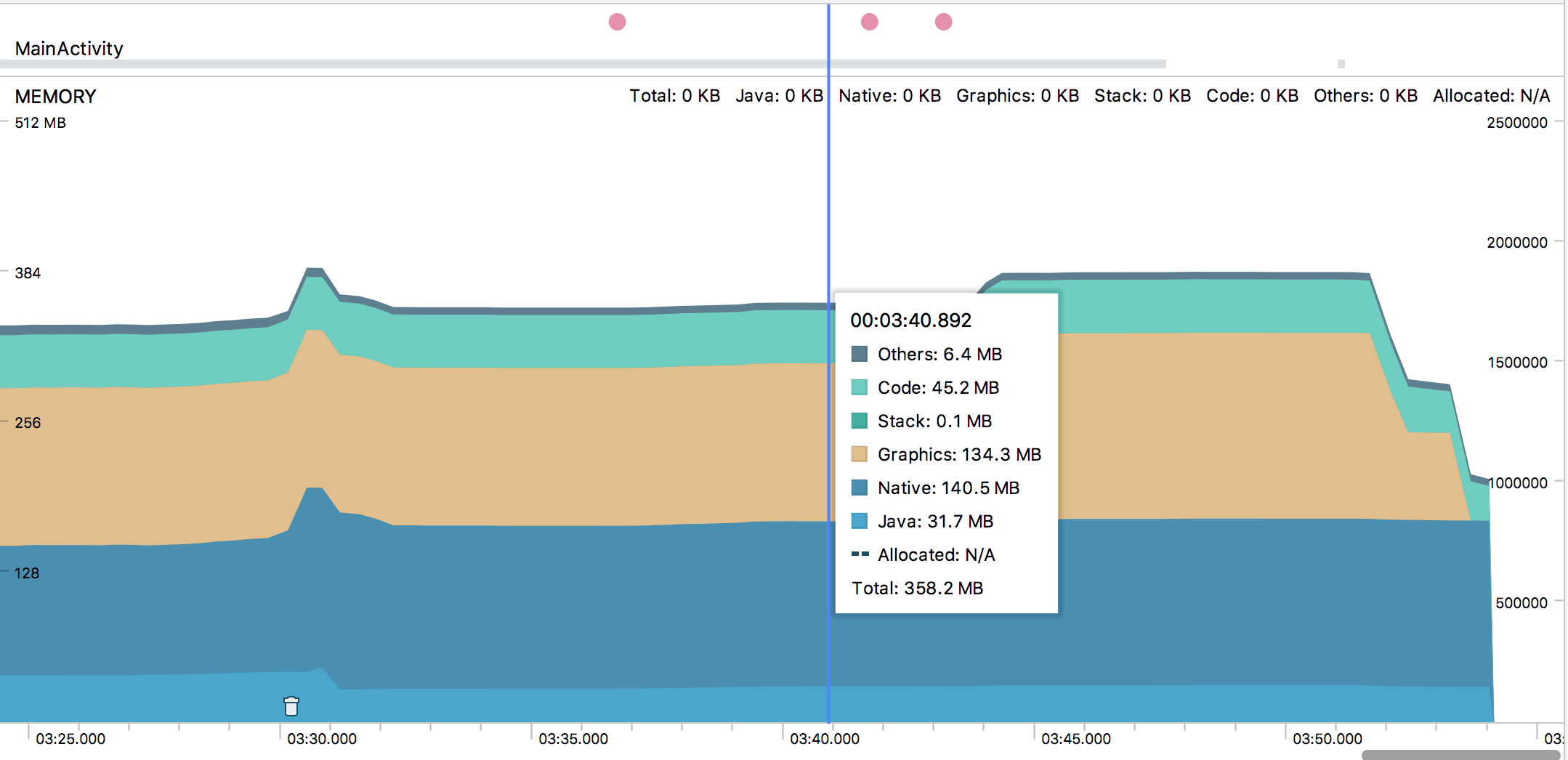
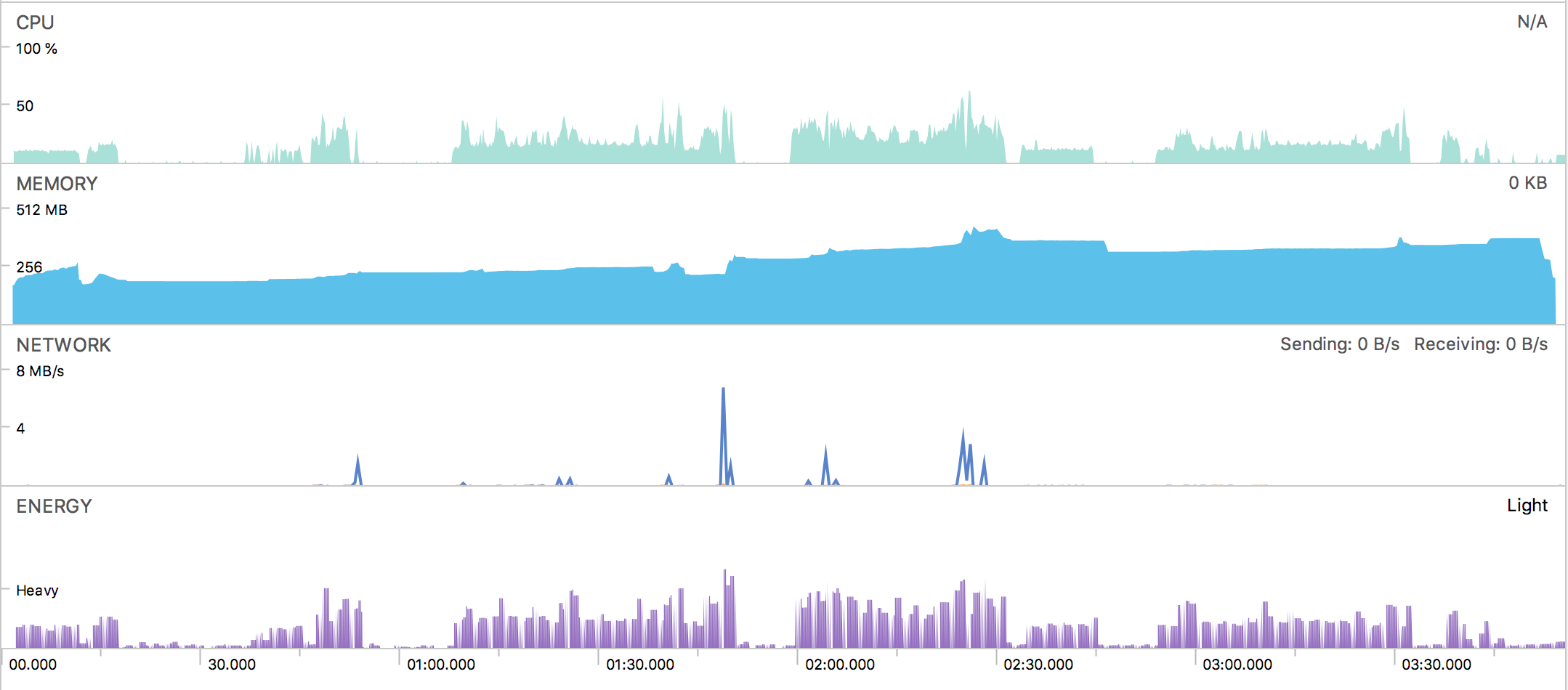
It just tanks down to zero, and I don't think that it was over-using before? Here's the full session profile, I'm not experienced enough to know if it looks ok or not:
@filipef101 Also, I came to this library after I started getting this problem with react-native-image-picker.
The only other library I can find is react-native-camera, which I guess creates a camera view as a react component, rather than opening the camera intent over the app? If it does work like that, do you think it would solve this issue?
Yup, probably does, I never used that one but used but did use react-native-camera-kit to implement my custom camera view (like a year ago, had a few issues with it and needed to fork it)
But react-native-camera certainly doesn't have this issue so you can pass the image it gives you and use this library to crop it. It's a matter of making that seamless
Also so far I don't face this on my release, might be only happening if you use too much memory
Yeah, I'm spending today cleaning up my code-base. Uninstalling unused dependencies, making sure I'm only requiring what I need from libs, etc. We'll see if that helps at all. If it doesn't I'm going to be super disappointed, but it needs to be done regardless.
@ivpusic @filipef101 The strange thing is that the camera activity takes enough memory to force the OS to kill the RN Activity. The RN Activity is saved -> stopped -> destroyed, and when the camera activity tries to pass information back to the RN Activity, rather than starting from a saved state, its starting from a fresh state.
Is this potentially something in my mainActivity.java file where I don't have the appropriate onStop() and onStart() handlers that should be saving the app state? Again, not an Android dev here, but something fishy is going on.
In issue #519, @pisacode mentioned that he was using react-native-splash-screen. He said that he fixed the issue by removing it. He didn't specify however what "removing it" meant...is it a complete uninstall? The recommended setup for RNSplashScreen is to have a SplashActivity.java file that looks like this:
public class SplashActivity extends AppCompatActivity {
    @Override
    protected void onCreate(Bundle SavedInstanceState) {
        super.onCreate(SavedInstanceState);

        Intent intent = new Intent(this, MainActivity.class);

        startActivity(intent);
        finish();
    }
}
So then my MainActivity.java looks like this:
public class MainActivity extends ReactActivity {

    @Override
    protected void onCreate(Bundle savedInstanceState) {
        SplashScreen.show(this);
        super.onCreate(savedInstanceState);
    }
    /**
     * Returns the name of the main component registered from JavaScript.
     * This is used to schedule rendering of the component.
     */
    @Override
    protected String getMainComponentName() {
        return "***myPackageName***";
    }
}
Is it not receiving a savedInstanceState properly? I have no onStop() or onPause() methods on my MainApplication.java class.
It happens in some devices when you open the camera, the camera request more RAM therefore closing all the the apps(it do not crash the app), in order to reproduce the problem there is the need to enable in the developer tools the option called "Don't keep activities".
The fix in my case was very simple, just the persist the state of my app using redux-persist.

I also suffered all the day and found it doesn't happen in the release apk.
I am using react-native v0.59.1 and react-native-image-crop-picker v0.23.1. Please build the apk with gradlew assembleRelease in terminal, not exporting wizard in Android Studio.
Hope it helps.

I'm having the same issue. The issue doesn't happen when there are no other apps consuming memory.
Version
"react-native-image-crop-picker": "^0.24.1"
"react-native": "0.58.5"
Platform
Android

Hi. I did a lot of digging after coming across this issue across some phones with extremely aggressive backgrounding (see here for a list).
After various attempts at all kinds of solutions (e.g. foreground service, react-native-background-timer, etc.), I found that the best solution was offered by @osdamv where we persist navigation state (and possibly redux state) and rehydrate the app when it returns from the camera. I recommend testing with "Don't keep activities" via the Android developer tools.
Unfortunately, for a potential fix for the library itself, I can't confidently say it can be done. Most of the research I've done on Android usually reverts back to saving instance state anyway.
If there's enough demand I might help out with an example on how to persist. It's really not that far from just installing the persist libraries (for react-navigation and redux-persist) though.

I think one of possible solution could be not use such kind of libraries (like react-native-image-crop-picker, react-native-image-picker), but implement camera/library picking interface using react-native-camera & CameraRoll


Yes,right,i develop on Redmi device.
| | idealchang 邮箱:[email protected] |
Signature is customized by Netease Mail Master
On 10/22/2019 20:11, rmamtaventures wrote:
App restart on mi device when taking pic from camera.
— You are receiving this because you authored the thread. Reply to this email directly, view it on GitHub, or unsubscribe.
These settings are already done. but not working on redmi. Any update?


Guys, I managed to solve by defining a smaller size in the target picture and enable the crop. In fact, the images were too large when it comes to sizes (over 3000x3000 px). Here is how I'm calling the camera on Android devices.
ImagePicker.openCamera({ width: 500, height: 400, cropping: true, compressImageQuality: 0.4, }).then(image => { //do some processing } });

doesn't work on reduce image size ! still restart the app after click "OK" Realme X (6GB + 64GB) on Android 10


I fixed this by asking the permissions on Android and iOS (using react-native-permissions lib):
useEffect(() => {
    async function askPermissions() {
        if (Platform.OS === 'android') {
            await Permissions.requestMultiple([
                'android.permission.CAMERA',
                'android.permission.WRITE_EXTERNAL_STORAGE',
            ]);
        }

        if (Platform.OS === 'ios') {
            await Permissions.requestMultiple(['ios.permission.CAMERA', 'ios.permission.PHOTO_LIBRARY']);
        }
    }

    askPermissions();
}, []);

The problem is not the permissions, because the restart happens after opening the camera, that is, the permission has already been granted.
