
hm_car
 hm_car copied to clipboard
Published
20 hours ago •
 itheima1
itheima1
第13天课程7:00处,打印read的时候遇到的问题
源码如下:
#!/usr/bin/env python
# coding: utf-8

import rospy
import serial
import struct
from std_msgs.msg import Int32,Float32
from std_srvs.srv import SetBool,SetBoolRequest,SetBoolResponse
'''
在service中小乌龟GUI之后的对驱动的修改
下位机烧录protocol2.hex
将对编码器的操作放到一个函数中
'''
def do_encoder(read):
    data=bytearray([])
    data.append(read[1])
    data.append(read[2])
    #bytearray 数据->数字类型
    data=struct.unpack('h',data)[0] #unpack返回一个元组,[0]表示只取第零个
    rpm=data/100.0  #原始数据除以100得到转速(码盘的特点)
    print(rpm)
    #将获取的编码器数据发送出去
    msg=Float32()
    msg.data=rpm
    rpm_publisher.publish(msg)


#LED控制
def led_callback(request):
    if not isinstance(request,SetBoolRequest):return

    #其他节点发送发数据
    on=request.data
    #告诉下危机要开或者关led
    b=0x01 if on else 0x02
    data=bytearray([0x01,b])
    ser.write(data)

    #TODO:响应结果
    # response=SetBoolResponse()
    return None

def buzzer_callback(request):
    if not isinstance(request,SetBoolRequest):return
    #其他节点发送发数据
    on=request.data
    #告诉下危机要开或者关led
    b=0x01 if on else 0x02
    data=bytearray([0x02,b])
    ser.write(data)

    #TODO:响应结果
    # response=SetBoolResponse()
    return None


#将其他节点发送的信息转发给下位机
def motor_callback(msg):
    if not isinstance(msg,Int32):return
    #接受到其他节点发送的数据
    pwm=msg.data
    #给下位机发送送指令
    #电机的驱动.‘h'是指把5000以字节的形式发送
    #pwm值取值范围[-7200,7200]
    pack=struct.pack('h',pwm)
    #print(pack)
    #print(pack[0])
    #print([pack[1])
    data=bytearray([0x03,pack[0],pack[1]])
    ser.write(data)

if __name__ == '__main__':
    #创建节点
    rospy.init_node('my_driver_node')

    #串口初始化
    #重试机制(retry)这里重试十次
    count=0
    while count < 10:
        count += 1
        try:
            ser=serial.Serial(port='/dev/ttyUSB0',baudrate=115200)
            #如果出错,后面代码不执行
            break   #代码能达到这个位置说明连接成功,跳出while循环,不用再重复了
        except Exception as error:
            print(error)

    #创建电机指令的Subscriber
    motor_topic_name='/motor'
    rospy.Subscriber(motor_topic_name,Int32,motor_callback)

    #LED
    led_service_name='led'
    rospy.Service(led_service_name,SetBool,led_callback)

    #蜂鸣器
    buzzer_service_name='buzzer'
    rospy.Service(buzzer_service_name,SetBool,buzzer_callback)

    #编码器
    encoder_topic_name='rpm'
    rpm_publisher=rospy.Publisher(encoder_topic_name,Float32,queue_size=100)

    #和下位机通讯,通过串口读取(通讯的反馈部分)
    while not rospy.is_shutdown():
        #read:阻塞式函数
        read=ser.read(3)
        #如果是编码器的串口
        if read[0]==0x03:
            do_encoder(read)
        # elif read[0]==0x02:
        #     pass
        # elif read[0]==0x01:
        #     pass

        for i in read:
            print ‘i’,
            # print ' '    #print加逗号是表示不换行。默认换行
    rospy.spin()
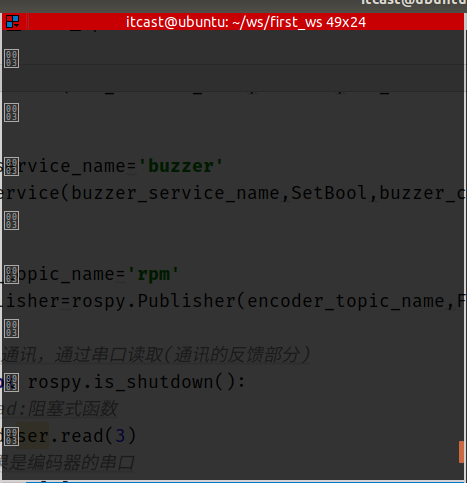
在末尾按照教程,将print 'read’换成了循环打印的方法,但在终端中打印出来的内容仍然如下:
将倒数第三行的
print 'i',
修改成
print hex(i),
会报错

