
podman-desktop-companion
 podman-desktop-companion copied to clipboard
 iongion
Issue with installing Podman Companion for Desktop on Mac
After downloading dmg package of the Podman companion for desktop for Mac, I received the following message from Apple
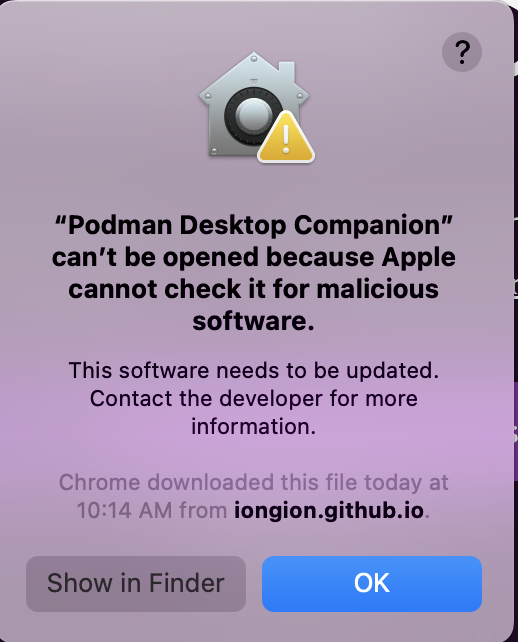
Has anyone encountered the same problem, what changes are required in order to get Podman Desktop to work on Mac

Hi. This will happen with many non-appstore apps in Macs, not just Podman Desktop Companion. Just after getting that message, go to System Preferences -> Security & Privacy -> General (1rst tab) There you should see which app is not being allowed to run. Click the padlock to make changes, and then allow the app. Hope it helps.
Sorry @rubayatk-tech and thank you so much @jsanta for the help - I hope this will be dealt soon, once the Apple developer situation improves https://github.com/iongion/podman-desktop-companion/issues/24
This is due to requirement from Apple to digitally sign applications, but for that an Apple Developer account is needed, it requires payed subscription which I don't have for now, I have an intel macbook from 2013 where I develop and test all Apple related scenarios. I do rely on feedback from users to know how things are standing which I invaluably received.
Edit - if you are adventurous, you can really easily build a mac version on your own machine for now, just follow the developer guide https://github.com/iongion/podman-desktop-companion/blob/main/DEVELOPMENT.md

I was still having the same issue after following the steps proposed by @jsanta. What solved for me was to run:
xattr -d com.apple.quarantine /Applications/Podman\ Desktop\ Companion.app

