
frontend
 frontend copied to clipboard
 home-assistant
Automation: Information on Specified Tag removed after saving Automation with Trigger Type: Tag
Checklist
- [X] I have updated to the latest available Home Assistant version.
- [X] I have cleared the cache of my browser.
- [X] I have tried a different browser to see if it is related to my browser.
Describe the issue you are experiencing
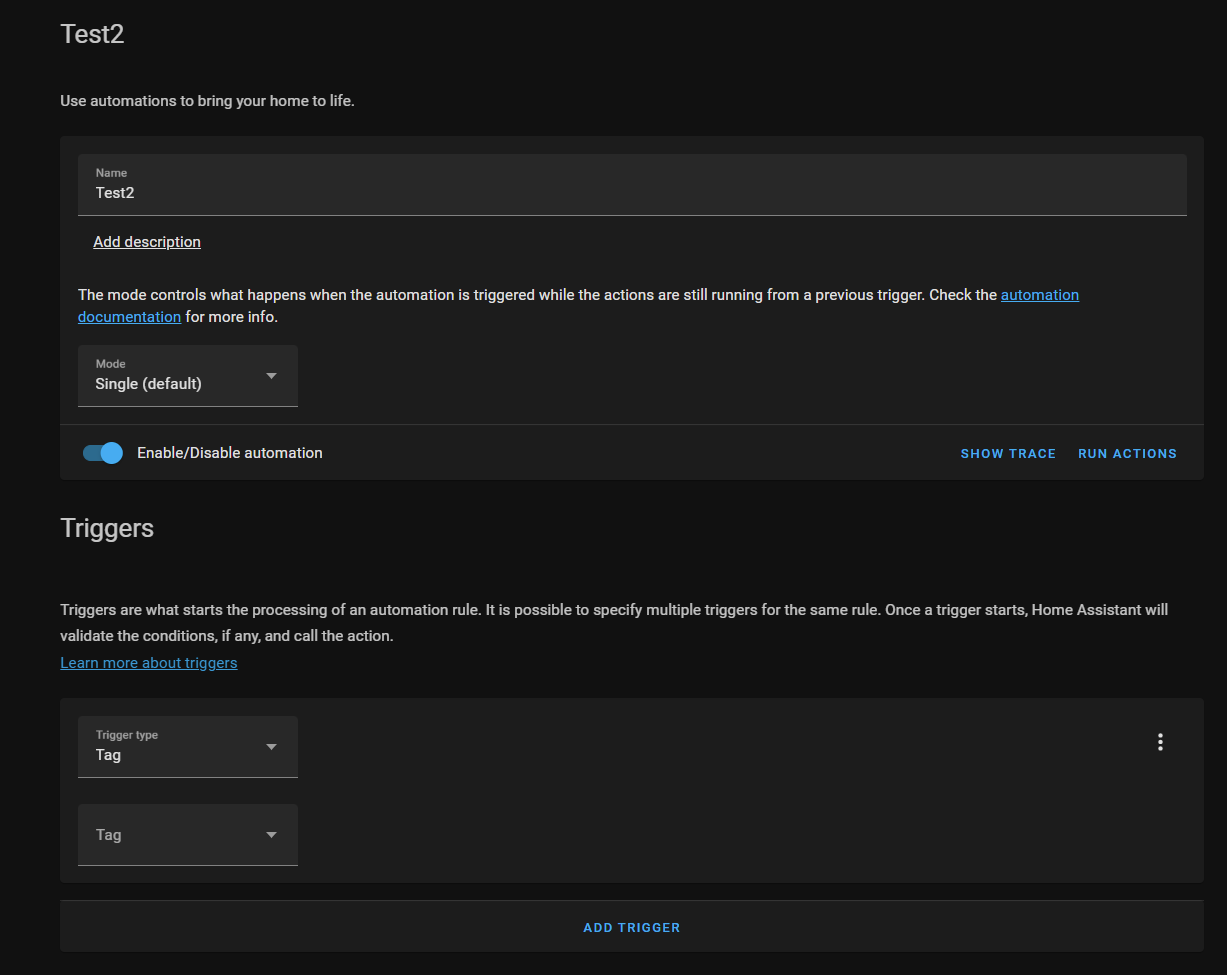
Automations with Trigger Type Tag lose the specified Tag after reopen in UI.
Describe the behavior you expected
I created this simplified automation to do something based on scanning a tag:
alias: Test2
description: ''
trigger:
  - platform: tag
    tag_id: 7529266c-23c2-465f-becf-79a906cc5c64
condition: []
action:
  - service: media_player.play_media
    target:
      entity_id: media_player.study_speaker
    data:
      media_content_id: media-source://tts/cloud?message=Succesfull&language=en-GB&gender=female
      media_content_type: provider
    metadata:
      title: Succesfull
      thumbnail: https://brands.home-assistant.io/_/cloud/logo.png
      media_class: app
      children_media_class: null
      navigateIds:
        - {}
        - media_content_type: app
          media_content_id: media-source://tts
        - media_content_type: provider
          media_content_id: >-
            media-source://tts/cloud?message=Succesfull&language=en-GB&gender=female
mode: single
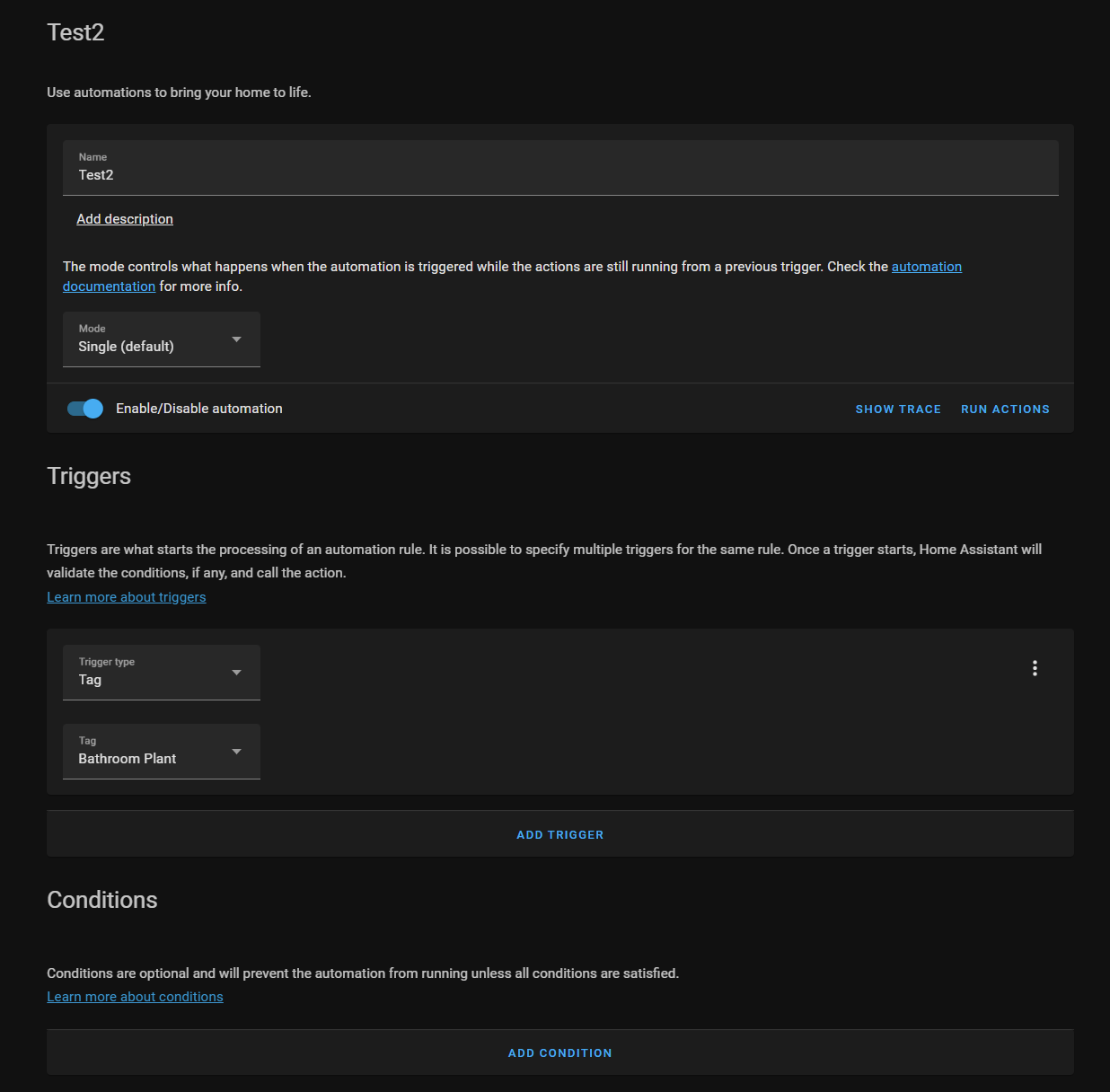
Or, at first part, in the Visual Editor:
After saving, or switching to edit in YAML, or reopening the Tag under Triggers becomes empty:
However:
alias: Test2
description: ''
trigger:
  - platform: tag
    tag_id: 7529266c-23c2-465f-becf-79a906cc5c64
condition: []
action:
  - service: media_player.play_media
    target:
      entity_id: media_player.study_speaker
    data:
      media_content_id: media-source://tts/cloud?message=Succesfull&language=en-GB&gender=female
      media_content_type: provider
    metadata:
      title: Succesfull
      thumbnail: https://brands.home-assistant.io/_/cloud/logo.png
      media_class: app
      children_media_class: null
      navigateIds:
        - {}
        - media_content_type: app
          media_content_id: media-source://tts
        - media_content_type: provider
          media_content_id: >-
            media-source://tts/cloud?message=Succesfull&language=en-GB&gender=female
mode: single
Steps to reproduce the issue
- Create an automation with Trigger Type Tag
- Assign a tag in UI
- Add some code to the automation in UI/YAML
- Save the automation
- Close the automation
- Reopen the automation ...
Also appears to be the case when switching between UI/YAML in the Automation itself
What version of Home Assistant Core has the issue?
core-2022.4.1, core-2021.3.8, core-2022.7.x, core-2022.8.x
What was the last working version of Home Assistant Core?
No response
In which browser are you experiencing the issue with?
Microsoft Edge 100.0.1185.29 (Official build) (64-bit), Firefox 99.0 (64-bit), Google Chrome 100.0.4896.75 (Official Build) (64-bit)
Which operating system are you using to run this browser?
Windows 11 Pro, 21H2, OS build 22000.593
State of relevant entities
No response
Problem-relevant frontend configuration
No response
Javascript errors shown in your browser console/inspector
No response
Additional information
"New" on HA, also posted it on the forum, https://community.home-assistant.io/t/automation-information-on-specified-tag-removed-after-saving-automation-with-trigger-type-tag/408426. Hope I reported this right and am not wasting anyone's time.


Still not solved! I just created / submitted exact same bug, should have searched beforehand :-/
