
core
 core copied to clipboard
 home-assistant
Error fetching flume data
The problem
Flume is connecting and then becoming unavailable every 1 to 2 minutes. IAW the logs: Error message returned: Too many requests, please try again later..
What version of Home Assistant Core has the issue?
2022.11.1
What was the last working version of Home Assistant Core?
2022.10.5
What type of installation are you running?
Home Assistant OS
Integration causing the issue
Flume
Link to integration documentation on our website
https://www.home-assistant.io/integrations/flume
Diagnostics information
No response
Example YAML snippet
No response
Anything in the logs that might be useful for us?
Logger: homeassistant.components.flume
Source: helpers/update_coordinator.py:151
Integration: Flume (documentation, issues)
First occurred: November 3, 2022 at 8:58:29 PM (714 occurrences)
Last logged: 2:03:25 PM

Error fetching flume data: Error communicating with flume API: Message:Impossible to retrieve notifications. Response code returned:429. Eror message returned:Too many requests, please try again later..
Error fetching flume data: Error communicating with flume API: Message:Impossible to retreive devices. Response code returned:429. Eror message returned:Too many requests, please try again later..
Error fetching flume data: Error communicating with flume API: Message:Can't update flume data for user id 61100. Response code returned:429. Eror message returned:Too many requests, please try again later..
Error fetching flume data: Error communicating with flume API: Message:Can't update flume data for user id 39270. Response code returned:429. Eror message returned:Too many requests, please try again later..
Additional information
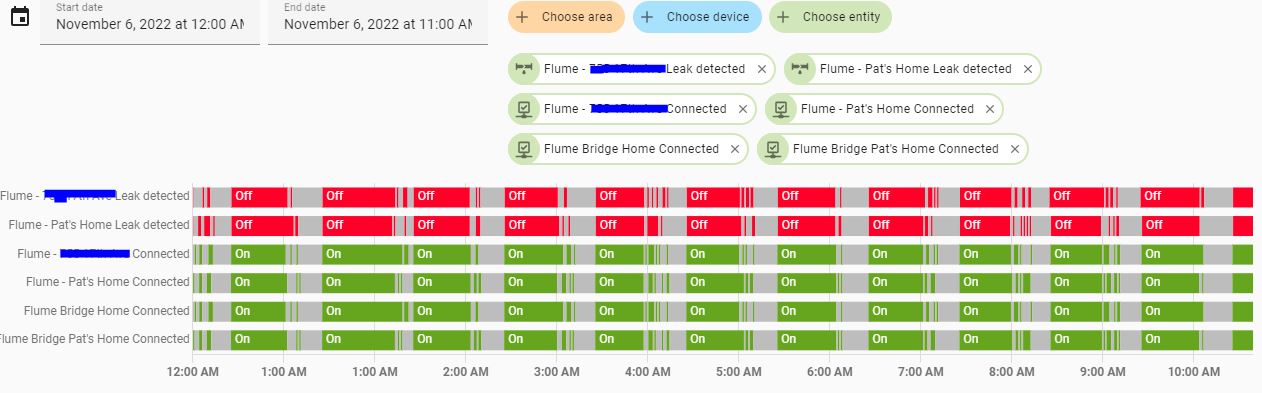
I have 2 instances of Flume running. One for my house and another for the Mother In Law's house 2 miles away. Here is the screenshot of Flume connecting and becoming unavailable
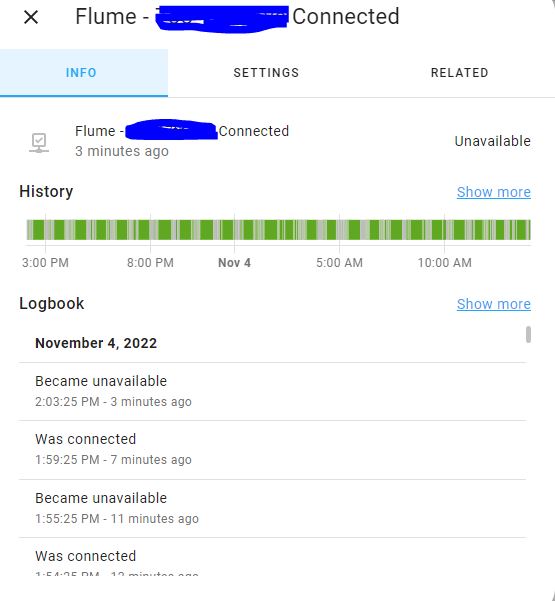 .
.

Hey there @chrismandich, @bdraco, @jeeftor, mind taking a look at this issue as it has been labeled with an integration (flume) you are listed as a code owner for? Thanks!
Code owner commands
Code owners of flume can trigger bot actions by commenting:
@home-assistant closeCloses the issue.@home-assistant rename Awesome new titleChange the title of the issue.@home-assistant reopenReopen the issue.@home-assistant unassign flumeRemoves the current integration label and assignees on the issue, add the integration domain after the command.
(message by CodeOwnersMention)
flume documentation flume source (message by IssueLinks)
![home-assistant[bot] avatar](https://avatars.githubusercontent.com/in/97978?v=4 "Published by a pub.dev verified publisher")

One potential issue could be api hourly lock outs. But based on my conversations with them this shouldn't be the case. Do you know how to turn on debug logging for pyflume and flume?
(I'm on my phone so can't explain now) that should hopefully show what's the issue. We can reduce the call rate if it's an api call max per endpoint.
Looks like @bdraco we need to turn down the request rate. I’ll follow up again with flume for better details Sent from my iPhoneOn Nov 4, 2022, at 3:15 PM, home-assistant[bot] @.***> wrote: Hey there @ChrisMandich, @bdraco, @jeeftor, mind taking a look at this issue as it has been labeled with an integration (flume) you are listed as a code owner for? Thanks!
Code owner commands Code owners of flume can trigger bot actions by commenting:
@home-assistant close Closes the issue. @home-assistant rename Awesome new title Change the title of the issue. @home-assistant reopen Reopen the issue. @home-assistant unassign flume Removes the current integration label and assignees on the issue, add the integration domain after the command.
(message by CodeOwnersMention)
flume documentation flume source (message by IssueLinks)
—Reply to this email directly, view it on GitHub, or unsubscribe.You are receiving this because you were mentioned.Message ID: @.***>
And ideally scale the rate against number of devices so those will 1 flume can get a faster response maybe Sent from my iPhoneOn Nov 4, 2022, at 3:15 PM, home-assistant[bot] @.***> wrote: Hey there @ChrisMandich, @bdraco, @jeeftor, mind taking a look at this issue as it has been labeled with an integration (flume) you are listed as a code owner for? Thanks!
Code owner commands Code owners of flume can trigger bot actions by commenting:
@home-assistant close Closes the issue. @home-assistant rename Awesome new title Change the title of the issue. @home-assistant reopen Reopen the issue. @home-assistant unassign flume Removes the current integration label and assignees on the issue, add the integration domain after the command.
(message by CodeOwnersMention)
flume documentation flume source (message by IssueLinks)
—Reply to this email directly, view it on GitHub, or unsubscribe.You are receiving this because you were mentioned.Message ID: @.***>
Hi Jeef,
Thank you for your email. Nothing else is dropping connections.
Thanks
Joey
From: Jeef @.> Sent: Friday, November 4, 2022 2:17 PM To: home-assistant/core @.> Cc: gawelko @.>; Author @.> Subject: Re: [home-assistant/core] Error fetching flume data (Issue #81577)
Is anything else dropping connection?
— Reply to this email directly, view it on GitHub https://github.com/home-assistant/core/issues/81577#issuecomment-1304267489 , or unsubscribe https://github.com/notifications/unsubscribe-auth/ARFH4INJKMQMUUWSQ2JZP7LWGV4LXANCNFSM6AAAAAARXR6NJI . You are receiving this because you authored the thread. https://github.com/notifications/beacon/ARFH4IOTQQX3T5UFCNPQ5L3WGV4LXA5CNFSM6AAAAAARXR6NJKWGG33NNVSW45C7OR4XAZNMJFZXG5LFINXW23LFNZ2KUY3PNVWWK3TUL5UWJTSNXWFOC.gif Message ID: @.*** @.***> >
Hi Jeef,
I do not now how to turn on debug logging for pyflume and flume. Please let me know how to do so.
Thanks
Joey
From: Jeef @.> Sent: Friday, November 4, 2022 2:18 PM To: home-assistant/core @.> Cc: gawelko @.>; Author @.> Subject: Re: [home-assistant/core] Error fetching flume data (Issue #81577)
One potential issue could be api hourly lock outs. But based on my conversations with them this shouldn't be the case. Do you know how to turn on debug logging for pyflume and flume?
(I'm on my phone so can't explain now) that should hopefully show what's the issue. We can reduce the call rate if it's an api call max per endpoint.
— Reply to this email directly, view it on GitHub https://github.com/home-assistant/core/issues/81577#issuecomment-1304268521 , or unsubscribe https://github.com/notifications/unsubscribe-auth/ARFH4IJCIXSGID2WOCB5VY3WGV4RZANCNFSM6AAAAAARXR6NJI . You are receiving this because you authored the thread. https://github.com/notifications/beacon/ARFH4IOTASALAVUD3XTK6BLWGV4RZA5CNFSM6AAAAAARXR6NJKWGG33NNVSW45C7OR4XAZNMJFZXG5LFINXW23LFNZ2KUY3PNVWWK3TUL5UWJTSNXWHOS.gif Message ID: @.*** @.***> >
Relevant Info:
https://flumetech.readme.io/docs/rate-limiting
Currently personal clients are allowed 120 requests per hour to our API. Once you have gone over the limit you will get a 429 rate limit error.
In your logs you are getting:
Error fetching flume data: Error communicating with flume API: Message:Impossible to retrieve notifications. Response code returned:429. Eror message returned:Too many requests, please try again later..
A 429 error which means we've hit the rate limit.
So looking over that it looks like you get about 55 mins of good API calls in an hour until you hit the rate limit - is that correct??
Now when I asked them they said that was 'per-endpoint' but I'm going to contact them for more specifics...
I restarted HA earlier today and this is what my logs look like for my 2 flumes (no difference then the first time I submitted:
Logger: homeassistant.components.flume Source: helpers/update_coordinator.py:151 Integration: Flume (documentation, issues) First occurred: 12:58:56 PM (101 occurrences) Last logged: 6:09:18 PM
Error fetching flume data: Error communicating with flume API: Message:Can't update flume data for user id 39270. Response code returned:429. Eror message returned:Too many requests, please try again later.. Error fetching flume data: Error communicating with flume API: Message:Can't update flume data for user id 61100. Response code returned:429. Eror message returned:Too many requests, please try again later.. Error fetching flume data: Error communicating with flume API: Message:Impossible to retreive devices. Response code returned:429. Eror message returned:Too many requests, please try again later.. Error fetching flume data: Error communicating with flume API: Message:Impossible to retrieve notifications. Response code returned:429. Eror message returned:Too many requests, please try again later..
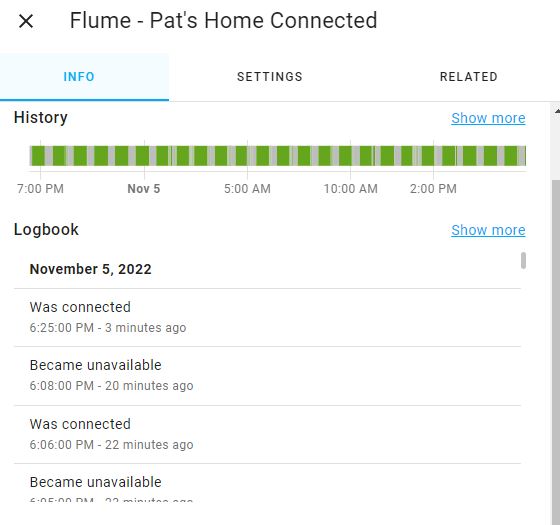 Here is the latest screenshot showing one of the Flumes becoming unavailable then available.
Ok so pulling up the code here is what our current settings are:
- Notifications are pulled once per minute (one endpoint per user) 1 / minute
- Device Data Update (1 per device) so in your case that should be 2x / minute
- List of devices (1 per user) / minute
Based on the information Flume gave me earlier the API limit was per endpoint .... not per api call
At the moment, the Rate Limit is per endpoint and per IP Address. The /oauth and /users base endpoints have two different Rate Limit counters, but both count down based on the IP address.
In the backing library these are the actual endpoints being hit ... so its possible
API_QUERY_URL = '{0}{1}'.format(API_BASE_URL, '/users/{user_id}/devices/{device_id}/query')
API_DEVICES_URL = '{0}{1}'.format(API_BASE_URL, '/users/{user_id}/devices')
API_NOTIFICATIONS_URL = '{0}{1}'.format(API_BASE_URL, '/users/{user_id}/notifications')
that the API_QUERY_URL and the API_DEVICES_URL are maybe under the same limit.
Do your notifications also go unavailable?
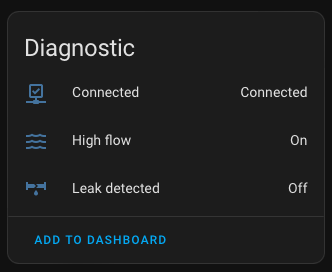
FYSA -> The flow/leak come from the API_NOTIFICATIONS_URL and the connection status comes from the API_DEVICES_URL URL
So here is where I'm confused.
- 120 requests per endpoint per hour
- You should I think be hitting 4 end points ... and then only seeing about 30 minutes of connectivity per/hour...
It looks like you are seeing more like 40 minutes is that correct?
All of my Flume sensors for both Flumes, cycle available then unavailable. Here are more screen shots:
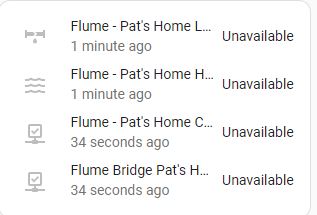
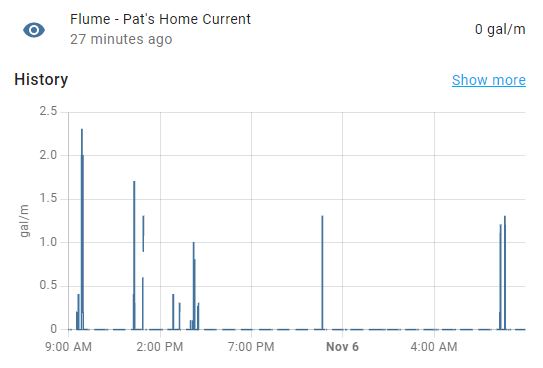
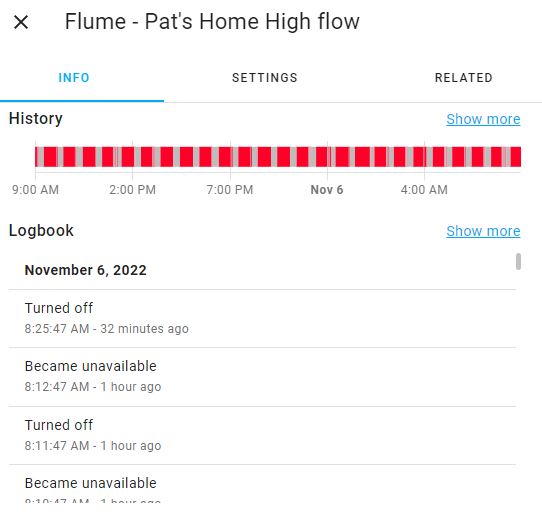
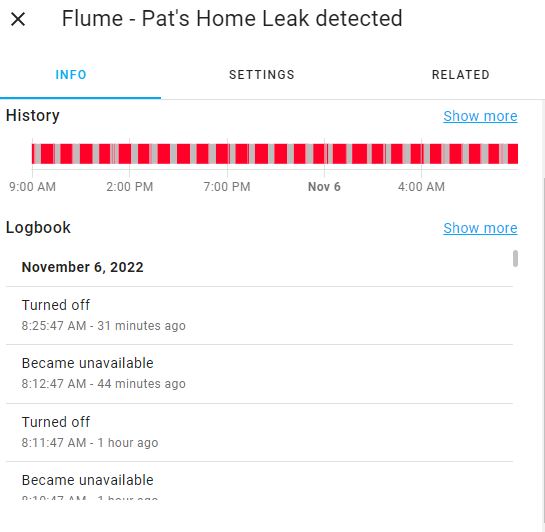
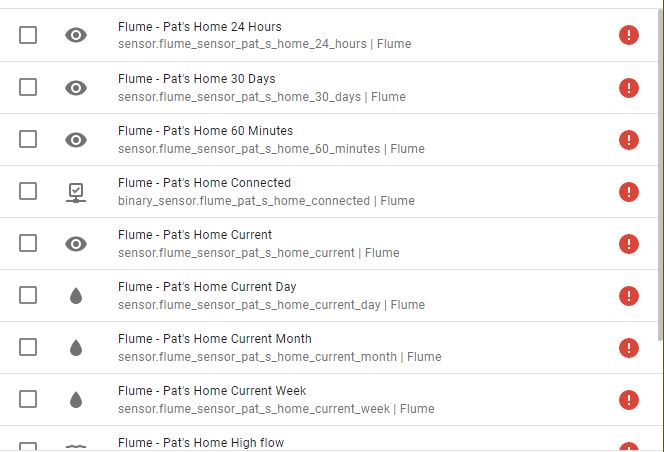
Here is another screenshot of mine and my mother in law's Flumes, if it helps:
I'll get a patch out soon. Got some info from flume which is the /users endpoint gets 120 hits an hour
I'm going to do some tests locally -> changing my poll rate to 10 seconds... should time me out pretty soon I'd think.
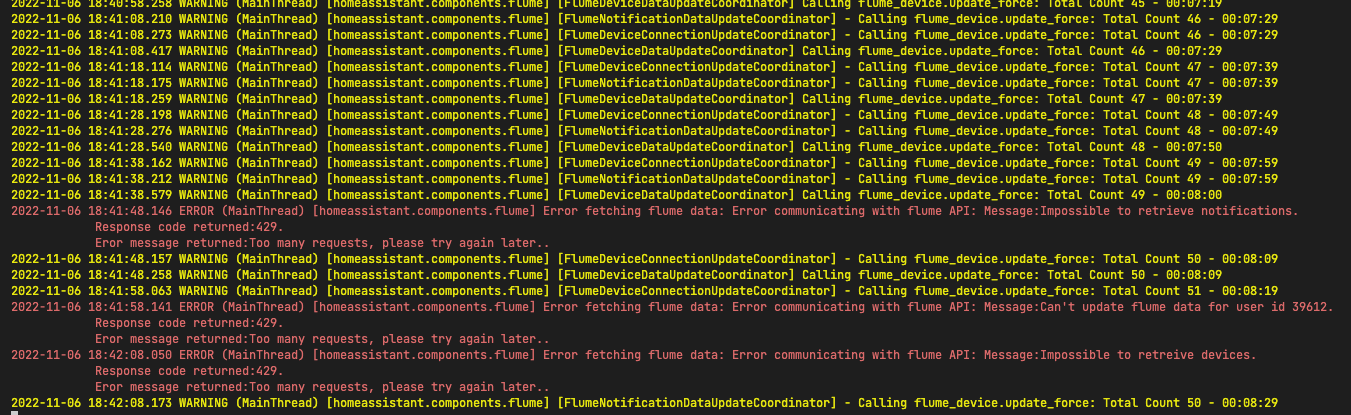
I'll have to restart this in an hour or so but it looks like it timed out after about 146 calls... (however my normal flume integration was previously running as well)...
So I re-ran this with a clean (nothing touch flume) setup:
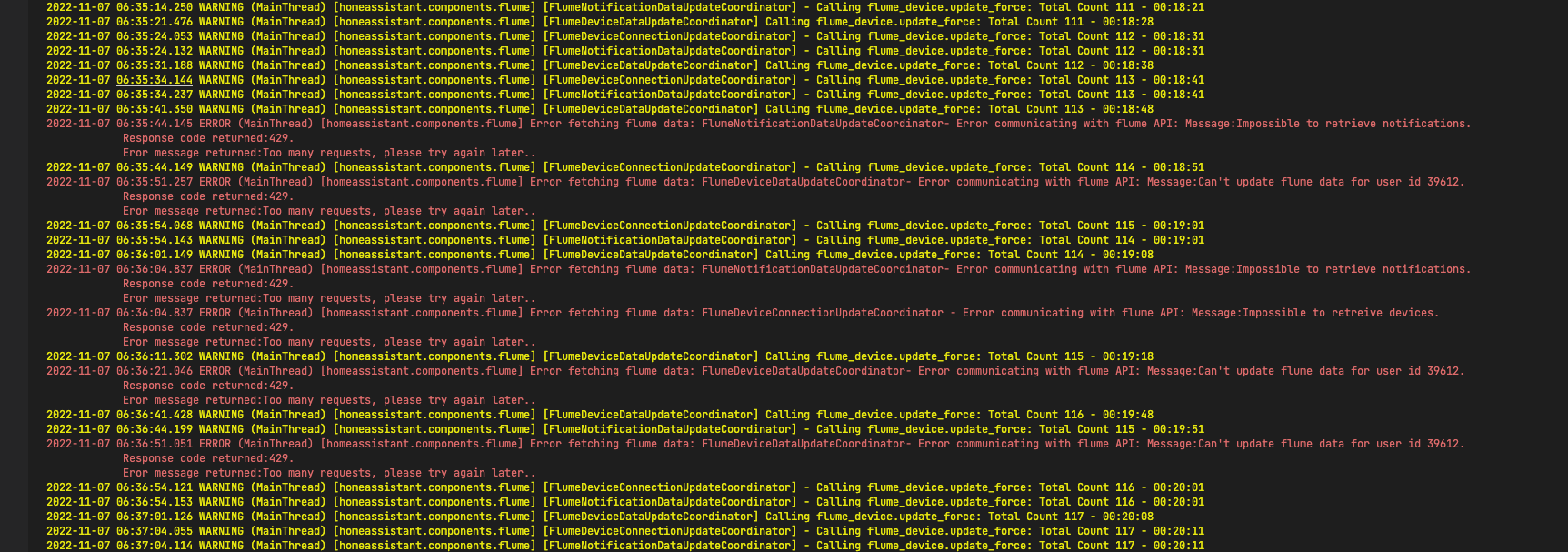
Which kind of looks like I got about 339 calls before it timed out... In any case I think I'll push out a fix today that will divide the update rate by the number of flume devices which should solve things in the short term and look for more efficiencies moving forward.