
core
 core copied to clipboard
 home-assistant
Energy dashboard doesn't allow adding MWh / GJ for Gas
The problem
Since 2022.11.0 the Energy Dashboard now allows adding GJ for gas usage. However this seems to have broken something. MWh and m3 entities (statistics enabled) are no longer available in the dropdown for choosing a source for gas. For example the MWh-entity supplied by the Landis+Gyr Heat Meter integration can now no longer be chosen.
This worked correctly before: the entity that was chosen in the previous version 10.5 is still selected after the migration and also works correctly it updates correctly on the energy dashboard. (It therefore seems to me it's not an issue in the integration.)

However, after deleting this entity as source for gas from the dashboard, it can no longer be chosen:

Also (with a slightly modified custom version of the Landis+Gyr Heat Meter integration) I've tried to add the (now statistics enabled) GJ entity. Also this entity cannot be chosen from the dropdown.
This behavior is also reported (in the comments) in https://github.com/home-assistant/core/issues/81464#issuecomment-1302316512.
In the statistics tab, the entities show correctly with their statistics data:


 None of these can be chosen as input for gas in the energy dashboard.
What version of Home Assistant Core has the issue?
2022.11.0
What was the last working version of Home Assistant Core?
2022.10.5
What type of installation are you running?
Home Assistant OS
Integration causing the issue
Energy dashboard
Link to integration documentation on our website
https://www.home-assistant.io/docs/energy
Diagnostics information
No response
Example YAML snippet
No response
Anything in the logs that might be useful for us?
No response
Additional information
No response

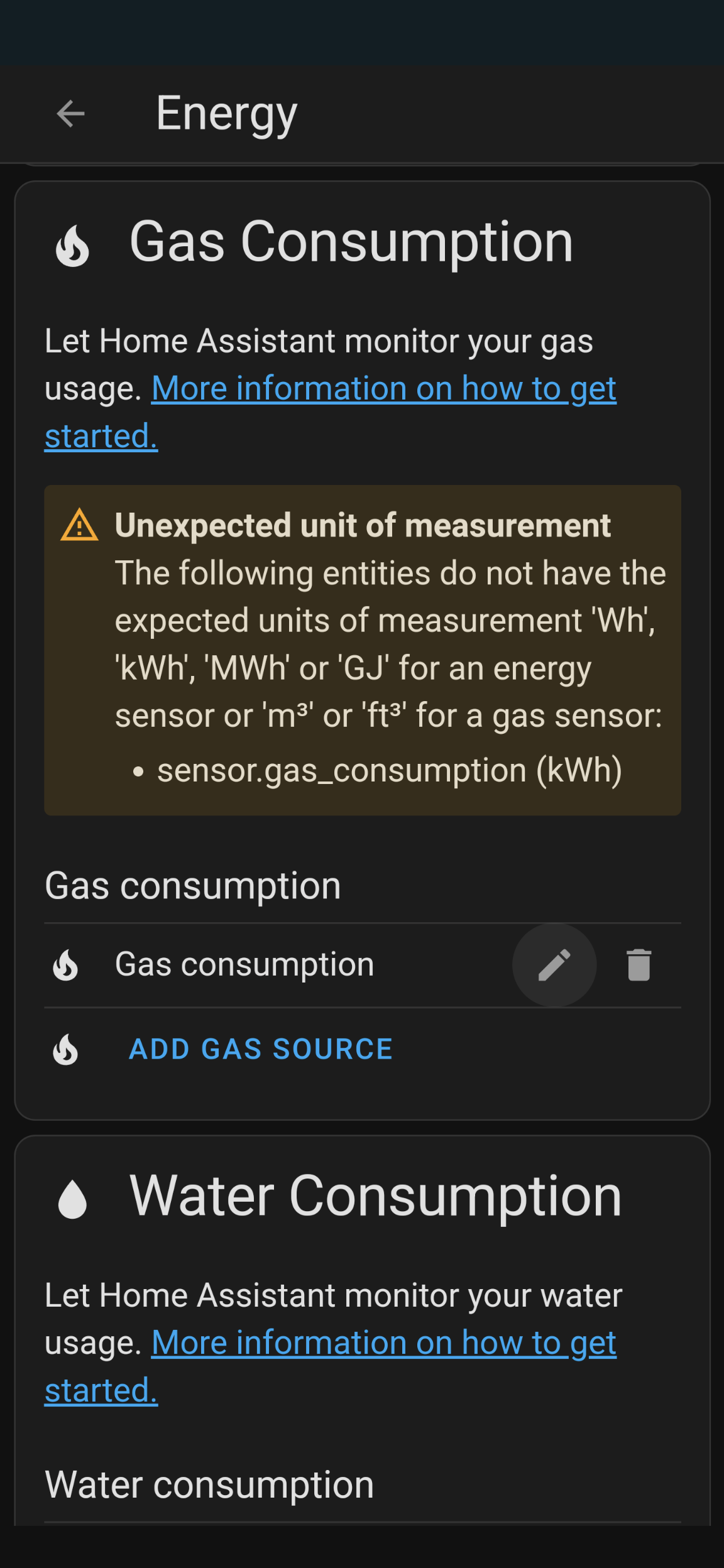
I think that the dashboard now only accepts device_class = 'gas'. After changing the volume, MWh and GJ entities to device_class 'gas', they can be selected. But it still does not solve the issue, since now it shows the following message. So it seems some part still expects the device_class energy to correspond to MWh / GJ. The volume-entity doesn't show this message.
Has something changed in 2022.11 with respect to filtering entities by device_class ?


Changing the energy json manualy ("stat_energy_from": "sensor.heat_meter_heat_usage_gj") seems to have the desired effect, confirming the suspicion that this is a front end issue. Still waiting to see how the actual Gas-dashboard will respond to changing from MWh to GJ though.

With 2022.10 I was (mis)using the (gas) consumption card to track energy/ cost for individual devices.
https://community.home-assistant.io/t/wth-why-cant-we-see-electricity-cost-for-individual-entities-in-energy-dashboard/467187/26?u=markpurcell
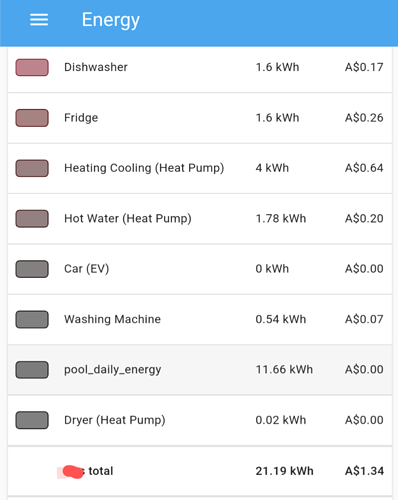
With 2022.11 it appears this is no longer possible, I am unsure if this is a bug or a feature.

The documentation (https://developers.home-assistant.io/docs/core/entity/sensor/#available-device-classes) indicates that sensors with a value of kWh or MWh should still have a device class of energy, so I think the bug here is that sensors with a device class of energy are no longer able to be added as gas sources

MWh entities are converted to kWh (trivial conversation). But now it seems also GJ is converted to kWh on the (gas-)dashboard (after working around the bug). Although I didn't expect this, it's fine. Also GJ should indeed be energy, since it is. And it is not gas. This all still points to a front end bug.
And perhaps the whole Gas category should be renamed to Heating....
Experiencing the same with long term statistics that have been working fine for a while. This is a post on the HA forum for an integration i made for the community, and people flagged it with me recently that the entities are not showing in the dropdown for the gas sensor only. https://community.home-assistant.io/t/glow-hildebrand-display-local-mqtt-access-template-help/428638/2?u=robertalexa
Went and checked it at my end, the dropdown is empty, despite the correct entities being set. My energy dashboard was working fine with the "hidden" entity, but as soon as I have changed it (to itself by entity_id) it stopped.
Not sure if this is related to the recent change: https://github.com/home-assistant/core/pull/80884

I am having the same issue. I had a working gas kwh sensor in there, deleted it because I had set up a more accurate one and I cannot add either of them. Latest HA 2022.11.1

I'm still seeing this issue in Home Assistant 2022.11.2 :-(
I also see this issue hasn't been assigned, so I'm unsure if anyone is looking at it.
This seens to be relevant https://github.com/home-assistant/frontend/issues/14292#issue-1436295997

+1. Broken since 2022.11. Worked with device_class = energy and unit = kWh before I upgraded.

Same here.
I'm running a container and everything worked into the November release.
I did try Hassos, and I managed to get things working but not after changing the monetary to GBP/kWh then change kWh to m3 and then back to kWh again.
The UI seems to kick out that the gas sensor doesn't support kWh, but then contradicts in the drop down

@purcell-lab Thanks for the heads up. Only taking 2 major version to fix sth that was accidentally broken when actually working on that and supporting different units of measurement. sad face
Unfortunately im still facing some problems with Energy Dashboard.
Half of the problem is fixed. I can select both energy and gas devices now. But the dashboard still shows me values in kWh instead of GJ.
This is my entity:
sensor.gas_meter_gas_consumption
state_class: total_increasing
unit_of_measurement: GJ
device_class: energy
icon: mdi:heat-wave
friendly_name: Gas Meter Gas consumption
But this is what the dashboard says:
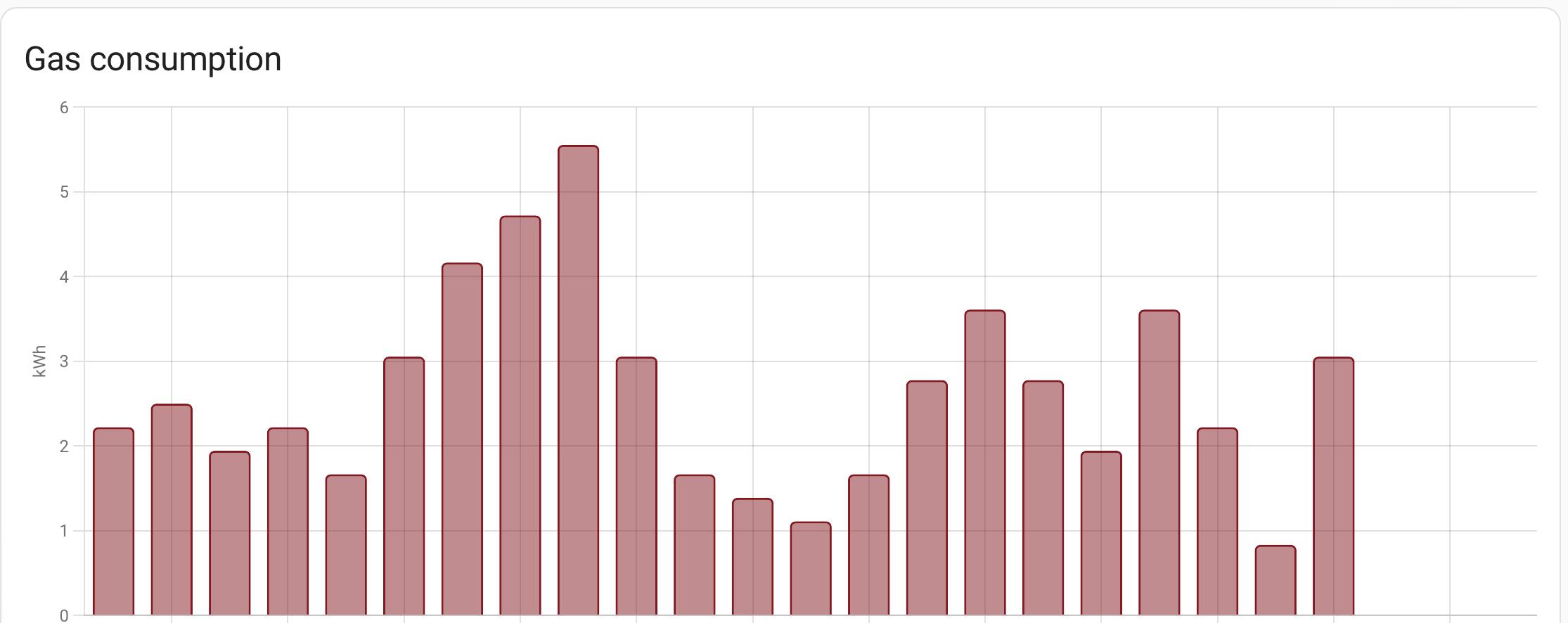
I have tried to remove the dashboard entry and tried adding it again but still the same. Seems like the frontend is getting GJ and then converting it into kWh as the graph looks accurate after doing this conversion.

Also have issue adding gas sensor. My sensor looks like this:
state_class: total_increasing
unit_of_measurement: m³
icon: mdi:meter-gas
friendly_name: viessmann day gas
Cant see it in energy monitor at all. Should i just wait for update or speak to integration developer maybe need device_class?

@Autogarsas your specific issue could be caused by it not being recognized as a statistic. Try adding this to the configuration:
  attributes:
    last_reset: '1970-01-01T00:00:00+00:00'
Unfortunately im still facing some problems with Energy Dashboard.
Half of the problem is fixed. I can select both energy and gas devices now. But the dashboard still shows me values in kWh instead of GJ.
This is the same for me. I'm not sure this is a bug, or the intended way. It's not very intuitive either way. I'm also confused whether I should use price per kWh or price per GJ. Price calculation is off in any case. Long story short: this still needs work.
There hasn't been any activity on this issue recently. Due to the high number of incoming GitHub notifications, we have to clean some of the old issues, as many of them have already been resolved with the latest updates. Please make sure to update to the latest Home Assistant version and check if that solves the issue. Let us know if that works for you by adding a comment 👍 This issue has now been marked as stale and will be closed if no further activity occurs. Thank you for your contributions.
![issue-triage-workflows[bot] avatar](https://avatars.githubusercontent.com/u/13844975?v=4 "Published by a pub.dev verified publisher")