
hvplot
 hvplot copied to clipboard
 holoviz
support cmap parameter for line plots
I have a dataframe data with three dimensions (x,y,z) and I'd like to create a line plot where the color of the line is set by a colormap rather than randomly-chosen colors.
currently I can do
data.hvplot(x='x', y='y', by='z', cmap='Reds')
which gives nearly the appropriate plot, except that the cmap parameter is ignored. This causes problems when z is a continuous variable rather than a categorical variable because in that case, a sequential colormap is necessary to shade each line appropriately (instead of the default categorical colormap). I'd like for the cmap parameter to be recognized in line graphs as it is with other types, e.g. scatter
for example using hvplot I can do
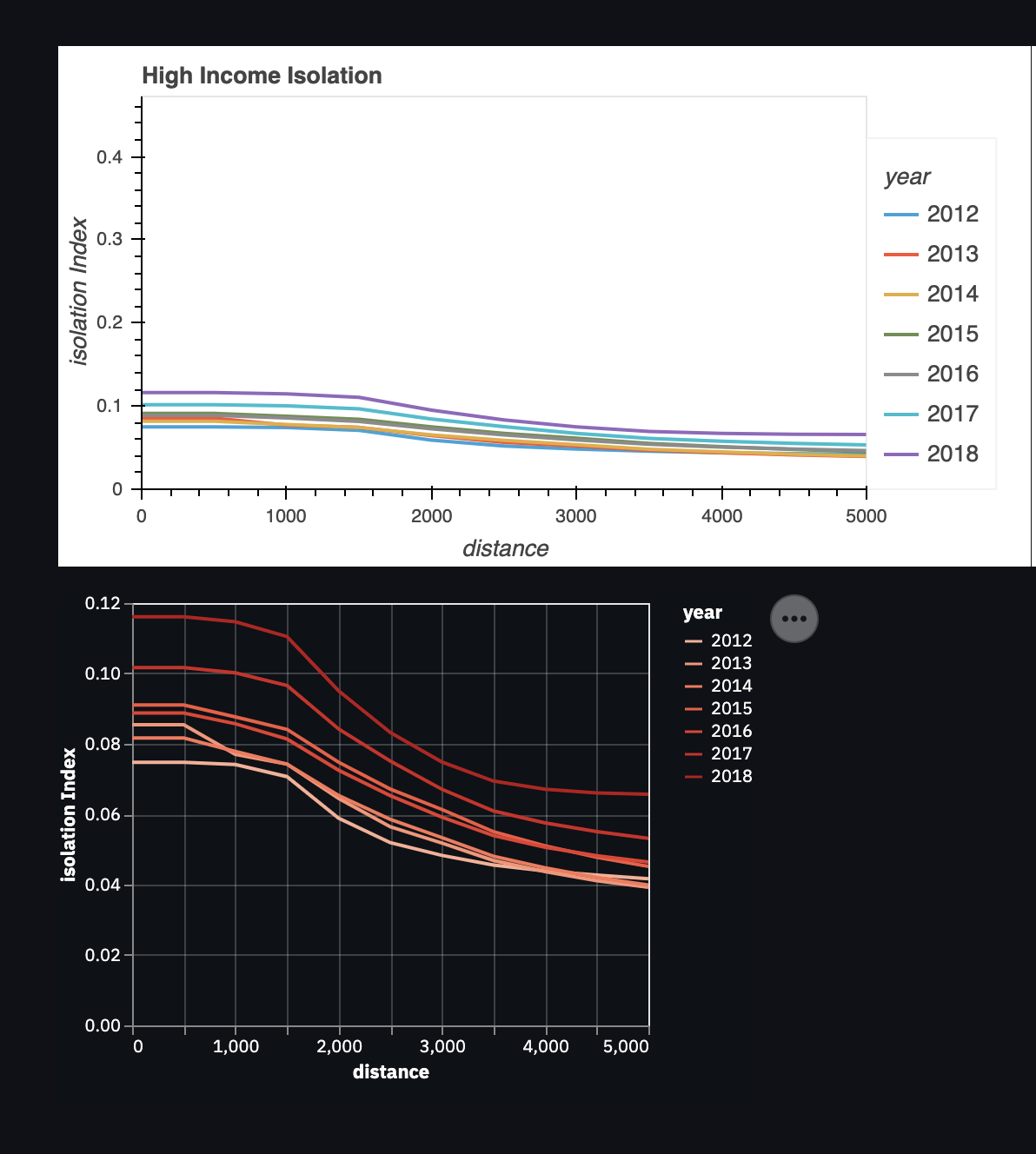
data.hvplot(x='distance', y='Index', by='year', cmap="reds")
which yields the top figure below (ignoring 'cmap`). Instead, I'd like to generate something like the bottom figure (created using Altair)

This seems to me like a very nice feature to have in hvPlot! This is actually currently possible, using .opts and some HoloViews-fu, applying the options to the elements contained by the resulting NdOverlay:
import holoviews as hv
import hvplot.pandas
import numpy as np
import pandas as pd

df = pd.DataFrame({
  'x': list(np.arange(10)) * 6,
  'y': np.concatenate([np.arange(10) + x for x in range(6)]),
  'z': [l for l in range(0, 60, 10) for _ in range(10)],
})

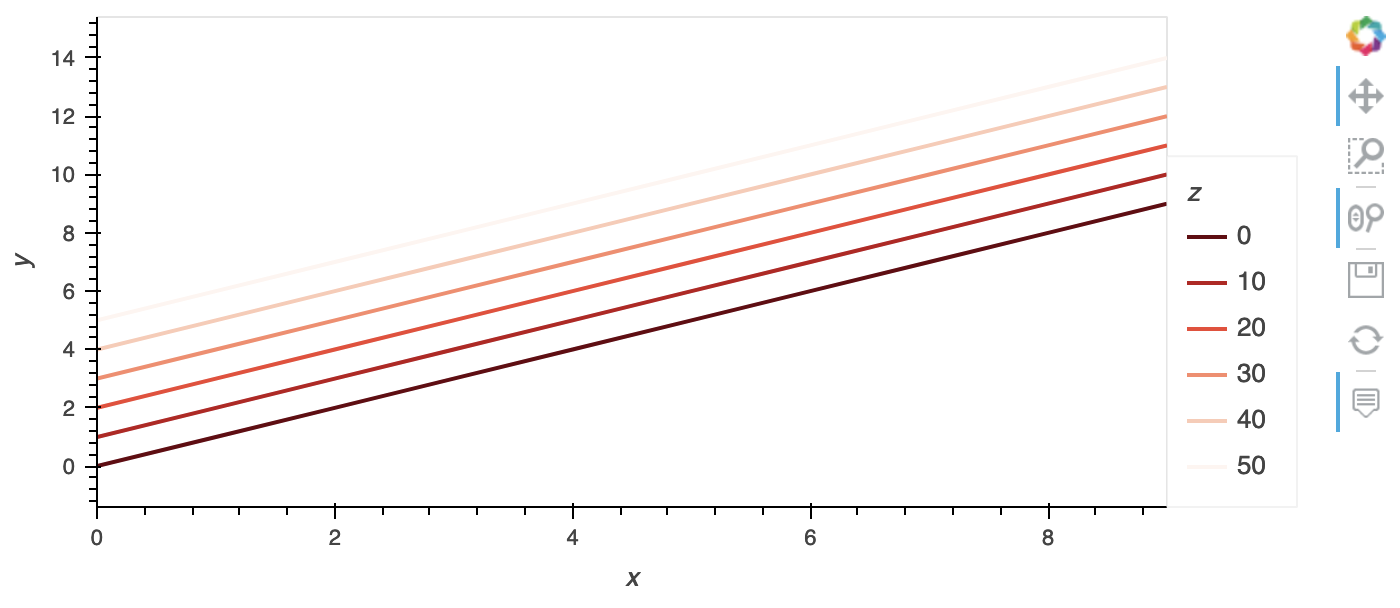
df.hvplot.line('x', 'y', by='z').opts(hv.opts.Curve(color=hv.Palette('Reds')))
Any thought on this @jlstevens @jbednar ? This is right now in the Wishlist milestone so bound to best ignored indefinitely. I feel this should be supported by hvPlot but one could make the case that it's just a matter of better documenting .opts to hvPlot users.
By the way the fact that passing cmap is swallowed without any effect or error/warning is a bug, I'm going to open an issue for that.

~~Does anyone have a quick update on the workaround? With the latest version it complains that hvplot.opts is not defined~~. It's holloviews not hvplot, my bad
