
website
 website copied to clipboard
 hackforla
Apply new gradient overlay for Projects pages
Overview
We need to use a new gradient for the hero-image overlay on Project pages so that it looks smooth, visually pleasing and is applied consistently to Project page hero images.
Action Items
- [x] Identify where the gradient image file must be placed in the code repository.
- [ ] Make the code changes so that the gradient is applied on all the Project pages.
- [ ] Check if the gradient looks good on each of the Project page and provide screenshots of all of them.
- [ ] If it does not look good on all of them, identify the ones it does not look good on, and bring them to the team meeting to discuss, or address it directly with design.
Resources/Instructions
- Project Page Example: 100 Automations
- Figma - Project Description Page
- Here is the gradient image file: Final Gradient
- Location of the gradient in the Project Description Page in a box underneath the 'final version' outlined in pink.
- Related issue #2312

Hi @SAUMILDHANKAR.
Good job adding the required labels for this issue. The merge team will review the issue and add a "Ready for Milestone" label once it is ready for prioritization.
Additional Resources:
![github-actions[bot] avatar](https://avatars.githubusercontent.com/in/15368?v=4 "Published by a pub.dev verified publisher")
Hi @riddle015, thank you for taking up this issue! Hfla appreciates you :)
Do let fellow developers know about your:- i. Availability: (When are you available to work on the issue/answer questions other programmers might have about your issue?) ii. ETA: (When do you expect this issue to be completed?)
You're awesome!
P.S. - You may not take up another issue until this issue gets merged (or closed). Thanks again :)
Good Morning Hiram, We have a volunteer who is interested in working on this issue and it looks like you haven't done any progress reports or updates. I would hate to take this away from you if you've done the work but if you haven't started, we'd like to re-assign this issue. If I don't hear back from you by next week, we'll assume you aren't interested.

Hi @carolemlago, thank you for taking up this issue! Hfla appreciates you :)
Do let fellow developers know about your:- i. Availability: (When are you available to work on the issue/answer questions other programmers might have about your issue?) ii. ETA: (When do you expect this issue to be completed?)
You're awesome!
P.S. - You may not take up another issue until this issue gets merged (or closed). Thanks again :)

@carolemlago
Please add update using the below template (even if you have a pull request). Afterwards, remove the 'To Update !' label and add the 'Status: Updated' label.
- Progress: "What is the current status of your project? What have you completed and what is left to do?"
- Blockers: "Difficulties or errors encountered."
- Availability: "How much time will you have this week to work on this issue?"
- ETA: "When do you expect this issue to be completed?"
- Pictures (optional): "Add any pictures of the visual changes made to the site so far."
If you need help, be sure to either: 1) place your issue in the developer meeting discussion column and ask for help at your next meeting, 2) put a "Status: Help Wanted" label on your issue and pull request, or 3) put up a request for assistance on the #hfla-site channel.
You are receiving this comment because your last comment was before Tuesday, October 11, 2022 at 12:39 AM PST.
Progress: I haven't been able to progress as much with this issue since due to doubts that haven't been answered Blockers: I'm not sure if there's a gradient file to use or if I should apply a gradient overlay using CSS. All resources links send me to the same Figma project board. Availability: Wed 10am-3pm, Thu 5pm-7pm ETA: Fri 1pm
@carolemlago from what I understand from the issue, it seems you will need to place the image somewhere in the assets folder and then apply the image to the to the Project page as an overlay. The issue doesn't specify what format, so I recommend experimenting with the different image formats.

@jdingeman Great! One quick question: is there a specific file I need to save and apply? All the resources links redirect me to the figma board so I'm not sure. Thx
@jdingeman Great! One quick question: is there a specific file I need to save and apply? All the resources links redirect me to the figma board so I'm not sure. Thx
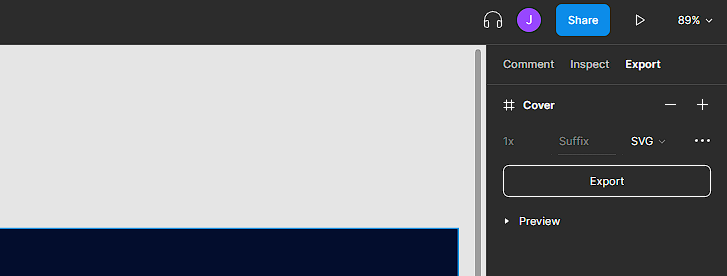
Click on Export on the right side and download from there.
Hi @jyaymie, thank you for taking up this issue! Hfla appreciates you :)
Do let fellow developers know about your:- i. Availability: (When are you available to work on the issue/answer questions other programmers might have about your issue?) ii. ETA: (When do you expect this issue to be completed?)
You're awesome!
P.S. - You may not take up another issue until this issue gets merged (or closed). Thanks again :)

I exported what I think is the gradient image file (Screen Shot 2020-08-23 at 9.13 1.png) on Figma, but the image contains devices:
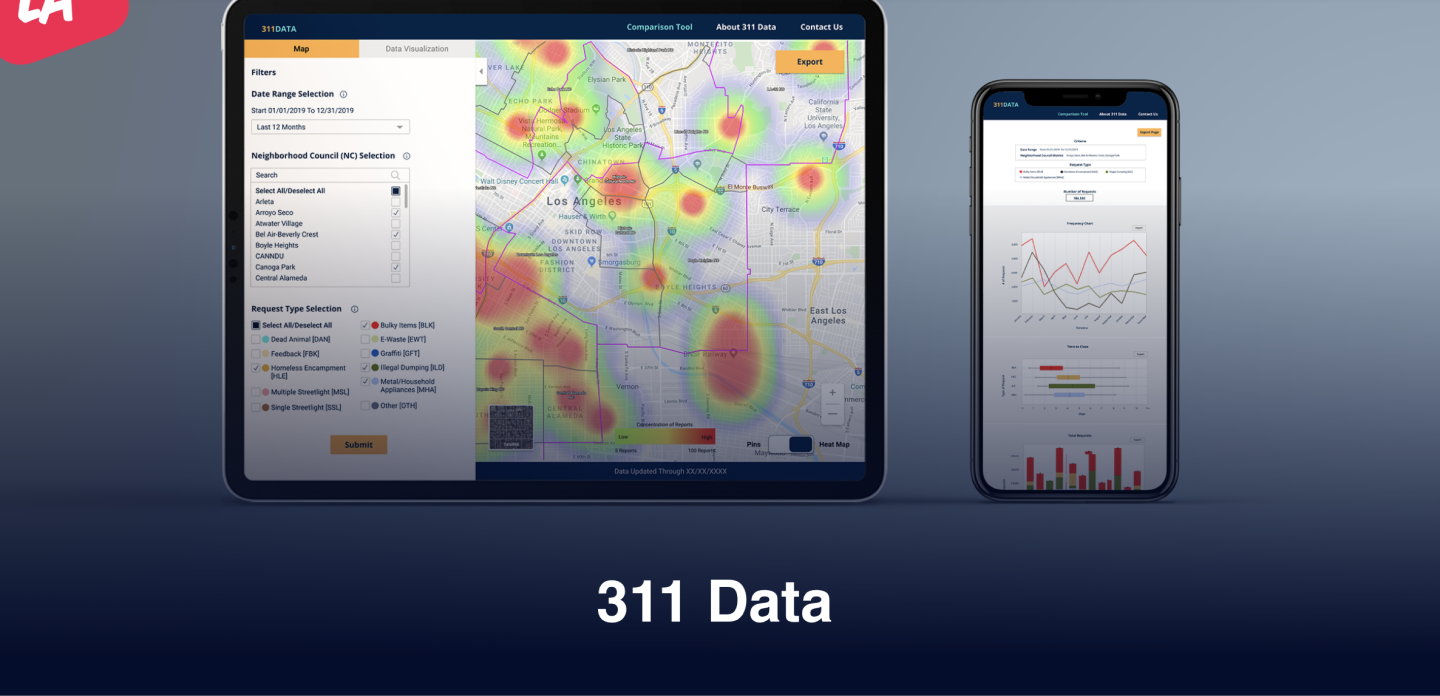
I also noticed that the gradient appears to be going in a diagonal direction as the top right corner is brighter than the top left corner. Based on the last screenshot in the comments section of related issue #2312, it seems the gradient should be going vertically.
I'd like to know if there is a clean version of the gradient image without any devices and with the gradient going in the appropriate direction.
I am working in the apply-gradient-on-projects-pages-2600 branch on my forked repo.
Any assistance is appreciated. Thank you!
Hi @jyaymie. I think I see what's going on now. It doesn't look like the gradient file exists on its own fro you to use. I cannot find it on Figma or in the repo. I will talk to Design to see if they have any insight.
I would say for the time being and you are willing to try it out, try editing the CSS in _project-page.scss to expand the linear gradient to more closely match the Figma prototype. I don't think the step that says to add the image file to the repository makes sense since the image they are referring to doesn't exist.
Hi @jyaymie. I think I see what's going on now. It doesn't look like the gradient file exists on its own fro you to use. I cannot find it on Figma or in the repo. I will talk to Design to see if they have any insight.
I would say for the time being and you are willing to try it out, try editing the CSS in _project-page.scss to expand the linear gradient to more closely match the Figma prototype. I don't think the step that says to add the image file to the repository makes sense since the image they are referring to doesn't exist.
Thanks so much for looking into this, @jdingeman! I'll go the CSS route in the meantime.
During the dev meeting today (10/25/22), I learned that the gradient image file could not be found. I will go forward with implementing the gradient change via CSS and apply it to both desktop and mobile screens.
Hi All,
It took me about 5 min to find the gradient image in our Figma. So it occurs to me that the dev team might need a refresher and possibly some documentation about how to find things if they get moved.
In the meantime, here is the file's new location https://www.figma.com/file/0RRPy1Ph7HafI3qOITg0Mr/Hack-for-LA-Website?node-id=24996%3A285234&t=VH2yEoPVb8SMTAOs-0
Should we make a new issue for this, or reopen this one and clean it up?

We agreed to reopen the issue. The dev leads will need to
- remove old references to the figma file
- add the the new link in the hfla figma, design system page to resources
- keep Justin's comment about how to export
- hide all the other irrelevant comments
Hi @str-xjua24, thank you for taking up this issue! Hfla appreciates you :)
Do let fellow developers know about your:- i. Availability: (When are you available to work on the issue/answer questions other programmers might have about your issue?) ii. ETA: (When do you expect this issue to be completed?)
You're awesome!
P.S. - You may not take up another issue until this issue gets merged (or closed). Thanks again :)

@str-xjua24 Checking in on you now that we are back from break, to see if you are still working on this issue.
Availability: All afternoons after 5pm except for Tues ETA: End of the week
@str-xjua24 Please provide update on this issue or let us know that you want to return it. Expected amount of time for this issue is 6 hours or less. We are short of medium size issues right now, so please respond asap so we know if we can give it to someone else.
@str-xjua24
Please add update using the below template (even if you have a pull request). Afterwards, remove the '2 weeks inactive' label and add the 'Status: Updated' label.
- Progress: "What is the current status of your project? What have you completed and what is left to do?"
- Blockers: "Difficulties or errors encountered."
- Availability: "How much time will you have this week to work on this issue?"
- ETA: "When do you expect this issue to be completed?"
- Pictures (optional): "Add any pictures of the visual changes made to the site so far."
If you need help, be sure to either: 1) place your issue in the developer meeting discussion column and ask for help at your next meeting, 2) put a "Status: Help Wanted" label on your issue and pull request, or 3) put up a request for assistance on the #hfla-site channel.
You are receiving this comment because your last comment was before Monday, March 6, 2023 at 11:17 PM PST.
Hi @KazushiR, thank you for taking up this issue! Hfla appreciates you :)
Do let fellow developers know about your:- i. Availability: (When are you available to work on the issue/answer questions other programmers might have about your issue?) ii. ETA: (When do you expect this issue to be completed?)
You're awesome!
P.S. - You may not take up another issue until this issue gets merged (or closed). Thanks again :)

@KazushiR
Please add update using the below template (even if you have a pull request). Afterwards, remove the 'To Update !' label and add the 'Status: Updated' label.
- Progress: "What is the current status of your project? What have you completed and what is left to do?"
- Blockers: "Difficulties or errors encountered."
- Availability: "How much time will you have this week to work on this issue?"
- ETA: "When do you expect this issue to be completed?"
- Pictures (optional): "Add any pictures of the visual changes made to the site so far."
If you need help, be sure to either: 1) place your issue in the developer meeting discussion column and ask for help at your next meeting, 2) put a "Status: Help Wanted" label on your issue and pull request, or 3) put up a request for assistance on the #hfla-site channel.
You are receiving this comment because your last comment was before Tuesday, March 21, 2023 at 12:15 AM PST.
Progress: had to locate where to place the gradient file. Know how to tackle the issue. Blockers: no blockers since the developer meeting cleared most of it up. Availability: weekdays Monday-Friday ETA: sometime this week. Pictures (optional): N/A
Completed the assigned tasks. Need to confirm with Dev leads if the final product looks good as I did need to make changes to the code base.