

 hackforla
Add glossary link to footer on "About" page
Overview
We need to mock up adding Glossary links to the Calculator site so that we can get signoff by stakeholder
Additional info
- This is the design issue for #877
Action Items
- [x] Add glossary link to footer, right next to the checklist
- [ ] Add glossary link to the additional resources section of the About page
- [ ] Add glossary link to the FAQ page
Resources/Instructions
Here is the link for the glossary: https://planning.lacity.org/odocument/bb9114b3-29e3-423f-8b91-027afb242e63/Revised_DRAFT_TDMOrdinance_June2022.pdf

Hi @Reneedesigns. Here is what we need mockups of and what user stories they serve.
Story 1
As a user, I want to be able to look up a word in the calculator that I don't understand, by clicking on a glossary link, without loosing my place.
Details that inform the design choices
The about page is inaccessible when you are in the calculator. If you are not logged in, you will get the following message when you try to click on the About link.
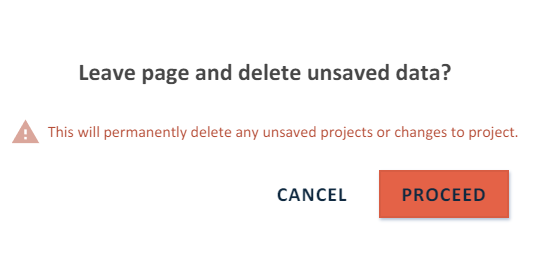 So users have to be able to click on the item in the footer, like they can with the checklist.
Story 2
As a user, I expect to see links to all the City's documents related to TDM all one place.
Details
Currently, the about page is where all the city document links are and they are going to remain there. So a glossary link will need to be added there.
Story 3
As a user, I want to see a question/answer in the FAQ that says
Q: How can I find out what a term in the Calculator means?
Some of the items in the calculator have extra information available. Try these methods
Method 1: Try hovering over a term you want more information on. If the words become underlined and bold, you can click for a description. Hovering over a green question mark will also provide more information.
Method 2: Check out the Glossary which is linked in our footer on every page.

Glossary added to three areas: footer, About page "Additional Resources", and FAQ page as a question @SMR9220 @Biuwa
https://www.figma.com/file/nD9QK56Mzq7xNSaSUoeGx0/TDM-Calculator?node-id=6814%3A24520
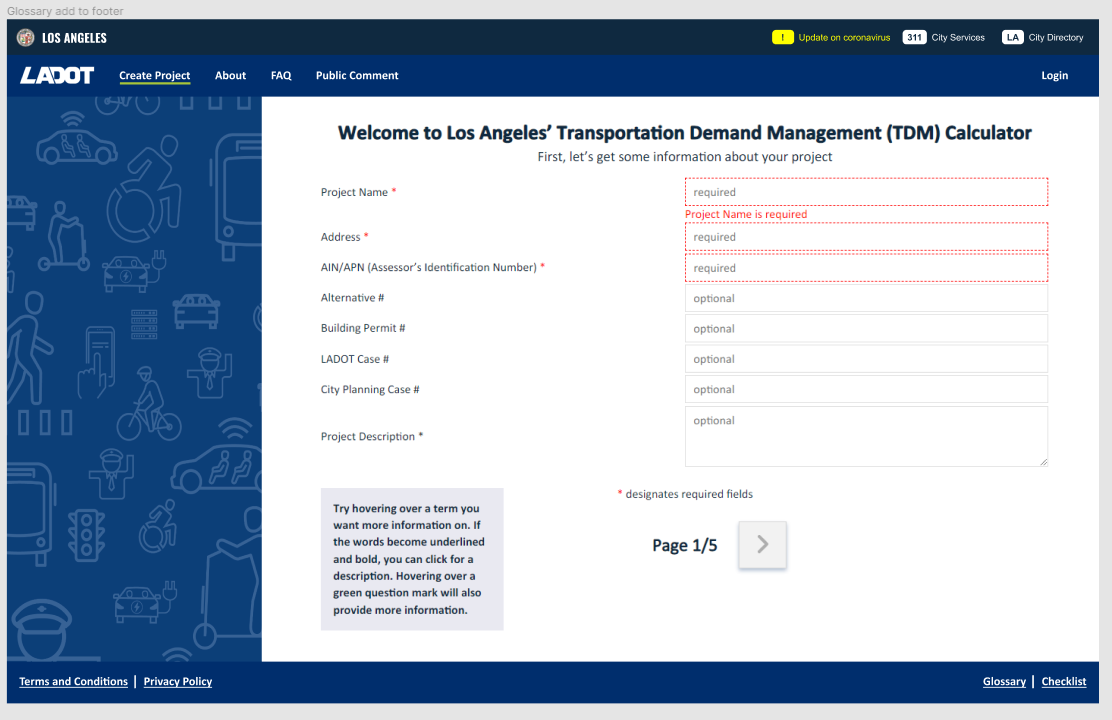
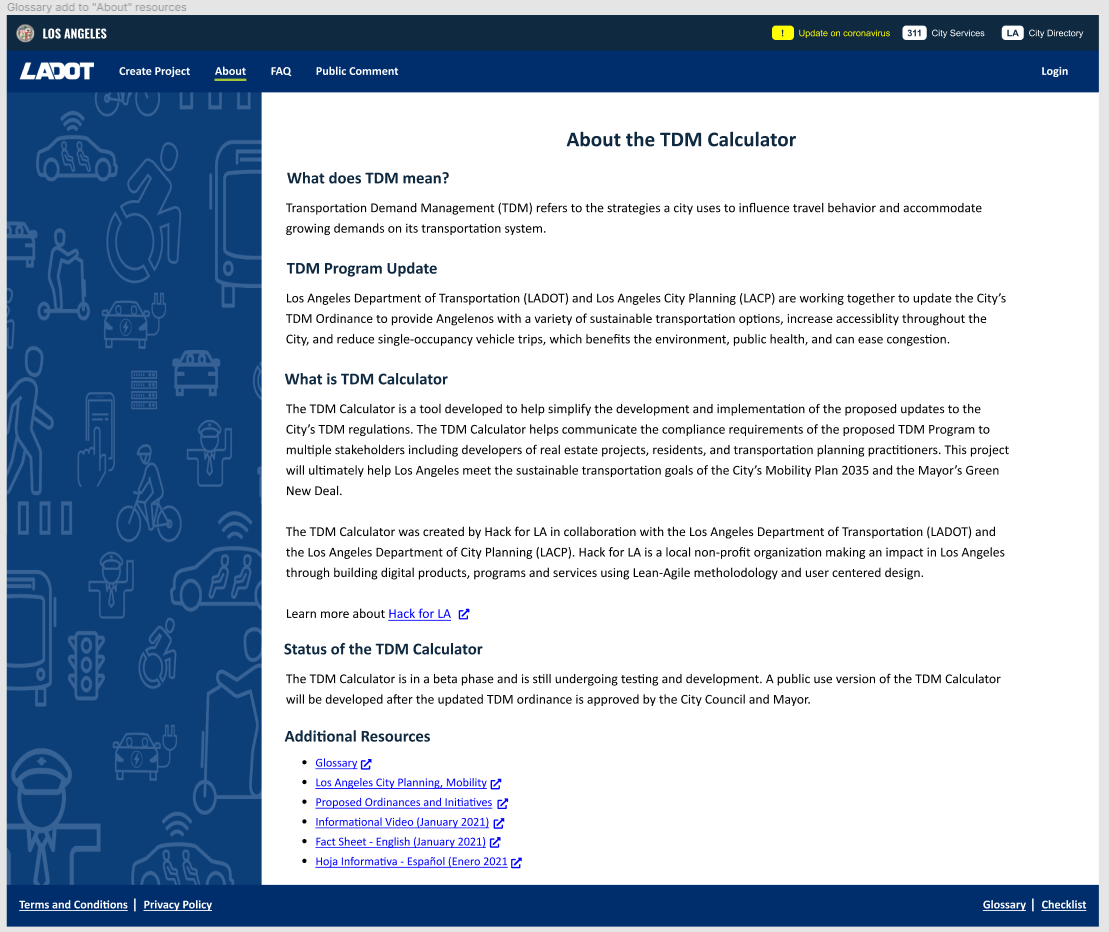
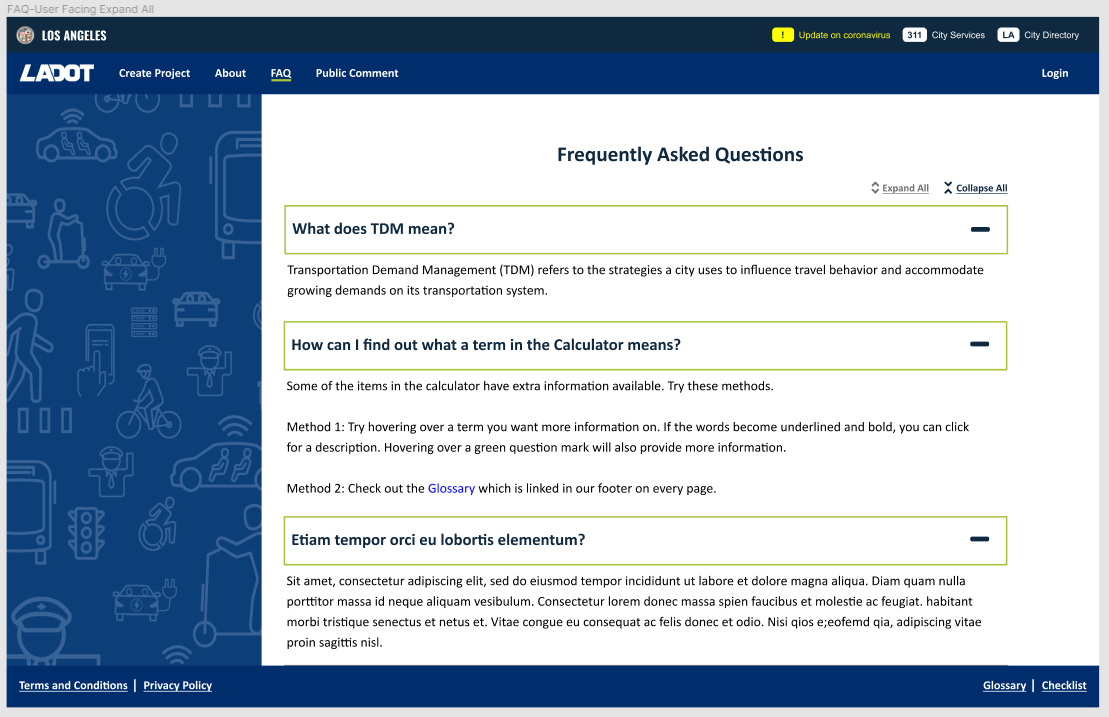

Alexander said locations are fine. Language for question is fine
Check out the TDM Program Guidelines PDF glossary, which is linked in the footer on every page.
@Reneedesigns Please make this correction in the FAQ Question where the glossary is linked:
'Check out the TDM Program Guidelines PDF glossary, which is linked in the footer on every page'

This design for adding Glossary has been accepted by the stakeholder (adding it to the site footer), however there is a still a question about where to link it, and what that experience is like for the user
Confirm with stakeholder which document they want us to link for the glossary and discuss user experience
https://planning.lacity.org/odocument/bb9114b3-29e3-423f-8b91-027afb242e63/Revised_DRAFT_TDMOrdinance_June2022.pdf
https://planning.lacity.org/odocument/c3c9b320-4431-49ff-99d2-15b479c06074/Revised_DRAFT_TDMProgramGuidelines_June2022.pdf appendix A
During the meeting today it was decided that the glossary will link to Page 48 of the Program Guidelines
The glossary is currently only showing on the dev site 2023-01-28